
HTS9CBK3X - Tumble dryer HOOVER - Free user manual and instructions
Find the device manual for free HTS9CBK3X HOOVER in PDF.




| Product type | Extractor hood |
| Brand | Hoover |
| Model | HTS9CBK3X |
| Dimensions (W x D x H) | 90 x 50 x 65-75 cm (estimated) |
| Weight | Approximately 15 kg (estimated) |
| Power supply | 220-240 V ~ 50 Hz, fuse 3A |
| Energy efficiency class | A (estimated) |
| Extraction speeds | 3 speeds + booster function (5 min) |
| Control | Push buttons or keys depending on version (5 possible configurations) |
| Lighting | Integrated LED, max 1.5W |
| Grease filter | Metal, dishwasher safe, monthly cleaning recommended |
| Activated carbon filter | Optional for recirculation mode, annual replacement |
| Exhaust duct diameter | 150 mm |
| Minimum distance above cooking surface | 65-75 cm for electric/gas hobs |
| Timer | Yes, adjustable up to 60 minutes (depending on version) |
| Display | LCD on some versions (time, timer, speed) |
| Noise level | Approximately 55-65 dB(A) depending on speed (estimated) |
| Installation modes | External exhaust or recirculation |
| Protection | Class I, earthing mandatory |
| Maintenance | Exterior cleaning with soft cloth; monthly cleaning of grease filter; annual replacement of carbon filter |
| Safety | Do not flambé under hood; adequate ventilation; supervise children |
| Spare parts | Filters, LED bulb, motor, controls (available from after-sales service) |
| Warranty | 2 years (standard, depending on country) |
Frequently Asked Questions - HTS9CBK3X HOOVER
User questions about HTS9CBK3X HOOVER
0 question about this device. Answer the ones you know or ask your own.
Ask a new question about this device
Download the instructions for your Tumble dryer in PDF format for free! Find your manual HTS9CBK3X - HOOVER and take your electronic device back in hand. On this page are published all the documents necessary for the use of your device. HTS9CBK3X by HOOVER.
USER MANUAL HTS9CBK3X HOOVER
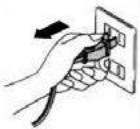
- Before installation, turn off the appliance and disconnect it from the power supply.
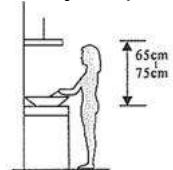
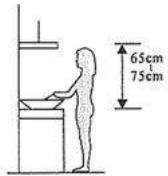
- For best performance, the range hood should be installed at a height of 65-75 cm above the cooktop.
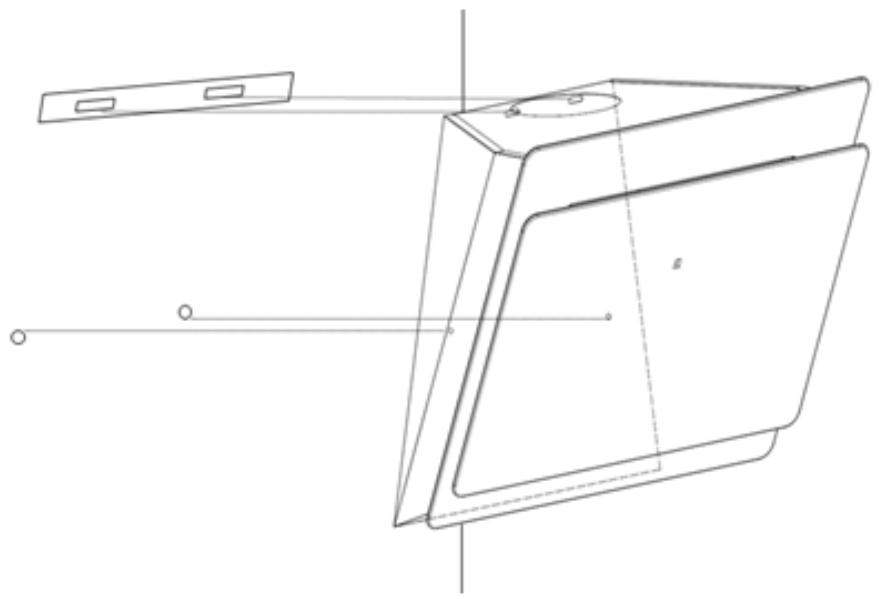
For angled panel model
- drill 2 additional 8mm holes and insert the mounting screws and locking screws before installation
- Lift the hood and hang it on the wall bracket using the hook.
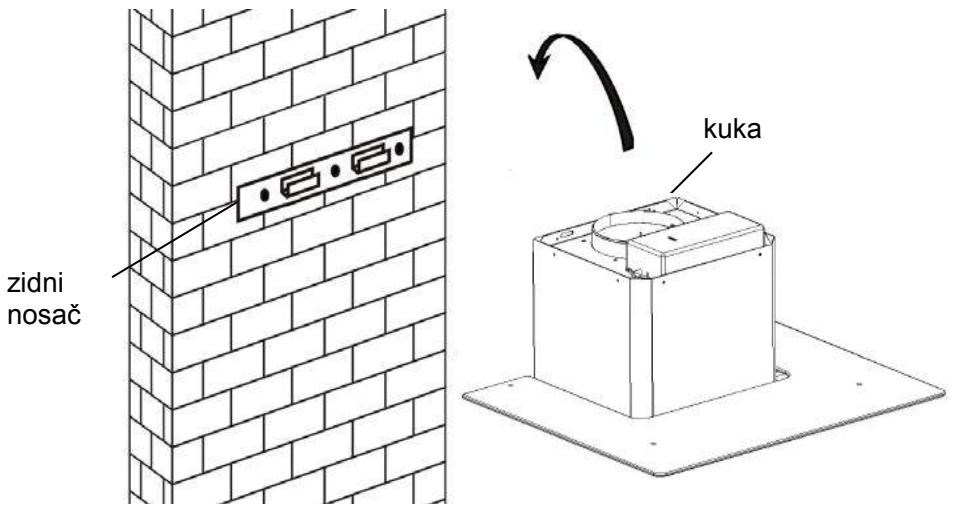
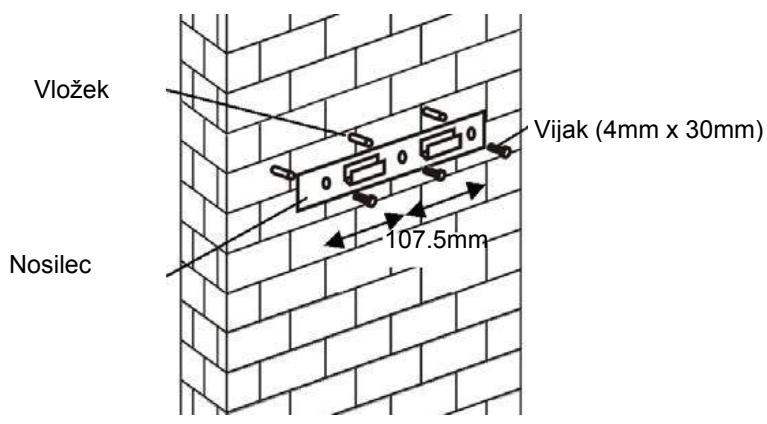
- Drill 2 holes for the wall plugs, then screw and secure the bracket to the wall using the provided screws (2 pcs ST4x30mm).
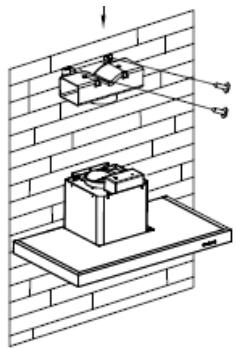
- Install the chimney onto the unit and secure it.
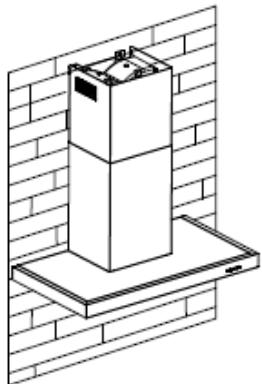
- Install the chimney onto the unit and secure it.
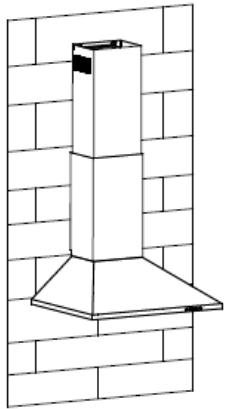
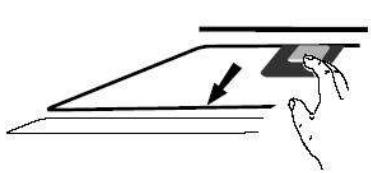
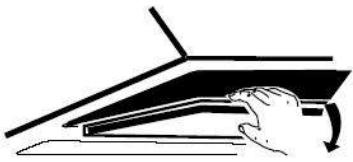
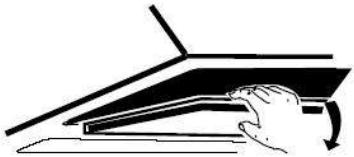
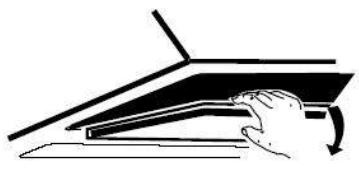
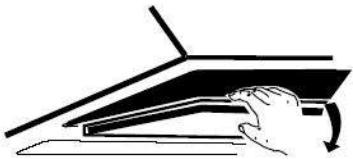
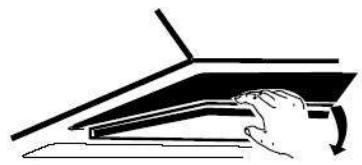
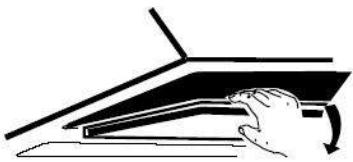
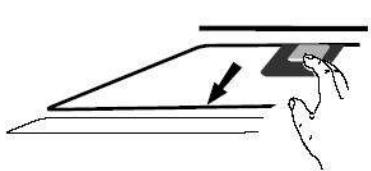
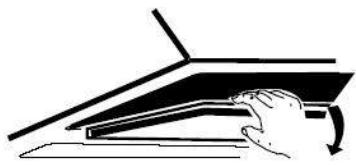
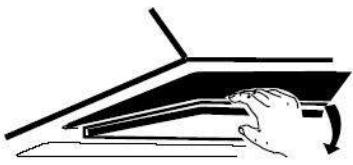
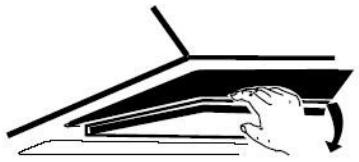
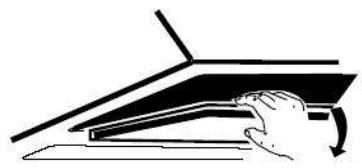
For internal ventilation, an activated carbon filter is used to filter smoke and odors. Before installing the activated carbon filter, first remove the grease filter. Press the latch and pull the filter downwards.
CLOSE
IMPORTANT NOTE:
o Make sure the activated carbon filter is securely and correctly fastened. Otherwise, it may loosen and cause a hazard. o With the activated carbon filter installed, the suction power of the range hood will be reduced.
CONFIGURATION 1
1
2
3

PART NAMES
Button 1
Screw 4x30 mm
For models with sloped surface
Note:
INSTALLATION AND USER'S MANUAL
CONTENTS
INTRODUCTION 52
SAFETY PRECAUTIONS 52
SPECIFICATIONS 55
INSTALLATION (VENT OUTSIDE) 56
INSTALLATION (VENT INSIDE) 67
DESCRIPTION OF COMPONENTS 68
OPERATION 68
MAINTENANCE 73
TROUBLESHOOTING 74
CONFORMITY WITH DIRECTIVES 74
ENVIRONMENTAL PROTECTION 75
Thank you for choosing this cooker hood.
This instruction manual is designed to provide you with all required instructions related to the installation, use and maintenance of the appliance. In order to operate the unit correctly and safely, please read this instruction manual carefully before installation and usage.
The cooker hood uses high quality materials, and is made with a streamlined design. Equipped with a large power electric motor and centrifugal fan, it also provides strong suction power, low noise operation, non-stick grease filter and easy assembly installation.
CE
By placing the CE marking on this product, we declare, on our own responsibility, compliance to all of European safety, health and environmental requirements stated in the legislation for this product.
SAFETY PRECAUTION
Never let children operate the machine.
The cooker hood is for home use only, not suitable for barbecue, roast shop and other commercial purposes.
The cooker hood and its filter should be cleaned regularly in order to keep in good working condition.
Clean the cooker hood according to the instruction manual and keep the unit from danger of burning.
Forbid direct baking from the gas cooker.
Please keep the kitchen room well ventilated.
Before connecting this appliance, check that the power supply cord is not damaged. A damaged supply cord must be replaced by qualified service personnel only.
There shall be adequate ventilation of the room when the range hood is used at the same time as appliances burning gas or other fuels.
The air must not be discharged into a flue that is used for exhausting fumes from appliances burning gas or other fuels.
Regulations concerning the discharge of air have to be fulfilled.
This appliance is not intended for use by persons (including children) with reduced physical, sensory or mental capabilities, or lack of experience and knowledge, unless they have been given supervision or instruction concerning use of the appliance by a person responsible for their safety.
Children should be supervised to ensure that they do not play with the appliance.
Do not flambé under the range hood.
CAUTION: Accessible parts may become hot when used with cooking appliances.
There shall be adequate ventilation of the room when the range hood is used at the same time as appliances burning gas or other fuels (not applicable to appliances that only discharge the air back into the room).
- The details concerning the method and frequency of cleaning.
- There is a fire risk if cleaning is not carried out in accordance with the instructions; do not flame under the range hood.
- CAUTION: Accessible parts may become hot when used with cooking appliances.
Electrical Shock Hazard
Only plug this unit into a properly earthed outlet. If in doubt, seek advice from a suitably qualified engineer.
Failure to follow these instructions can result in death, fire, or electrical shock.
Electrical Installation
All installation must be carried out by a competent person or qualified electrician. Before connecting the mains supply ensure that the mains voltage corresponds to the voltage on the rating plate.
Direct Connection
The appliance must be connected directly to the mains using an omnipolar circuit breaker with a minimum opening of 3mm between the contacts.
The installer must ensure that the correct electrical connection has been made and that it complies with the wiring diagram.
The cable must not be bent or compressed.
Regularly check the power plug and power cord for damage. If the supply cord is damaged, it must be replaced by a special cord or assembly available from the manufacturer or its service agent.
WARNING: This is a Class I appliance and MUST be earthed
This appliance is supplied with a 3 core mains cable coloured as follows:
Brown = L or Live
Blue = N or Neutral
Green and Yellow = E or Earth
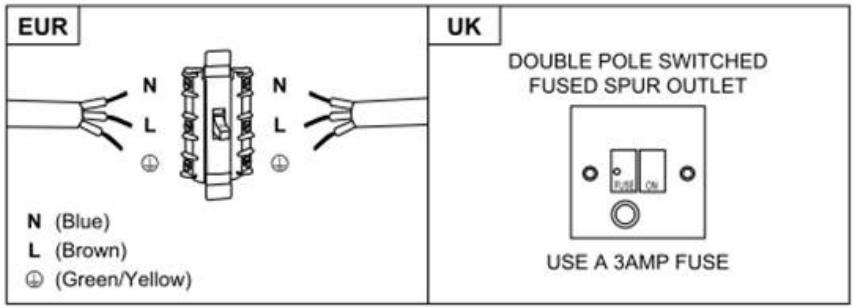
The fuse must be rated at 3 Amps.
Standard Installation Accessories List
| Spec. | Illustration Picture | Qty |
| Casing | 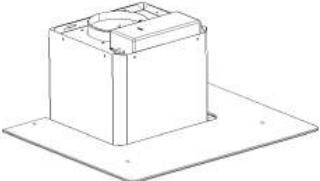 | 1 |
| Upper Chimney | 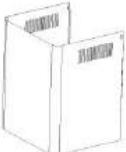 | 1 |
| Lower Chimney | 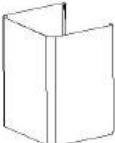 | 1 |
| Lower chimney bracket |  | 1 |
| Upper chimney bracket | 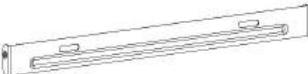 | 1 |
| Hanging Board | 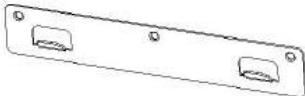 | 1 |
| φ8 rawl plugsφ8×φ6 white color | 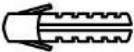 | 9 |
| ScrewsST4.0×30 | 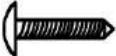 | 9 |
| φ7.2screwsST4.0×8 |  | 2 |
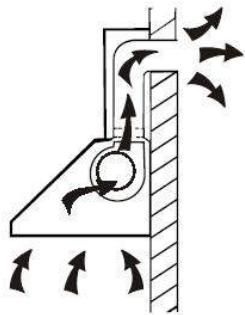
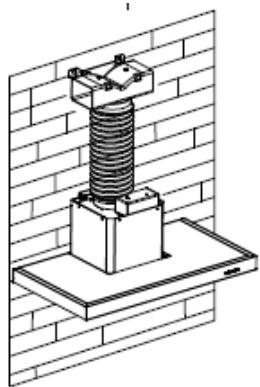
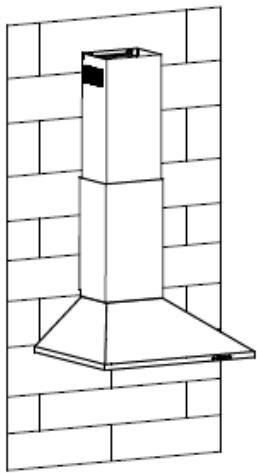
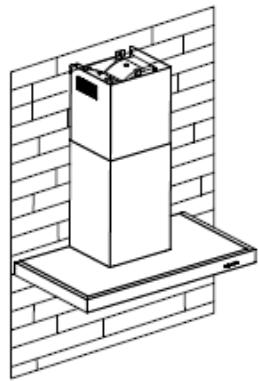
If you have an outlet to the outside, your cooker hood can be connected as shown in the picture below by means of an extraction duct (enamel, aluminum, flexible pipe, or inflammable material with an interior diameter of 150mm).
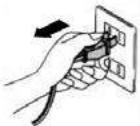
- Before installation, turn the unit off and unplug it from the outlet.
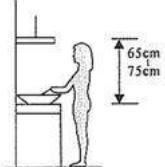
- The cooker hood should be placed at a distance of 65~75cm above the cooking plane for best effect.
- Drill 3 x 8mm holes to accommodate the bracket. Screw and tighten the bracket onto the wall with the screws provided.
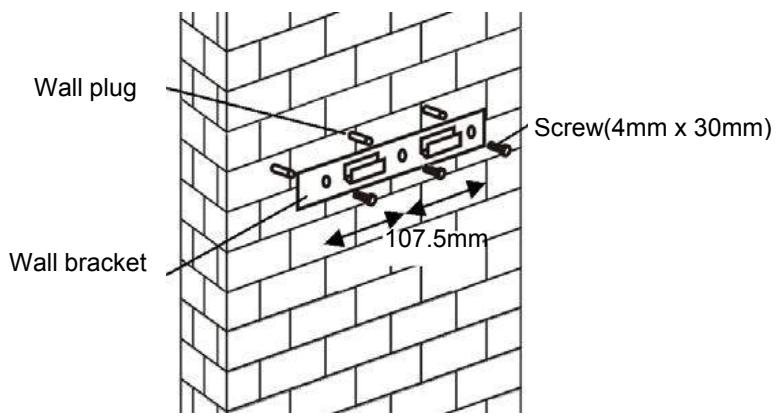
For inclined panel models:
Need to drill 2x8mm extra holes and fixing screws & screw plugs before installation. (For inclined models)
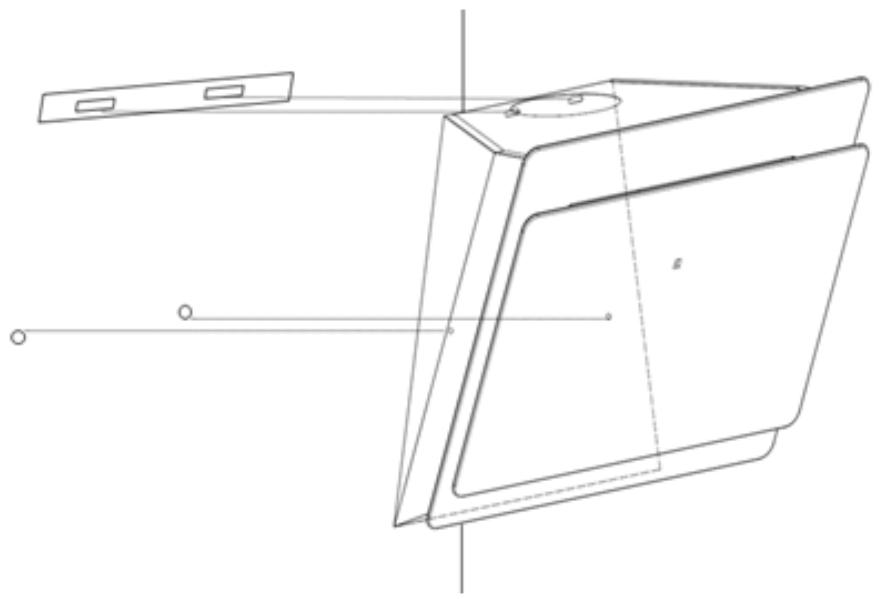
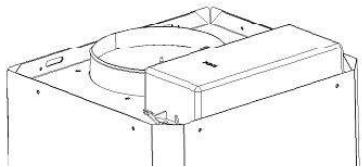
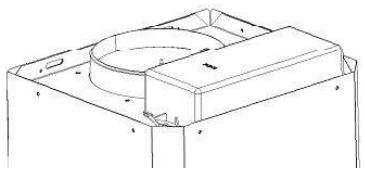
- Lift up the cooker hood and hang it onto the wall bracket hook.
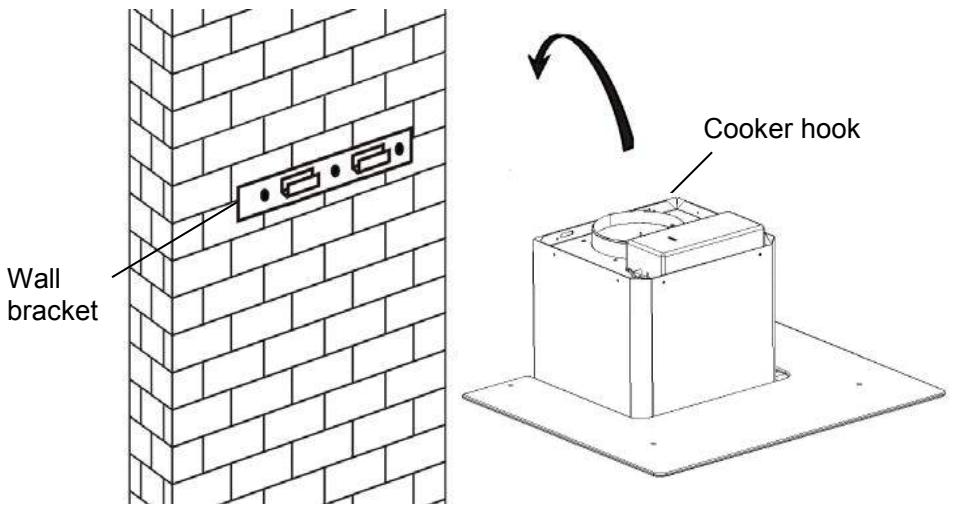
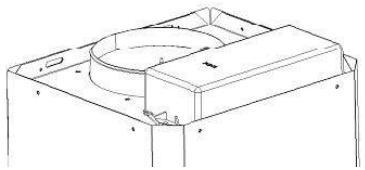
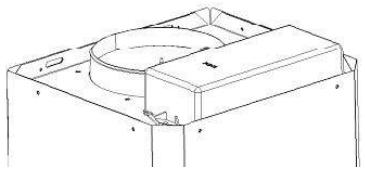
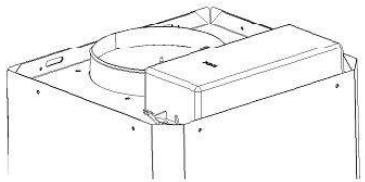
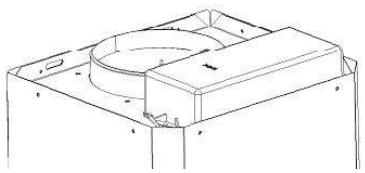
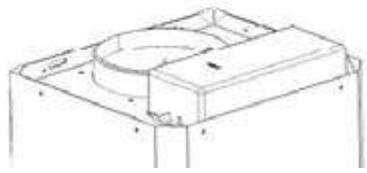
- Fix the one-way-valve to the air outlet of the cooker hood. Then, attach the exhaust pipe onto the one-way-valve as shown below.

6.
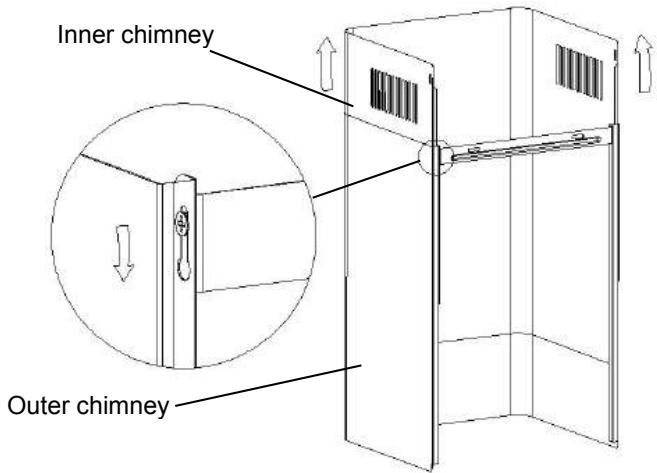
i. Place the glass in the appropriate position on top of the cooker hood. ii. Fix with 4 screws and washers. In order to avoid the glass cracking, please do not tighten the screws too strongly. i. Put the inner chimney into the outer chimney. Then pull out the inner chimney upwards. Adjust to reach the required height.
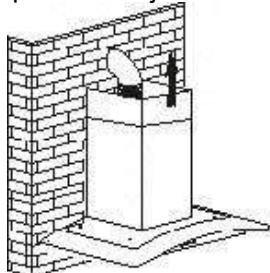
ii. Slide the chimney to adjust the chimney height. When the required height is reached, then hang the fixing hole onto the fixing screws as shown in the pictures below.
8.
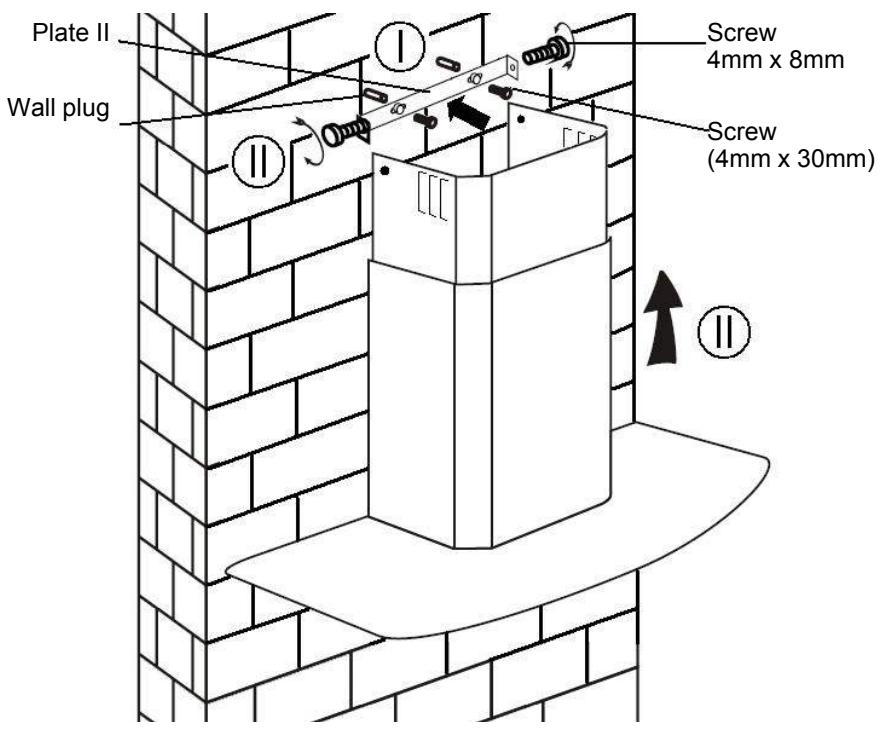
i. Drill 2 x 8mm holes to accommodate the plate. ii. Screw and tighten the plate onto the wall with 2 screws provided. iii. Assemble the chimney onto the unit and fix it with 2 screws.
Standard Installation Accessories List
| Spec. | Illustration Picture | Qty |
| Air Deflector | 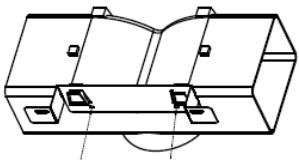 | 1 |
| Bracket | 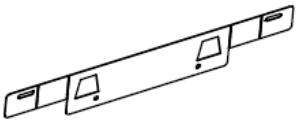 | 1 |
| φ8 rawl plugsφ8×φ6 white color | 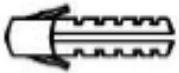 | 2 |
| ScrewsST4.0×30 | 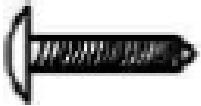 | 2 |
| ScrewsST3.5×12 | 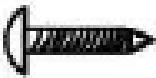 | 2 |
INSTALLATION (AIR DEFLECTOR FOR T-SHAPE, CURVED GLASS, FLAT GLASS MODELS):
Air deflector is mentioned as included and not optional.
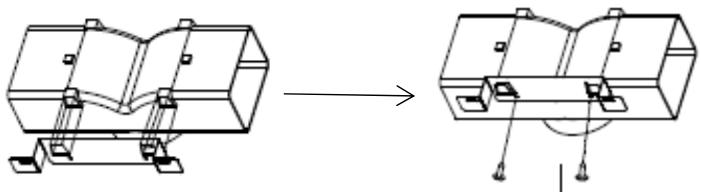
- Before installation, curve both ends of the bracket as shown below:
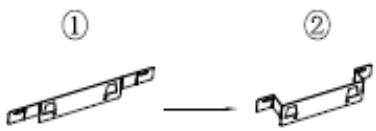
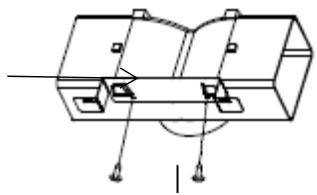
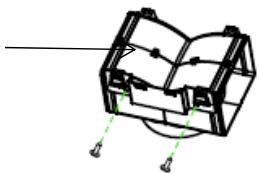
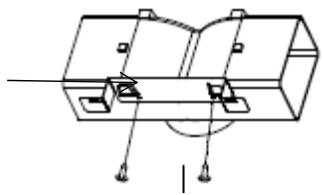
- Fix the bracket to the T-shaped plastic outlet with 2pcs ST3.5x12mm screws provided.
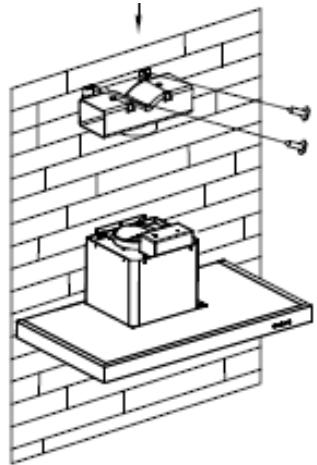
- Drill 2 holes to accommodate the wall plugs, then screw and tighten the bracket onto the wall with 2pcs ST4x30mm screws provided.
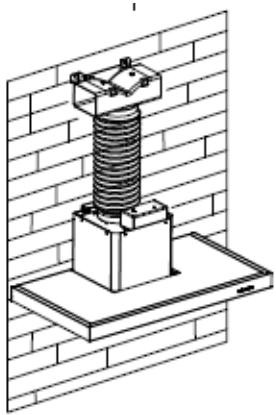
- Attach the exhaust pipe onto the air outlet of the cooker hood as shown below:
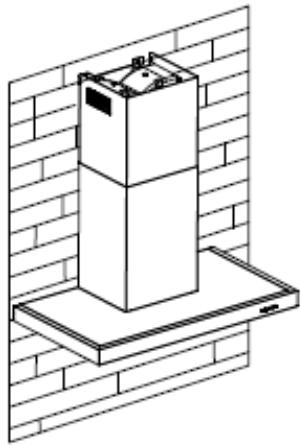
- Install the chimney to the unit and fix it.
Please kindly be noted: T-shaped plastic outlet and v-flaps cannot be used at the same time. You can use them in two ways: 1) Add v-flap on existing outlet; 2) Use T-shaped plastic outlet, no add v-flap.
Note: The product is provided with v-flap accessory. This accessory is not mandatory for installation, operation and use of the product.
Standard Installation Accessories List
| Spec. | Illustration Picture | Qty |
| Air Deflector | 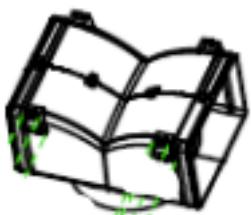 | 1 |
| Bracket |  | 1 |
| φ8 rawl plugsφ8×φ6 white color |  | 2 |
| ScrewsST4.0×30 |  | 2 |
| ScrewsST3.5×12 |  | 2 |
INSTALLATION (AIR DEFLECTOR FOR PYRAMID & SLANT MODELS):
Air deflector is mentioned as included and not optional.
- Fix the bracket to the T-shaped plastic outlet with 2pcs ST3.5x12mm screws provided as shown below:
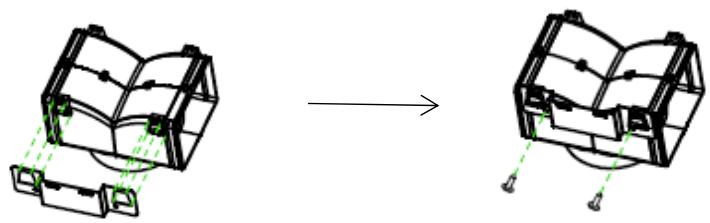
- Drill 2 holes on the wall to accommodate the wall plugs, then screw and tighten the bracket onto the wall with 2pcs ST4x30mm screws provided.

- Attach the exhaust pipe onto the air outlet of the cooker hood as shown below:
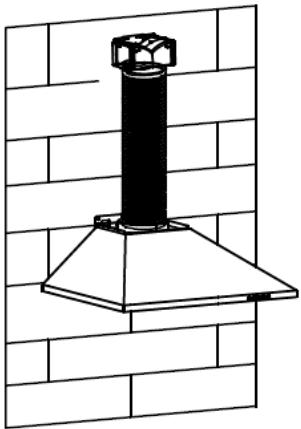
- Install the chimney to the unit and fix it.
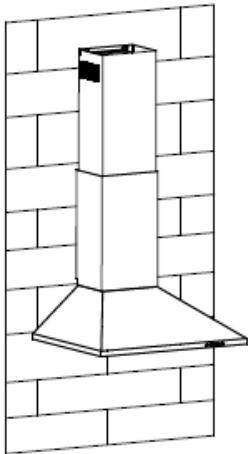
Please kindly note: the T-shaped plastic outlet and the v-flaps cannot be used at the same time. You can use them in two ways: 1) Add the v-flap on the existing outlet; 2) Use the T-shaped plastic outlet without adding the v-flap.
Note: The product is provided with a v-flap accessory. This accessory is not mandatory for installation, operation, and use of the product.
INSTALLATION (VENT INSIDE)
If you do not have an outlet to the outside, an exhaust pipe is not required, and the installation is similar to the one shown in the section "INSTALLATION (VENT
OUTSIDE)".
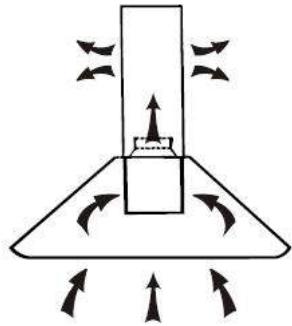
An activated carbon filter can be used to trap odors.
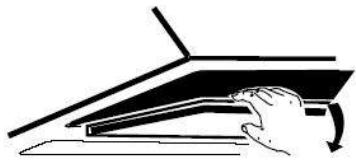
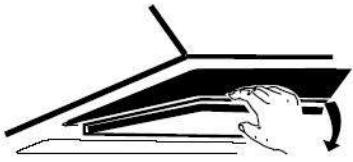
To install the activated carbon filter, the grease filter should be detached first. Press the lock and pull it downward.
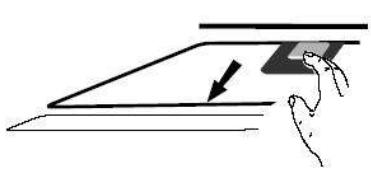
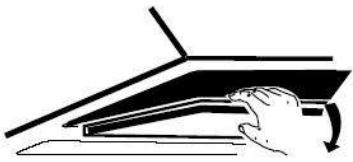
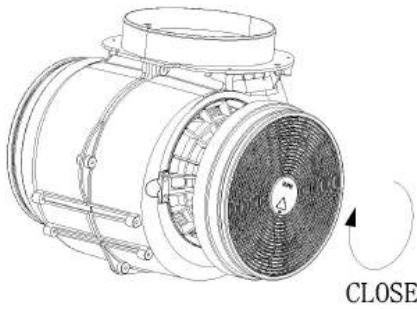
Plug the activated carbon filter into the unit and turn it in a clockwise direction. Repeat the same on the other side.
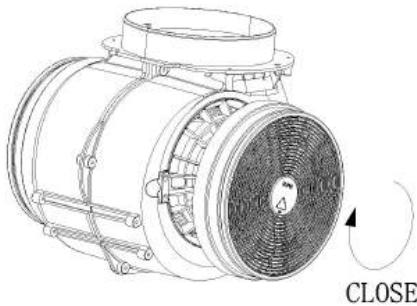
NOTE:
Make sure the filter is securely locked. Otherwise, it could loosen and cause danger. When the activated carbon filter is attached, the suction power will be lower.
CONFIGURATION 1
1
2
3

OPERATION
Button 1
The button has an indicator backlight. When you press the button, the backlight turns on and the fan turns on at low speed. Pressing it again turns off the fan.
It is used for ventilation in the kitchen. It is suitable for simmering and cooking that do not produce much steam.
Button 2
The button has an indicator backlight. When you press the button, the backlight turns on and the fan turns on at medium speed. Pressing it again turns off the fan.
Airflow speed is ideal for ventilation during standard cooking operations.
Button 3
The button has an indicator backlight. When you press the button, the backlight turns on and the fan turns on at high speed. Pressing it again turns off the fan.
When high density of smoke or steam is produced, press the high-speed button for the most effective ventilation.
NOTE: If the Low / Medium / High speed buttons are pressed at the same time, the unit will only operate at the highest speed.
Light button

CONFIGURATION 2
0
1
2
3

OPERATION
Off button 0
It's used for turning off the fan.
Low Speed button 1
It's used for ventilation in the kitchen. It is suitable for simmering and cooking which do not produce much steam.
Medium Speed button 2
Airflow speed is ideally for ventilation in standard cooking operation.
High Speed button 3
When high density of smoke or steam is produced, press the high-speed button for the most effective ventilation.
NOTE: If Low / Medium / High speed buttons are pressed at the same time, the unit will only operate at the highest speed.
Light button

CONFIGURATION 3


① On/Off button
It's used for turning on/off the fan.
+ Speed plus button
For increasing the speed of the fan
- Speed decrease button
For decreasing the speed of the fan.
Light button
8 Digital display
Fan speed display: "1" for Low speed, "2" for Medium speed, "3" for High speed, "4" for Booster function.
Quick timer: Press + & - hold for 1 second, Digital display will flash & enter 5 minutes count down, after 5 minutes motor & light will turn off automatically & Buzzer sound for 1 second.
Booster function
This hood has a booster function. To activate the booster, Press ☐ to speed 4, enter into highest speed while the hood is in use and it will increase speed for 5 minutes, before slowing down again.
CONFIGURATION 4





Timer button
- Setting the time of the day
When hood in standby mode (motor not working), press the timer button to enter the time setting.
Press the 'Fan speed' key to set the hour of the day and press the 'Light' key to set the minute.
- Setting the Timer
When the hood is in operation mode, press the timer button to set the countdown.
Press the timer button once, and the countdown will increase by one minute. The maximum countdown is 60 minutes.

Speed decrease button
For decreasing the speed of the fan.

Speed plus button
For increasing the speed of the fan.

LIGHT Button
For turning the light ON and OFF.
LCD display
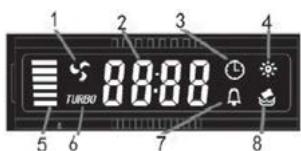
- Motor symbol, which rotates when the motor is working.
- Time display.
- Timer symbol, which appears when the timer is being set and counting.
- Light symbol.
- Motor speed.
- Turbo speed symbol, will appear when the speed is set to the highest.
- Alarm symbol, will appear for 5 seconds when the timer countdown is over.
- Cleaning alarm, appears when total working time reaches 14 hours or at the first use after plugging in.
CONFIGURATION 5

STANDBY MODE.
After plugging in, all lighting and system are in STANDBY MODE.
1 Low Speed button
Used for ventilation in the kitchen. It is suitable for simmering and cooking that do not produce much steam.
2 Medium Speed button
Airflow speed is ideal for ventilation during standard cooking operations.
3 High Speed button
When high density of smoke or steam is produced, press the high-speed button for effective ventilation.
B Booster function
This hood has a booster function. To activate the booster, press
B to speed 4, entering the highest speed while the hood is in use, and it will increase speed for 5 minutes before slowing down again.

Light
For lighting ON & OFF.
MAINTENANCE
Before cleaning, switch the unit off and pull out the plug.
I. Regular Cleaning
Use a soft cloth moistened with hand-warm mildly soapy water or household cleaning detergent. Never use metal pads, chemical, abrasive material or stiff brush to clean the unit.
II. Monthly Cleaning for Grease Filter
ESSENTIAL: Clean the filter every month to prevent any risk of fire.
The filter collects grease, smoke and dust..... so the filter is directly affecting the efficiency of the cooker hood. If not cleaned, the grease residue (potential flammable) will saturate on the filter. Clean it with household cleaning detergent.
III. Annual Cleaning for Activated Carbon Filter
Apply SOLELY to unit that installed as a recirculation unit (not vented to the outside). This filter traps odors and must be replaced at least once a year
depending on how frequent the cooker hood used.
IV. Changing a light bulb
Remove the screws on the glass, take off the hood glass. Find the bulb that requires replacement, you will find it located in the light fixture which is inside the exposed section of the canopy.
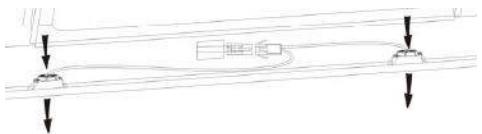
Disconnect the light wiring point and remove the bulb holders and wiring from the hood. Important: It's not possible to replace the bulbs individually, it will be necessary to obtain the bulbs, bulb holders and wiring as a complete part. (LED light: MAX 1.5W)
Fit the replacement bulbs, bulb holders and wiring in the same manner as the originals. Then reconnect the light wiring point.
Refit the hood glass and fasten the glass screws. Make sure the screws are fully tightened.
TROUBLESHOOTING
| Fault | Cause | Solution |
| Light on, but fan does not work | The fan blade is jammed. | Switch off the unit and repair by qualified service personnel only. |
| The motor is damaged. | ||
| Both light and fan do not work | Halogen light bulb burn. | Replace the bulb with correct rating. |
| Power cord looses. | Plug in to the power supply again. | |
| Serious Vibration of the unit | The fan blade is damaged. | Switch of the unit and repair by qualified service personnel only. |
| The fan motor is not fixed tightly. | Switch off the unit and repair by qualified service personnel only. | |
| The unit is not hung properly on the bracket. | Take down the unit and check whether the bracket is in proper location. | |
| Suction performance not good | Too long distance between the unit and the cooking plane | Readjust the distance to 65-75cm |
CUSTOMER ASSISTANCE SERVICE
If you cannot identify the cause of the operating anomaly, switch off the appliance and contact the Assistance Service.
PRODUCT SERIAL NUMBER. Where can I find it?
It is important to inform the Assistance Service of your product code and its serial number (a 16-character code which begins with the number 3); this can be found on the guarantee certificate or on the data plate located on the appliance.
It will help to avoid wasted journeys to technicians, thereby (and most significantly) saving the corresponding callout charges.
ENVIRONMENTAL PROTECTION
Waste electrical products should not be disposed of with household waste. Please recycle where facilities exist. Check with your Local Authority or retailer for recycling advice.
This appliance is marked according to the European directive 2012/19/EU on Waste Electrical and Electronic Equipment (WEEE).
By ensuring this product is disposed of correctly, you will help prevent potential negative consequences for the environment and human health, which could otherwise be caused by inappropriate waste handling of this product.
The symbol on the product indicates that this product may not be treated as household waste. Instead it shall be handed over to the applicable collection point for the recycling of electrical and electronic equipment. Disposal must be carried out in accordance with local environmental regulations for waste disposal.
For more detailed information about treatment, recovery and recycling of this product, please contact your local city office, your household waste disposal service or the shop where you purchased the product.
OF USE
Table of contents
INTRODUCTION 77
Installation (Evacuation) 81
Installation (Recycling) 92
The appliance must be connected directly to the mains using an omnipolar circuit breaker with a minimum opening of 3mm between the contacts.
The cable must not be bent or compressed.
Hood
6.
On
NOTE:
For decreasing the speed of the fan.

Light button
8 Digital display
Fan speed display: "1" for Low speed, "2" for Medium speed, "3" for High speed, "4" for the Booster function.
Quick timer: Press + & - hold for 1 second, digital display will flash and enter 5 minutes countdown. After 5 minutes, motor and light will turn off automatically and buzzer sounds for 1 second.
Booster function
Blue = N or Neutral
NOTE:
Hood
6.
NOTE:
CLOSE
For inclined panel model
Hood
6.
NOTE:
(Waste Electrical and Electronic Equipment - WEEE).
Hood
6.
WARNING:
Regulations concerning the discharge of air have to be fulfilled.
Screw (4mm x 30mm)
For models with inclined panel
- Connect the exhaust pipe to the air outlet of the hood, as shown below:
NOTE:
Screw (4mmx30mm)
107.5mm
8.
List of standard installation accessories
| Spec. | Imagine | Cant |
| deflector de aer | 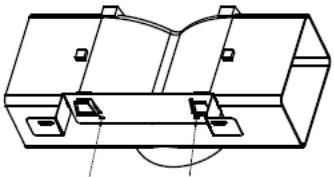 | 1 |
| paranteză | 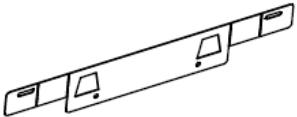 | 1 |
| Bolturi de φ8 | 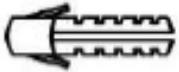 | 2 |
| Suruburi ST4.0×30 | 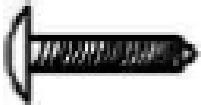 | 2 |
| Suruburi ST3.5×12 | 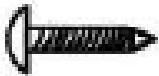 | 2 |
INSTALLATION (AIR DEFLECTOR FOR T-SHAPE, CURVED GLASS, GLASS MODELS):
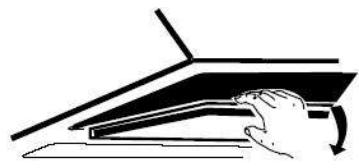
NOTE:
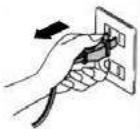
- Before connecting the pipe, switch off the hood and unplug it from the socket.
- The hood will be most effective if it is 65~75cm away from the cooking surface.
- For the bracket, drill 3 holes with a diameter of 8 mm. Attach the bracket to the wall with the provided screws; tighten them well.
- Lean the hood against the bracket that you have fixed to the wall.

Kitchen hood
6.
i. Place the glass part on the kitchen hood in the correct position. ii. Secure it with 4 screws with washers. Do not overtighten the screws to avoid cracking the glass. i. Insert the inner chimney part into the outer chimney part. Then pull the inner chimney part upward. Adjust the height.
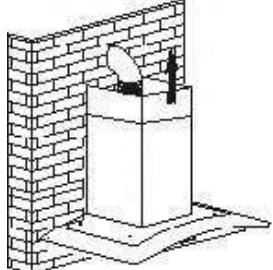
- Drill 2 holes for the wall plugs, then screw and secure the bracket to the wall using the provided screws 2pcs ST4x30mm.
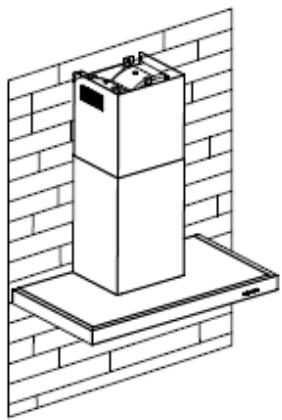
- Install the chimney on the unit and secure it.
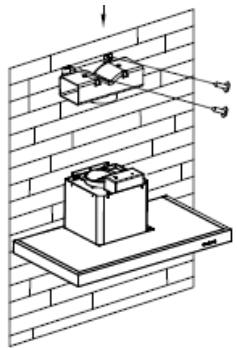
2. Drill 2 holes in the wall to install the wall plugs, then screw and secure the bracket to the wall using the provided screws 2pcs ST4x30mm.
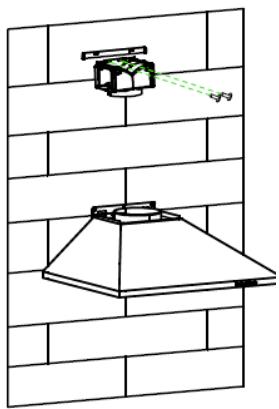
- Install the chimney on the unit and secure it.
In this case, insert the activated carbon filter into the hood to retain odors. First, you must remove the grease filter, then you can insert the carbon filter. Push the latch and pull the grease filter downward.
Push the activated carbon filter into the hood and turn it clockwise. Repeat the procedure on the other side of the hood.
(MOUNTING)
NOTE:
Disconnect the wire for the bulb and disconnect the bulb holder and wire from the hood. Important: It is not possible to replace only the bulb; you need a kit – bulb, holder, and wire. (LED light: G4, MAX 1.5W)
Attach the new bulb with holder and wire in the same way as the burned-out bulb was attached. Then reconnect the wire.
Reinstall the glass and tighten the screws. Make sure they are fully tightened.
TROUBLESHOOTING
6.
5. Install the chimney to the unit and secure it.
NOTE:
INSTALLATION (EXTERNAL VENTILATION) 307
INSTALLATION (INTERNAL VENTILATION) 318
DESCRIPTION OF COMPONENTS 319
OPERATION 319
MAINTENANCE 324
TROUBLESHOOTING 325
COMPLIANCE WITH DIRECTIVES 325
ENVIRONMENTAL PROTECTION 325
Blue = N or Neutral
Range hood
6.
INSTALLATION (INDOOR VENTILATION)
NOTE:
Cooker hood duct
.6
Note:
6.
NOTE:
- FOR ANGLED PANEL MODEL
- IMPORTANT NOTE
- CONFIGURATION
- PART NAMES
- BUTTON
- FOR MODELS WITH SLOPED SURFACE
- NOTE
- INSTALLATION AND USER'S MANUAL
- CONTENTS
- THANK YOU FOR CHOOSING THIS COOKER HOOD
- CE
- SAFETY PRECAUTION
- ELECTRICAL SHOCK HAZARD
- ELECTRICAL INSTALLATION
- DIRECT CONNECTION
- WARNING: THIS IS A CLASS I APPLIANCE AND MUST BE EARTHED
- FOR INCLINED PANEL MODELS
- INSTALLATION (AIR DEFLECTOR FOR T-SHAPE, CURVED GLASS, FLAT GLASS MODELS)
- INSTALLATION (AIR DEFLECTOR FOR PYRAMID & SLANT MODELS)
- INSTALLATION (VENT INSIDE)
- OPERATION
- OFF BUTTON
- LOW SPEED BUTTON
- MEDIUM SPEED BUTTON
- HIGH SPEED BUTTON
- ① ON/OFF BUTTON
- SPEED PLUS BUTTON
- SPEED DECREASE BUTTON
- LIGHT BUTTON
- DIGITAL DISPLAY
- BOOSTER FUNCTION
- TIMER BUTTON
- LCD DISPLAY
- STANDBY MODE
- B BOOSTER FUNCTION
- LIGHT
- MAINTENANCE
- REGULAR CLEANING
- MONTHLY CLEANING FOR GREASE FILTER
- ANNUAL CLEANING FOR ACTIVATED CARBON FILTER
- CHANGING A LIGHT BULB
- CUSTOMER ASSISTANCE SERVICE
- ENVIRONMENTAL PROTECTION
- OF USE
- TABLE OF CONTENTS
- FOR INCLINED PANEL MODEL
- WARNING
- FOR MODELS WITH INCLINED PANEL
- INSTALLATION (AIR DEFLECTOR FOR T-SHAPE, CURVED GLASS, GLASS MODELS)
- INSTALLATION (INDOOR VENTILATION)
Brand : HOOVER
Model : HTS9CBK3X
Category : Tumble dryer