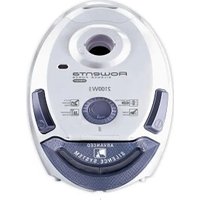
QU5030 - Aspirateur ROWENTA - Free user manual and instructions
Find the device manual for free QU5030 ROWENTA in PDF.
Download the instructions for your Aspirateur in PDF format for free! Find your manual QU5030 - ROWENTA and take your electronic device back in hand. On this page are published all the documents necessary for the use of your device. QU5030 by ROWENTA.
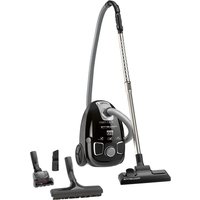
USER MANUAL QU5030 ROWENTA
ECLIPSE www.rowenta.com www.tefal.com
Screen Air outlet Decoration light Base
Air inlet grid Pre-filter Particle filter XD6520F0
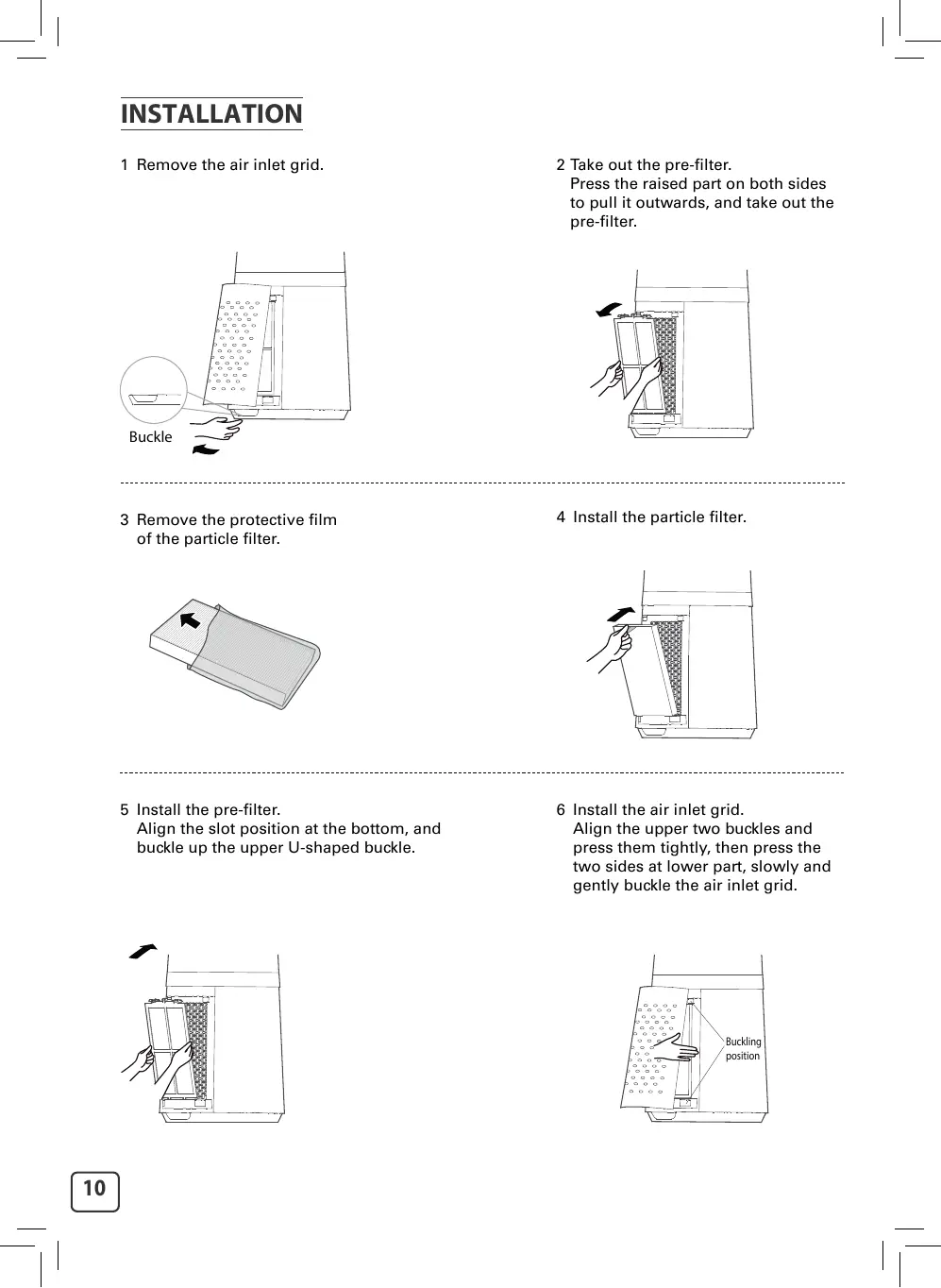
1 Remove the air inlet grid.
2 Take out the pre-filter.
Press the raised part on both sides to pull it outwards, and take out the pre-filter.
3 Remove the protective film of the particle filter.
4 Install the particle filter.
5 Install the pre-filter.
Align the slot position at the bottom, and buckle up the upper U-shaped buckle.
6 Install the air inlet grid.
Align the upper two buckles and press them tightly, then press the two sides at lower part, slowly and gently buckle the air inlet grid.
7 Plug power supply.
EN INSTRUCTIONS Control panel
Night Mode Auto Mode Filter replacement indicator
2. ON/OFF 3. Wind speeds/Timing 4. Normal mode/Night mode 5. Auto mode 6. Timer/Delayed Start
Use alkaline batteries of type «AAA».
2 batteries are included with the appliance.
Function Description
ON/OFF Auto OFF:The appliance will shutdown automatically after 12h without manipulation.
OSC MODE TIMER AUTO Set wind speed/timing.
Multi-angle oscillating switch of 30°,60°, 120° and 0°.
Press once to activate Normal mode (access to speeds 1 to 12). Press again to activate Night mode (speed decrescendo from speed 4 to 1): Speed 4 for 30min -> speed 3 for 30min -> speed 1. When combined with Auto mode: Speed 4 for 30min -> speed 3 for 30min -> speed 1 if temperature is <25°C or speed 2 if ≥25°C. Timer: Press once to activate the Timer.Then press + or - to program the automatic shutdown from 1h to 12h. Delayed start: When the appliance is OFF, press the button to program the delayed start, then, press + or - to turn on the appliance from 1h to 12h later. Press once to activate Auto mode. It adjusts the fan speed according to the ambient temperature of the room. Can be combined with Night mode.
Long press for 3 seconds to reset the filter.
FILTER Press once to activate the decoration light. LIGHT
MAINTENANCE & CLEANING Always switch the appliance off and unplug it before conducting any maintenance or cleaning operation.
Use a damp cloth to clean the surface of the product. Important: Do not use any abrasive materials, as these may damage the surface of the product.
1 Filter model: XD6520F0 (including 2 sets)
3 Replace a new filter
2 The indicator is lighted when the particle filter needs to be replaced.
4 Long press the filter button for 3 seconds to turn off the indicator light for filter replacement.
If you have replaced a filter before its end of life, force the reset of the filter replacement cycle: Hold the reset button for 3 seconds. (beep sound).
Clean with vaccum cleaner
Every 6 months (on average, according to the use environment).
Particle filter (ref: XD6520F0)
• Avoid handling used filters if you suffer from allergies or asthma.
• Wear gloves when changing the filters, or wash your hands well afterwards. • Put used filters directly into a closed, air-tight bag before throwing them away to avoid spreading pollutants.
In addition to using your appliance, here are some tips on how to improve the quality of your indoor air:
• Ventilate the rooms for at least 10 min. every day, in summer and winter. • Maintain your ventilation system. • Limit the use of household products. • Do not smoke indoors. • Avoid home fragrances, incense sticks, scented candles, etc. • Ventilate whenever any work is being conducted in your home and for several weeks afterwards. • Avoid green plants that are allergenic or need frequent watering.
ManualGo.com