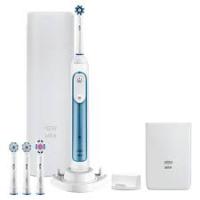
PRO 2 2950N CROSSACTION DUO - Electric toothbrush ORAL-B - Free user manual and instructions
Find the device manual for free PRO 2 2950N CROSSACTION DUO ORAL-B in PDF.



| Product type | Electric toothbrush |
| Brand | Oral-B |
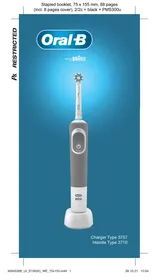
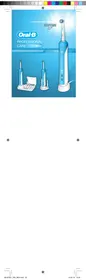
| Model | PRO 2 2950N CROSSACTION DUO |
| Power supply | Base charger (plug into mains) |
| Input voltage | 100-240 V (automatically adapts) |
| Battery type | Rechargeable built-in battery |
| Run time | More than 7 days (2 brushings of 2 minutes per day) |
| Charging time | Approximately 12 hours (full charge) |
| Brushing modes | Clean, Sensitive, Whitening |
| Pressure sensor | Yes (pulsations stop if excessive pressure) |
| Timer | Professional timer: beep every 30 seconds, stops after 2 minutes |
| Light indicators | Charging indicator (flashing/steady green), low battery indicator (flashing red) |
| Sound level | ≤ 65 dB(A) |
| Compatible brush heads | Oral-B Precision Clean, Sensitive, TriZone, etc. (recommended change every 3 months) |
| Brush head replacement system | Clip-on (snap-on) |
| Water resistance | Waterproof handle (use in bathroom) |
| Care and cleaning | Rinse head and handle with water; clean charger with a damp cloth; do not immerse charger |
| Safety | Do not use if damaged; do not modify; disconnect before cleaning; keep out of reach of children under 3 years |
| Warranty | 2 years from date of purchase |
| Included accessories | Base charger, brush head holder (depending on model), provided brush head(s) |
Frequently Asked Questions - PRO 2 2950N CROSSACTION DUO ORAL-B
User questions about PRO 2 2950N CROSSACTION DUO ORAL-B
0 question about this device. Answer the ones you know or ask your own.
Ask a new question about this device
Download the instructions for your Electric toothbrush in PDF format for free! Find your manual PRO 2 2950N CROSSACTION DUO - ORAL-B and take your electronic device back in hand. On this page are published all the documents necessary for the use of your device. PRO 2 2950N CROSSACTION DUO by ORAL-B.
USER MANUAL PRO 2 2950N CROSSACTION DUO ORAL-B
Before operating this toothbrush, please read these instructions and save this manual for future reference.
IMPORTANT
- Periodically check the cord for damage. If cord is damaged, take the charging unit to an Oral-B Service Centre. A damaged or non-functioning unit should no longer be used. Do not modify or repair the product. This may cause fire, electric shock or injury.
- This product is not intended for use by children under age three. Children from 3 to 14 years and persons with reduced physical, sensory or mental capabilities or lack of experience and knowledge can use the toothbrush, if they have been given supervision or instruction concerning use of the appliance in a safe way and understand the hazards involved.
- Cleaning and maintenance shall not be performed by children.
Children shall not play with the appliance. - Use this product only for its intended use as described in this manual. Do not use
attachments which are not recommended by the manufacturer.
WARNING
- If the product is dropped, the brush head should be replaced before the next use even if no damage is visible.
- Do not place the charger in water or liquid or store where it can fall or be pulled into a tub or sink. Do not reach for it when fallen into water. Unplug immediately.
- Do not disassemble the product except when disposing of the battery. When taking out the battery for disposal of the unit, use caution not to short the positive (+) and negative (-) terminals.
- When unplugging, always hold the power plug instead of the cord. Do not touch the power plug with wet hands. This can cause an electric shock.
- If you are undergoing treatment for any oral care condition, consult your dental professional prior to use.
Description
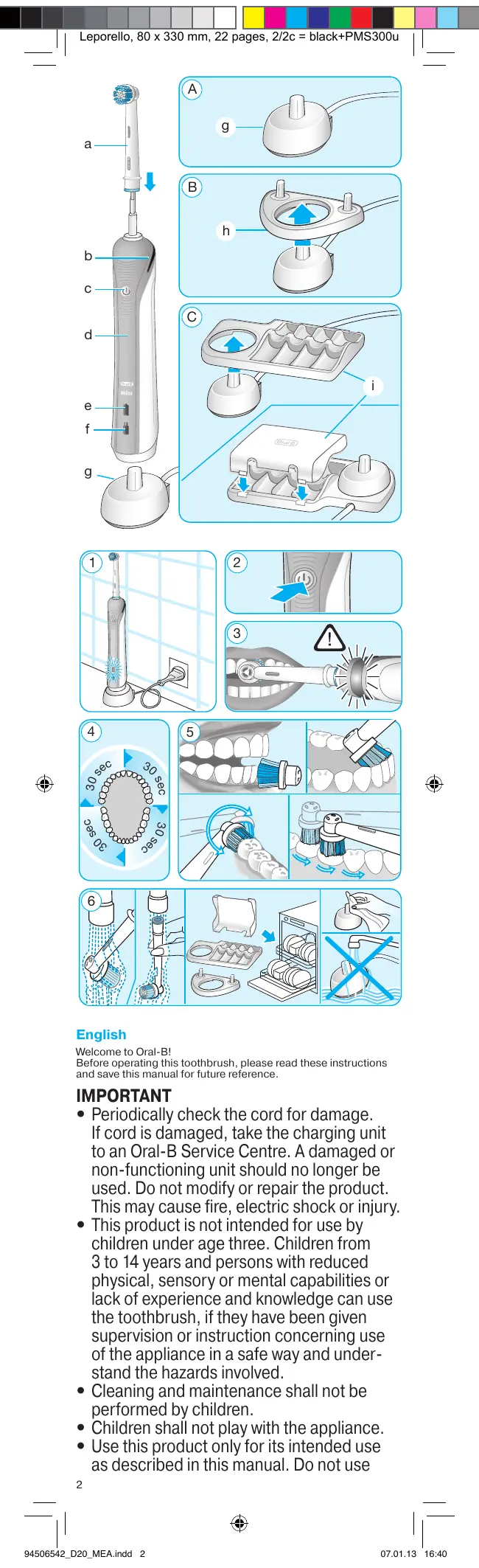
a Brush head
b Pressure sensor light
c On/off button (mode selection)
d Handle
e Charge indicator light
f Low charge indicator light
g Basic charger
h Brush head holder (depending on model)
i Brush head compartment with protective cover (depending on model)
Specifications
Noise level: ≤65 dB (A)
For voltage specifications please refer to the bottom of the
charging unit.
Connecting and charging
Your toothbrush has a waterproof handle, is electrically safe and designed for use in the bathroom.
- Plug the basic charger (g) or the assembled charging unit (picture B/C) into an electrical outlet and place the toothbrush handle (d) on the charging unit.
- The green charge indicator light (e) flashes while the handle is being charged. Once it is fully charged, the green charge indicator light shines continuously for 5 seconds and then it turns off. A full charge enables up to seven days of regular brushing (twice a day, 2 minutes) (picture 1).
- If the rechargeable battery is low the red low charge indicator light (f) is flashing for some seconds when turning your toothbrush on/off.
- For everyday use, the toothbrush handle can be stored on the charging unit to maintain it at full power. Overcharging is impossible. However, for environmental reasons, Oral-B recommends to unplug the charger until the next recharge is required.
- To maintain the maximum capacity of the rechargeable battery, unplug the charging unit and fully discharge the handle with regular use at least every 6 months.
Please note: If the charge indicator light is not flashing immediately, continue charging. It will appear in 10-15 minutes.
Using your toothbrush
Brushing technique
Wet brush head and apply any kind of toothpaste. To avoid splashing, guide the brush head to your teeth before switching on the appliance (picture 2). When brushing your teeth with one of the rotating brush heads guide the brush head slowly from tooth to tooth, spending a few seconds on each tooth surface.
When using the TriZone brush head place the toothbrush bristles against the teeth at a slight angle towards the gumline. Apply light pressure and start brushing in back and forth motions, just like you would do with a manual toothbrush.
With any brush head start brushing the outsides, then the insides and finally the chewing surfaces. Brush all four quadrants of your mouth equally. You may also consult your dentist or dental hygienist about the right technique for you (picture 5).
In the first days of using any electric toothbrush, your gums may bleed slightly. In general, bleeding should stop after a few days. Should it persist after 2 weeks, please consult your dentist or dental hygienist. If you have sensitive teeth and gums, Oral-B recommends using the «Sensitive» mode (depending on model).
Brushing modes (depending on model)
«Daily Clean» - Standard mode for daily mouth cleaning
«Sensitive» - Gentle, yet thorough cleaning for sensitive areas
«Whitening» - Exceptional polishing for occasional or everyday use.
How to switch between modes:
- When pressing the on/off button (c) your toothbrush automatically starts in the «Daily Clean» mode.
- To switch to the «Sensitive» and «Whitening» mode, successively press the on/off button.
- To turn off your toothbrush from the «Whitening» mode, press the on/off button once more.
- If you wish to turn off your toothbrush from the «Daily Clean» or «Sensitive» mode, push and hold down the on/off button until the motor stops.
Pressure Sensor
Helping protect your teeth and gums from hard brushing, your toothbrush has a pressure control feature installed. If too much pressure is applied, the red pressure sensor light (b) will light reminding you to reduce pressure (picture 3). In addition you will also hear a different sound while brushing. Periodically check the operation of the pressure sensor by pressing lightly on the brush head during use.
Professional Timer
A short stuttering sound at 30-second intervals reminds you to brush equally all four quadrants of your mouth (picture 4).
A long stuttering sound indicates the end of the professionally recommended 2-minute brushing time. The elapsed brushing time is memorised, even when the handle is briefly switched off during brushing. When pausing longer than 30 seconds the timer resets.
Brush heads
Oral-B offers you a variety of different brush heads that fit your Oral-B toothbrush.

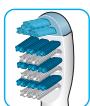
Oral-B Precision Clean brush head cups each tooth with a curved bristle trim and reaches deep between teeth at the same time.
Oral-B brush heads feature light blue INDICATOR® bristles to help you monitor brush head replacement need. With thorough brushing, twice a day for two minutes, the blue color will fade halfway down approximately in a 3-month period. If the bristles splay before the color recedes, you may exert too much pressure on teeth and gums. We do not recommend using the Oral-B FlossAction or Oral-B 3D White brush head with braces. You may use the Oral-B Ortho brush head, specifically designed to clean around braces and wires.
Cleaning recommendations
After brushing, rinse your brush head or accessory carefully under running water for some seconds with the handle switched on. Switch off the handle and remove the brush head or accessory. Clean both parts separately under running water then wipe them dry before reassembling the toothbrush. Disassemble the charging unit before cleaning. Never place the charger in dishwasher or water; it should be cleaned with a damp cloth only. Brush head holder, brush head compartment and protective cover are dishwasher-safe (picture 6).
Subject to change without notice.
Environmental Notice
This product contains rechargeable batteries. In the interest of protecting the environment, please do not dispose of the product in the household waste at the end of its useful life. Disposal can take place at an Oral-B Braun Service Centre or at approved recycling or disposing locations in accordance with local regulations.

Guarantee
We grant 2 years guarantee on the product commencing on the date of purchase. Within the guarantee period we will eliminate, free of charge, any defects in the appliance resulting from faults in materials or workmanship, either by repairing or replacing the complete appliance as we may choose. This guarantee extends to every country where this appliance is supplied by Braun or its appointed distributor. This guarantee does not cover: damage due to improper use, normal wear or use, especially regarding the brush heads, as well as defects that have a negligible effect on the value or operation of the appliance. The guarantee becomes void if repairs are undertaken by unauthorised persons and if original Braun parts are not used. To obtain service within the guarantee period, hand in or send the complete appliance with your sales receipt to an authorised Oral-B Braun Customer Service Centre.
For UK only:
This guarantee in no way affects your rights under statutory law.
Warranty replacement brush heads
Oral-B warranty will be voided if electric rechargeable handle damage is found to be attributed to the use of non-Oral-B replacement brush heads.
Oral-B does not recommend the use of non Oral-B replacement brush heads.
- Oral-B has no control over the quality of non-Oral-B replacement brush heads. Therefore, we cannot ensure the cleaning performance of non-Oral-B replacement brush heads, as communicated with the electric rechargeable handle at time of initial purchase.
- Oral-B cannot ensure a good fit of non-Oral-B replacement brush heads.
- Oral-B cannot predict the long-term effect of non-Oral-B replacement brush heads on handle wear.
All Oral-B replacement brush heads carry the Oral-B logo and meet Oral-B's high quality standards. Oral-B does not sell replacement brush heads or handle parts under any other brand name.
Français
trconsumers@custhelp.com
Cronometru professional
Un lunet scurt care apare la intervale de 30 de secunde vã reaminteste sã spalati in mod egal toate cele patru cadrane ale gurii (imaginea 4).
MEPbI IPEDOCTOPOXHOCTN
Ecni 3y6hnyo lteKtu yrhoHnI, HacaJka doJnxHa 6bItb 3aMeHeHa nepeC IeJeIouIMM NcPONJIb3ObaHnEM, DaJce EcN HET BVINMbIX nobpeXdEnH.
He Iorpykaite 3apraHoe yctpoICTBO B BOy ININ INHYO KIKKOCb. He pekOMeHyETc pa3MeuATb ININ XpAHNTb 3apraHoe yctpoICTBO MecTax, OKYDa yctPOICTBO MOKeT Jynactb B pAKOBHNy ININ BAHHy. He NItaTIeTeB DoCTaB yNAbWEEe B BOy 3apraHoe yctpoICTBO. HEmeJIeEHNO OTKIIOnHTe EOro OT 3JNeKTPOPIITAHIA.
He pa36bpaTte daHHOe yctpoCTBO CAMOCTOReIbHO, 3a nKIOUeHMe CNyAeB 3aMeHb AkyMylrToPA. Ipn 3aMeHe akyMylrToPA, DeYCTByTe OTOPOXHO, CTpaRcB He 3aMKHyTb NOLOXtTeBHy (+) u OTPiuTaTeBHyBe (-) KOHTaKtBu.
B Vo Bpemr OTKIIOHEny yCTOPICTBa OJAEKTOPINTAHN, BCGERDApeKTeTc 3a WTEKeP, a He 3a cam UHn.
HeDToParuBaItecBdoUTekepaUHypa3NeKtpOniTahnna HbXbIMNpykAm.3ToMOxETPnpBeCTN KOpaxEHHIO 3NEKTPmHECKMTOKOM.
B cIyae ecNbl pIOXoJnte CTOMaTOnIoRnueckoe IeueHne, IPOKOHcJbIbTmpyTeCb C BaIMn IeauM BpaUm CTOMaTOnIoR OIpeHd HauaON MCNoB3OBAHN DaHHN 3y6HbI uETKn.
Onncnne
a CmehnHa HaCaJaKa
b DaTnK daBneHnra
C KhoIka BkLIOUeHnry/BbIKLIOUeHnry
d Pykoratka
e INdikatop 3aprKn
f INdNkatop Hn3KOrO ypOBHra 3aprKn
g 3apraHoe yctpOINCTBO
hДержателдян haCauKn (B 3aBncuMoCTN OT MoDJI)
I KOHTeHep IJnHACAIKN C3aUHTHOK KpbIuKOJ (B 3aBcUNMOCTN OT MOJIEN)
CneuΦkaun:
CneuФикauNIO 3JIeKTPoNITaHnIcM. Na IdHe 3aprAnHO
yctponctBa
Tun: 375
YpOBeHbUyma:≤65D(B(A)
IopdoeMHHeHne H3apdka
Pyka Baasey 3y6HOI 5eTKN BOIOHENPOHuaema, 3JIeKTPueckn 6e3Opana HcOzDAH CNEUaJIbHO JINCNOB3OBAHn B ABAHOI KOMHATE.
BkIIOHHTe OCHBOHe (g) IINI c6OpHoe 3aPraIHoe yCTpoIcTB0 BnC.B/C) B3JIeKTPnecckyIO pO3eTKy I NOCTaBbTe pyKoTky (d) Ha 3apRHOy CTO.
3eHnI INnIaKoTAP 3apJk (e) mHaet, noka pyKa 3apJaTeCTc. KOrda pyKa 6bET noNtHOCTbIO AP3apXeHa, 3eHnI INnIaKoTAP 3apJda 6bET ropeB tHe npEpeBbHO B TeueHne 5 cekyHd N aTeM ororAchET. PocLe noHoi 3apJdk AnkyMynTApoxaXBataET pInmepHO Ha 7 dNe pepyIaHOn HO uCTKn 3yOBo (Da pa3a B DeHb, no 2 MnHyb) do ero nnHoi PA3pJdk (PMc.1).
- Пин ИзКOM ypoBHe 3ZipЯд ККуМЛЯТОр 3aROpNTС краСьИ
ИнДИКaTOp (e), OH наЧET МИrAТ bОпLE ВБКЮЧЕНИ
УстюгCTBA.
PnE xEeHBeHOM nCNoIb3OBAHN uTeKN bbl MoKeTe xpaHntB pyKoTky Ha zapAaHOM uCTpoI CTBE, TTOsbI NOdEpXNBaTb PONHb yPoBHe 3apJa 3eKn. Pepe3aJApA kAKymyTAToPA Heo3MoXHa. Ondako B cIeJx 3aunbl oKpyXaIoUe Cpebl Oral-B pekOMehyET Bam OTKnIOuATb 3apJeHOe uCTpoI CTBO ot 3NeKtPOnrHTAn DO rTOrMOMeTA, KOra I NaHOaOBnTBCr CneDuOuaq NDo3aepKa aKKymyTAToPA.
ДлгTORO YTO6bI NOДePDXHBAbMakCINMaJIbHyIO EMKOCt bAKKYMyTAPOHбБaTApEn,Hepeze1pa3aB6MeCzueBOTKJIHOaHTe3apJHOeYCTPOrTBOOTcTeNиNCnOJIb3yTeUeTKypeRyJARHOdo eeNoHoi pa3pRdKn.
Baxho: Ecim InDkaTop 3apJa He 3aRopEnC cpa3y, npdoJkaTe 3apjky, INDkaTop CHOBA HauHET MInrTaB Yepe3 10-15 MNHyT.
IcnoJb3OBAHne 3JIeKTpUeCKo3y6HOu 5eTKn
TexHnKa YnCTKn
HAmOHTe roJIoBky 3y6HOnI ueTkn I HaHeCnTe H Hee 3y6HyO nacty. YTo6bI n36EkaTb pa36bpl3rBaHN, NOJHeCnTe ueTky K 3y6am, a 3aTEM BkJIIOUte ee (Pnc.2). MeJeIeHNO nepeMeueaIte ueTky O nOrHO 3y6a K dpyROMy, 3aDeepxNBAraBc h NaOBepxHOCTn KaJDoR O 3y6a HECKoJIbKO CekYHd.
EcnBbIcNoJIb3yeTe HacaKBy TriZone nOmeCTnTE rOJOBKY 3y6HObI uTckN IuTcIHKN NIO He6OJIbUIM YrIOM K JINHM DECEH. CnErKa HadaBtne I uCHTne 3y6b BbIMetaOuImM DBNXeHnMaM, TAK KcB b3o Deaete MaHyaJIbHO 3y6HObI uTckNO.
Пилобов Насаде НашийштейЧИСТЛВ счаян ChAPУХИ, a 3aTeM BHYtPN. Ha 3aKIOUHTeHbHOM 3TaIe NOUICTITe JEBaTeJIb- HbIe NOBepxHOCHTs 3yO6B.
Bce DpynE Tpe6oBAHnE, BKIOUaY Tpe6oBAHnE BO3MeueHnE ybIyKOB, NCKIOAOTcR, ECIN HaJIa OTBeTCTBEHHOCTb He yctAHOBJeBA H 2aOKHOH NOp9JaDE.
Peklaamui, Cb3aHbHe C kOMpeMeKHM OKHTpAKTOM C npDabAmO, he NonaIOT IND 3y rapaHTNo.
B COOTBETCTBm C 3aKoHOM PΦ N° 2300-1 ot 7.02.1992 r. “O 3aUnite npab NOTpeBHTeJIe" I npHHTbIM DOnJIoHEHnEM K 3aKoHny PΦ O T 9.01.1996 r. “O BHeCEHnI M3MeHEnI N dOnJIoHEnI B 3aKOHN "O 3aUnite npab NOTpeBHTeJIe" I N "KoDEKc PCFCP o6 aDMHNCTpAINHBx HApuyEHNIX, fnpMa Oral-B BRAun yctAnaBJNAET cPOK CNyJbI h a CBOI n3JeJIraPaBHn DBym rOAM C MOMeTHA pONU3BODCTBa, eCIn daTy npOdaJXu YCTaHOHTb HEBO3MOXHO.
Data npOn3B0DCTBa yka3aHa Ha ueTke B fOpMaTe: nepBaN CnΦpa= nocLeHnra NcΦpa rOda, nocLeHnE DBe cNΦpbl=HeJeIynpOM3B0DCTBa.
I3dEInnaOr-Braun n3rOToBLeHb B COoTBcTcBn C blicOKmIM TpeBOBaHnM EbponeNCKO KauCTBa. Ppi 6epzHOM HcNOJIb3oBAHN m npri C6oiIOeHN n pabWn no 3KcnJyatau, pnpio6pTeHHeo Bamn i3dEInna Oral-B Braun MoXET IMtB 3HaHTeJIbHO 60JIbSh cPcO cLjXbbl, Yem cPcO, yctaHOBJeHHb B COoTBcTcTBn C PoCCNIckm 3aKOHm.
Cnyan,HaKOTOpbIe rapaHTnHe paacnpocTpaHreTc:
-ДeФeKТbl,Вbl3BaHHbIeФОр-MaxOphHbIMN OБСТОЯТьСТВaMn;
- INCINb3OBAHnE B INPOΦeCCNOHaJIbHbIX UeJIaX;
HapuyenHe Tpe6oBaHn HNCTpyKuIN NO 3KnJyatauN;
- HennapinbnaH naYctaHOBka HnaprrxneH nIITAOuE cETn (ecnI 3TO Tpe6yTeTc);
BHeceHHeTexHnueCKNX N3MeHeHn;
-MexaHnueckne NOBpeXdEHnY;
- NOPEXDENEO IN BHEJ XINBOTHTBx, Fbry3HOBYN HACEKOMBX (B TOM YHCNE CNDYHN HAXOXDENEFy3HOBYN HACEKOMBX
BHYTPHPNIOPOB)
-Дилг�огов,развотахиьоуБатаекe-,развотс С HeNoIxOxOyIMNиИNCTOUsHbIMN batapeiKam.лIOьself
NOBPEKJENHBAHbIe NCTOJIENHbIMN JILI TEKYUIMN
OapatenKaMn (COBetyEm NOHb03Ba5cY TOIbSOK PDEOxApaHHbMM OT PIPOTekaHm6 OapatenKaMn
BHMaHne! OpunHaJIbHbI TapaHTnHbT TaJOh noJIeKHT
N3b8TNIO pRn O6paueHNN B CEPBCHB NcHTP DJIraPaHTNIHORO
peMOHTa. Iocne npOBeHnIpeMOHTa TapaHTnHbIM TaIOHOM
6yETYBnTBc3aONHeHHbOpunHaJIuCTa BbINOHeHn
peMOHTO COIAMTOMCepBNCHOUeHHTPAuNOINCAHBIOTPOBTOBTOM POLOBOWCHU 120NIOHUMOTAOBTOBTO
IIOPOCTAEHNI DA tBI HOB3PATA N3 DEMOHTA, CPOK RADAHTNI
IPOJLeBaTcHbPemHaXoXdEHNnU3dEINBCEpBCHOM
LcHTpe.
B clyuae BO3HnKHOBeHnCLOXHOCTe C bblIOJIHeHnEM
raapantnHOrO nnnocnerapaHTNO HOrO 6CNYKABHn OPOB6a 00666666444444444444444444444
cooouo 80100000000000000000000000000000000000000000000000000000000000000000
DaHHa rapaHTnHa BInrEt Ha Baun npaba, yctAHOBJIeHbIe
3aKOHOM.

ToBap cepTnФmUpoban
CéIaHO B FepMaHm, Bpayn Γm6X
Oral-B He MoXeT KOHtPoJIIpOBaT KaueCTBO CMeHHbIX HacaIOK
n/nnakceccyapOB,He npOn3BedeHbIX Oral-B. TaKIM
OOPa3OM,MBIeMOXEM RapaHTIOBAtb 3ΦΦEKTINHBHOCTb YCHTK
3YOOB C NIOJIIBO3AHmTakxCMEHbIX HAcADOK Y /MnKCECCVADOB, OHEMOTPeBATEBbNnPnOeFpMDPOB8A
AekccyapB, oE ToHoeepBbBbIpOePpMbpBaB BpeMOKyPKN 3JeKTPnuecko 8tKeTOrB-A.
Oral-B He moKeT oBecneuHb TOT fakT, yTO CmEHbHe HacaKn
n / nii akceccayapbl, He npo3BeeHbIe Oral-B, noooyT
K 3JIeKTpnuEckoI ueTke Oral-B.
- Oral-B He moXeT npEcka3aTb DOnIOcPOUHbIe NocJIeCTBn
3aMeHbHaacadokn HkAkecccyapob Ha pykehnnrnoBb HHTK1H2H202KmH1M1K2C6CCVpL1H2PDP3RQHILIg
IeKnHa Hacadkn NmNkceccyapB,He npUsBeHnBbOr Oral-B.
Bce cmehhble hacadkn / n nn akceccayapb, nncnbl3yiouneecr
Ha əeTke Oral-B,doJnxHbI IMeTb IJorToN Oral-B n OTBeuatb
BbICOKM CTaHdApTaM KaeeCTBa Oral-B. Oral-B He npoJaET
CMEHIIe Hacankn / nn AkecccyapbI noJ IIOobIM dpyHM
ImeHeM nn opeHdOm, kpoMe Oral-B.
Ykpaiahcbka
KOpNCyBaTnCJzIeIO zIITKOIO.
BAJKJINBO
- PerioDnHNo nepeBipRyTe shHyp eJeKtpo
KINBLeHnHa HnABHICTb IOnKOJXeHb.
YBnPaIky BnYBJIeHHNIOUKOJXeHb, BiI-
HeCiTb 3aPdHn PpIcTpiB B cepBicHn
UeHTp Oral-B Braun.
He BUKOPINCTOByIte N0UKOJKeHn a6o
Henpaioqun npictri. Lc moxe
Pn3BecTI Do 3aRopaHnY, ypaKeHHr
eJIeKtpuHm CTPyMOM a60 iHxNx
POUKOJXeHb.
- Léni pôdykt He npu3haeHn dIaTei do
3-x pokiv. DITN BiD 3 do 14 pokiv ta ocobn
OBMeXeHIMNΦi3uHnMn a6o PO3yMOBnM
3d6HocTMyN 6e3 HaJeXHOrO DoCbIy
MOKYtB BUKOPNCTOByBaTn 3y6Hny 7iTkYPiD
KOHTPOJEM Oci6, BiINOBiJaIbHnX 3a iX
3aRaJIbHy 6e3neKу, a6o nICJIy iHCTpykTy-
BAHHN3IITaHbBVKOpNCtAHNjI3axOjam
6e3neKn.
-ДiTи He NOBHHI YIcHtUTa Tpa03bnpaTn
3y6HnyuTky.
Heirpauka!
BukopncTOByTe daHn npucTpi TJIbKn
3a npn3HaueHHm, kO pncAHO B daHOMy
KepiBnIeBi. He BnKOpNCTOBuYte 3aIaChi a6o DoaTKoBI DeTaJI, rKi He peKOMeHDoBAHI KOMpaHiEIO-BnPo6HnKOM.
3AIOBIXHI 3AXOIN
JkuO 3y6Huytky BnCTyn, HacaKaIOBHHa 6yTu 3aMHeHa nepeKoDxHb.
He 3aHypoIte 3apAdnHn npIncTpiy y B0dy a6o iHsy pIDNHy. He peKOMeHNyTeBcy po3MlUYbATN a6o 36epiAtn 3apAdnHn npIncTpiy B MlCux, 3bIKn npIncTpiy MOKe BnaCTN b paKOBnHy a6o BAHNy. He HamaaraiTeCe nDctATn 3apAdnHn npIncTpiy, 1O0 Bnab y B0dy. HeraHIO BiDKNIOHTb Ioro O Bd enEeKTPOMepexi.
He po36bpaTte daHn pIncTpi CamOCTiHo, 3a BNHTKOM
BaNtIKB 3amHn akymyTAToPA. Pn 3aMHI akymyTAToPA dIte
ObepeXHO, HAMaraIOUcH he 3aMKHyTN PO3NTNBHn (+) i
HeratMBHn (-) KOHTaTN.
Пд д вдддддддддддддддддддддддддддддддддддддддддддддддддддддддддддддддддддддддддддддддддддддддддддддддддддд徳нгпспспспспспспспспспспспспспспспспспспспспспспспспспспспспспспспспспспспспспспспспспспспспспспспспспспcngnngnngnngnngnngnngnngnngnngnngnngnngnngnngnngnngnngnngnngnngnngnngnngnngnngnngnngnngnngnngnngnngnngnngnngnngnngnngnngnngnngnngnngnngnngnngnngnngnngnng
JaKIOBnIPOXoDITe CTOMATOJGHIe IIKYBAHNN, IPOKOHcybIyTJeTec3 BaAMN iNakepc-CTOMATOJGOM nepeD noaTkOM BVKOPCTAHHH DaHOI 3y6Hoi UTKn.
Onnc Ta komnJIeKTHiCt b
a 3mHa hacaKa
b DaTnK TnCKy
C KHONKa BMUKaHHBUMKkaHH
d PykoTka
e INdikatop 3apdKn
f lHdNkaTOp Hn3bkoTo pIBHa 3aprAkn
g 3apdHn npncTpH
h Tpimau nla hacaikn (3aIeXHO BiM MoJeNi)
I KOHTeHnep Ia nHaCaJKN 3z 3axnCHOO KpuNkoIO (3aJeXHO BIDMOeni)
Cneuphiakaij:
Cneunphiauo eIektpoxnBneHnna. Na dHI 3apndHO
npucpoio
Tun: 375
Pibehb wyMy: ≤ 65 dA
PnpEduHnI 3apKa
Pyka Bawoi 3y6Hoi 1tKIN BOJHOENPOHNIKA, eJIeKTPuHNO 6e3neHu i CTbOpeHa CneIaJIbHO IaI BvIKOpNCTAHnY bAHHI KIMHAI.
YbIMkhHbOCHOBn (g) a60 36bpHn3aapdHn npncTpni (MaJ. B/C) bEeKtpnHy po3eTKy i nocTabe pykoRTky (d) Ha zapdHn npncTpi
3eNeHH iDnKatop 3apKn (e) 6bIMaE, nOKn pyKa 3apJkaeTbc. KOni pyKa 6be NOBICTO 3apJKeHa, 3eNEH iDnKatop 3apJy 6Be CBITNTIC 6BeNepEBHO pIOPTARH i 5cEKHy I nOTM 3aRae. NObHOI 3apJKn akUMyTAToPA BCTaHc PnIbIMHO Ha 7 DInB YnIeHNH (Dba pa3n B DeH, No 2 XbMIHN) Do Ioro NobHOI po3PnKn (Ma1.1).
- Ppi Hn3bKOMy pIBHi 3apaIky akyMylrTOpa 3aCBITntbCer cepBOHNI iHdkatop (e), BIn NOUHe 6bnMaTn nicra BmukKaHnaOblaHaHHa.
- Ppi 0oJHOMy BnKOpNCTaHHi 0tTKn Bn MoKTe 36epiratn pykOHTKY na 3apdHOMy pnpCTPOI, 0o6 nIITPMHyBATn NOBHn pIBeNb 3apdYuTKn. Ipe93apdXJeHNK AHcyMylrTopa HEMOxJIbO. Ondak 3 MeTOIO 3axNCTy hABKOnlshBOr cepoeDobuNia. Oral-B peKomeHEny BAm BiKlnouAtn 3apRdHni npriptti Bi dEneKtpoXbHeNnEO TOro Momety, KOIN 3HaDo-bntbcs NaCTynNAPi3zapKa akymlyrTopa.
ДяTORO IO6 NiTpMByTaM MaKcMaJIbHy EMHiCt b acyMnyaTOHObIbatapeI, He iJushe 1 paz B 6 MICAIB BIDKNIOUaTe3apAHHnPiNCTPII BiM ePeKi I BVKnOPNCTOBMyTe ⅢITKypeYrJyRHO do II NOBHIOPO3PraKl.
Baxmbo:KIOoIINKaTOp3aRyUHe 3acBITnBCBaBpa3y, npOobKyIte 3apRky,IINKaTOp 3HObY noHne 6bnmatn Ype3 10-15 xBNH
BnKOpNCTaHHeJeleKtpMNoH3y6HOi 1
Texhika YnueHHa
Hamoityb rojibky 3y6hoi zitkn i haheciht ha hei 3y6hny nacty. liob yHnKHTn p036pni3KYBaHHa,piHeciB ttiTy DO 3y6iB,a Notim yBImKHITI (MaI.2).PiobInHO npemiiauTe zitkY BiD oNHorO 3y6a do inHoro, 3atpIMyOuHcB na NobepxHi KoxHOrO 3y6a kInbKa cekYHd.
KJIO Bu BVOKOPNCOBye HacaIky TriZone nomictb roJIiBky 3yBOHoi iUHTKIu i UTeTIHNK NiID HeBEJIHKM KYTOM Do NIIHr ACEH. 3JIeKa HATNCHtI b YCStITb 3yBo BNIMTAIOHmPyxAMn, TAK Jk Bu ne pO6bte MaHaYALBOHIO y3BOHOU OITKOIO. Pn6 Byd j kAn hAcadI zu NoHainTe YcHCTIN CNochatky 3OBHi, a notim ycpeepdHi. Ha 3aKJIIOChOHy etani noCTITb XyBaJIbHi NOBepRxH3y6IB YuHeENHKe KoxHOro 3 KBApaANTIB potOBoI npooHHMN MaE 3aMAtn OndAkoBY KjBKiCTb Yacq.
BmOkote TAKO kponKOHcyJbTaBHcN3 8aHIMC TCMOTONORP nTope,raXtehika YuIeHenHa Bam bIlhe pIiXdoAHTb (Ma1.5).
B nepi kiiIbka dHb BVKnOpNCaHn3y6hOJ 3UkN rCHA MOQYbT KpOBOTOnuNT. Lc NOBHNHO npnHInHTncpe32 TnKhi. KaIO KOpOBOTOnuHbCTb RCEH ne pPnINHReTbc nPOrTORm 2 TnKHiB, 3BepHIbTCs DO CTOMATONORA. RaIO y BAc HytNBI bYbN i cHa, peKoMeHdYeTcBn BVKnOpNCtOBvBaTn pExM "UytNlBn" (B 3aJIexHXoCTi BID MoeJI).
PexmmuHnHa (3aJexHo BiM oMeJI)
《卍OeHnHa YnctKa》 -πiDxOJNTb dIy卍OeHnHO YnIeHnY -akypathe,ane petelbHe NIIe HnHnY nHTmNIX3OH
《BID6JIIOBaHHa
-BHNAKCTB NOIIPOBKN Ta BIDIOIBAOHN Dn IIOENHO A60 HEPERYPAHORO BIKOPINCTAHN.
Якперемки реким:
HATMCKAITE KHOKNGY BMKAHNHA/BUMKANHCA(C),iUJtKA bATOMA THTHO BKJUOHTb PEXMM ULODEHNE YIUEHNEA
-Дяпэремкинг В ржим «Чтливи» i «Вidблован»,
HaTnCKaTe KONKy BMNKAHHr/BMmKAHH KInbKa pa3iB niDprI.
• Μιος BIDIKLOUHTI PEXM KIIBIDIIOBAHNY), HATNCHITb KHONKY BMUKAHRY/BUMUKAHRY ΜΙΑ έρλ.
- Μιος βυΜΚΗΝΤην ΜΙΤΥΚ θερχήμου «ΣιΟδηΗΝΕ Βυμηδην» 460
- «Υτήνβυ», Ḍαπιςθήν ΚΚΟΝΚΥ BMUNKAΗ/ BMUNKAΗΝΑ Αγρτήμου Στό Φιν ἡρκοῦ Ε ζυμήνην ΠρούθΥ.
DaTnK TnCKy
JLna 3axiCTy BaWix 3yoB Ircen Bii HnadMpHOrO HabaHTaKeHHA, BaWa 1tK4Ma e DaTHK TCKy. RaXIO Bu Lyke CnIbHO hATNcKaTe Ha tICy, DaTHK TCKy 3acBHyEtCBYpeOBnM(b), HaraDyOnu Bam, 1o NotpioHo 3MeHUnTI NtCK. (MaI.3). Bn BiDyEe i NooyeI ce. IpeIoDnHO Heo6XiHNo nepeBiprTn FyhKnUohBaHHa DaTHKa TCKy, 3JERka HATNcKaIOHn Ha rOlBky 1tKnPiJ cac BVOKPCTAHHa.
PpOphiCInHn TaIMeP
Kopotkni nepereipnvaactni 38yuk chepez koxhi 30 cekyuH nHarayde BAm npo Heo6xidHcTb pIBHomipHOrO yuH eHHa KoxHoro KBaDpaHTa npoxoHNH poty (maj.4).
BilbwoDbrgn nepeepmbvactn 3Byk cnobiuae Bac npo Te, zo 3 noatcy hacy uichuHne npoiJNo 2 XBmHnO (OTNMabhni yac uichuHn, peKOMHeDOBaHN CTOMaTOLOrAMn). IpoJeHN yac uichuHn HjKcyeTbC8 B6yDobAHM TaImePOM HABITb PnI KOPOTQouachOMy BVIMKaHHi UItKn (He bIbue 30 cekyHd) pIzac uichuHn. PnI na3i nI d vac uichuHn IOnaad 30 cekyHdn, taImeP O6HyIeTbcN.
3MiHHi HacaKn
Oral-B nponohye Bam pi3HOMaHITHm Bn6ip 3MiHHnx HacaDok i akcesayib Dnla eIeKtpuHnx 3y6Hnx uitok Oral-B.


Hacáka Oral-B Precision Clean
3aBdAKn CBOU WauOIOJIbH O pOMI OXoJIIOe iCHCTINb KxOHm 3y6 YcIX6 OKBi, YtoJ XeJ a
3a6e3neyuOHy eEkeTINBHe BndaJIeHnHaIbOTy MIX 3y6aMn.
Hacaika Oral-B Sensitive -
CKnadaTcB3M'KNUXIeTHIOH,KJI6bainIOBO YCHNTBaWii 3y6n iJcha.
Hacaika Oral-B TriZone -
EfeKT noTpiHOrO yuHEnHaIa6e3dOraHHoro
BnlaenHnaIbOTy HabITb Mx 3y6amN.
Ybcix hacadok E 6bnknthi uetnhkn INDICATOR dIy toro, uO6
DOnOMOTn Bam dojatnc npo yac, koni Bam Heo6xIDHO
3AmHNTn Hacadky .Pnp 0eHohmy peTeBhOMy uNeeHHI
3y6B DBHI na DeHb NO 2 XBUNHnH, 6bnknthi eTtHKn NocTyNOBO
3He6apBnTbCn npToTrom 3 Micuiz, y Takni cnocio IHfOpmyUcHn BAC npo Heo6xIDHCT bAMHN HAcADKn. JkUO 6eTtNHKn 3HOwUHTbCn DO TOR, Rk BpTaTbKoip, ce O3Haue, zo Bn 3aHaTO
CmblHo TNCHEte Ha tIKy npn uHsEHHI (Ma1.N).
Mn He pekomeHdyeMo BnKOpncTObyBaTn HacaIkn Oral-B FlossActio a6o Oral-B 3D White, kIIO Bu hocite 6peketn. Bu moKeTe BnKOpncTObyBaTn HacaIky Oral-B Ortho, cneiaJIbHo pO3pObleHy Ira YIuIeHHe NABKOJOp TOPOHTNCHIN KONCTpyKui.
Pekomehndaizi3nHnBipoby
Iicra BnKOpNCTAHn rOJIbKY uTIKN cIid npOMtN iID CTpyMeHem BOJn pRi yBIMKHeHNI pyKOaTl npOTrAOM deKInbKox CekYHy, BmKHTb tJKy i 3HIMITb HAcAky. PpOMnTE bCIy aactHN OKpeMo iND CTpyMeHem BOJN, nOtIM BnrtPiB ix Hacyxo nepeD TIm, kR Bn 3HOBy 36epTe tIKy. BiJ'cHaNte 3apdHni pnpctpi BJD sITKn pePeD hUeHNHm. PyKoATKY uTIKN MOxHa MNTn BnocydomnHi MaunHi. Y xOJNOMy pa3i He nOMiuaHTe 3apdHni pnpctpi y NocyDMOnHny MaunHy aObo y BOHy. TpMnA dJa HAcADOK cIid nepIOuMHo BnITNaTn BOLOTOO TKaHNUHO (Ma1.6).
Birpo6nHK 3aJIuHaE 3a co6oI npABO BHOCHTN 3MiHn 6e3 nonepdHbOrO NOiDOMJIeHH.
3axnCTdoBkilln
Ley npodykt MICTnTb akymyIaTOp. Ha KopncTb 3axncty DOBkJIIJI, He BUNdaiTe IFO rPazOM 3 DomaunHIM CMITTM nICJIa3KInHeHH Cnyj6n. YtNiI3aIg MoKe 6ytu 3JINCHeHa y cepBicHOMy CEHTpI ORAL-B Braun a6o BiNDOBiDHO Do BVMOr KpaIHn.

Tapahtihi 30608'3aHHBnBPO6HnKa
ДлЯ BCIX BIVO6IB Mн DAeMO rapaHTIIO Ha DBA pOKN, NOUHNAUOn 3 MOMeHTY PrnD6bAHH BIVO6Y a60 3 dATN IHO BIVo6HNIuTBA, y pa3i BiDCyTHOci a60 HeHaJIeXHOrO oΦOpMlEHHraP aHrTIHorO TaNoHY Ha BVpi6.
IpOraFOM rapaHTiHOro nepioMy m6e3KoUToBHO yCyBaEMO 1JXOM pEmOHTy, 3aMIHN DeTanei aOo 3aMIHN BcOro BVPO6y 6bNy-ki 3aOBcBi KeFekTN, BVKJIkaHHeNoCTaTHbOIO RaICTO MATEpiAIB aO bCKnadaHaN.
YbnpaHky HmEOXJINBOCTI peMOHTy B rapaHTiHnI nePiOJD Bnpi6 MoKe 6bTy 3aMHeHNHa HOBn A aHOJIaOHrIcHbIaNIOBIDHO Do 3aKoHy YkaHIn «Ipo 3axNt npab cnoXKBaIBV.
Garantia H6yBae cnlln lme, kciData KyniBnji TneBepxJyTc8cN neKtAooT aT niNincomIepe (Marag3H)Ha nparaHTHOMY
TanoHi a6o Ha octaHnI cSTOPiHcI opurHaJIbHOI iHCTpyKJIi 3
eknlyataui Braun, yaka ToKoMoXe 6yTu rapaHtHmN TAOHOM. Lcra npaHtDiiChya y 6yBb-akki kpaHi, B kYc uei Bvipi
IOCTaBJIeTbCЯ IpeIcTbHnKOM KOMNaHII BIVo6HnKa a60
Pn3Haehm IINCTpIOIOTOp, Ta De XODHI O6MeXeHHa 3
iMnOpTy a60 hIi npabOi NOJoxHHe nepeIeKOJxAoiTb nAdaHIO rapaHTIHorO o6cIyROBvAHN.
TapaHTI Ha 3aMIHeI YactHInn 3aKiHcyTbcra B MOMeHT 3aKiHyeHHra paANTII Ha daHNI Bnpi6.
PapantHIE HcTOCycETCBaTAKIN BUNIADKIB: yUKOJxEHNN, BKNJIHKAHHe npabINbHM BUKOPcCTAHNM, HOpMAJIbe 3HOWeHHaTeTAJIe (HApN., cITOnKdI IaO rIOJIHHA BO pIXyOuroBIOKA, DeEKeTN, UO MAOTb He3HaHnH BNIMBa HA kICbT b PO6OTn PpIcTPOIO. Lg rapaHTBPAaue CInY, JAKIo POEMOT 3DiINCHoEToBc HE BNOHOBAXHEOIO DIA BuOro OOCIO TOA, JAKIo BUKOPcTOByOTbc HE OPrIHaNBI3 3anaChi YactTHNI BINO6HnKa.
CTpok Cnyk6n npOdykui Bnan dopBIBHO tegapHTINHOMy nepIOyU yDba pOKn 3 MOMHTy npuIb6aHHA a60 3 MOMHTy BVTOBOTJIeHHRAJKIO daty npODAxy HEMOXJNBO BCTAHOBITN.
YBnpanky nped'ayIeHHpeKJIaMaui 3a yMOBaMn daHOI
rapaHTi, nepeaIte Bnipio y NOBHOMy KOMJIeKTI 3IgIHO ONUCYB OporirHaNbHi IcTpyKUcII 3EckPiYatauIaPazOM 3 rapaHTiHIM TANOHOM y Byb-akn CepBicHNI CEhtp, kajn OphiIHI BNOBOBAXEHNI PDECTABHNKOM KOMNJIH II BNDO6HNA.
BciHII BIMORI, pazOM 3 BIMORAMn BiUkoJyBaHHa 36NTKIB, He DiJI CHI, JAKIO HaHa BIDNOBIdaJIbHiCTb HE BCTAOHOBHeA 3aKOHHMM YHOM.
- NopyuheHHBUMOr IHCTpyKu3 3 ekCnJyatau;
- HEBiPhe BCTAHOBJIeHnHa HAnpyrMepeXjKINBHeHn (AKIO CE BMMArAeCb?);
3ДиИСЕнгЯТХИЧИNX3МИ;
-MexaHHi N0wKOJxHeHHr;
ДлгпрILAдИ, сио прашIoTь на baTapeйкax - po6Toa 3 HeIДNoBIДнHMn aбO cnpaцьОВAHmM bSaTepeKamM, bYd-b-aki NOUKOJdKeHnB, BKNJIKAHI cnpaцьОВAHmM aбO nIDrKaIOUHMN batapeKamM; - NOUOKJXeHn3 BUNH TbAPIN, rPn3yHIB Ta KOMax (B TOMy uNcni y BUNaKax 3hAXOJXeHnR grn3yHIB Ta KOMax ycepeNiH npin6OpB)
-ДябртВ-3IM'ЯТаabo npBaHa citka.
Ybara! FapantiiHnT aIoh N iDJaRaE BVlyueHHo B pazi 3BepHeHHa NO cEpBICHOOHTpy 3 npoxAHNM pNO BVKOHANHraFAPHTiHOROpEMOHTy. PnicrnpoeBeHHe pMOHTy rapAHTiHM T aIIOHOM bJeB BBAkATNCZAONOBHENOPRIGIHANL IJCTA BVKOHAHORo pEMOHTy 3i UTAMNOM CEPBICHOOzETpy Ta nIINsCAHN CNOXHBaem npoOTPMAHNNBIRPO6y 3 pEMOHTy.FapantiiHn CTpOK noDBxEyTbCnHa TepMH, kAn dHaHN Bpi0 3hAxOxDBC B cepBICHOMy CEHTPi B pEMOHTi.
B pa3i BnHnKHeHncknaDHOBJ 3 BVKOHaHHm rapaHTiHoro Ta nCJIraPapHTIHorO o6cLyROyBaHHn pOxAHNH 3eRptATNCIO dI hOpmauiHOI cny6n cepBCy npedCTabHnka KOMnaiH II BnO6HnKa B YkpaIIH.
Tepeonrapyoi lii0 800 505 000.3bIKn no KpaHi 3i
CTaIOHAPNIX TepeOHNHX HOMeRb6e3KoHTOBHmN.3bIKN3
MOJIbHNx TepeOHIB ONLauYOTbc3rIDHO tapNPhiB BIDNOBIHorO
onepataopa.
Takox Mochha OTPMATI DoaTkOBy iHΦopMaizio Ha cepBichomy noptani Bnpo6nka B INTEpHeti www.service.braun.com
O6laDaHnHaB iDnOBiAc TeXHiHOMy perIaMeHTy o6MeKHeHHBaBOKOpIaHHa He6e3neuHnxpeoBnH yEJeKTPnHOMy Ta eJeKToPHOMy 06laDaHaHH.

001
BurotoBIOHe: «Braun GmbH», Baumhofstrasse 40.
DE-97828 Marktheidenfeld, Germany
[BavnFm6X], BavmxohuTtPasce
E-97828 MapKTxeJdeHefJIb, HImeUHa
a
a
a
a
a
a
a
a
a
a
a
a
a
a
a
a
a
a
a
a
a
a
a
a
a
a
a
a
a
a
a
a
a
a
a
a
a
a
a
a
a
a
a
a
a
a
a
a
a
a
a
a
a
a
a
a
a
a
a
a
a
a
a
a
a
a
a
a
a
a
a
a
a
a
a
a
a
a
a
a
a
a
a
a
a
a
a
a
a
a
a
1
a
gus baii jiuua b
(a)
d
g jn jn e
gagagagall jaiill jia
jzll 1g
(gjgl)Ljolh
i
( z z) ( 1 - u) u
1
(< (A){\text{J}{\text{J}{\text{J}{\text{J}{\text{J}{\text{J}{\text{J}{\text{J}{\text{J}{\text{J}{\text{J}{\text{J}{\text{J}{\text{J}{\text{J}{\text{J}{\text{J}{\text{J}{\text{J}{\text{J}{\text{J}}}}}}}}}}}}}}}}}}}}65: = L{\text{J}{\text{J}{\text{J}{\text{J}{\text{J}{\text{J}{\text{J}{\text{J}{\text{J}{\text{J}{\text{J}{\text{J}{\text{J}{\text{J}{\text{J}{\text{J}{\text{J}{\text{J}{\text{J}_{\text{
Jg jg (c)
J
J
LalgS aai gcll aldoa Ld lili
pIaII aJc JIu Iuaa
a aaii i (g) jai i J
B C
. 1 d (d) L
Lai (e) gall
gill Lola Jaiil Joic.
5 5
jliuai auii dLi jai 1auiw cyu JolKJ jai
(28) (iiaaa 1000 7 6
J 1
a a a a a a a a a a a a a a a a a a a a a a a
J 1
Jz!Trizone jIi#
j 1
b11 | "Whitening" 11 | "Sensitive" JIJIJU
Ji 1jie
a 1
.(jzJ 1JzJbJl《Whitening》
《Daily Clean》 1
Sensitive
Jooai jocLshjll Joo
biil
dilshg sgsi, gsslll dilll l 1
.baiill jaiiiui ojoo slc
yessssssssssssssssssssssssssssssssssssssssssssssssssssssssssssssssssssssssss
Li Ls.(3 1) bai all 1
cuii jai 1
aJooae bai jao Joc o Jy
.5Lai all jie Lai
a jzoo
J 30 J 30
iill 111111111111111111111111
aaii iie 1
a a
30 jj s jial aagll jaii i aie
.
a
Lull Lulll 1000000000000000000000000000000000000000
JU 1
Precision Clean
aio 4yhy afo 1 y
aai jai jai aai

J 3 J 3 J 3 J 3 J 3 J 3 J 3 J 3 J 3 J 3 J 3 J 3 J 3 J 3 J 3 J 3 J 3 J 3 J 3 J 3 J 3 J 3 J 3 J 3 J 3 J 3 J 3 J 3 J 3 J 3 J 3 J 3 J 3 J 3 J
a 1
a
(Sharecall charged at local rates)
English 2
Français 4
Türkce 6
Romana (RO/MD) 9
Pycckn 11
ykaipihcbka 14
18
Internet:
www.oralb.com
www.braun.com
www.service.braun.com
Braun GmbH