 ManualGo.com
KM 3476 - Food processor CLATRONIC - Free user manual and instructions
Find the device manual for free KM 3476 CLATRONIC in PDF.



Download the instructions for your Food processor in PDF format for free! Find your manual KM 3476 - CLATRONIC and take your electronic device back in hand. On this page are published all the documents necessary for the use of your device. KM 3476 by CLATRONIC.
USER MANUAL KM 3476 CLATRONIC
Instruction Manual Thank you for choosing our product. We hope you will enjoy using the appliance. Symbols in these Instructions for Use Important information for your safety is specially marked. lt is essential to comply with these instructions in order to avoid accidents and prevent damage to the machine: À WARNING: This wars you of dangers to your health and indicates possible injury risks. À CAUTION: This refers to possible hazards to the machine or other objectsn. i NOTE: This highlights tips and information. Contents Safety Instructions. General Safety Instructions . Special Safety Precautions for this Device Intended Use Description of the controls / Supplied parts . Unpacking the appliance … General instructions for use. Electrical Connection Power cord …. Functions of the appliance...51 Control panel. Switching onloff. Pausing operation Indicators on the Display . Speed settings Time Temperature Clear with the © button . The kneading machine Assembly and operatioi Table Dough Types and Tools. Pulse operation … End Operation and Remove Bow Cooking appliance Instructions for use as a cooking appliance. Operation: Adding ingredients … Switching off and detaching the bow The Blender. Blender Use Instructions . Mixing Container Assembly. Preparation. Blender Assembly And Operation Refill Ingredients Stop Operation … The mincer … Cleaning... Storage. Troubleshooting Noise Emission Technical Specifications . Disposal…. Preparatior Assembling the mincer Assembling the sausage attachment.. Assembling the attachment for oriental dough pouche Assembling the cookie makeï Aïtach preassembled worm housing Operation and Instructions for Use End operation Motor Housin Mixing bowi. Splash guard lid, kneading / string attachments and mincer parts . Blender accessories Safety Instructions General Safety Instructions Read the operating instructions carefully before putting the appliance into operation and keep the instructions including the warranty, the receipt and, if possible, the box with the internal packing. If you give this device to other people, please also pass on the operating instructions. The appliance is designed exclusively for private use and for the envisaged purpose. This appliance is not fit for commer- cial use. Do not use it outdoors. Keep it away from sources of heat, direct sunlight, humidity (never dip it into any liquid) and sharp edges. Do not use the appliance with wet hands. If the appli- ance is humid or wet, unplug it immediately. When cleaning or putting it away, switch off the appliance and always pull out the plug from the socket (pull the plug itself, not the lead) if the appliance is not being used and remove the attached accessories. Do not operate the machine without supervision. If you leave the room you should always turn the device off. Remove the plug from the socket. The device and the mains lead have to be checked regulary for signs of damage. If damage is found the device must not be used. Use only original spare parts. In order to ensure your children's safety, please keep all packaging (plastic bags, boxes, polystyrene etc.) out of their reach. À WARNING! Don't let small children play with foils for danger of suffoca- tion! Pay careful attention to the following “Special Safety Instruc- tions”.
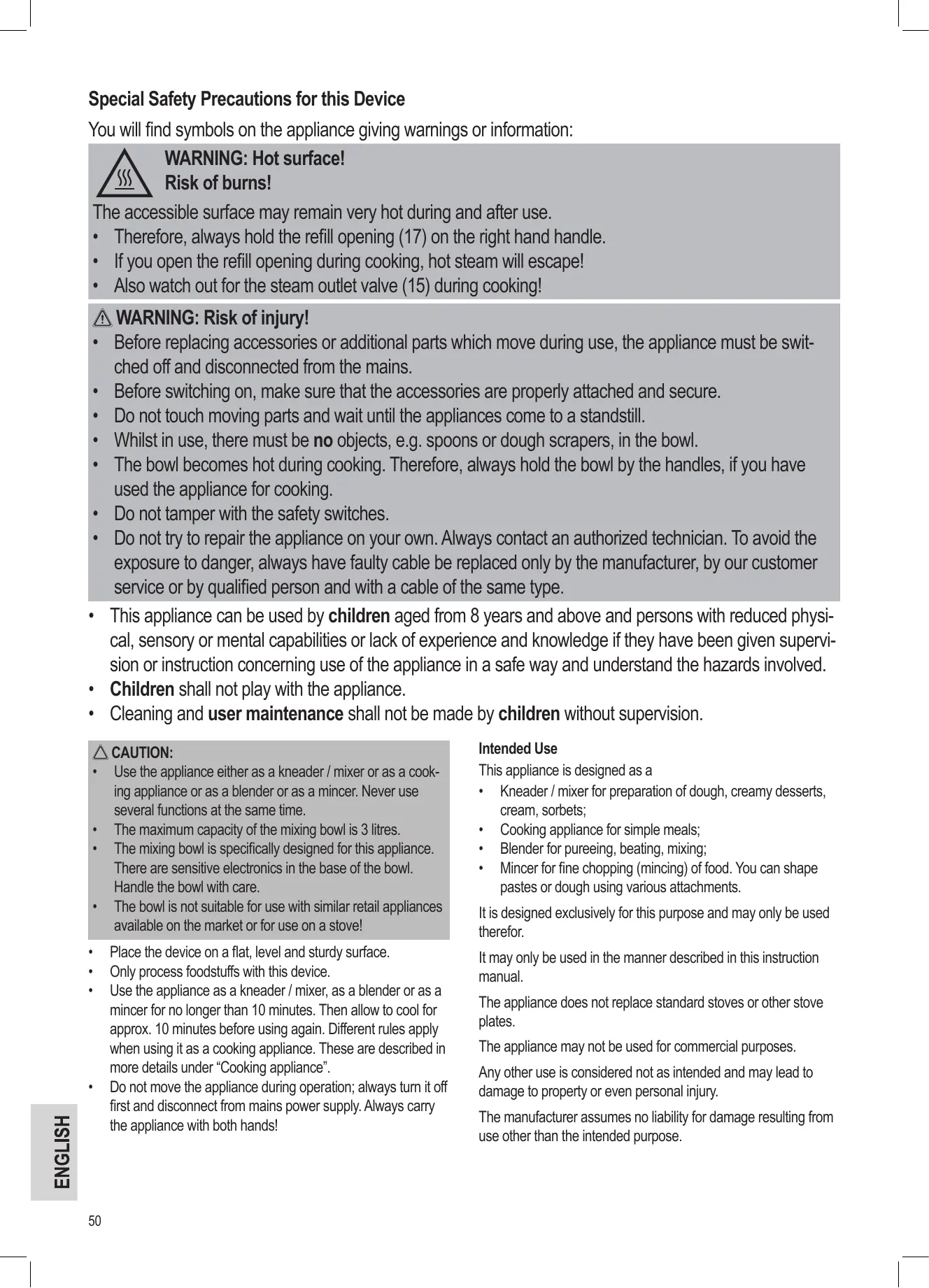
ENGLISH Special Safety Precautions for this Device You will find symbols on the appliance giving warnings or information:
WARNING: Hot surface!
Risk of burns! The accessible surface may remain very hot during and after use. + Therefore, always hold the refill opening (17) on the right hand handle. *_ If you open the refill opening during cooking, hot steam will escape! + Also watch out for the steam outlet valve (15) during cooking! à WARNING: Risk of injury! Before replacing accessories or additional parts which move during use, the appliance must be swit- ched off and disconnected from the mains. Before switching on, make sure that the accessories are properly attached and secure. Do not touch moving parts and wait until the appliances come to a standstil. Whilst in use, there must be no objects, e.g. spoons or dough scrapers, in the bowl. The bowl becomes hot during cooking. Therefore, always hold the bowl by the handles, if you have used the appliance for cooking. Do not tamper with the safety switches. Do not try to repair the appliance on your own. Always contact an authorized technician. To avoid the exposure to danger, always have faulty cable be replaced only by the manufacturer, by our customer service or by qualified person and with a cable of the same type. This appliance can be used by children aged from 8 years and above and persons with reduced physi- cal, sensory or mental capabilities or lack of experience and knowledge if they have been given supervi- Sion or instruction concerning use of the appliance in a safe way and understand the hazards involved. Children shall not play with the appliance. Cleaning and user maintenance shall not be made by children without supervision. À\ CAUTION:
Use the appliance either as a kneader / mixer or as a cook- ing appliance or as a blender or as a mincer. Never use several functions at the same time. The maximum capacity of the mixing bowi is 3 litres. The mixing boul is specifically designed for this appliance. There are sensitive electronics in the base of the bowl. Handle the bowl with care. The bowl is not suitable for use with similar retail appliances available on the market or for use on a stove! Place the device on a flat level and sturdy surface. Only process foodstuffs with this device. Use the appliance as a kneader / mixer, as a blender or as a mincer for no longer than 10 minutes. Then allow to cool for approx. 10 minutes before using again. Different rules apply when using it as a cooking appliance. These are described in more details under “Cooking appliance”. Do not move the appliance during operation; always turn it off first and disconnect from mains power supply. Always carry the appliance with both hands! intended Use This appliance is designed as a + Kneader / mixer for preparation of dough, creamy desserts, cream, sorbets; + Cooking appliance for simple meals; + Blender for pureeing, beating, mixing; + Mincer for fine chopping (mincing) of food. You can shape pastes or dough using various attachments. Itis designed exclusively for this purpose and may only be used therefor. It may only be used in the manner described in this instruction manual. The appliance does not replace standard stoves or other stove plates. The appliance may not be used for commercial purposes. Any other use is considered not as intended and may lead to damage to property or even personal injury. The manufacturer assumes no liability for damage resulting from use other than the intended purpose.
Description of the controls / Supplied parts Figure A: Tiltarm Blender motor Safety cover for blender motor Display Correction button Button for setting time and temperature POWER button Buttons for setting the speed / time / temperature 9 Knob for raising the arm 10 Motor housing 11 Connectors 12 Drive shaft 13 Cover for worm drive 14 Worm drive œ ® O1 & ND — Figure B: Accessories 15 Steam outlet valve 16 Splash guard lid 17 Refill opening 18 Steel mixing bowl 19 Disc guard 20 Flat beater 21 Dough hook 22 Whisk 23 Flexi beater Figure C: Blender jug 24 Lid cap 25 Lid 26 Glass decanter 27 Seal ring 28 Knife block 29 Screw-on base Figure D - G: Mincer 30 Pusher 31 Filler tray 32 Worm housing filler neck 33 Worm 34 Silicone coupling 35 Knife 36 Plate (3 different hole sizes) 37 Ring nut 38 Dough divider 39 Sausage attachment 40 Attachment for oriental dough pouches (2 parts) 41 Cookie maker 42 Cookie cutter Unpacking the appliance À\ WARNING: Risk of injury! Some parts of the accessories are sharp!
1. Take the appliance out of its packaging.
2. Remove all packing material, such as plastic bags, filler mate-
rial, cable ties and cardboard packaging.
3. Check that all the supplied parts are in the box.
4. Check the appliance for any transport damage to prevent
hazards. i NOTE: There may be dust or production residues on the appliance. We recommend that you clean the appliance as described under “Cleaning”. General instructions for use Electrical Connection Ensure that your mains power corresponds with the specifications on the type label. Power cord There is a cord compartment in the bottom of the appliance base. Pull out the power cord. Functions of the appliance + The appliance is fitted with safety switches. The appliance can only be operated - With an attached bowl (18) and attached splash guard (16) and - with the safety cover (3) or with the attached blender jug - and, ifthe tilt arm (1) audibly locks into place by lowering it. + You will hear a beep of moderate length when connecting the appliance to the mains. The appliance is ready for use. + Alonger beep warns you when you have connected the plug to the mains and want to switch on the appliance with the POWER © button, but the bowl is not yet attached. The appliance cannot be operated further. + lfthe cover for the blender motor is open or you have incor- rectly attached the blender jug or the splash guard lid, the appliance cannot be switched on. + Close the safety switch, this is then confirmed by a beep. + Ashort beep sounds each time a button is pressed. The electronic speed control prevents overloading of the motor. The revs/minute are reduced if the load is too high. Control panel Clear button for setting the time and temperature Button for setting the time and temperature POWER button Button for increasing the speed setting or the time or the temperature Button for reducing the speed setting or the time or the temperature O ®@6@0 ENGLISH
1. Connect the appliance to a properly installed earthed plug
socket. À beep of moderate length will sound when the appli- ance has been correctly assembled.
2. Switch the appliance on using the POWER © button. Keep
the button pressed until you hear a short beep. The display lights up. You will see the start display SPEED “0000” and “00:00/" for the timer. The appliance is ready for use.
3. You can start and stop operation of the appliance by briefly
pressing the POWER © button.
4. fyou want to end operation, keep the POWER © button
pressed, until the illuminated display goes out. Disconnect the mains plug from the socket. Pausing operation + Press the POWER © button briefly once, the running time / remaining running time, the set speed and temperature remains on the display. If you want to continue operation, briefly press the POWER © button again. + The motor has several safety switches. They switch the motor off as soon as one of them is opened. -_ lfthe arm (1) is tilted upwardks, the program status is retained. To continue operation of the appliance, lower the arm uniil it audibly clicks into place and then press the POWER © button. - Ifoperation is paused, detach the bowl as well. You will hear a longer beep. The program status is retained, even if the timer display goes out. After the bowl has been at- tached properly and the arm has been lowered, press the POWER © button, to continue operation with the previ- ous settings. - During operation, opening the blender motor cover or detaching the blender jug, immediately switches the appliance off. The display goes out. The program status is cleared. The power supply is interrupted. The appli- ance restores the default setting (speed setting 1). If you want to continue operation, switch the appliance on and change your settings. Indicators on the Display The indicators on the display depend on the operating mode. + The speed setting is shown next to SPEED when the ap- pliance is used as a kneading/mixing machine, blender or mincer. + lfused as a cooking appliance, the current temperature (in °C) will be shown next to TEMP instead of the speed setting. + The TIME indicator informs you of a) the operating duration b) the remaining running time of the set program, if you have activated the timer with the @ button. + lfyou have activated the timer or/and set a temperature, you can access your previously selected settings with the €d but- ton. Press the button three times. The following indicators are each displayed for three seconds in the following sequence:
1. Speed setting SPEED
+ Theilluminated display goes out if the appliance is not in use and no button has been pressed for approx 10 minutes. The program status is retained. Press any button (except POWER ©) to switch the display on again. Check your previous settings with the €D button. Speed settings + Speed setting 1 is the default setting after the appliance is connected to the mains. + lfthe appliance is switched off without disconnecting the mains plug from the socket or removing the cover for the blender motor/blender jug, the last selected speed setting will be saved. + The appliance has 11 speed settings (1 to 10 and -1), which can be selected with the buttons P/ ©). Setting 1 = lowspeed Setting 10 = top speed Setting -1 = slowest speed for stirring when cooking + When using as a cooking appliance, you can only select set- tings above speed setting 1 if the temperature has not yet risen to 60°C. Speed settings -2 and -3 represent the intervals at which the food is stirred at speed setting -1 during cooking. Setting -2 = shortintervals Setting -3 = longintervals If you want to switch from setting -3 to setting -2 or -1, use the @ button. Timer (electronic timing device) If you want to limit the operating time, proceed as follows: + Press the @D button once. + Use the @/Q) buttons to select between 1 and 60 minutes. + Ifyou do not press another button within a few seconds, the display changes to “00:00”. Your settings are retained how- ever. + You can also reset the timer during operation using the € and @/ ©) buttons, without interrupting the program. The previous operating time is retained. Temperature To use as a cooking appliance, select a temperature of between 25°C and 140°C. + Press the €) button twice. + Use the /© buttons to select the temperature. + Ifyou do not press another button within a few seconds, the display will change to show the current temperature. Your settings are retained however. + You can also reset the temperature during operation using the € and @/ © buttons, without interrupting the program. Clear with the © button + lfyou want to clear the set Timer after the program has started:
1. Interrupt the program with the POWER © button.
2. Press the €D button repeatedly until you get to the timer
3. Keep the © button pressed until the timer shows “00:00”.
The timer setting has been cleared. The indicator on the display changes to the operating duration. + lfyou want to clear the temperature after the program has started:
1. Interrupt the program with the POWER © button.
2. Press the € button repeatedly until you get to the tem-
3. Keep the © button pressed until the temperature shows
“0 C”. The temperature setting is cleared. + lfyou have interrupted the program with the POWER © but- ton and then press the © button immediately for 2 seconds, you will clear the timer and temperature at the same time. The kneading machine Assembly and operation
opening (17) is in front of you to the left. The top edge of the lid matches the shape of the tilt arm. Push the lid from below and around the tilt arm drive. The rubber seal must com- pletely surround the drive. If fitted correctly, the tilt arm will be “embedded” into the lid.
3. If you want to use the dough hook (21) or the flat beater (20),
first attach the disc guard (19). This prevents the drive shaft from coming into contact with dough. Hold the disc like a bowi. Insert the dough hook or flat beater from below through the recess of the disc and tighten it with a quarter turn.
4. Onthe top end ofthe attachment, BL
you will see a recess for the drive sit \= Shaft and the cotter. Fit the required ee attachment by inserting the top end 1 * | into the drive shaft (12). Push and à | tu the attachment at the same time anticlockwise, so that the cotter locks into place in the drive shaft.
5. Fix the boul into the bracket:
5.1. Make sure that the connectors (11) are lined up with the studs in the base of the appliance. 5.2. On the bottom edge of the bowl you will see symbols, which make it easier for you to mount it. Attach the bowl with the dot e over the arrow A ofthe appliance base. Press the bowl down. Turn the bowl clockwise as far as it will go. The two arrows Y and A must be aligned above one another.
6. Now add your ingredients.
\ CAUTION: Do not overfill the appliance, the max. quantity of ingredients is 2 kg or 3 litres for fluids.
7. Push the arm down until it clicks into place.
8. Plug the mains plug into a properly installed Schuko socket.
9. Switch the appliance on using the POWER © button.
10. Select a speed with the © / © buttons.
11. Start operation with the POWER © button.
i NOTE: If you start using the appliance immediately after connecting to the mains, the appliance starts at speed setting 1. Table Dough Types and Tools Dough Type LI Setting Amount en de shortcrust) ke 1-8 | max 2kg (en cunes or cake batter) Mixing hook | 1-3 | max. 2kg nee [Ent |3-0 (ere i NOTE: + When selecting the speed setting, also refer to the instruc- tions in the recipe. + lfyou are kneading heavy dough, add all ingredients at once into the mixing bowl. Always begin kneading with flour, sugar and eggs. Gradually add fluids whilst kneading. Use the refill opening in the splash guard lid to do so. + Short time operation: With heavy dough do not operate the appliance longer than 10 minutes and leave for 10 minutes to cool down. Pulse operation À\ WARNING: Risk of injury! + Always switch off the appliance with the POWER © button, even if you want to interrupt the kneading/mixing process only briefly. + Wait for the attachment to come to a complete stop! + When you tum the knob (9) during use to swivel the arm, a safety switch turns the motor off. The attachment will continue to rotate for a short period. In order to continue operating the appliance, lower the arm again and press the POWER © button. End Operation and Remove Bowl
1. Switch off the appliance with the POWER © button when the
dough has been kneaded. Wait for the attachment to come to a complete stop. Disconnect from the mains.
2. Tumthe knob (9) clockwise. The arm rises.
3. Tumthe mixing bowl one short turn anticlockwise to remove
4. Take the finished dough out of the mixing bowi.
5. To release the attachment from the drive shaft, push it up and
turn it a short distance clockwise. Then pull it out.
6. Clean the used parts as described under “Cleaning”.
ENGLISH Cooking appliance Instructions for use as a cooking appliance À\ WARNING: Hot surface! Risk of burns! The mixing bowl and splash guard lid become very hot during use. + Therefore, always hold the refill opening (17) on the right hand handle. + lfyou open the refill opening during cooking, hot steam will escape! + Also watch out for the steam outlet valve (15) during cook- ing! + lfyou tilt the arm up, hot steam escapes from the mixing bowi + When removing the mixing bowi, only hold it on the handles. À CAUTION: The base ofthe mixing bowl becomes very hot after cooking. + Always place the mixing bowi onto a heat-resistant surface. i NOTE: + Enterthe required settings for time, temperature and speed in rapid succession. lf you wait for longer than 5 seconds between the individual settings, you must start entering them again from the beginning. + Ifyou do not want to select one of the functions, skip the function by pressing the €d button. + lfyou want to change your settings, you can do it at any time using the € and D /© buttons. + lfyou want to clear the timer or the set temperature, use the © button. Also refer to “General instructions” => “Clear with the © button”. + lfthe set temperature has been reached, the heating ele- ment switches off automatically. The temperature is then controlled by the thermostat. The current temperature is Shown on the display. + Note the actual temperature in the mixing bowi is shown on a time delay, since the sensor is in the base of the mixing bowi. The delay may be approx. 5 minutes. + Afterthe set time has elapsed, the start screen will be Shown on the display. + You can continue cooking after the timer has expired (max. 60 minutes) by reactiviating the timer. + You can also cook without the timer. For safety reasons, the appliance switches off after 15 minutes. You will see the Start screen on the display. + You can only use a speed setting higher than setting 1 after the mixing bowi has colled to below 60°C. à NOTE: Thermal cut-out! The appliance is fitted with a thermal cut-out. This switches off the appliance for safety reasons, ifthe thermostat in the base ofthe mixing bowl registers 140°C. You will hear a continuous beep. + Disconnect from the mains. + Allowthe appliance to cool. + lfyou want to continue operation, switch the appliance back on and select your settings again.
Attachment the bowl, splash guard lid and flexi beater attach- ment (23) as described under “The kneading machine” “Assembly and operation”, points 1, 2, 4 and 5. Add the ingredients to the bowl. Push the arm down until it clicks into place. Connect the mains plug to a proper installed earthed socket. Switch the appliance on with the POWER © button. Press the D button once. Set the cooking time of 1 to 60 minutes using the / © buttons. Press the @D button a second time. Set the temperature of 25°C to 140°C using the P/© buttons. Press the D button a third time. Set a stiring speed or a interval using the D / © buttons. Start the cooking program with the POWER © button. Adding ingredients À\ WARNING: Hot surface! Risk of burns! Pay attention to the warnings listed above! You do not need to pause the cooking process. Use the refill opening in the splash guard lid. Switching off and detaching the bowl
an & © D Switch the appliance off with the POWER ©) button. Discon- nect the mains plug. Tum the knob (9) clockwise. The arm rises. Tum the mixing bowl one short tu anticlockwise to detach it. Take the finished food out of the bowl. In order to release the attachment from the drive shaft, push it up and turn slightly clockwise. Then pull it out. Clean the used parts as described under “Cleaning”. The Blender Blender Use Instructions À\ WARNING: The knife in the blender is sharp! Never reach with your hands into the assembled mixing container! Handle the blender knife with great car! Risk of injury, especially when removing the knife from the mixing container, emptying and cleaning the mixing container! Do not pour liquid ingredients hotter than 60°C into the mixing container! Danger of burns! L\ CAUTION: Never turn the knob (9), if you have attached the blender jug! The blender jug will tip over. Do not place hard ingredients such as nuts or coffee beans in the mixing container. The knife in the mixing container is not suitable for crushing ice cubes only. À Recommended: When preparing drinks with crushed ice only add the ice cubes during mixing. The ice cubes will be crushed during mixing.
+ Do not use the blender without ingredients! + Place the mixing container on a stable and solid surface dur- ing filling. In this way it is easier to attach the lid. + Do not exceed the maximum capacity (1500 ml) as indicated on the mixing container! + Adjustthe capacity to accommodate any frothing of the mix- ture. lf necessary, reduce the capacity. + Attach the lid in such way that the round tab seals the spout ofthe mixing container. + Onlytake the appliance into operation after attaching lid and fastening the stopper! + Do not remove the lid during operations! Wait until the knife has come a complete stop before opening the lid. Mixing Container Assembly Please refer to our overviews on Page 3 and 4. Check the pre-assembly! The sealing ring (27), the knife block (28) and the screw-on base (29) must be assembled in the correct sequence. A CAUTION: + The stud on the knife block must fit in the recess of the screw-on base. + Never forget to place the sealing ring on the knife assembly; otherwise the mixing container will leak. + Do not attach the threaded coupling askew. Preparation
1. Attach the bowi and splash guard lid as described under ‘The
kneading machine” ‘Assembly and operation”, points 1, 2, 5and7.
2. Remove the safety cover (3) from the drive shaft of the blend-
er motor: Push and slide at the same time on the grooved area.
3. Cut all ingredients in small pieces.
4. Fillthe ingredients into the mixing container. Observe the
5. Press the lid (25) down on the mixing container. The mixing
container must be perfectly sealed.
6. Close the lid with the stopper (24). Use the recesses on the
cap to help you. Fasten the cap by turning it clockwise. Blender Assembly And Operation
7. Place the mixing container on the mixing drive shaft. Attach
the blender jug with the arrow W over the dot e on the base appliance. Turn the blender jug clockwise as far as it will go. The two arows Y and A must lie opposite one another.
8. Connect the mains cable to a properly installed and earthed
10. Select a speed with the D / © buttons.
11. Start operation with the POWER © button.
i NOTE: If you start using the appliance immediately after connecting to the mains, the appliance starts at speed setting 1. Refill Ingredients + Switch the appliance off. + Filliningredients or spices through the stopper opening. + Close lid and stopper opening again. + Continue operation. Stop Operation
1. Switch the appliance off. Wait until the knife comes to a com-
2. Disconnect from mains power supply.
3. Detach the blender jug from the motor part by turning it anti-
5. Clean all used parts as described under “Cleaning”.
6. Cover the mixing drive shaft with the safety cover (3).
À IMPORTANT NOTE: Do not store citrus juices or acidic foodstuffs in metal containers. The mincer À WARNING: + When cleaning and assembling the mincer, handle the knife (35) with the necessary care! + Always use the pusher to fill the mincer (30). Use only the pusher to fill the mincer. Preparation Please also refer to our overviews on page 3 and 5.
1. Attach the bowl and the splash guard lid as described under
“The kneading machine” ‘Assembly and operation”, points 1,2,5and7.
2. The access to the worm housing is protected by a cover (13)
on the appliance. Tum the cover clockwise to remove it.
3. Push the silicone coupling (34) onto the worm shaft (33).
4. Setthe worm, sprocket first, into the horizontal section of the
worm housing. Assembly of the accessories is described the following sections. Prepare the mincer according to your requirements. Assembling the mincer (see Fig. D) i NOTE: + Check any pre-assembly work! + Depending on how fine you want to mince, select a finer or a courser mincing plate. + Lightly coat the mincing plate beforehand with sunflower oil. Proceed as described under “Preparation”.
5. Setthe knife (35) onto the shaft of the worm with the sharp
side facing outwards.
6. Select a mincing plate (36). Use the recesses on the plate to
insert it into the worm housing. More details can be found under “Attach preassembled worm housing”. ENGLISH
ENGLISH Assembling the sausage attachment (see Fig. E) Proceed as described under “Preparation”. + Use prepared sausage meat, proceed as below:
5. First, set the dough divider (38) onto the shaft of the
worm. To do so, use the recesses on the dough divider.
6. Setthe sausage attachment (39) onto the dough divider.
To do so, use the recesses on the sausage attachment. + lfyou want to mince pieces of meat and make sausages in one action, first set the knife and a mincing plate as described under ‘Assembling the mincer” points 5 and 6. Then push the sausage attachment into the ring nut. For more details, see “Attach preassembled worm housing”. Assembling the attachment for oriental dough pouches (see Fig. F) i NOTE: Use the attachment for oriental dough pouches to form pouches from meat or dough paste. Proceed as described under “Preparation”.
5. Place the 2 part attachment for oriental dough pouches (40)
onto the shaft of the worm. Use the recesses to do so.
6. For more details, see “Attach preassembled worm housing”.
Assembling the cookie maker (see Fig. G) Proceed as described under “Preparation”.
5. First place the dough divider (38) onto the shaît of the worm.
Use the recesses on the dough divider.
6. Place the cookie maker (41) onto the dough divider. Use the
recesses on the cookie maker. For more details, see “Attach preassembled worm housing”. Attach preassembled worm housing
7. Screw the ring nut (37) clockwise onto the worm housing.
8. Attach the pre-assembled worm housing to the appliance.
Position the worm housing with the arrow (pb) aligned with (e) on the appliance. Turn to the upright position. The arrow on the worm housing must be opposite the arrow on the ap- pliance. (Refer to the figure.) N-E
\ CAUTION: If you open and close the ring nut again after attaching it, hold the worm housing securely with one hand on the filler neck (32), otherwise the worm housing may accidentally come loose.
9. Position the filler tray (31) so that the bed of the tray lies
Operation and Instructions for Use i NOTE: + Cutthe meatinto pieces of around 2.5 cm. Make sure that there are no bones or sinews in the meat. + Short term operation: Do not operate the appliance for longer than 10 minutes and then allow the appliance to cool for 10 minutes.
10. Feed the pieces of meat (meat paste/ sausage meat or
dough) onto the filler tray and into the filler neck. If you are mincing meat, place a container under the outlet.
11. Plug the mains plug into a properly installed Schuko socket.
Switch the appliance on with the POWER © button.
12. Use the / © buttons to select a speed from settings 3 to 5.
13. Start operation with the POWER © button.
14. lfnecessary, feed the meat or dough in with the pusher (30).
À WARNING: Risk of injury! Always use the supplied pusher. Never put your fingers or utensils into the filler neck! Making sausages + You can use natural as well as artificial sausage skins. + lfyou decide to use natural sausage skins, first soften them in water for a while. + Knotone end ofthe sausage skin. + Push the sausage skin over the sausage attachment. + The sausage meat is pushed through the sausage attach- ment and the sausage skin is filled. + Make sure that the sausage skin is filled with slack, since the Ssausage expands during boiling or frying and the skin may rupture. + lfthe first sausage reaches the required length, press the sausage together at the end of the sausage attachment with your fingers. + Rotate the sausage once or twice. + Unïil you have developed a routine, you can tum the appli- ance of after each sausage length. Shaping cookies i NOTE: + lfyou have made a cookie dough, you can form the dough into different shapes using the cutter (42). + Use the @/@ buttons to select a speed from settings 1 to 3. + After you have attached the preassembled worm housing to the appliance, push the cutter into the cookie maker. + Setthe desired cookie shape. + Hold the lengths of dough at the outlet with your hand and cut at the desired length End operation
1. Switch the appliance off with the POWER © button.
2. Disconnect the mains plug.
3. Disassemble all mincer parts.
4. Clean the used parts as described under “Cleaning”.
5. Close the worm housing access with the »
cover (13). Turn the cover anticlockwise. The arrow on the cover must be opposite the arrow on the appliance. (See the figure on the right.) Cleaning À WARNING: + Disconnect from mains power supply before cleaning. Allow the mixing bowl to cool. + Do not submerge the appliance into water. This may lead to electric shock or fire. A CAUTION: + Do notuse a wire brush or other abrasive utensils for clea- ning. + Do not use aggressive or abrasive cleaning agents. + The attachments are not suitable for dishwasher. Heat and aggressive cleaning agents may warp or discolour the attachments. Motor Housing + Clean the housing only with a damp cloth and a squirt of washing-up liquid. Dry with a cloth. Mixing bowl À CAUTION: There are sensitive electronics in the base of the mixing bowi. Do not immerse the bowl under water! + Only use water to rinse out the mixing bowl. You may add a litle detergent. + Wipe the outside of the mixing bowl with a damp dishcloth. + Then dry the bowl thoroughly. Splash guard lid, kneading / stirring attachments and mincer parts À\ WARNING: Risk of injury! The mincing knife is very sharp. + Parts which have come into contact with food can be rinsed out with water. + The seal ring of the splash guard lid can be detached for bet- ter cleaning. + Rinse with clean water and dry the parts of. + Lightly oil the mincer discs with vegetable oil after drying. Blender accessories Precleaning Half fill the blender with water and switch the appliance on for approx. 10 seconds. Then empty out the water. Thorough cleaning À\ WARNING: Risk of injury! The knives on the knife block are sharp. Proceed with care when disassembling, cleaning and assembling the parts. + To clean thoroughly, detach the blender jug. + Always disassemble the blender jug after use. + Detach the screw-on base from the blender jug. + Remove the knife block and the seal ring from the screw-on base. + You can clean the glass decanter of the blender jug and the lid with cap in a bowi of hot water. Rinse with clean water and dry off. Seal ring, knife block and screw-on base + Always rinse off these parts briefly with hot water. + After cleaning and drying all parts, re-assemble your blender jug in reverse order. Refer to our diagrams on page 4. Storage + Clean the appliance as described. Allow the accessories to dry completely. + Slide the power cord into the cord compartment. + We recommend that the appliance is kept in the original pack- aging if you do intend to use it for long periods. + Always keep the appliance out of the reach of children in a dry, well-ventilated place. Troubleshooting The appliance does not function Possible cause: The appliance has no power supply. Remedy: + Checkthe socket with another appliance. + Pluginthe mains plug correctly. + Check the main circuit breaker. Possible cause: The appliance is faulty. Remedy: + Contact our service center or a specialist. Further possible causes: Your appliance is equipped with safety switches. They prevent accidental motor start. Remedy: + Check correct position of -_ swivelling arm (1) - mixing container or - safety cover (3) - the mixing bowl and - the splash guard lid (16). The appliance switches off during cooking Possible cause: Cooking with the timer is limited to 15 minutes for safety reasons. Remedy: + Restart. + Work with the timer. ENGLISH
ENGLISH You can hear a continuous beep Possible cause: 140°C was reached. The appliance switches itself off for safety reasons. Remedy: + Disconnect the plug from the mains and allow the appliance to cool. + Set a lower temperature and restart with the POWER © but- ton. Noise Emission The sound pressure level was measured at the ear of a user (LpA) in compliance with DIN EN ISO 3744. Determined sound pressure level: 72 - 86 dB(A) (no limit) Technical Specifications KM 3476 .220-240 V-, 50/60 Hz max. 2000 W 1000 W 00 W
Power rating: . Power consumption Mot Power consumption Heating element: Protection class: … … approx. 6.25 kg The right to make technical and design modifications in the course of continuous product development remains reserved. This device complies with all current CE directives, such as electromagnetic compatibility and low voltage directive and is manufactured according to the latest safety regulations.
Disposal Meaning of the “Wheelie Bin” Symbol Take care of our environment, do not dispose of electrical appli- ances via the household waste. Dispose of obsolete or defective electrical appliances via munici- pal collection points. Please help to avoid potential environmental and health impacts through improper waste disposal. You contribute to recycling and other forms of utilization of old electric and electronic appliances. Your municipality provides you with information about collecting points.