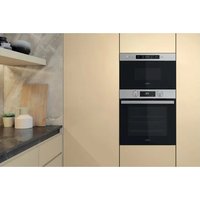
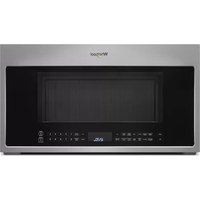
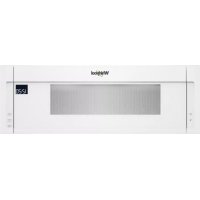
AMW 770/NB - Microwave WHIRLPOOL - Free user manual and instructions
Find the device manual for free AMW 770/NB WHIRLPOOL in PDF.


User questions about AMW 770/NB WHIRLPOOL
0 question about this device. Answer the ones you know or ask your own.
Ask a new question about this device
Download the instructions for your Microwave in PDF format for free! Find your manual AMW 770/NB - WHIRLPOOL and take your electronic device back in hand. On this page are published all the documents necessary for the use of your device. AMW 770/NB by WHIRLPOOL.
USER MANUAL AMW 770/NB WHIRLPOOL
DAILY REFERENCE GUIDE

THANK YOU FOR PURCHASING A WHIRLPOOL PRODUCT
To receive more comprehensive help and support, please register your product at www.whirlpool.eu/register

You can download the Safety Instructions and the Use and Care Guide by visiting our website docs.whirlpool.eu and following the instructions on the back of this booklet.

Before using the appliance carefully read the Health and Safety guide.
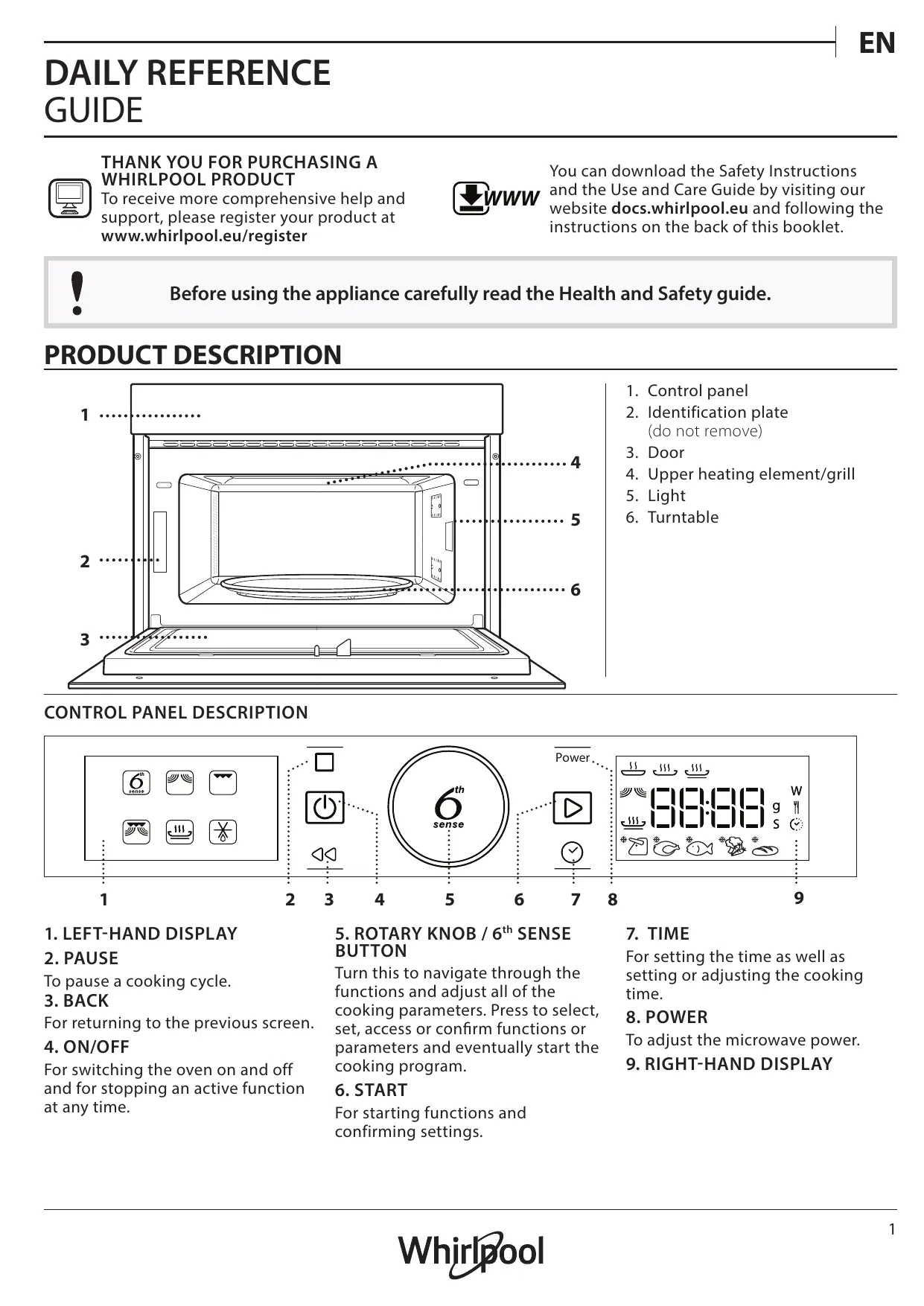
PRODUCT DESCRIPTION

- Control panel
- Identification plate (do not remove)
- Door
- Upper heating element/grill
- Light
- Turntable
CONTROL PANEL DESCRIPTION

1. LEFT-HAND DISPLAY
2. PAUSE
To pause a cooking cycle.
3. BACK
For returning to the previous screen.
4. ON/OFF
For switching the oven on and off and for stopping an active function at any time.
5. ROTARY KNOB / 6th SENSE BUTTON
Turn this to navigate through the functions and adjust all of the cooking parameters. Press to select, set, access or confirm functions or parameters and eventually start the cooking program.
6. START
For starting functions and confirming settings.
7. TIME
For setting the time as well as setting or adjusting the cooking time.
8. POWER
To adjust the microwave power.
9. RIGHT-HAND DISPLAY
TURNTABLE

Placed on its support, the glass turntable can be used with all cooking methods.
The turntable must always be used as containers or accessories.
TURNTABLE SUPPORT

Only use the support for the glass turntable.
Do not rest other accessories on the support.
WIRE RACK

This allows you to place food closer to the grill, for perfectly browning your dish.
Place the wire rack on the turntable, making sure that it does not come
into contact with other surfaces.
The number and the type of accessories may vary depending on which model is purchased.
CRISP PLATE

Only for use with the designated functions.
The Crisp plate must always be placed in the centre of the glass turntable and can be pre-heated
when empty, using the special function for this purpose only. Place the food directly on the Crisp plate.
HANDLE FOR CRISP PLATE

Useful for removing the hot Crisp plate from the oven.
There are a number of accessories available on the market. Before you buy, ensure they are suitable for microwave use and resistant to oven temperatures.
Metallic containers for food or drink should never be used during microwave cooking.
Other accessories that are not supplied can be purchased separately from the After-sales Service.
Always ensure that foods and accessories do not come into contact with the inside walls of the oven.
Always ensure that the turntable is able to turn freely before starting the oven. Take care not to unseat the turntable whilst inserting or removing other accessories.
FUNCTIONS

6^th SENSE
These functions automatically select the best cooking method for all types of food.

6^th SENSE REHEAT
For reheating ready-made food that is either frozen or at room temperature. The oven automatically calculates the settings required to achieve the best results in the shortest amount of time. Place food on a microwave-safe and heatproof dinner plate or dish.
| FOOD | WEIGHT (g) | |
| 1 | DINNER PLATE | 250 - 500 |
| 2* | FROZEN PORTION | 250 - 500 |
| 3* | FROZEN LASAGNA | 250 - 500 |
| 4 | SOUPS | 200 - 800 |
| 5 | BEVERAGES | 100 - 500 |

6^th SENSE COOK
For cooking foods quickly and achieving optimal results. Use a heatproof container suitable for microwave use.
| FOOD | WEIGHT (g) | |
| 1 | BAKED POTATOES (Turn when prompted) | 200 - 1000 |
| 2 | FRESH VEGETABLES (Cut into pieces of equal size and add 2 to 4 tablespoons of water. Cover) | 200 - 800 |
| 3* | FROZEN VEGETABLES (Turn when prompted. Cover) | 200 - 800 |
| 4 | CANNED VEGETABLES | 200 - 600 |
| 5 | POPCORN | 100 |

6^th SENSE CRISP
For quickly reheating and cooking frozen foods and giving them a golden, crunchy top. Only use this function with the crisp plate provided. Turn the food when prompted.
| FOOD | WEIGHT (g) | |
| 1* | FRENCH FRIES (Spread out in a single layer and sprinkle with salt before cooking) | 200 - 500 |
| 2* | PIZZA, THIN CRUST | 200 - 500 |
| 3* | PIZZA, THICK CRUST | 200 - 800 |
| 4* | CHICKEN WINGS, CHICKEN PIECES (Lightly oil the plate) | 200 - 500 |
| 5* | FISH FINGERS (Crisp plate must be preheated) | 200 - 500 |
Required accessories: Crisp plate, handle for crisp plate

MICROWAVE
For quickly cooking and reheating food or drinks.
| POWER (W) | RECOMMENDED FOR |
| 1000 | Quickly reheating drinks or other foods with a high water content. |
| 800 | Cooking vegetables. |
| 650 | Cooking meat and fish. |
| 500 | Cooking meaty sauces, or sauces containing cheese or egg. Finishing off meat pies or pasta bakes. |
| 350 | Slow, gently cooking. Perfect for melting butter or chocolate. |
| 160 | Defrosting frozen foods or softening butter and cheese. |
| 90 | Softening ice cream. |
| ACTION | FOOD | POWER (W) | DURATION (min.) |
| Reheat | 2 cups | 1000 | 1 - 2 |
| Reheat | Mashed potatoes (1 kg) | 1000 | 9 - 11 |
| Defrost | Minced Meat (500 g) | 160 | 13 - 14 |
| Cook | Sponge cake | 800 | 6 - 7 |
| Cook | Egg custard | 650 | 11 - 12 |
| Cook | Meat loaf | 800 | 18 - 20 |

GRILL
For browning, grilling and gratins. We recommend turning the food during cooking.
| FOOD | DURATION (min.) |
| Toast | 10 - 12 |
| Prawns | 18 - 22 |
Recommended accessories: Wire rack

GRILL+MW
For quickly cooking and gratinating dishes, combining the microwave and grill functions.
| FOOD | POWER (W) | DURATION (min.) |
| Potatoes gratin | 650 | 20 - 22 |
| Roast chicken | 650 | 40 - 45 |
Recommended accessories: Wire rack

CRISP
For perfectly browning a dish, both on the top and bottom of the food. This function must only be used with the special Crisp plate.
| FOOD | DURATION (min.) |
| Leavened cake | 7 - 10 |
| Hamburger | 8 - 10* |
- Turn food halfway through cooking.
Required accessories: Crisp plate, handle for the Crisp plate
JET DEFROST
For quickly defrosting various different types of food simply by specifying their weight. Food should be placed directly on the glass turntable. Turn the food when prompted.
| FOOD | WEIGHT (g) | |
| 1* | MEAT (mince, cutlets, steaks, roasting joints) | 100 - 2000 |
| 2* | POULTRY (whole chicken, pieces, fillets) | 100 - 2500 |
| 3* | FISH (whole, steaks, fillets) | 100 - 1500 |
| 4* | VEGETABLES (mixed vegetables, peas, broccoli etc.) | 100 - 1500 |
| 5* | BREAD (loaves, buns, rolls) | 100 - 1000 |
FIRST TIME USE
. SETTING THE TIME
You will need to set the time when you switch on the oven for the first time.

The two digits for the hour will start flashing: Turn the rotary knob to set the hour and then press ⑧ to confirm.
DAILY USE
1. SELECT A FUNCTION
When the oven is off, only the time is shown on the display. Press and hold to switch the oven on. Turn the rotary knob to view the main functions available on the left-hand display. Select one and press


To select a sub-function (where available), select the main function and then press to confirm and go to the function menu.


Turn the rotary knob to select from amongst the subfunctions available on the right-hand display and then press to confirm.

The two digits for the minutes will start flashing. Turn the rotary knob to set the minutes and press ⑧ to confirm.
Please note: To change the time at a later point, press and hold for at least one second while the oven is off and repeat the steps above.
You may need to set the time again following lengthy power outages.
2. SET A FUNCTION
.6TH SENSE / DEFROST
FOOD CLASS
Once you have chosen one of the automatic functions, you will need to select a category for the food you are cooking.

When the icon flashes, turn the rotary knob to select the category you require and then press to confirm. WEIGHT
To achieve the best results, the 6^th Sense (and Jet Defrost) require you to enter the weight of the food, selecting from amongst the default settings: the oven will calculate the ideal length of time for the function to run for each category of food.

When the default setting appears on the display and the 9 icon flashes, turn the rotary knob to set the weight and then press ⑥ to confirm.
. MANUAL FUNCTIONS
After having selected the function you require, you can change its settings.
The display will show the settings that can be changed in sequence.
MICROWAVE POWER

When the W icon flashes on the display, turn the rotary knob to adjust the power setting and then press to confirm and continue to alter the settings that follow (if possible).
Please note: Once the function has been activated, the power can be changed by pressing to access the settings menu, then turning the rotary knob to change the setting.
DURATION

When the icon flashes on the display, use the rotary knob to set the cooking time you require and then press to confirm or press to confirm and start the function.
Note: During cooking, you can adjust the cooking time by turning the rotary knob; each time you press l , the cooking time increases by 30 seconds.
3. ACTIVATE THE FUNCTION
Once you have applied the settings you require, press to activate the function.
Every time the button is pressed again, the cooking time will be increased by a further 30 seconds.
Please note: You can press at any time to stop the function that is currently active.
. JET START
When the oven is switched off, it is possible to press l to activate cooking with the microwave function set at full power (1000 W) for 30 seconds.
. SAFETY LOCK
This function is automatically activated to prevent the oven from being switched on accidentally.

Open and close the door, then press to start the function.
4. PAUSE
To pause an active function, for example to stir or turn the food, simply open the door.
To start it up again, close the door and press 2 .
AUTOMATIC PAUSE
(TURN OR STIR FOOD)
Certain functions will pause to allow you to turn or stir the food.

Once the oven has paused cooking, open the door and carry out the action you are prompted to perform before closing the door again and pressing to continue with cooking.
5. COOKING END
An audible signal will sound and the display will indicate that cooking is complete.

To extend the cooking time without changing the settings, turn the rotary knob to set a new cooking time and press l .
. KEY LOCK
To lock the keypad, press and hold for at least 5 seconds.

Do this again to unlock the keypad.
Please note: The key lock can also be activated while cooking is in progress. For safety reasons, the oven can be switched off at any time by pressing and holding .
Make sure that the appliance has cooled down before carrying out any maintenance or cleaning.
Never use steam cleaning equipment.
Do not use wire wool, abrasive scourers or abrasive/ corrosive cleaning agents, as these could damage the surfaces of the appliance.
INTERIOR AND EXTERIOR SURFACES
- Clean the surfaces with a damp microfibre cloth. If they are very dirty, add a few drops of pH-neutral detergent. Finish off with a dry cloth.
- Clean the glass in the door with a suitable liquid detergent.
- At regular intervals, or in case of spills, remove the turntable and its support to clean the bottom of the oven, removing all food residue.
- The grill does not need to be cleaned as the intense heat burns away any dirt. Use this function on a regular basis.
ACCESSIONS
All accessories are dishwasher safe with the exception of the Crisp plate.
The Crisp plate should be cleaned using water and a mild detergent. For stubborn dirt, rub gently with a cloth. Always leave the Crisp plate to cool down before cleaning.
TROUBLESHOOTING
| Problem | Possible cause | Solution |
| The oven is not working. | Power cut. Disconnection from the mains. | Check for the presence of mains electrical power and whether the oven is connected to the electricity supply. Turn off the oven and restart it to see if the fault persists. |
| The oven makes noises, even when it is switched off. | Cooling fan active. | Open the door or hold or wait until the cooling process has finished. |
| The display shows the letter “F” followed by a number. | Software fault. | Contact you nearest Client After-sales Service Centre and state the number following the letter “F”. |
| The display shows unclear text and appears to be broken. | Another language set. | Contact you nearest Client After-sales Service Centre. |
PRODUCT FICHE
The product fiche with energy data of this appliance can be downloaded from Whirlpool website docs.whirlpool.eu
HOW TO OBTAIN THE USE AND CARE GUIDE
Download the Use and Care Guide from our website docs.whirlpool.eu (you can use this QR Code), specifying the product's commercial code.

Alternatively, contact our Client After-sales Service.
CONTACTING OUR AFTER-SALES SERVICE
You can find our contact details in the warranty manual. When contacting our Client After-sales Service, please state the codes provided on your product's identification plate.

GUIDE
D'UTILISATION QUOTIDIENNE