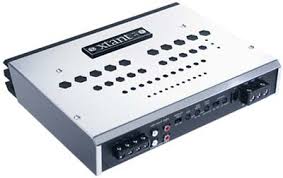
3.1 - Audio Amplifier XTANT - Free user manual and instructions
Find the device manual for free 3.1 XTANT in PDF.



User questions about 3.1 XTANT
0 question about this device. Answer the ones you know or ask your own.
Ask a new question about this device
Download the instructions for your Audio Amplifier in PDF format for free! Find your manual 3.1 - XTANT and take your electronic device back in hand. On this page are published all the documents necessary for the use of your device. 3.1 by XTANT.
USER MANUAL 3.1 XTANT
Congratulations on your Xtant amplifier purchase. The concept is simple—a more carefully engineered amplifier to produce superior sound. That is our passion—to exceed your expectation of the automotive listening experience. We are driven by it. To accomplish this lofty goal, it takes the finest engineering talent in the business, combined with a dedication to superior materials. We add in a multitude of features, unique cosmetics, and creative system integration.
Xtant products are only available through the finest, most highly-specialized mobile audio retailers. Your authorized Xtant retailer was chosen because of their passion for excellence and their commitment to expanding their expertise. Please remember, exceptional audio requires professional installation. Your Xtant retailer will optimize your system to meet your personal tastes.
With your purchase of Xtant mobile audio, you publicly confirm your status as a connoisseur of fine music. We salute you and welcome you to our family.
Welcome to Xtant!
INSTALLING YOUR XTANT AMPLIFIER
All Xtant amplifiers and accessories are intended to be installed by an Xtant-certified professional mobile audio installation specialist. It is the recommendation of Xtant Technologies that your new Xtant product(s) and all of your mobile audio products be installed by your Authorized Xtant retailer.
In the event you decide to install your new Xtant product(s), please take the time to read this Owner's Manual in its entirety. Installation and/or use of your amplifier in applications or methods other than those specified in your Xtant amplifier owner's manual may result in a reduction of the overall performance capability of the amplifier. Any such installation or usage renders the product warranty void. The following guidelines are designed to assure a safe and properly installed Xtant Mobile Audio System.
We strongly recommend that you acquaint yourself with your Xtant amplifier's available features and spend some time designing a system most suitable for you. Consider the components you have now, those you have and plan to upgrade, and those you plan to add in the future.
SPECIFICATIONS
| XTANT3.1 | XTANT6.1 | |
| Frequency Response: | 20 Hz-120 Hz ±1dB | 20 Hz-120 Hz ±1dB |
| Number of Channels: | 1 | 1 |
| Watts per Channel @ 4Ω: | 1 x 150 | 1 x 300 |
| Watts per Channel @ 2Ω: | 1 x 300 | 1 x 600 |
| Recommended Load: | ≥2Ω | ≥2Ω |
| Distortion (THD): | ≤2% | ≤2% |
| 20 Hz-120 Hzat rated power, all channelsdriven 4Ω | ||
| Signal to Noise Ratio:A-weightedin 20 kHz noise bandwidth@ 1 volt sensitivity | ≥ 100dB | ≥ 100dB |
| Damping Factor: | ≥ 100 @ 100 Hzwith 4Ω load | ≥ 100 @ 100 Hzwith 4Ω load |
| Input Sensitivity:Unbalanced | 100 mV-8.5 V RMS | 100 mV-8.5 V RMS |
| Balanced | 200 mV-17 V RMS | 200 mV-17 V RMS |
| Input to Line Output Gain: | 0dB | 0dB |
| On-Board Crossover: | 24dB/Octave Low Pass | 24dB/Octave Low Pass |
| Balanced Line: | On Board | On Board |
| Power Supply: | Fully Regulated, PWM | Fully Regulated, PWM |
| Operational Voltage: | 10-16 Volts | 10-16 Volts |
| Fusing Requirement: | 40 Amp | 80 Amp |
| Size (L x W x H): | 111/6" x 91/6" x 2"297mm x 230mm x 51mm | 151/6" x 91/6" x 2"395mm x 230mm x 51mm |
| Subsonic Filter: | 24dB/Octave 20-80 Hz | 24dB/Octave 20-80 Hz |
| Bass Boost: | 0-12dB @ 45 Hz | 0-12dB @ 45 Hz |
| Warranty: | Limited 4 Year Partsand Labor | Limited 4 Year Partsand Labor |
FRANÇAIS PG 11
ESPANOL PG 19
DEUTSCH PG 27
PERFORMANCE FEATURES
SUBSONIC FILTER
The subsonic filter maximizes your Xtant amplifier's output when a specifically tuned subwoofer system is used.
FULLY REGULATED PWM POWER SUPPLY
Xtant amplifiers feature a Fully Regulated, Pulse Width Modulated power supply. This power supply technology provides high efficiency and consistent output performance even when battery voltage is less than optimum.
CROSSOVER
This control allows the user to choose the exact low-pass frequency range the amplifier will play for the best possible performance.
BALANCED/FLOATING INPUT
When enabled, this circuitry helps to eliminate "system noise" associated with ground loops. When combined with the input sensitivity adjustment, it allows the amplifier to accept up to 17V of input signal.
PROTECTION CIRCUITRY
Both Thermal and Overcurrent protection are incorporated into Xtant amplifiers. In the event of a problem, the amplifier will reduce its power to maintain operation.
STATUS LEDs (LOCATED ON THE TOP OF THE AMPLIFIER)
Three LEDs indicate operational status of Xtant amplifiers. The red LED illuminates when the amplifier is "ON", the yellow LED indicates that overcurrent protection is engaged, the orange LED indicates that the thermal protection circuit is engaged.
OPTIONAL PERFORMANCE ENHANCEMENTS
HIGH LEVEL ADAPTER (HLA)
High Level Adapters allow you to connect a source unit with speaker level outputs to your Xtant amplifier.
REMOTE LEVEL CONTROL (RLC)
The RLC or Remote Level Control allows a bass control to be adjusted remotely from the driver's seat.
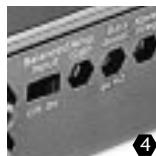
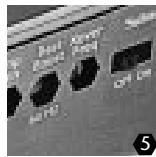
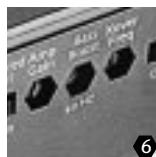
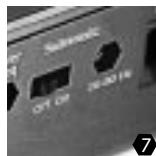
CONNECTIONS & CONTROLS
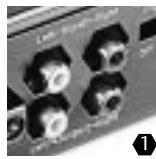
- INPUT - Xtant3.1 and Xtant6.1 amplifiers feature RCA type input connections. Source units with an output signal level of 100mV - 17V may be used. See "Balanced Input" for proper voltage level setting.
- OUTPUT - These RCA type output connections send full range signals to additional amplifiers eliminating the need for "Y" connectors.
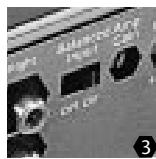
- BALANCED INPUT - The balanced input switch serves two purposes. First, it helps eliminate noises being induced into the signal path by isolating the signal ground. Second, it is used to set the proper input voltage range:
OFF POSITION: 100mV - 8V
ON POSITION: 200mV - 17V
- GAIN - This feature is used to fine-tune the input sensitivity of the amplifier to the source unit's output level.
- XOVER FREQUENCY CONTROL - This control allows the user to choose the exact low-pass frequency range the amplifier will play for the best possible performance. The upper end of the crossover frequencies can be selected from 40Hz - 120Hz at 24dB per octave.
- BASS BOOST - This feature will add up to 12dB of low frequency impact to the audio system. The Bass Boost is centered at 45Hz.
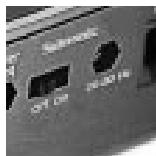
- SUBSONIC – This feature limits the lower end of the low-pass frequencies sent to the subwoofoers. The subsonic feature includes a selectable on/off switch, and a control knob used to adjust the lower end of the low-pass range. The subsonic setting can be selected from 20Hz-80Hz at 24dB per octave.
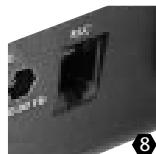
- RLC - This port allows the use of the optional Xtant "remote level control" (RLC). The RLC is a bass control module that can be installed in any location within the vehicle for remote adjustments.
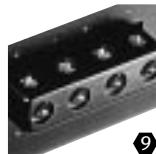
- SPEAKER CONNECTION - Two sets of speaker terminals are provided for dual woofer applications. When connecting a single woofer, use only one set of speaker terminals.
WARNING: Xtant3.1 and Xtant6.1 amplifiers are not bridgeable.
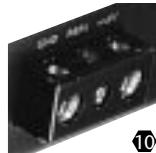
- POWER TERMINALS - This is the main power connection for the amplifier. The power and ground wire size should be the same gauge.
GND - The ground wire from this connection must be attached to bare metal on the vehicle.
REM – To turn the amplifier on/off, this terminal must be connected to the source unit's "remote or electric antenna" wire.
+12V - The power wire from this connection must be attached to an inline fuse, then to the positive side of the vehicle battery.
WARNING: An outboard fuse must be installed in-line with the power wire within 18 inches of the battery.
SAFEGUARDS
All Xtant amplifiers and accessories are intended to be installed by an Xtant-certified professional mobile audio installation specialist. It is the recommendation of Xtant Technologies that your new Xtant product(s) and all of your mobile audio products be installed by your Authorized Xtant retailer.
In the event you decide to install your new Xtant product(s), please take the time to read this Owner's Manual in its entirety. Installation and/or use of your amplifier in applications or methods other than those specified in your Xtant amplifier owner's manual may result in a reduction of the overall performance capability of the amplifier. Any such installation or usage renders the product warranty void. The following guidelines are designed to assure a safe and properly installed Xtant Mobile Audio System.
WIRING REQUIREMENTS
Your Xtant power amplifier is designed for use with a 12 Volt, negative ground system. Installation of your Xtant amplifier in a vehicle with a POSITIVE ground system will result in severe damage to the amplifier, other audio components and/or the vehicle's electrical components. If your vehicle uses a positive ground system, please consult your authorized Xtant retailer or specialty install shop.
Xtant3.1 and Xtant6.1 amplifiers have minimum wire gauge requirements for:
Power - 4 gauge
Ground - 4 gauge
Speaker cables - 12 gauge
FUSING REQUIREMENTS
Xtant3.1 and Xtant6.1 amplifiers are not fuse protected! A fuse must be installed in-line with the power wire at the battery, no further than 18'' from battery. For safety, an outboard fuse should be added close to the amplifier. For fuse requirements for a single amplifier, refer to page 3 of this manual. In the case of a multi-amp system, use a fuse value equal to the combined value of all system amplifier's power fuses.
LOCATION
A firm, flat surface with minimum vibration is ideal. Your Xtant amplifier may be mounted horizontally or vertically on a flat surface. The amplifier should NEVER be mounted upside down. This ill-advised configuration can increase internal operating temperatures, decrease the amplifier's ability to dissipate heat and speed up the amplifier's automatic thermal shut down mechanism.

Under no circumstances should your amplifier be exposed to moisture and water.
To ensure adequate ventilation, the ideal location for your Xtant amplifier is an area away from any heat source, with at least 2 inches of clearance above and around the amplifier.

COMMON OVERSIGHTS
-
The battery ground should remain DISCONNECTED at all stages of installation.
-
Do not begin drilling until you have put your Xtant amplifier aside. Using the amplifier as a drilling guide may cause irreparable damage to the amplifier and void your warranty.
- Do not route any wires underneath or outside the vehicle body.
- Route signal wires (RCAs from source unit, speaker wires, etc.) away from power wires (power, ground, etc.) to avoid ground loops and other sources of noise.
INSTALLATION
Any deviation from the connection specifications recommended may cause serious damage to the amplifier, speakers and/or vehicle electrical system. Please double-check the connections before turning the system on.
PROCEDURE
- Disconnect the vehicle's negative battery connection.
- Using the supplied allen wrenches, remove the four (4) screws from the annealed stainless steel amplifier cover. Put this aside until your installation is complete to prevent damage to the cover.
- Place your Xtant amplifier at the predetermined mounting location. Using a felt pen, mark the exact position of the mounting holes on the mounting surface. Set your Xtant amplifier aside. Use a sharp, precise blade to cut small circles in the carpet and padding around the four marks denoting your mounting holes to expose the metal underneath. Use a center punch to make an indentation in the metal to ensure that you drill the exact position for the screws. Drill the four holes as marked.
- Temporarily mount your Xtant amplifier using the four (4) long screws provided.
- Run a power cable from the vehicle's battery through the firewall and through the interior of the vehicle connecting one end to your Xtant amplifier's B+ terminal and connecting the other end to the positive post on the battery.
NOTE: Install a circuit breaker/fuse within 18" of the battery. This effectively lowers the risk of severe damage to your vehicle should a short circuit ever occur in the audio system. Do not install the fuse in the fuse holder until all installation steps have been completed.
- Find a good ground spot on the vehicle's chassis and remove the paint to reveal bare metal at the contact point. Attach the ground wire to that contact point and connect the other end of the ground wire to the GND terminal of your Xtant amplifier.
- Connect a Remote Turn-on wire from your source unit to your Xtant amplifier's REM terminal (14 or 16 gauge wire). If your source unit does not have a dedicated Remote Turn-on lead, you may connect to the source unit's Power Antenna lead.
- Connect RCA cables from your source unit to your Xtant amplifier's RCA input jacks. If RCA (low) level output is not available, use Xtant's High Level Adapters (HLA—not included) to connect the speaker level (high level) wires to a set of RCA cables.
- Connect your speakers to your Xtant amplifier's speaker terminals using 12 gauge minimum speaker cable.
- If you are using the RLC remote level control, mount the control in a convenient location in the driver's area and route the wire and connect to your Xtant amplifier's RLC port.
- Double-check all the previous installation steps, in particular, the wiring and component connections. Securely mount the amplifier. Remove the protective film and screw the annealed stainless steel cover back onto the amplifier.
- If everything is in order, reconnect the vehicle's negative battery connection and begin adjusting your amplifier. NOTE: Be sure that the Gain Level on the amplifier is turned all the way down (counter clockwise) before proceeding with adjustments.
ADJUSTMENTS
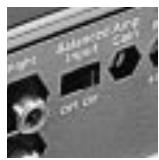
Your Xtant amplifier has a built-in low-pass filter offering continuously adjustable crossover frequencies between 40-120Hz Hz. Adjust the setting according to your speaker component specification or to your particular preference—counter-clockwise for a lower frequency, clockwise for a higher frequency.
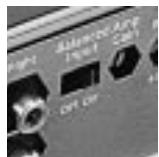
BALANCED INPUT ADJUSTMENT
OFF POSITION: when using Low Level (RCAs) without a Line Driver (100mV-7.5V)
ON POSITION: when using High Level (speaker) inputs with Xtant High Level Adapters (HLA) or Low Level (RCAs) with a Line Driver (7.5V-17V)
GAIN CONTROL ADJUSTMENT
- Turn the Gain control all the way down (counter-clockwise)
- Set the volume control of the source unit to approximately 13 of its maximum output
- Turn the balance control of the source unit to its center position
- Leave the tone (bass/treble) controls at their usual position
- Play a CD track with wide dynamic range
- Use the Bass Boost Control to enhance the bass performance (if desired)
- To locate the optimum input sensitivity setting, turn the Gain control clockwise until audible distortion starts to develop. Turn the sensitivity control counter-clockwise slightly to minimize the distortion.
- If you often switch between sources (CD, tape, radio, etc.) you will need further adjustment since radio output level differs from that of CD or tape. In this case, you need to locate a balanced sensitivity setting which is best for the output level of your sources.
BASS BOOST CONTROL ADJUSTMENT
Select a boost level between 0dB and +12dB to enhance the bass performance for your sound system. Remember that every 3dB of boost costs you twice as much in power. Make sure to set the final gains after setting the Bass Boost to work best with your subwoofer/enclosure combination.
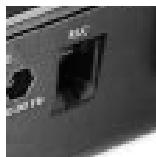
RLC PORT
If you are using the RLC control, make sure to take this into account during set-up procedures. Set-up the system with the RLC plugged in and with the level knob turned all the way up (clockwise). Adjust according to taste and to work best with your subwoofer system.
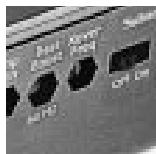
The subsonic filter maximizes your Xtant amplifier's output when a specifically tuned subwoofer system is used. For example, if your subwoofer system is designed to play 40Hz - 80Hz only, setting the Subsonic Filter to 40Hz will prevent the amplifier from wasting power trying to reproduce signals below 40Hz . The subsonic frequency settings are continuously adjustable from 20Hz - 80Hz . Select the setting according to your preferred subwoofer system specification or to your particular preference.
OFF POSITION: defeats Subsonic Filter
ON POSITION: engages Subsonic Filter
TROUBLESHOOTING
SYMPTOM: No power
SOLUTION: Check connections to the amplifier's Ground, B+ & Remote terminals. Check connection at "+" terminal of the battery. Check the remote turn-on terminal. Ensure it receives power when the source is turned on (or when the switch is turned on). Refer to the Installation Section. Check the power line fuse: if fuse is blown, replace it; if fuse continues to blow, check the power wire and also the amplifier for a short. If the short is in the power wire, fix it; if the short is in the amplifier itself, see your Xtant dealer.
Check the voltage at the amplifier, and the remote ON/OFF lead. The voltage should measure between 11V - 15V . If the measurement is beyond this range, have the source unit checked out by an authorized dealer.
SYMPTOM: Power without sound with red power indicator on
SOLUTION: Turn the amplifier off, and Check all input & output signal cables and connections. Check the speakers for short with a VOM (volt meter) or by connecting them to another audio system. After making sure everything is normal, turn the amplifier on again.
SYMPTOM: Power without sound with orange protection indicator on
SOLUTION: The continuous orange light of the protection indicator signals a high internal operating temperature, which results in the amplifier switching off temporarily; when the amplifier cools down to a safe level, the amp will automatically restart.
SYMPTOM: Very low sound from both radio & other source
SOLUTION: Check your radio's fader control. Check the amplifier's Input Sensitivity Level.
SYMPTOM: Frequent automatic amplifier shut down
SOLUTION: This indicates that the amplifier is operating continually at an exceedingly high internal temperature. High operating temperature caused by inadequate ventilation: Refer to the sub-section titled LOCATION for better amplifier location.
High operating temperature caused by an excessively low impedance load, say below 2 ohms stereo or 4 ohms bridged: Check for bad speakers and/or electronic crossover, proper passive crossover components; if difficulty persists, please consult your local authorized Xtant retailer. High operating temperature can be caused by an incorrect input sensitivity level: refer to subsection titled GAIN CONTROL ADJUSTMENTS for correct setting.
SYMPTOM: "Motorboating": The amplifier power indicator going off repeatedly when the audio system is on
SOLUTION: Check the amplifier's connection to the battery.
Check battery voltage. If low, recharge or replace battery. Check all ground connections.
BIENVENUE CHEZ XTANT
OPTIONS D'AMÉLIORATION DU FONCTIONNEMENT
Xtant Amplifiers purchased in the United States from an authorized Xtant dealer are guaranteed against defects material and workmanship for a period of FOUR YEARS from the date purchased by the end user if the product is installed by an authorized Xtant dealer, and ONE YEAR if installed by the consumer. This warranty limited to the original retail purchaser of the product.
Product found to be defective during that period will be repaired or replaced by Xtant at no charge. This warranty is void if it is determined that unauthorized parties have attempted repairs or alterations of any nature. Warranty does not extend to cosmetics or finish. Before presuming a defect is present in the product, be certain that all related equipment and wiring is functioning properly. Xtant disclaims any liability for other incurred damages resulting from product defects. Any expenses incurred in the removal and reinstallation of products are not covered by this warranty. Xtant's total liability will not exceed the purchase price of the product. If a defect is present, your authorized Xtant dealer may be able to effect repairs.
Proof of purchase is required when requesting service, so please retain your sales receipt and take a moment to register your warranty on line @ xtant.com.