
TELEFUNKEN DPF 10934 - Digital photo frame

DPF 10934 - Digital photo frame TELEFUNKEN - Free user manual and instructions

Find the device manual for free DPF 10934 TELEFUNKEN in PDF.

English EN Download 💬 AI Question 10 questions ⚙️ Specs
📄

Document temporarily unavailable

The manual is currently being transferred to our new server. It will be accessible again in a few hours. Thank you for your patience.

Pick your language and provide your email: we'll send you a specifically translated version.
Product type Digital photo frame
Brand TELEFUNKEN
Model DPF 10934
Screen size 10.1 inches (25.6 cm)
Screen resolution 1024 x 600 pixels
Screen type LED
Display ratio 16/9
Internal memory 2 GB
Compatible external media SD/MMC, SDHC, MS, XD, USB flash drives
Supported file formats JPEG, WAV, MP3, MPEG1/4, Motion JPEG
Power supply 100-240 V AC, 50/60 Hz adapter, output 5 V DC 2 A
Standby consumption Less than 1 W
Consumption in use Less than 8 W
Dimensions 280 x 176 x 26 mm
Weight 630 g
Main functions Slideshow, music and video playback, calendar, clock, alarm, ECO LOGIC mode with light sensor, automatic photo resizing
Remote control Included, with navigation, playback, zoom, rotate, copy/delete functions
PC connection Yes, via USB cable (mini USB port)
Menu languages English, French, German, Italian, Dutch, Portuguese, Spanish
System compatibility Windows XP, Vista, 7, Mac OS 9.0 and later
Warranty 12 months
Maintenance Clean with a soft dry cloth. Avoid abrasive products and exposure to water.
Safety Do not open the casing. Unplug if smoke or unusual odor occurs. Avoid heat sources and humidity.
Spare parts Power adapter and remote control available on order from technical service.

Frequently Asked Questions - DPF 10934 TELEFUNKEN

How to start the frame and exit demo mode?
When powered on, the frame displays a demo animation. To exit and access functions, press the Slideshow button on the remote control or press and hold the Left button on the frame for 3 seconds.
How to insert a memory card or USB flash drive?
Insert the card or USB flash drive into the slot at the back of the frame. The frame automatically detects the media and offers to copy photos to internal memory. If you do not want to copy, wait 15 seconds or select 'No'.
How to copy photos from the card to internal memory?
From the main menu, select the Files icon. Navigate to the desired file, press Copy/Del then confirm. You can also use thumbnail mode: press Exit to see thumbnails, then Copy/Del to select photos to copy. The frame offers to resize images during copying.
How to delete photos from internal memory?
Use the file manager: from the main screen, select the Files icon, choose the file to delete, press Copy/Del and confirm 'Delete'. Or use thumbnail mode: display thumbnails, press Copy/Del, select photos (or 'all'), then confirm deletion.
How to adjust brightness and contrast?
In the Settings menu, select System configuration. Use the Up/Down keys to choose Brightness or Contrast, then adjust with the Left/Right keys (from 1 to 16).
How to use ECO LOGIC mode?
ECO LOGIC mode is enabled by default. It combines an LED screen, a low-power adapter, and a light sensor that turns off the frame at night and turns it on during the day. You can disable the sensor in the System configuration menu > Light sensor.
How to play videos or music?
From the main screen, select the Photo, Video or Music icon. Press Enter to start playback. Use the direction keys for navigation (play/pause, next/previous). The +/- or Volume keys adjust the sound.
How to connect the frame to a computer?
Use a USB cable (mini USB on the frame side, standard USB on the computer side). Plug in the cable, turn on the frame: the screen displays 'PC Connection...'. On the computer, open the frame's folder and transfer your files by copy/paste. Unplug the cable to return to normal operation.
How to set the time and alarm?
Go to Settings > Calendar configuration. Select Clock time to set the hour and minutes. For the alarm, activate Alarm status, then set the time and frequency (once, every day, etc.).
What to do in case of a problem or malfunction?
If the frame emits smoke, unusual noise or smell, turn it off and unplug it immediately. Contact your store or the technical service (0892 7050 44). For a reset, go to System configuration > Default and enable the option. The warranty does not cover unauthorized repairs.

User questions about DPF 10934 TELEFUNKEN

0 question about this device. Answer the ones you know or ask your own.

Ask a new question about this device

The email remains private: it is only used to notify you if someone responds to your question.

No questions yet. Be the first to ask one.

Download the instructions for your Digital photo frame in PDF format for free! Find your manual DPF 10934 - TELEFUNKEN and take your electronic device back in hand. On this page are published all the documents necessary for the use of your device. DPF 10934 by TELEFUNKEN.
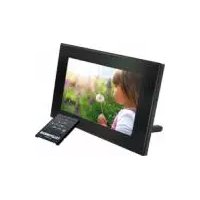
USER MANUAL DPF 10934 TELEFUNKEN

Manual assistant
Powered by Anthropic
Waiting for your message
Product information

Brand : TELEFUNKEN

Model : DPF 10934

Category : Digital photo frame