ManualGo.com
HONDA - GPS Navigation System GARMIN - Free user manual and instructions
Find the device manual for free HONDA GARMIN in PDF.


Download the instructions for your GPS Navigation System in PDF format for free! Find your manual HONDA - GARMIN and take your electronic device back in hand. On this page are published all the documents necessary for the use of your device. HONDA by GARMIN.
USER MANUAL HONDA GARMIN
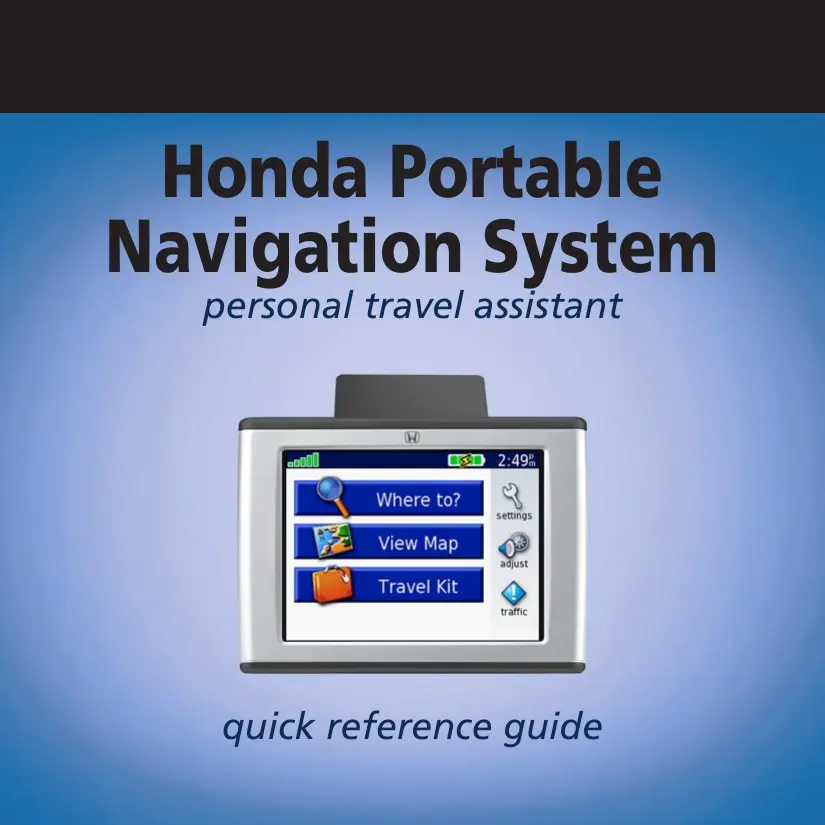
Honda Portable Navigation System personal travel assistant quick reference guide
Placing the unit on the Mount
1. Flip up the GPS antenna.
2. Fitthe bottom of your unit into the cradle on the vehicle mount.
3. Tiltthe unit back until it snaps into place.
To remove your unit from the cradle, press the small tab on the bottom of the cradle up, rotate the unit, and remove it. Turning the unit on and off Press and hold the © Power button on the top of the unit. Tab Charging the Honda Portable Navigation System You can charge the unit using the vehicle mount, connecting the USB cable to the unit and your computer, or by connecting the AC adapter to the unit and a wall outlet. Acquiring Satellites Before the unit can find your current location and navigate a route, you must do the following:
1. Go outdoors to an open area, away from tall buildings and trees.
2. Flip up the GPS antenna on the back of the unit, so that itis parallel to the ground.
3. Tum on the Honda Portable Navigation System.
Acquiring satellite signals can take a few minutes. The bars indicate satellite strength. NOTE: The first time the Honda Portable Navigation System acquires satellites (or if the unit has moved hundreds of miles since last acquiring satellites) it may take several minutes. Aftenward, acquisition times are quicker during normal use.
Tips and Quick Settings Tips + To quickly return to the Menu page, press and hold the Back button. Touch MES and MR to see more choices. Touch and hold an arrow to scroll faster. Touch the Help button to learn more about the Travel Kit features. To extend the battery life, close the GPS antenna when you do not need GPS signals. You can also decrease the brightness. Power button Quick Settings Press and quickly release the © Power button or touch @@ on the Menu page. Move the sliders to adjust the volume and brightness. Touch Lock to MCX connector (for an optional external prevent accidental screen taps. To unlock the screen, antenna) press the © Power button. : SD card slot Loading Items to Your Honda Portable Navigation System Mini-USB port
1. Connect the small end'of the USB cable into the mini-
USB port on your unit.
2. Connect he larger end of the cable to an available
USB port on your computer.
3. Windows® Computer: Double-click the My Computer icon on your computers desktop. Tivo new
removable disk drives appear in your list of drives: “nuvi” and “nuvi sd.” Mac? Computer: The ‘nuvi' and “nuvi sd” drives mount onto your Mac desktop as two mounted volumes. Headphone jack
4. Double-click one of the unit drivesivolumes to open it. Copy and paste files into the drive (Windows) or
drag and drop files onto the volume icon (Mac).
Finding Your Destination You can search for an exact address or browse the Find menu categories. Touch [EPS and EE to see more choices. ©@ + A wrcre 10
@ ruct your destination. [2] Touch a category. (3) Touch a sub category. Fy at Food asian o | @ : Touch Near to narrow your search area. Or co. (Big Bubbas Bar8Q 17 E (smokin' Joe's Bar-B-Qu 3.23 N \Oklahoma Joe's Bbg 6.7: NE (Zarda Bar-B-Q & Cateri 11.83 E TIP: Touch Spell to narrow your search. Coss's Smoke House (612 E Main St (Gardner, KS 66030 3856-7053 Following Your Route Follow the route to your destination using the Map page. As you travel, the Honda Portable Navigation System guides you to your destination with voice prompts, arrows on the map, and directions at the top of the Map page. If you depart from the original route, the unit recalculates the route and provides new route instructions.
Viewing the Map Page From the Menu page, touch 18 View Map to open the Map page. The position icon (Æ4 shows your location. Touch and drag the map to view different areas. Touch = to zoom out. Touch the text bar to open the Current Route page. Touch Menu to return to the Menu page. pa Touch + to zoom in. Touch Arrival or ÿ Speed to open the aa Tip Information page. 2:12° KE Touch Turn In to open the Next Tu page. Map Page while Navigating a Route Adding Stops to Your Route You can add a stop (via point) to your route. The unit gives you directions to the via point and then to your final destination. With a route active, touch Menu > @ Where to. O Search for the extra stop. [2] Touch Go. Touch Yes to add this stop before your destination. E& | ÿJ | & | Riverview Mini-Mart Riverview Mini-Mart Insert in Route as 11126 Riverside Dr Holly Hill, FL 32117 386-238-1052 CAR My [onde Desiers Locations [ons Dear Back] Near
Setting a Home Location O:: vihere to > @ rc sattone. (3 EPA My Locations. Your Home Location Is Not Set NN | & CoHome po jou want ose a home cation nagess | fooë | Lodom Favorites Yes, enter my Address Back D Near Locking Your Honda Portable Navigation System To help prevent theft of the unit, do the following:
4. Flip up the GPS antenna and acquire satellites.
2. Onthe Menu page, touch Ÿ Settings > System
3. Touch the button next to Garmin Lock. Touch OK.
4. Enter a four-digit PIN. Touch Yes to accept the PIN.
5. Touch OK. Drive to a security location, and touch Set.
6. Each time you turn on the unit, enter the four-digit PIN or drive to the security location (with the antenna
up). NOTE: If you forget your PIN and your security location, you must send your unit to Garmin to get itunlocked. You must also send a valid product registration or proof of purchase.
Resetting the Honda Portable @ Navigation System (é If the screen stops functioning, turn the unit off and on again. If this does not help, do the following:
1. Disconnect the unit from external power. (3)
.… Connect the unit to a power source. It should automatically um back on and operate normally. Using the Travel Kit The Travel Kit includes several functions that are helpfal when you are traveling (for example, @ MP3 Player, @ Audible Book Player, and @D Currency Converter). On the Menu page, touch (Travel Kit. Touch the arrows to view more items. Touch Help to learn more about each feature.
O Important Information This guide provides short instructions for various operations of your Honda Portable Navigation System. Fold and keep this guide in your glove box. See the Important Safety and Product Information guide for product warnings and legal information. CAUTION: This product contains a lithium-ion battery. See the Important Safety and Product Information guide in the product box for important battery safety information. Notice: Check your state and local traffic laws before mounting. Currently, state laws in California and Minnesota prohibit drivers from using suction mounts on their windshields while operating motor vehicles. Other Garmin dashboard or fiction mounting options can be used. See the Important Safety and Product Information guide that came with your Honda Portable Navigation System for more details, Customer Support For product services and repairs, contact your Honda dealer. For questions about using your Honda Portable Navigation System, contact Honda Customer Relations by phone: 888/946.6329, Monday-Friday, 8:00 AM-7:30 PM Eastern Time; or go to www.garmin.com/support, and click Product Support. More Information Refer to the owner’s manual located on your “nuvi” drive and on the Garmin Web site: www.garmin.com/ hondaportablenavigation. Click the Manual link and then select Download. © 2007 Garmin Lid. or its subsidiaries Garmin” is a registered trademark, and nüvi”, MyGarmin”, Garmin Travel Guide”, and Garmin Lock" are trademarks of Garmin Ltd. or its subsidiaries and may not be used without the express permission of Garmin. Windows® is a registered trademark of Microsoft Corporation. Mac is a registered trademark of Apple Computer, Inc. For the latest free software updates (excluding map data) throughout the life of your Garmin products, visit the Garmin Web site at www: garmin.com. April 2007 190-00745-03 Rev. À Printed in Taiwan