
PP604 - Camping product DOMETIC - Free user manual and instructions
Find the device manual for free PP604 DOMETIC in PDF.
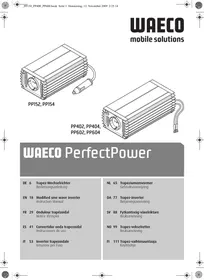


| Product type | Inverter (voltage converter) |
| Brand | DOMETIC |
| Model | PP604 |
| Category | Camping product |
| Nominal input voltage | 24 V DC |
| Output voltage | 210 – 230 V AC |
| Output frequency | 50 Hz ± 2 Hz |
| Continuous output power | 550 W |
| Peak output power | 1,000 W |
| Dimensions (L x W x H) | 222 x 129 x 71 mm |
| Weight | 1,350 g |
| Power supply | 24 V DC battery |
| Main functions | Conversion 24 V DC → 230 V AC ; Thermal protection ; Overload protection ; Under-voltage and over-voltage protection ; On/Off via internal or external switch |
| Maintenance and cleaning | Wipe with a damp cloth ; Do not use sharp or hard objects |
| Safety | Do not use in humid environments ; Do not expose to heat sources ; Replace fuse with an identical model ; Installation by a marine electrician |
| Spare parts and repairability | Replaceable fuse ; Repairs by qualified personnel only |
| General information | Legal warranty ; Contact DOMETIC after-sales service (addresses in manual) |
Frequently Asked Questions - PP604 DOMETIC
User questions about PP604 DOMETIC
0 question about this device. Answer the ones you know or ask your own.
Ask a new question about this device
Download the instructions for your Camping product in PDF format for free! Find your manual PP604 - DOMETIC and take your electronic device back in hand. On this page are published all the documents necessary for the use of your device. PP604 by DOMETIC.
USER MANUAL PP604 DOMETIC
We will be happy to provide you with further information about WAECO products. Please order our free catalogue with no obligation to buy on our homepage: www.dometic-waeco.com

Please read this manual carefully before installing and starting up and store it in a safe place. If the device is resold, this instruction manual must be handed over to the purchaser along with the device.
Contents
1 Notes on using the manual 18 2 General safety instructions 19 3 Device guides 21 4 Intended use 21 5 Technical description 21 6 Connecting the inverter 22 7 Using the inverter. 24 8 Replacing the fuse 25 9 Cleaning and caring for the inverter. 25 10 Rectifying faults 26 11 Guarantee 26 12 Disposal 27 13 Technical data 27
1 Notes on using the manual

Caution
Safety instruction: Failure to observe this instruction can cause material damage and impair the function of the device.
Caution
Safety instruction relating to a danger from an electrical current or voltage. Failure to observe this instruction can cause material damage and personal injury and impair the function of the device.

Note
Supplementary information on operating the device.
Action: This symbol indicates that action is required on your part. The required action is described step-by-step.
This symbol describes the result of an action.
Please observe the following safety instructions.
2 General safety instructions
2.1 General safety

Caution
WAECO International will not be held liable for claims for damage resulting from the following:
- Faulty assembly or connection
- Damage to the appliance resulting from mechanical influences and excess voltage
- Alterations to the device without express permission of WAECO International
- Use for purposes other than those described in the operating manual
- Use the device only as intended.
- Do not operate the device in a damp or wet environment.
- Maintenance and repair work may only be carried out by qualified personnel who are familiar with the risks involved and the relevant regulations.
2.2 Safety when installing the device
Caution - danger of electrocution
Never connect more than one consumer device to the inverter. If you connect more than one device, a short circuit may occur.
- Ensure the device is standing firmly.
The device must be set up and fastened in such a way that it cannot tip over or fall down.
- Take the precautions necessary to ensure that children cannot interfere with operation.
Dangerous situations may occur which cannot be recognised by children!
- Do not expose the device to a heat source (such as direct sunlight or heating). Avoid additional heating of the device in this way.
For installation on boats
- If electrical devices are incorrectly installed on boats, corrosion damage might occur. Have the inverter installed by a specialist (marine) electrician.
Electrical cables
- If cables have to be fed through metal walls or other walls with sharp edges, use ducts or wire bushings to prevent damage.
- Do not lay cables which are loose or bent next to electrically conductive material (metal).
- Do not pull on the cables.
- Do not lay the 230V mains cable and the 12/24V DC cable in the same duct.
- Fasten the cables securely.
- Lay the cables so that they cannot be tripped over or damaged.
2.3 Operating the appliance safely
Caution
Note the following basic safety information when using electrical devices to protect against:
Electric shock - Fire hazards Injury
- Do not operate the device near gas or flammable material; the surface temperature can reach up to 60°C .
- Operate the device only if you are certain that the housing and the cables are undamaged.
- Make sure the air inlets and outlets of the device are not covered.
- Ensure good ventilation.
- Do not connect the 230V output of the inverter (fig. 1, page 3) to a different 230V source.
- Even after the fuse triggers, parts of the inverter remain live.
- Always disconnect the power supply when working on the device.
3 Device guides
| Description | Item no. |
| PerfectPower PP152: inverter with cable for a 12 V or socket and four holders | PP152 |
| PerfectPower PP154: inverter with cable for a 24 V socket and four holders | PP154 |
| PerfectPower PP402: inverter with terminals for a 12 V battery and four holders | PP402 |
| PerfectPower PP404: inverter with terminals for a 24 V battery and four holders | PP404 |
| PerfectPower PP602: inverter with terminals for a 12 V battery and four holders | PP602 |
| PerfectPower PP604: inverter with terminals for a 24 V battery and four holders | PP604 |
4 Intended use
The inverters are used to convert a direct current of 12V or 24V into a 230V AC supply of 50Hz .
12 V: PerfectPower PP152, PP402 and PP602 24 V: PerfectPower PP154, PP404 and PP604
5 Technical description
The PerfectPower inverters can be operated wherever there is a 12 V DC supply (for PP152, PP402, PP602) or a 24 V DC supply (for PP154, PP404, PP604). The devices are additionally cooled with a load and temperature-dependent fan.
The maximum constant output for the devices is as follows:
- For PP152 and PP154 inverters 150 W
- For PP402 and PP404 inverters 350 W
- For PP602 and PP604 inverters 550 W
Never connect devices that have a higher power requirement.
The inverter is equipped with protection against thermal and electrical overloading, as well as excess and insufficient voltage. The inverter switches off:
- If its internal temperature is too high
- If the load exceeds the values stated above
- If the input voltage is too high or too low
The inverter can be switched on and off using the switch directly on the device or using an external switch.

Note
Note when connecting devices with an electrical drive (such as power drills and refrigerators), that they often need more power than is stated on the type plate.
6 Connecting the inverter
6.1 Fastening the inverter
You can fasten the inverter using the four holders supplied.
When selecting the installation location, observe the following instructions:
- The inverter can be mounted horizontally or vertically.
- The inverter must be installed in a place that is protected from moisture.
- The inverter may not be installed in the presence of flammable materials.
- The inverter may not be installed in a dusty environment.
- The place of installation must be well-ventilated. A ventilation system must be present for installations in small, enclosed spaces. The clearance around the inverter must be at least 25 cm (fig. 4, page 5).
- The air intake on the underside or the air outlet on the back of the inverter must remain clear.
- For ambient temperatures higher than 40°C (such as in engine or heating compartments, or direct sunlight), the heat from the inverter under load can lead to the automatic shut-off of the inverter.
- The installation surface must be level and sufficiently sturdy.

Caution!
Before drilling any holes, ensure that no electrical cables or other parts of the vehicle can be damaged by drilling, sawing and filing.
Fasten the inverter as follows (fig. 5, page 5):
▸ Clip two holders on the lower left bar and two on the right. You can move the holders as required.
Fasten the inverter by screwing one screw through each hole in the holders.
6.2 Connecting the PP152 and PP154
The inverter is connected via a plug connected to a 12 V socket (PP152) or a 24 V supply (PP154). The middle pin of the plug (fig. 1 4, page 3) must be connected to the positive wire and the two side brackets of the plug (fig. 1 5, page 3) must be connected to the negative wire.

Caution
Make sure the plug is firmly connected in the socket. If the connection is loose, the plug may heat up.
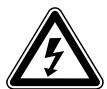
Caution
The rating of the socket, the supply cable and the fuse must be at least 15 amps. Do not put in a fuse with a higher rating.
6.3 Connecting the PP402, PP404, PP602 and PP604

Caution
To set up the inverter, connect the red cable (fig. 1 4, page 3) to the positive pole (+) of the battery and the black cable (fig. 1 5, page 3) to the negative pole (-) of the battery. Make sure the battery poles are clean when connecting the terminals.

Caution
Only extend the connection line with cables with an equal or greater cross section.
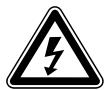
Caution
Do not reverse the polarity. Reversing the polarity of the connections will cause a great spark and the internal fuses will melt.
7 Using the inverter
The main switch (fig. 2 1, page 4) on the back of the device has three positions:
- ON: the inverter is switched on. OFF: the inverter is switched off.
- REMOTE: the inverter is switched on and off by an external switch. Connect your power consuming device to the socket (fig. 1 1, page 3) of the inverter.
Switching on at the device
Set the main switch (fig. 2 1, page 4) to "ON". The green LED (fig. 1 3, page 3) lights up.
Switching off the device
Set the main switch (fig. 2 1, page 4) to "OFF". The green LED (fig. 1 3, page 3) goes out.
Switching on with an external device
You can also switch the inverter on and off with an external switch.
Set the main switch (fig. 2 1, page 4) to "REMOTE". Connect the external switch to the remote port (fig. 2 4, page 4) in accordance with the following circuit diagrams:
- External switch, voltage supply from the inverter: fig. 3, page 5
If the inverter is switched on via an external switch, the green LED (fig. 1 3, page 3) lights up.
Observe the following when using the device
If the battery voltage falls below 10.8 V (PP152/PP402/PP602) or 21.5 V (PP154/PP404/PP604) during operation, a warning tone sounds. If the battery voltage falls further, the inverter switches off and the red error LED (fig. 1 2, page 3) lights up.
If the inverter overheats, it switches off – the red error LED (fig. 1 2, page 3) lights up.
If this happens, switch the inverter off with the switch.
When it cools down, you can use the inverter again.
When operating the inverter at a high load for lengthy periods, it is advisable to start the engine in order to recharge the vehicle battery.
You can operate the inverter with the engine running or switched off. However, do not start the engine while the inverter is switched on, since the power supply to the cigarette lighter is disconnected during ignition.
8 Replacing the fuse
This is how to change the fuse of the inverter:
Take the defective fuse (fig. 2 3, page 4) out of the holder on the back. Put in a new fuse of the same rating.
9 Cleaning and caring for the inverter

Caution
Do not use any sharp or hard objects for cleaning since they may damage the device.
Occasionally clean the device with a damp cloth.
10 Rectifying faults
| Fault | Cause | Remedy |
| No output voltage | No contact to the battery | Check contact and cable. Switch on the ignition if necessary. PP152/PP154: Check the 12/24 V socket and replace it if necessary. |
| No output voltage | Overheating | Switch off power consuming devices. Let the inverter cool down and ensure better ventilation. |
| No output voltage | Defective fuse (in the inverter or the vehicle) | Replace the fuse with one of the same specifications. |
| No output voltage | Device defective | Replace the device. |
| The device switches on and off repeatedly | Excessive constant load | Reduce the load. |
| The inverter switches off when the consumer is switched on | Starting current too high | Compare the device power with the maximum power of the inverter. |
| The output voltage is too low. | Batter voltage below 10.8 V (PP152/PP402/PP602) or 21,5 V (PP154/PP404/PP604) | Charge the battery (start the engine). |
11 Guarantee
The statutory warranty period applies. If the product is defective, please return it to the WAECO location in your country (see the back of the instruction manual for the address) or to your dealer. For repair and guarantee processing, please include the following documents when you send in the device:
A copy of the receipt with purchasing date - Reason for the claim or a description of the fault
12 Disposal
If possible, always take the packaging material for recycling.
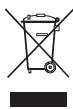
If you wish to finally dispose of the device, ask your local recycling centre or specialist dealer for details about how to do this in accordance with the applicable disposal regulations.
13 Technical data
The following technical data applies to all inverters:
| PP152, PP402, PP602 | PP154, PP404, PP604 | |
| Output voltage | 210 – 230 V AC √n | |
| Output frequency | 50 Hz ± 2 Hz | |
| Idle current consumption | < 0.25 A | < 0.25 A |
| Rated input voltage | 12 V DC *** | 24 V DC *** |
| Low voltage alarm | 10.8 V | 21.5 V |
| Low voltage cut-off | 10 V | 20 V |
| Overvoltage circuit breaker | 15.3 V | 30.5 V |
| Heat dissipation | Housing/fan | |
| Maximum ambient temperature | 0 °C – 50 °C | |
| Testing/certification | CE E24 | |
Technical data for specific devices:
| PP152 | PP154 | |
| Item number | PP152 | PP154 |
| Constant output power | 150 W | |
| Peak output power | 350 W | |
| Dimensions | 167 x 129 x 71 mm | |
| Weight | 800 g | |
| PP402 | PP404 | |
| Item number | PP402 | PP404 |
| Constant output power | 350 W | |
| Peak output power | 700 W | |
| Dimensions | 177 x 129 x 71 mm | |
| Weight | 950 g | |
| PP602 | PP604 | |
| Item number | PP602 | PP604 |
| Constant output power | 550 W | |
| Peak output power | 1100 W | |
| Dimensions | 222 x 129 x 71 mm | |
| Weight | 1350 g | |
Variations, technical improvements and delivery options reserved.
PerfectPower
5 Description technique
Dometic Italy S.p.A.
Via Virgilio, 3
I-47100 Forli
+390543754901
+390543756631
Mail: info@dometicwta.com
Overseas + Middle East

WAECO Pacific Pty. Ltd.
1 John Duncan Court
Varsity Lakes QLD 4227
+61755076000
+61755076001
Mail: sales@waeco.com.au

Domatic Switzerland AG
Riedackerstrasse 7a
CH-8153 Rümlang (Zürich)
+41448187171
+41448187191
Mail: info@waeco.ch

Dometic Norway AS
Skolmar 24
N-3232 Sandefjord
+4733428450
+4733428459
Mail: firmpost@waeco.no

WAECO Impex Ltd.
Suites 2207-2211·22/F·Tower 1
The Gateway · 25 Canton Road
Tsim Sha Tsui · Kowloon
Hong Kong
+852 24632750
+852 24639067
Mail: info@waeco.com.hk

Dometic Denmark A/S
Nordensvej 15, Taulov
DK-7000 Fredericia
+4575585966
+4575586307
Mail: info@waeco.dk

Domatic Benelux B.V.
Ecustraat 3
NL-4879 NP Etten-Leur
+31765029000
+31765029090
Mail: info@dometic.nl

WAECO Impex Ltd.
Taipei Office
2 FL-3, No. 56 Tunhua South Rd, Sec 2
Taipei 106, Taiwan
+886227014090
+886227060119
Mail: marketing@waeco.com.tw

Dometic Spain S.L.
Avda. Sierra del Guadarrama, 16
E-28691 Villanueva de la Canada
Madrid
+34 902 111 042
+34900100245
Mail: info@dometic.es

Dometic Scandinavia AB
Gustaf Melins gata 7
Regional Office Middle East
PO Box 74775
Dubai, United Arab Emirates
+97143212160
+97143212170
Mail: info@dometic.ae

Dometic S.N.C.


- CONTENTS
- NOTES ON USING THE MANUAL
- CAUTION
- NOTE
- GENERAL SAFETY INSTRUCTIONS
- GENERAL SAFETY
- SAFETY WHEN INSTALLING THE DEVICE
- CAUTION - DANGER OF ELECTROCUTION
- FOR INSTALLATION ON BOATS
- ELECTRICAL CABLES
- OPERATING THE APPLIANCE SAFELY
- DEVICE GUIDES
- INTENDED USE
- TECHNICAL DESCRIPTION
- CONNECTING THE INVERTER
- FASTENING THE INVERTER
- CONNECTING THE PP152 AND PP
- CONNECTING THE PP402, PP404, PP602 AND PP
- USING THE INVERTER
- SWITCHING ON AT THE DEVICE
- SWITCHING OFF THE DEVICE
- SWITCHING ON WITH AN EXTERNAL DEVICE
- OBSERVE THE FOLLOWING WHEN USING THE DEVICE
- REPLACING THE FUSE
- CLEANING AND CARING FOR THE INVERTER
- RECTIFYING FAULTS
- GUARANTEE
- DISPOSAL
- TECHNICAL DATA
- PERFECTPOWER
- DESCRIPTION TECHNIQUE
- DOMETIC ITALY S.P.A
- OVERSEAS + MIDDLE EAST
- WAECO PACIFIC PTY. LTD
- DOMATIC SWITZERLAND AG
- DOMETIC NORWAY AS
- WAECO IMPEX LTD
- DOMETIC DENMARK A/S
- DOMATIC BENELUX B.V
- DOMETIC SPAIN S.L
- DOMETIC SCANDINAVIA AB
- DOMETIC S.N.C
Brand : DOMETIC
Model : PP604
Category : Camping product