
PE108 - Pedometer IROX - Free user manual and instructions
Find the device manual for free PE108 IROX in PDF.


User questions about PE108 IROX
0 question about this device. Answer the ones you know or ask your own.
Ask a new question about this device
Download the instructions for your Pedometer in PDF format for free! Find your manual PE108 - IROX and take your electronic device back in hand. On this page are published all the documents necessary for the use of your device. PE108 by IROX.
USER MANUAL PE108 IROX
A. Features 3
B. Mode Change Operation 8
C.How to use Time Mode 9
D. Start to use Step Counting 10
E. How to wear your pedometer 13
F. How to set the Target Step 14
G. How to set the Alarm 16
H. How to use the Stop Watch 17
I. Battery Replacement 18
A FEATURES
AccuStride digital step counter is a highly accurate and reliable step counter and is effective for both walking and running. Features include Step Counter, Distance and Target Step functions, Calories Consumption, Time, Date, Alarm, and Stopwatch.
There are 3 models in the AccuStride collection:
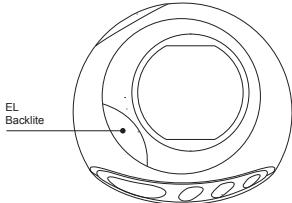
Features including:
- Basic features: Time, Step Count, Your Data, Alarm, Stopwatch,
- Step mode has 4 sub modes: Calories, Distance, Timer, Target Step.
- Step counter can count up to 999999 steps.
- Calorie consumption can display up to 9999.9 kcal with 0.1 kcal resolutions.
- 1-second timer keeps track of elapsed time during exercise automatically, with working range from 23 hours 59 minutes and 59 seconds.
- Distance can be displayed up to 9999.9 mile (or km) with 0.1-mile (or km) resolution.
- Distance displayed in mile or km, selectable by user.
- Target step with working range from 1 to 999999 steps.
- Data mode has 4 sub modes: Age, Weight, Stride.
- Time mode has 12 / 24 hour display formats selectable by user; auto
calendar from 2004 to 2029.
- 1/100 second stop watch with working range to 23 hours 59 minutes 59 seconds.
- To set TIME: Press S1 to show Time Mode. "TIME" Prompt will be displayed for 0.5 second.
- Press and hold S4 for 2 seconds to enter set mode. "ADJUST" Prompt and "HOLD" will flash and displayed for 1 second. The hour digits start flashing.
- Press S2 to increase the flashing digits, and S3 to decrease the digits. Hold the button for fast scrolling. The adjust sequence are as follow:
ADJUST SEQUENCE
Hour Minute Month Day Year Display S1 S1 S1 S1 S1 S1 (12/24)
D. START TO USE STEP COUNTING
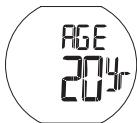
You have to set up your personal data before using the step counting.
Press S1 twice to enter DATA mode.
- To ensure accurate calculation for Calorie consumption and distance traveled, it's essential to input the correct personal data before using the step counter. The required data will be shown in the sequence below:
PERSONAL DATA
Age Gender Weight Stride
- When setting AGE, press and hold the S4 for 2 seconds. "ADJUST / HOLD"
UK-10
prompt will be displayed for 1 second, the age digit start flashing.
- Press S2 to increase the flashing digit, S3 to decrease the digits. Hold the button for fast scrolling. Age can be set from 10 to 99. Press S1 to confirm.
- Press S2 to toggle between Male and Female.
- Press S1 to set WEIGHT. Press S2 to increase the flashing digit, S3 to decrease the digits. Hold the button for fast scrolling. Press S4 to toggle the unit between kg and lb.
- Press S1 to set STRIDE. To measure the stride distance, you can start walk 10 steps, measure the distance, and divide by 10 the distance covered to arrive at our Stride Length. Press S2 to increase the flashing digit, S3 to decrease the digits. Hold the button for fast scrolling. Press S4 to toggle the unit between CM and INCH. Press S1 to confirm.
- You can start the step counting. The display will not increment the first
10 steps counted to prevent any miss count. The unit will determine what you are truly walking or running continuously, and it will add back the first 10 steps automatically. It is normal that the display will not start counting in the beginning, and it will show the counting at the 10th step onwards.
E. HOW TO WEAR YOUR PEDOMETER
Your step counter clips easily and snugly to either side of the hip portion of your trousers or shorts. For best results keep the unit in line with the "Crease line" of your trousers.
Some situations may result with incorrect step counting:
- The step counter is not direct perpendicular to the ground. Make sure that the keys are pointing upwards.
- Dragging feet walking or uneven footstep in a crowded area.
- Sports except walking or jogging, walking up / down from stairs.
- Inside a vehicle (bicycle, motorcar, train, bus and other vehicles have some vibrations generated.
F. HOW TO SET THE TARGET STEP
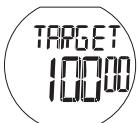
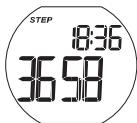
- In Step Count mode, press S2 3X to get into TARGET STEP mode.
- Hold S4 for 2 seconds to reset the Target Step, "ADJUST / HOLD" prompt will be shown.
- There will be 5 zeros displayed. The zero on the left hand side will start flashing first. Press S2 to increase the digit, press S3 to decrease the digit, and press S1 to move to next digit.
- You can also press S1 to directly move to the next digit if you want to set a lower target.
- Once you have finished the input of all 5 digits, press S1 to confirm.
- The target will start to count down once UK-14
you have begun using the step counter. The alarm will sound when you have reached your target step count.
- Press any key S1-S4 to stop the alarm.
- You can also change the target step even if you did not reach your original target step. Press and hold the S4 key to reset the target step to 0. You can also resume your previous target step by pressing the S4 key again.
G. HOW TO SET THE ALARM
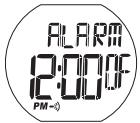
- To set ALARM: In TIME mode, press S1 three times to show ALARM mode.
- You can toggle between ON/OFF by pressing S2. If the alarm function is "ON", the alarm icon will be shown.
- Press and hold S4 for 2 seconds to enter set mode. "ADJUST / HOLD" prompt will be displayed for 1 second. After that the hour digit begins flashing.
- Press S2 to increase the digit, S3 to decrease the digit. Hold the button for fast scrolling. Press S1 to confirm and move to Minute adjustment.
After all adjustments are completed, press S1 to exit set mode. - The alarm will sound for 20 seconds when the alarm function is "ON". Press any buttons to stop the alarm sound.
H. HOW TO USE THE STOPWATCH
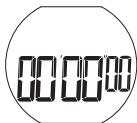
- Press S1 four times to show Stopwatch mode. "CHRONO" Prompt will be displayed for 0.5 second.
- Press S2 to start the Stopwatch. Press S2 again to stop the Stopwatch. Press and hold S3 to reset the stopwatch back to all zeros.
- For the first hour, the stopwatch shows minutes, seconds and 1/100 seconds; after the first hour, the stopwatch shows hours, minutes and seconds.
Remark:
The Stopwatch is 1/100-second resolution for the first hour and 1 second resolution after that, with working range up to 23 hours 59 minutes 59 seconds.
I. BATTERY REPLACEMENT
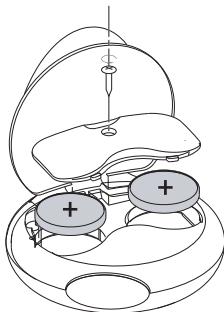
- The battery hatch is on the back of the unit under the belt clip. Flip up the belt clip and unscrew the battery hatch.
- Replace battery with CR2032 type or equivalent. Make sure the polarity is correct.
- Fasten the screw again and close the battery hatch.
IROX
Garantieschein
Certificat de garantie