
MT 200 - Two-way radio COBRA - Free user manual and instructions
Find the device manual for free MT 200 COBRA in PDF.


| Product type | PMR446 two-way radio |
| Brand | Cobra |
| Model | MT 200 |
| Number of channels | 8 channels |
| Power supply | 3 AAA batteries (rechargeable NiMH supplied or alkaline) |
| Charger | Wall charger supplied, charging time 15 hours |
| Battery life | Approximately 8 hours in normal operation |
| Range | Up to 5 km in open field (estimated) |
| Main functions | Talk (transmit), Call (call), Mode/Power (on/off and channel selection), Volume +/-, Automatic standby (power saving) |
| Display | Backlit LCD with channel number, transmit/receive icons, low battery indicator |
| Compatibility | Can be used with other PMR446 radios on the same channels |
| Dimensions | Approximately 120 x 55 x 30 mm (estimated) |
| Weight | Approximately 120 g with batteries (estimated) |
| Materials | ABS plastic |
| Frequency | PMR446 band (446.0-446.2 MHz) |
| RF power | 500 mW max (CE compliant) |
| Standards | CE (R&TTE 1999/5/EC), electrical safety EN 60950-1 |
| RF safety | Compliant with EN 50392 for human exposure |
| Maintenance and cleaning | Clean with a soft, dry cloth. Do not immerse in water. |
| Spare parts and repairability | Use only the supplied batteries and charger. No user-serviceable parts. Contact customer service. |
| Included accessories | 3 NiMH AAA batteries, wall charger, belt clip |
| Warranty | Manufacturer's warranty (contact the dealer) |
Frequently Asked Questions - MT 200 COBRA
User questions about MT 200 COBRA
0 question about this device. Answer the ones you know or ask your own.
Ask a new question about this device
Download the instructions for your Two-way radio in PDF format for free! Find your manual MT 200 - COBRA and take your electronic device back in hand. On this page are published all the documents necessary for the use of your device. MT 200 by COBRA.
USER MANUAL MT 200 COBRA
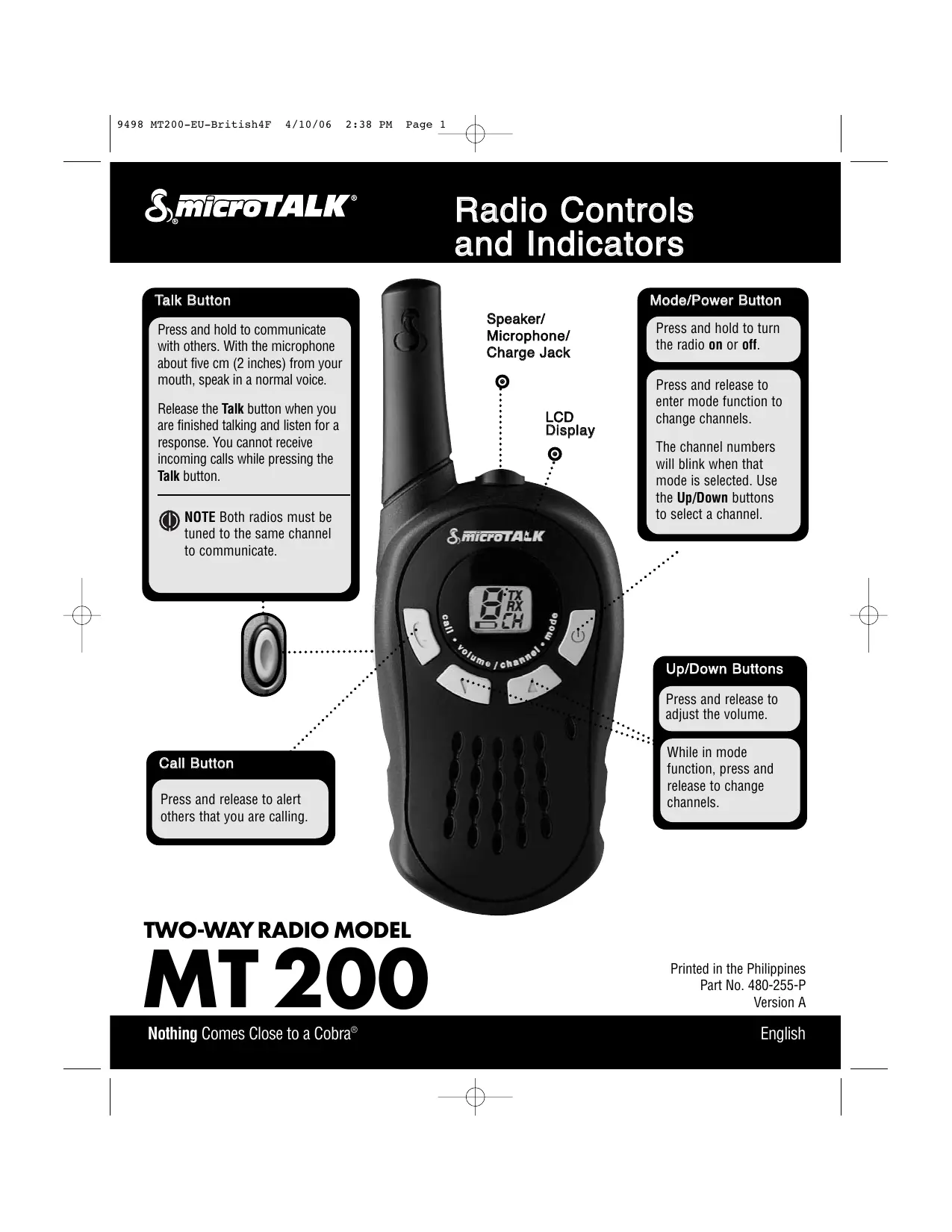
Radio Controls and Indicators
Talk Button
Press and hold to communicate with others. With the microphone about five cm (2 inches) from your mouth, speak in a normal voice.
Release the Talk button when you are finished talking and listen for a response. You cannot receive incoming calls while pressing the Talk button.

NOTE Both radios must be tuned to the same channel to communicate.
Call Button
Press and release to alert others that you are calling.
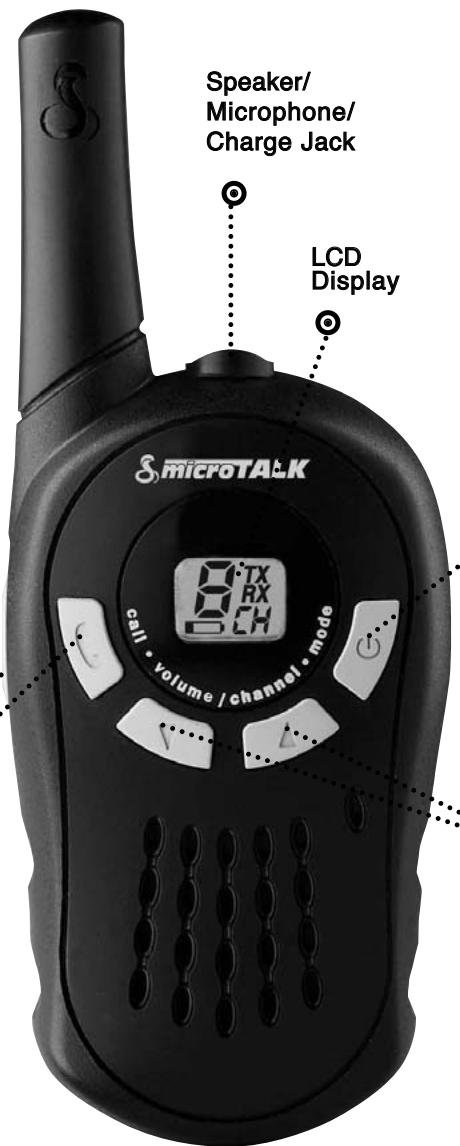
Mode/Power Button
Press and hold to turn the radio on or off.
Press and release to enter mode function to change channels.
The channel numbers will blink when that mode is selected. Use the Up/Down buttons to select a channel.
Up/Down Buttons
Press and release to adjust the volume.
While in mode function, press and release to change channels.
TWO-WAY RADIO MODEL
MT200
Printed in the Philippines
Part No. 480-255-P
Version A
Nothing Comes Close to a Cobra®
English

Batteries and Wall Charger
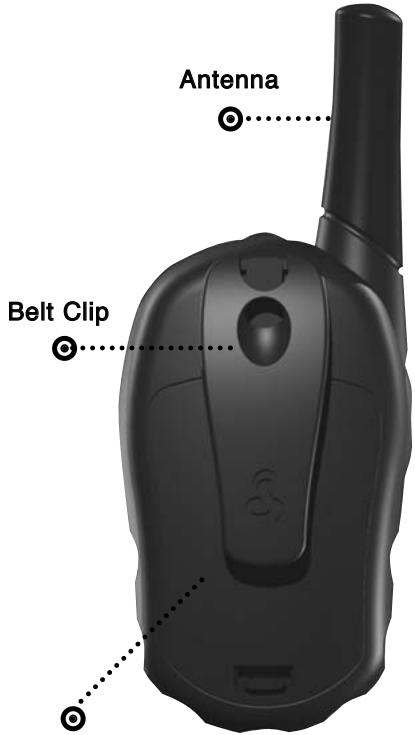
Batteries
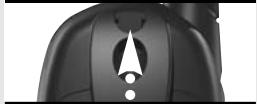
Remove Belt Clip
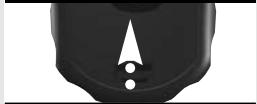
Pull Latch Up
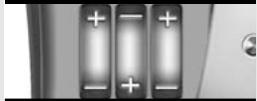
Insert Batteries
To install or replace batteries:
- Remove belt clip by releasing belt clip latch and sliding clip up.
- Pull up on the battery door latch to remove the battery compartment cover.
- Insert the supplied three AAA rechargeable batteries (also works with non-rechargeable alkaline batteries). Position batteries according to polarity markings.
- Replace battery compartment cover and belt clip.
Battery Compartm Cover
Wall Charger
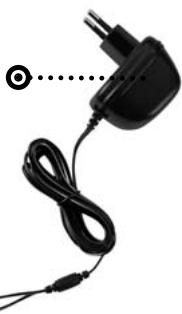
Wall Charger
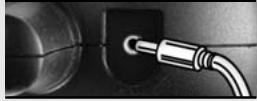
Radio Charger Jack
To charge batteries in radio:
-
Check to see that the batteries have been inserted properly. See above for battery installation instructions.
-
Insert round connector of wall charger into the charge jack located at the top of the radio. The wall charger has two round connectors which enables you to charge either one or two radios at a time.
- Plug the wall charger into electrical outlet.
It normally takes 15 hours to fully recharge batteries. It is not recommended to recharge batteries more than 24 hours. Estimated operation time on a full charge is 8 hours.
Use only the supplied rechargeable batteries and wall charger for recharging your Cobra microTALK radio. Non-rechargeable alkaline batteries can also be used.
2 English

Backlit LCD Display
Channel Number
While in Standby mode or when selecting a channel, shows current channel (1 through 8).
When adjusting the volume, shows current level (1 through 8).
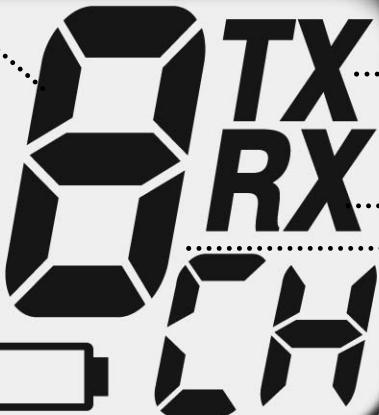
Transmit Icon
Visible when transmitting a message.
Receive Icon
Visible when receiving a message.
Battery Low Icon
Blinks when battery power level is low.
Your microTALK® radio has a unique circuit designed to extend battery life. If there are no transmissions within 10 seconds, the radio will automatically switch to Battery Save mode. This will not affect the radio's ability to receive incoming transmissions.
Channel/Volume Indicator
"CH" is visible when in Standby mode or when selecting a channel.
"LE" is visible when adjusting volume.

D.O.C., Warranty and Customer Service
Declaration of Conformity
This declaration is the responsibility of the manufacturer/importer
Cobra Electronics Europe Limited
Dungar House
Northumberland Avenue
Dun Laoghaire
County Dublin, Ireland
Date: 21 November 2005
This certifies that the following designated product
PRIVATE MOBILE RADIO: MT 200
complies with the essential protection requirements of R & TTE Directive 1999/5/EC on the approximation of the laws of the Member States relating to Radio Spectrum Matters, EMC and Electrical Safety.
This declaration applies to all specimens manufactured in accordance with the attached technical documentation described in Annex II of the Directive which forms part of this declaration. Assessment of compliance of the product (class 2.6) with the requirements relating to the essential requirements according to Article 3 R & TTE was based on Annex IV of Directive 1999/5/EC and the following standards:
Radio Spectrum: EN 300 296-1 V1.1.1 (2001-03)
EN 300 296-2 V1.1.1 (2001-03)
EMC: EN 301 489-1 V1.4.1 (2002-08)
EN 301 489-5 V1.3.1 (2002-08)
Electrical Safety: IEC 60950-1:2001 /
EN 60950-1:2001
RF Exposure: EN 50392 (2004-02)
DUBLIN, IRELAND MIKE KAVANAGH
Warranty & Customer Service
For warranty and customer service information, please contact your local dealer.
C€0682①
For use in EU countries, subject to local laws and regulations.
CEEL™ is a trademark of
Cobra Electronics Corporation, USA.
Snake design and microTALK® are registered trademarks of Cobra Electronics Corporation, USA.
©2006 Cobra® Electronics Europe Limited
Dungar House, Northumberland Avenue
Dun Laoghaire, County Dublin, Ireland
www.cobra.com
This equipment is intended for use in:
| AT | ✓ | CY | ✓ | FI | ✓ | IE | ✓ | LU | ✓ | PT | ✓ |
| BA | CZ | ✓ | FR | ✓ | IS | ✓ | MK | RO | ✓ | ||
| BE | ✓ | DE | ✓ | GB | ✓ | IT | ✓ | MT | ✓ | SE | ✓ |
| BG | ✓ | DK | ✓ | GR | ✓ | LT | ✓ | NL | ✓ | SI | ✓ |
| CH | ✓ | EE | ✓ | HR | LV | ✓ | NO | ✓ | SK | ✓ | |
| CS | ES | ✓ | HU | ✓ | LI | ✓ | PL | ✓ | TR | ✓ |
Countries of use