USER MANUAL MM4 LINE 6
MM4 Modulation Modeler
Pilot's Handbook
Manuel de pilotage
Pilotenhandbuch
Pilotenhandboek
Manual del Piloto
取拔説明書
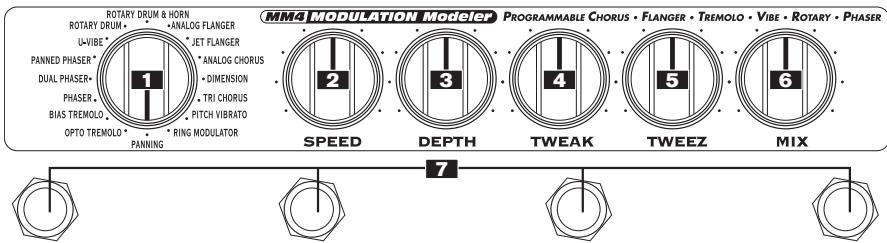
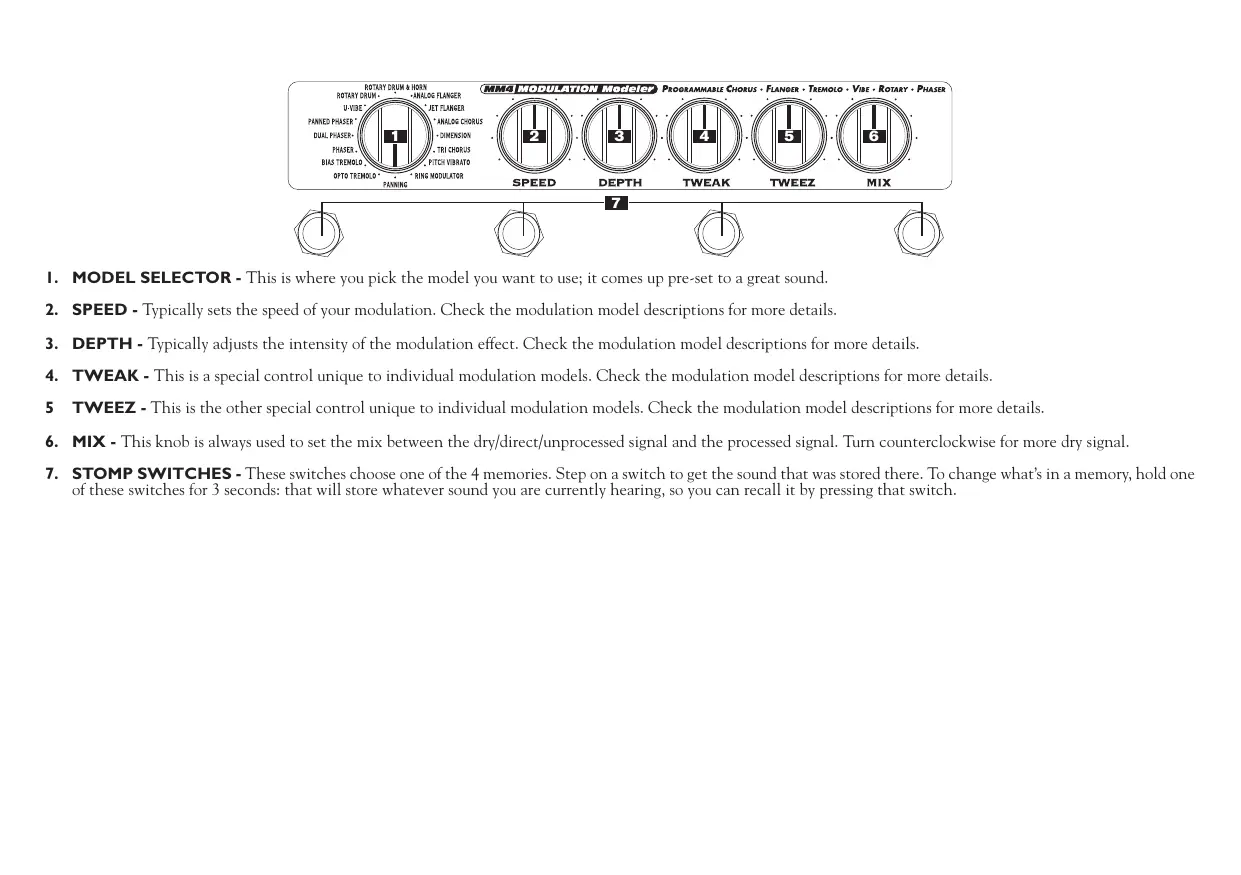
I. MODEL SELECTOR - This is where you pick the model you want to use; it comes up pre-set to a great sound.
2. SPEED - Typically sets the speed of your modulation. Check the modulation model descriptions for more details.
3. DEPTH - Typically adjusts the intensity of the modulation effect. Check the modulation model descriptions for more details.
4. TWEAK - This is a special control unique to individual modulation models. Check the modulation model descriptions for more details.
5 TWEEZ - This is the other special control unique to individual modulation models. Check the modulation model descriptions for more details.
6. MIX - This knob is always used to set the mix between the dry/direct/unprocessed signal and the processed signal. Turn counterclockwise for more dry signal.
7. STOMP SWITCHES - These switches choose one of the 4 memories. Step on a switch to get the sound that was stored there. To change what's in a memory, hold one of these switches for 3 seconds: that will store whatever sound you are currently hearing, so you can recall it by pressing that switch.

- INPUT/OUTPUT - Just follow the labels and plug in the inputs and outputs. The left input also acts as an on/off switch: the unit will be off if no cable is connected here. When running with batteries, unplug the left input to conserve power when not using the pedal.
- EXPRESSION PEDAL - The optional Line 6 expression pedal lets your foot control one or more of the parameters of your effect while your hands are busy making music. Operation is designed to be simple: Power off your Stomp Box Modeler by unplugging the LEFT/MONO INPUT. Next, plug in your Expression Pedal, and set the expression pedal to the full heel-down position. Plug the left/mono input back in (this turns the Stomp Box back on) and dial up a sound you like. Now press the expression pedal forward to the fully toe-down position, and set one or more of your knobs to another setting. Rock back and forth on your expression pedal, and you'll hear your sound blend between the two sound settings you just made. Store this sound into one of your pedal's memories, and both the toe-down and heel-down "snapshots" of the sound will be saved. Use as many and whichever knobs you like with the expression pedal, except the model selector. Recalling a stored memory later without the expression pedal connected gives you the heel-down setting only.
- POWER SUPPLY - You can purchase an optional Line 6 AC power supply to run your pedal or you can choose to power your Stomp Box Modeler with 4C size batteries. We recommend alkaline batteries for long life. Unplugging the left/mono input turns the pedal off, so be sure to unplug it when you're not using the pedal to conserve battery power. All four lights on your pedal will flash when your batteries have nearly run out.
True Bypass & Alternate Bypass
Stomp Box Modelers include mechanically switching relays that switch in when you bypass the pedal (by kicking the stomp switch to turn off the memory you are using). These relays route your signal directly from input jack to output jack, around all the circuitry, for absolutely no processing or analog-to-digital conversion while in bypass. There's also an alternate bypass mode available that keeps the DSP engaged while bypassed. This buffered bypass is good for when you have long cable runs from your Stomp Box to your amp. If you want this Alternate Bypass mode, hold the first and third (from the left) stomp switches while plugging in the left/mono guitar input. (When the left/mono input is unplugged, your pedal is powered off.) Your pedal will remember to stay in this Alternate Bypass mode until you re-enable True Bypass.
Restoring Factory Presets
The Stomp Box Modelers come pre-programmed with a set of great tones in their memories. The sounds that you save replace these factory settings. If you ever want to recall the factory sounds – and erase the sounds you might have saved – press the far left and far right switches while plugging in the left/mono guitar input. (When the left/mono input is not plugged in, the pedal is powered off.)
Visit us online www.line6.com
Learn more about your MM4 Modulation Modeler online. Visit our online discussion group or check www.line6.com/manuals for the latest revision of your MM4 Modulation Modeler Pilot's Handook. While you're online be sure to register your MM4 Modulation Modeler or simply fill out and mail us your included registration card. Registering gets you all set up for warranty service should you have an issue with your MM4 Modulation Modeler, and also qualifies you for contests, special offers and more.
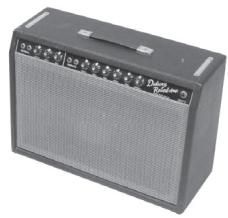
Opto Tremolo - based on* the tremolo circuitry of the 1965 Fender® Deluxe Reverb® amps
The classic Fender® "blackface era" '65 Deluxe Reverb® - as well as most boutique tremolo pedals - features a tremolo circuit that works by pulsing a light source directed at a photo resistor. Players everywhere love the smooth, round, and gentle pulse that optical tremolo is known for. TWEAK adjusts the shape from classic gentle tremolo all the way to dramatic sci-fi throb. TWEEZ gives you a "peak follower," making the tremolo rate sensitive to input level, so that a louder input signal speeds up the tremolo, and a lower volume input slows it down.
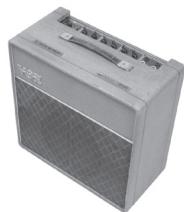
Bias Tremolo - based on* the tremolo circuitry of the 1960Vox® AC15 amplifier
Vintage tremolo came in two flavors: Opto and Bias. Our Bias Model emulates a classic Vox® tremolo circuit design. Bias tremolo produces a deep, 3-dimensional, kinda phasey tremolo that's sure to keep you warm and cozy all through the night. TWEAK changes the waveform - you'll find that your MM4 can take you places you've never heard before. TWEEZ gives you a "peak follower," making the tremolo rate sensitive to input level, so that a louder input signal speeds up the tremolo, and a lower volume input slows it down.
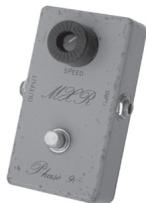
Phaser - based on the MXR® Phase 90
Our Phaser model is based on the phaser that changed the world - the MXR® Phase 90. The Phase 90 is relatively subtle compared to other phasers, and becomes part of the overall tone. Its lush, organic, and groovy swirl can be heard all over the first two Van Halen albums, as well as Jimmy Page's work on Physical Graffiti. The Phase 90 is a four stage phaser; its single knob controls only speed. Our model stays true to the original when DEPTH is set to max and TWEAK / TWEEZ are set to minimum. But, being the flexibility freaks we are, we also let you explore destinations unknown. TWEAK controls Feedback. TWEEZ selects 4, 8, 12, or 16 Phase Stages (thus controlling the degree of out-of-phase-ness).
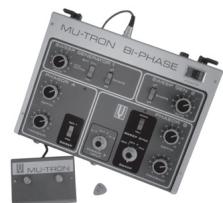
Dual Phaser - Mu-Tron® Bi-Phase
What could be better than one really cool phaser? Why, two of course! The Dual Phaser is our model of the innovative MuTron® Bi-Phase. This multi-stage phaser is known for its big jet sound and its sheer physical size. The Bi-Phase featured controls for waveform, Speed, and Depth – and was the first phaser to hit the market with a variable Feedback control. Our Dual Phaser model gives you the lush, offset phasing that make the Bi-Phase a treasured classic. TWEAK recreates that innovative variable feedback control. TWEEZ allows you to select the waveform shape – sine or square wave.
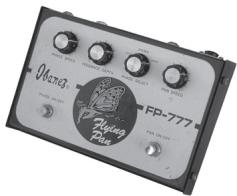
Panned Phaser - based on* Ibanez® Flying Pan
The Panned Phaser embodies the mantra of many '70s pedals designers: "If you like them separate, why not both together?" You can bet your bell-bottom jeans that the Flying Pan kept heads spinning around the dance floor when they heard this four-stage phase shifter with a panner built in. It's all that and a bag of chips. The Flying Pan featured controls for phase speed, pan speed, and a three position switch to assign the phaser to the left, right, or both channels. Our Panned Phaser features all of these same controls. Plug in and take 'em for a spin. TWEAK assigns the phaser output (left only, center, or right only). TWEEZ adjusts pan speed.
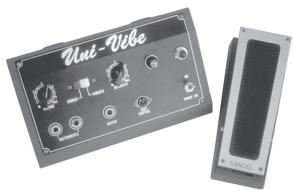
U-Vibe - based on* Uni-Vibe®
The now-legendary Uni-Vibe® was put on the map in 1969 by Jimi Hendrix. Essentially a four-stage phase shifter, it is best known for its watery texture and sultry tones. One listen to "Machine Gun" and you'll know what we mean. For an authentic experience, use the optional Line 6 expression pedal to sweep speed. To recreate the effect of the Uni-Vibe vibrato switch, turn the mix control to 100% wet. (That's what the switch did on the original.) TWEAK adjusts feedback. TWEEZ adjusts volume sensitivity (peak follower).
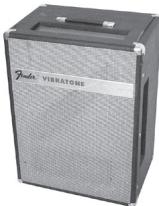
Rotary Drum - based on* Fender® Vibratone
What goes around comes around with our model of the Fender® Vibratone. The famous sound of the Vibratone can be heard on Stevie Ray Vaughan's "Cold Shot," and was created by a rotating drum surrounding a 10" speaker. The Styrofoam drum has two slots, and the cabinet has three (left, right and top). The drum rotates with a vertical motion, sending sound spinning in all directions. To get this sound you had to have your main amp, a Vibratone, and another amplifier to drive the Vibratone. Our Rotary Drum model delivers all of the tone with none of the hassle. TWEAK adjusts tone. TWEEZ adjusts drive.
Rotary Drum & Horn - based on* Leslie® 145.
Originally the mainstay for B3 organ players, the Leslie® 145 also brings guitar players a huge, three-dimensional swirl-fest of sound. The 145 features two sound sources: the lower part of the cabinet has a 12" speaker surrounded by a motorized rotary drum, and the upper enclosure houses a spinning horn. Whether clean or overdriven, this is one of those signature sounds you could only get from the original – until now! DEPTH adjusts drum depth. TWEAK adjusts horn depth. TWEEK adjusts drive.
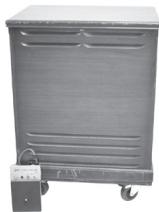
Analog Flanger - based on* MXR® Flanger
You've probably heard this flanger many times on Van Halen's Fair Warning, Women and Children First, and "Unchained." It's a very warm-sounding flanger, and features a bucket brigade analog circuit design, as well as a uniquely-shaped waveform. Our Analog Flanger model features all of the control and great tone of its inspiration. TWEAK controls feedback. TWEEZ serves as the manual control - which lets you adjust the delay time for the flanging effect.
Jet Flanger - based on* A/DA Flanger
Introduced in 1977, this "studio quiet" stomp box has a sweep range of 35-to-1 and a built-in compressor that work together with the tone circuitry to give the A/DA its signature jet-like sweep. It's a bit more dramatic than the MXR, and has a different wave shape - and that's why ya gotta have both. DEPTH controls the sweep range. TWEAK adjusts feedback. TWEEZ emulates the A/DA flanger's "Manual" knob.
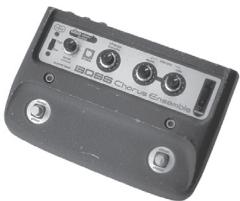
Analog Chorus - based on* Boss® CE-I Chorus Ensemble
The CE-1 came onto the music scene in 1977 and made waves with its big, warm and groovy chorus tones. Quickly, it found its way onto Andy Summers' pedal board and then into our homes via The Police. Controls included Speed, Depth and a switch to go from chorus to vibrato mode. The CE-1 is spacious, and sounds great into a distorted amp. The Analog Chorus model is every bit as warm and gooey as its inspiration. Dial up some lush landscape and enter into chorus heaven. TWEAK acts like a 2-position switch selecting either the chorus or vibe effect. TWEEZ adjusts tone.
Dimension - based on* Roland® Dimension D
The classic Roland Dimension D was one of the first true-stereo chorus units and featured two separate delay lines working off the same oscillator. These independent chorus effects were then panned between the stereo outputs, with a resulting stereo image that's broader than a double-wide trailer. Relatively subtle in its nature, the Dimension D became an industry standard for double-track effects. Your SPEED, DEPTH, TWEAK, and TWEEZ knobs each act as a two position switch. Speed and Depth were preset on the Dimension D, and could be recalled by pressing one of the four front panel push-button switches. Different combinations of on and off for the various switches gave different speed and depth settings.


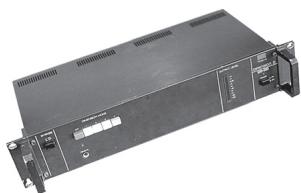
Tri Chorus - based on* Song Bird / DynoTronics Tri-Stereo Chorus
You may have never seen one, but you've heard it hundreds of times - this was the definitive chorus of Michael Landau, Tim Pierce, Steve Lukather, Dann Huff and most of the L.A. Studio scene. This analog chorus featured 3 chorus circuits working off of 12(!) low frequency oscillators and three separate delay lines. Nothing produced a wider, more spacious stereo image than this. And if you had one in your rack-system, you probably paid dearly for this holy grail of chorus tone. DEPTH adjusts the depth of circuit 1. TWEAK adjusts the depth of circuit 2. TWEEZ adjusts the depth of circuit 3.
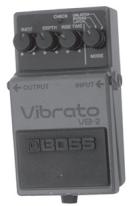
Pitch Vibrato - based on Boss®VB-2
This model is based on one of those really cool effects you've always wanted to use, but could never justify buying. The VB-2 featured a bucket brigade circuit that produced bubbly vibrato, but its big claim to fame was the "rise time" control. Thanks to this clever circuit, each time you kicked it on, it sped up to where you last had it set. Pretty keen, right? TWEAK adjusts the rise time. TWEEZ gives you a "peak follower" control, allowing you to make the vibrato rate sensitive to input level, so that a louder input signal speeds up the vibrato, and a lower volume input slows it down.
Ring Modulator
It's out there somewhere between Plan Nine From Outer Space and Phantom Menace. Ring modulators are for those special times when you want different, weird, distinctive, strange and otherwise nontraditional guitar sounds. It's a very percussive sounding effect, and sounds almost like you're messing with your signal in a twistedly mathematical, torturing-the-computer sort of way. TWEAK adjusts the shape from sine to square wave. TWEEZ gives you a choice of modulation flavors - AM (amplitude modulation), FM (frequency modulation), or somewhere in between.
Panner
From here to there and back again, what can you say about a panner? Well, I guess you can say this: a panner makes your sound constantly pan back and forth between left and right channels. If you're looking for something to keep you up late nights with your headphones on, this is it. This effect is only gonna work for you in stereo, by the way; if you try and run it in mono, it's basically tremolo. TWEAK knob lets you choose the waveform that controls the movement of your sound from left to right - from smooth to an extreme bouncing sort of experience! TWEEZ adjusts volume sensitivity (peak follower).