
CD004 - Computer Cable SWEEX - Free user manual and instructions
Find the device manual for free CD004 SWEEX in PDF.

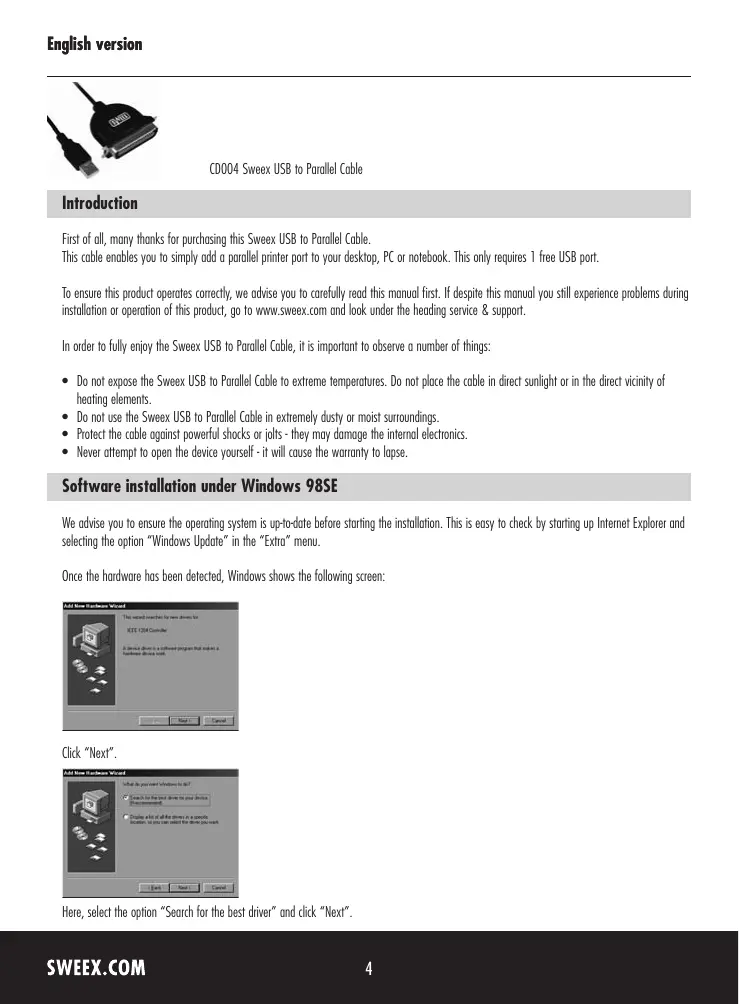

| Product type | USB to parallel cable |
| Brand | SWEEX |
| Model | CD004 |
| Input connector | USB Type-A male |
| Output connector | DB25 female parallel port |
| Cable length | 1.8 meters (approx.) |
| Weight | Approximately 100 g |
| Sheath material | PVC |
| Supported operating systems | Windows 98SE, 2000, XP, Vista |
| Driver installation | Required for Windows 98SE, automatic for 2000/XP/Vista |
| Power supply | Self-powered via USB port |
| Operating temperature | 0 °C to 40 °C |
| Relative humidity | 20% to 80% (non-condensing) |
| Warranty | 3 years |
| Maintenance and cleaning | Clean with a dry cloth, do not use chemical products |
| Safety | Do not expose to heat, excessive moisture or shocks; do not open |
| Spare parts | Not applicable |
| Main functions | Add a parallel printer port to a computer via USB |
Frequently Asked Questions - CD004 SWEEX
User questions about CD004 SWEEX
0 question about this device. Answer the ones you know or ask your own.
Ask a new question about this device
Download the instructions for your Computer Cable in PDF format for free! Find your manual CD004 - SWEEX and take your electronic device back in hand. On this page are published all the documents necessary for the use of your device. CD004 by SWEEX.
USER MANUAL CD004 SWEEX
CD004 SweeX USB to Parallel Cable
Introduction
First of all, many thanks for purchasing this Sweex USB to Parallel Cable.
This cable enables you to simply add a parallel printer port to your desktop, PC or notebook. This only requires 1 free USB port.
To ensure this product operates correctly, we advise you to carefully read this manual first. If despite this manual you still experience problems during installation or operation of this product, go to www.sweex.com and look under the heading service & support.
In order to fully enjoy the Sweex USB to Parallel Cable, it is important to observe a number of things:
- Do not expose the Sweex USB to Parallel Cable to extreme temperatures. Do not place the cable in direct sunlight or in the direct vicinity of heating elements.
- Do not use the Sweex USB to Parallel Cable in extremely dusty or moist surroundings.
- Protect the cable against powerful shocks or jolts - they may damage the internal electronics.
- Never attempt to open the device yourself - it will cause the warranty to lapse.
Software installation under Windows 98SE
We advise you to ensure the operating system is up-to-date before starting the installation. This is easy to check by starting up Internet Explorer and selecting the option "Windows Update" in the "Extra" menu.
Once the hardware has been detected, Windows shows the following screen:
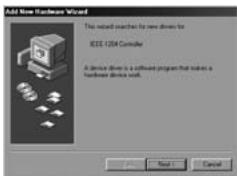
Click "Next".
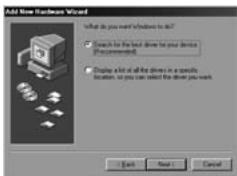
Here, select the option "Search for the best driver" and click "Next".
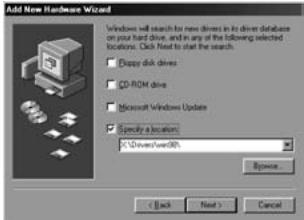
Only tick the last option: "Specify a location". Insert the Sweex CD-ROM in the CD-ROM player. Go to the Sweex CD-ROM via "Browse", and select the folder "Drivers". In this folder, select the relevant operating system; win98. Then click "Next".
Note: In the illustration, "X" stands for our CD-ROM drive. This may be a different drive letter!
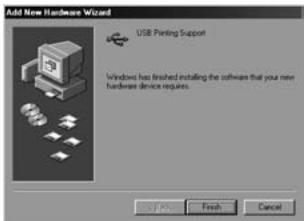
Click "Next" and "Finish". Now the hardware has been installed successfully.
Software Installation under Windows 2000, XP and Vista
No drivers are required for installation under Windows 2000, Windows XP and Vista; they are all incorporated in the operating system and the Sweex USB to Parallel Cable will be installed automatically.
Printer settings
When installing a printer, ensure that the correct printer port is selected:
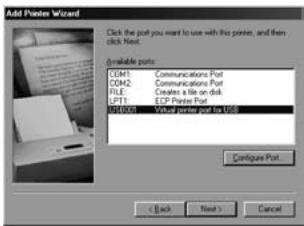
When adding a printer, opt for "USB001-Virtual printer port for USB"
Warranty
All products under the Sweex brand are warranted for a period of three years. We do not grant support or warranties for any software and/or (rechargeable) batteries included. Settlement of guarantee only takes place via the dealer where you have purchased the product in question.
The rightful owner has and retains title to all brand names and related rights mentioned in this manual.