
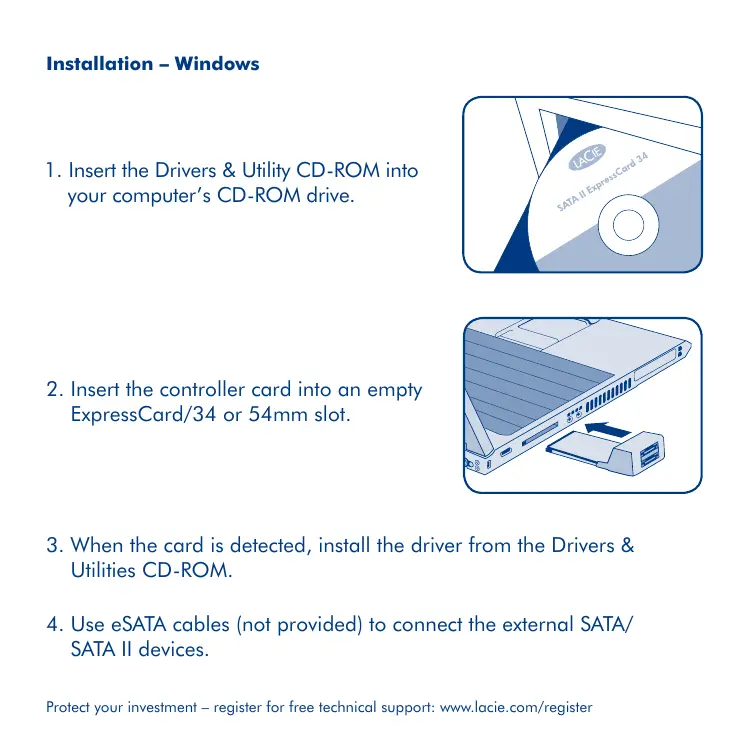
SATA II EXPRESSCARD 34 - Expansion card/external storage LACIE - Free user manual and instructions
Find the device manual for free SATA II EXPRESSCARD 34 LACIE in PDF.


User questions about SATA II EXPRESSCARD 34 LACIE
0 question about this device. Answer the ones you know or ask your own.
Ask a new question about this device
Download the instructions for your Expansion card/external storage in PDF format for free! Find your manual SATA II EXPRESSCARD 34 - LACIE and take your electronic device back in hand. On this page are published all the documents necessary for the use of your device. SATA II EXPRESSCARD 34 by LACIE.
USER MANUAL SATA II EXPRESSCARD 34 LACIE
SATA II ExpressCard 34
Installation - Windows
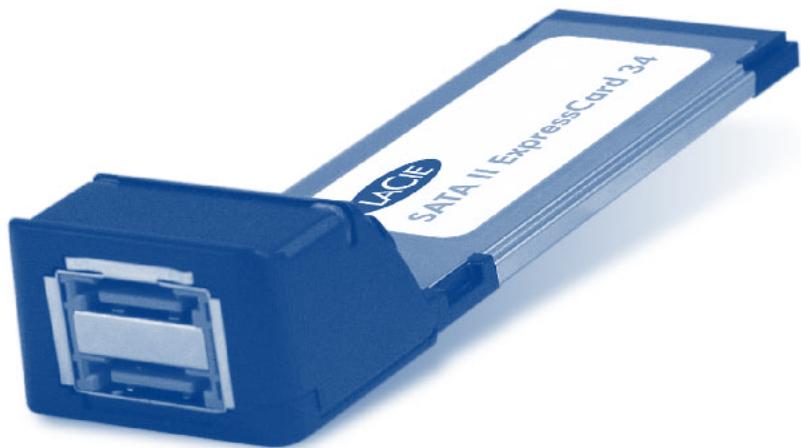
- Insert the Drivers & Utility CD-ROM into your computer's CD-ROM drive.
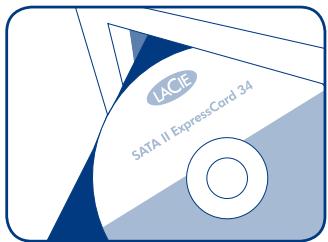
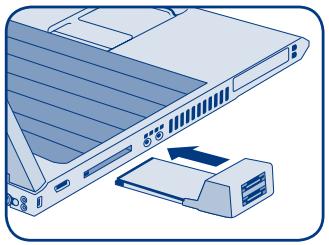
- Insert the controller card into an empty ExpressCard/34 or 54mm slot.
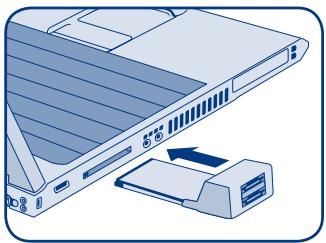
- When the card is detected, install the driver from the Drivers & Utilities CD-ROM.
- Use eSATA cables (not provided) to connect the external SATA/ SATA II devices.
Installation - Mac
- Insert the Drivers & Utility CD-ROM into your computer's CD-ROM drive.
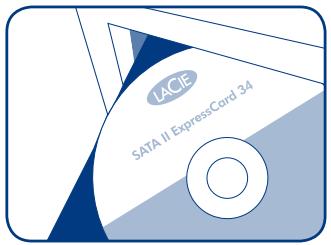
- Launch the installer tool on the CD (the *.pkg file) and follow the installation steps.
- Insert the controller card into an empty ExpressCard/34 or 54mm slot and Use eSATA cables (not provided) to connect the external SATA/SATA II devices.
Troubleshooting
If you experience problems with your LaCie SATA II ExpressCard:
- Make sure you have installed the driver for the controller card according to the installation procedure, above.
- If an older version driver is installed previously, uninstall the old driver and install the included driver according to the procedure, above.
- If a driver for a similar product is installed, uninstall the similar driver and install the included driver according to the procedure, above.
- If none of the above issues are present, or if the driver has been installed properly and the controller card is still not functioning, the controller card may be defective. Please contact LaCie Customer Support.
FR LaCie SATA II ExpressCard 34
Installation - Windows
Windows - installation
- Isaet Drivere & Program CD-Rom'en i din computers CD-Rom drev.
- Isæt controller kortet i en tom ExpressCard/34 erler 54 mm Åbning.
- När kortet opdages, installereres drivenen fra Driver & Program CD-Rom'en.
- Anvend eSATA kabler (medfolger ici) til at tilslute de eksterne SATA/SATA II eheder.
Mac - installation
UctpaHHeH HeNCpPaBHOCTe
ПривОЗнКНовени пробемс LaCie SATA II ExpressCard bblonHnte yka3aHHbIe nHxpe DeiCTBnA.
1.Y6eIITcB TOM, YTO IpaIbepIy IpaIbIKHOtpOIpey UcTaHOBnE (IpoUeCC yCTaHOBKOnNCaH BblSe).
2.ДалnteСКOMьЮтepa StapyUв ВсрсиОдразьЕпУуCTановп Te ДразьВер, BXODЯшь B KOMNJIeKТ NOCTaBKN,ΚΑΚΥka3aHO Выlle.
3. EcnI Ha KOMNbHTope yCTaHOBHeN dpaBep nIPOIo6HOrO npOyKtA, ydaJIte erO uYctaHOBnTe dpaiBep, BXoJaIeM B KOMnIeK TocTaBKn, KaK yKa3aHO BblIe.
4. EcnHn Onda n3 nepueuCmeneHHbIX npo6bem He na6Iouaetcra nnIpaIbayer yctaHOBNen npabInbHO, a npaTeKaONpTOnpIepnaHe pa6OtaeT, Bo3MOxHo, OHa neHcnpaHB. ObpaTntecb C cnkybTexNHuecko noPdApEkaK LaCie.
3aunitne cboi BLOXeHnIy: 3apeNtCpnpuyTeCb Ha cnedyUoem Be6-caIte N pOnyuaiTe 6ecPiNaTHyo Texhueckyo podepkky: www.lacie.com/register.
EL LaCie SATA II ExpressCard 34
Eykataoaon-Windows
- Eiayetye to CD-ROM o8nyuv kai Boonthetaikw npoypaumatwv (Drivers & Utilities) orov o8nyo CD-ROM Tou uioyiotn ac.
- Eiodyte tyn kapta eleyktn oia eueutheta np unofox ExpressCard/34 54mm.
- Œtav n kárpTa aivxveuθei, éykataoTηoTe tov odnyó ano to CD-ROM odnyw κai βοηθικwν προγρaματων (Drivers & Utilities).
- Xpnoiouoiojote kaIomega eSATA (dev napexovtai) ia va ouvdeoeTE Tc EeWtepiKec ouokueSATA/SATA II.
EykaataoTaon-Mac
- Eiayetye to CD-ROM o8nyuv kai Bonthetaikw npoypaumatwv (Drivers & Utilities) orov o8nyo CD-ROM Tou unoloyiotn ac.
- Ekkivnóte to εργaεio εγkataσtaoç στο CD (to aρχεio *.pkg) kai akolouθηοτe ta βήματa εγκatáσtaoç.
- EióáyETe TnV kápta éIeykTn Εμia eIéUθepn unOdoxH ExpressCard/34 n 54mm KAI χρησιοιοιŋoTe Kaλδδia eSATA (δεν παρέχονται) yia va ouvδεσεTc Tc EωTEpikéç σωkeuεç SATA/SATA II.
Avtietwnipnoepahtwv
aalaaal aalaaal aalaaal aalaaal aalaaal aalaaal aalaaal aalaaal
1.Drivers & Utility CD-ROM
SATA/SATA II 1234567890123456789012345678901234567890123456789012345678901234567890123456789012345678901234567890123456789
Mac-
JDRivers & Utility CD-ROM 1500000000000000000000000000000000000000000000000
jssy slj sb jnssal j
(1) (pkg.* a) b
eSATA 1
SATA/SATA II 1
www.lacie.com/register:
1,2,3,4 1,3,4 1,2 2,3 3,4\
LaCie SATA II ExpressCard
0e 1
y 1
.0e i j 5d all oj Jn Jn Jn Jn Jn Jn
aaiy y aaiiie aaiiie aaiiie aaiiie aaiiie aaiiie aaiiie aaiiie aaiiie aaiiie aaiiie aaiiie aaiiie aaiiie aaiiie aaiiie aaiiie aaiiie aaiiie aaiiie aaiiie aaiiie aaiiie aaiiie aaiiie aaii ie
0.001 2564 all 1984 134
J 1
a 1
LaCie 4
Contact Us
LaCie USA
22985 NW Evergreen Pkwy
Hillsboro, OR 97124
sales@lacie.com
LaCie France
17, rue Ampère
91349 Massy Cedex
sales.fr@lacie.com
LaCie Asia (HK)
25/F Winsan Tower
98 Thomson Road
Wanchai, Hong-Kong
sales.asia@lacie.com
LaCie Asia (Singapore)
Centennial Tower, Level 34
3 Temasek Avenue
Singapore 039190
sales.asia@lacie.com
LaCie Australia
458 Gardeners Rd.
Alexandria, NSW 2015
sales.au@lacie.com
LaCie Belgium
Vorstlaan 165/Bld
du Souverain 165
1160 Brussels
sales.benelux@lacie.com
LaCie Canada
235 Dufferin St.
Toronto, Ontario M6K 1Z5
sales.ca@lacie.com
LaCie Germany
Am Kesselhaus 5
D-79576 Weil Am Rhein
sales.de@lacie.com
LaCie Italy
LaCie Middle East FZE
LIU-E6,PO Box 293860,
Dubai Airport Free Zone,
Dubai, U.A.E.
sales.me@lacie.com
LaCie Nordic
(Sweden, Denmark, Norway, Finland)
Sveavagen 90,5tr
113 59 Stockholm, Sweden
sales.nordic@lacie.com
LaCie Spain
C/NunezMorgado,3, 5^ pl.
28036 Madrid
sales.es@lacie.com
LaCie Switzerland
Davidsbodenstrasse 15 A
4004 Basel
sales.ch@lacie.com
LaCie United Kingdom and Ireland
LaCie LTD - Friendly House
52-58 Tabernacle Street
London, England EC2A 4NJ
UK: sales.uk@lacie.com
Ireland: sales.ie@lacie.com
LaCie Worldwide Export
17, rue Ampère
91349 Massy Cedex, France
sales.intl@lacie.com
support.intl@lacie.com
Visit www.lacie.com for more
information on LaCie products.