POVSVS03 - Vacuum packaging Point - Free user manual and instructions
Find the device manual for free POVSVS03 Point in PDF.
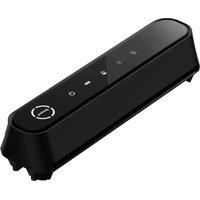


Pick your language and provide your email: we'll send you a specifically translated version.
| Product type | Vacuum sealer for food preservation |
| Brand | Point |
| Model | POVSVS03 |
| Body material | ABS plastic and stainless steel sealing strip |
| Dimensions (W x H x D) | Approx. 38 x 7.5 x 15.5 cm |
| Weight | Approx. 1.1 kg |
| Power consumption | 120 W |
| Power supply | 220-240 V ~ 50 Hz |
| Vacuum pressure | Approx. -0.8 bar |
| Sealing strip length | 30 cm |
| Operation mode | One-touch automatic vacuum and seal |
| Food modes | Dry and moist food programs |
| Pulse function | Manual vacuum control for delicate items |
| External hose port | For vacuum canisters and special bags with accessory hose |
| Visual indicators | LED power and sealing status |
| Safety features | Overheat protection and cool-down cycle |
| Maintenance | Removable drip tray and wipe-clean sealing area |
| In the box | Sealer, vacuum hose, instructions and quick-start guide |
| Spare parts availability | Replacement sealing strips and vacuum bags available |
| Repairability | Accessible screws, replaceable sealing strip and pump |
Frequently Asked Questions - POVSVS03 Point
How do I clean the POVSVS03 after use?
Unplug the appliance and wait for it to cool. Wipe the exterior with a soft damp cloth. Remove the drip tray and rinse it in warm soapy water. Do not immerse the base in water or use abrasive cleaners.
Can I vacuum seal liquids or moist foods?
Yes, use the moist food mode for soups, stews, or marinades. Avoid overfilling and let hot liquids cool first. A wider sealing area and a longer sealing time help create a secure airtight seal.
What types of bags can I use with the POVSVS03?
Use textured vacuum sealer bags or rolls designed for embossed suction channels. The 30 cm sealing strip supports standard rolls. Ensure the open end is clean and dry before sealing.
How does the external hose accessory work?
Plug the vacuum hose into the external port and connect it to a compatible canister or special bag. Press the vacuum button to remove air without heating the sealing strip. This is ideal for jars and food containers.
Why does the appliance stop working after several cycles?
The thermal overload protection may have activated after continuous use. Let the device cool down for 15 to 20 minutes between cycles. This prevents damage to the pump and extends the product's lifespan.
Can I vacuum seal sous vide portions?
Yes, the POVSVS03 is suitable for sous vide cooking. Use a strong, food-grade vacuum bag and select a dry or wet program depending on the food. Ensure a tight seal around the edges before placing it in the water bath.
How do I know when the sealing process is complete?
The LED indicator changes status and you will hear a short beep when the vacuum and sealing cycle ends. Release the lid only after the sealing indicator goes off.
Is it safe to leave the appliance plugged in?
Always unplug the vacuum sealer after use. Even with overheat protection, leaving it plugged in poses an unnecessary electrical risk. Store the power cord neatly and keep the appliance away from water sources.
What maintenance does the sealing strip require?
Keep the Teflon sealing strip and silicone gasket clean and free from food debris. Wipe them gently after each use. Replace the sealing strip when it becomes worn or shows cuts to maintain strong seals.
Can I control vacuum pressure for delicate foods?
Yes, use the pulse vacuum function to manually stop suction at the desired pressure. This prevents crushing berries, cookies, or soft bread while still creating a protective vacuum environment.
User questions about POVSVS03 Point
0 question about this device. Answer the ones you know or ask your own.
Ask a new question about this device
No questions yet. Be the first to ask one.
Download the instructions for your Vacuum packaging in PDF format for free! Find your manual POVSVS03 - Point and take your electronic device back in hand. On this page are published all the documents necessary for the use of your device. POVSVS03 by Point.
USER MANUAL POVSVS03 Point
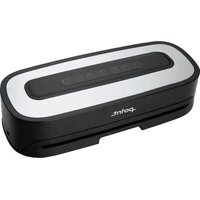
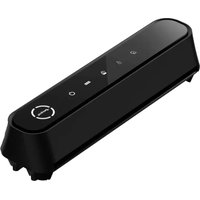
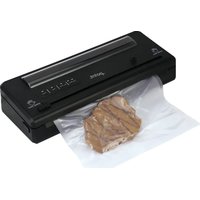
Manual assistant
Powered by Anthropic
Waiting for your message
Product information
Brand : Point
Model : POVSVS03
Category : Vacuum packaging