POVS5000 - Vacuum packaging Point - Free user manual and instructions
Find the device manual for free POVS5000 Point in PDF.


Pick your language and provide your email: we'll send you a specifically translated version.
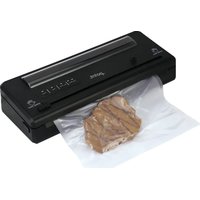
| Product Type | Vacuum Packaging Machine |
| Brand | Point |
| Model | POVS5000 |
| Purpose | Vacuum sealing and food preservation |
| Power Source | 220-240V AC, 50/60Hz |
| Power Consumption | 120W |
| Maximum Vacuum Pressure | 0.8 bar |
| Sealing Width | 30 cm |
| Dimensions (L x W x H) | 380 x 180 x 100 mm |
| Weight | 1.5 kg |
| Operating Modes | Dry, Moist, Pulse, Canister |
| Sealing Time | Adjustable (1-9 seconds) |
| Bag Compatibility | Textured vacuum bags and rolls |
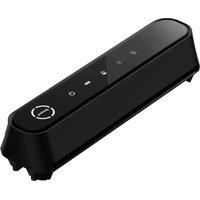
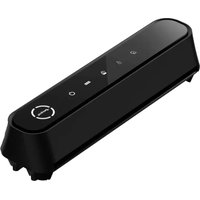
| Control Panel | Digital display with touch buttons |
| Safety Features | Overheat protection, auto shut-off, safety lock |
| Maintenance | Removable drip tray, wipe-clean surface |
| Accessories Included | 10 vacuum bags, 1 sealing roll, air hose |
| Spare Parts Availability | Online store and service center |
| Warranty | 2 years |
| Certifications | CE, RoHS |
Frequently Asked Questions - POVS5000 Point
How does the POVS5000 vacuum packaging machine work?
The POVS5000 uses a powerful vacuum pump to remove air from specially designed bags, then seals them with a heat strip to preserve food freshness. For best results, ensure the open end of the bag is placed inside the vacuum channel and press the lid down firmly.
What types of bags can I use?
Use textured vacuum sealing bags or rolls that match the sealing width of 30 cm. Smooth bags may not allow air to be extracted effectively. You can also use the included adaptor for vacuum canisters.
Can I use the Pulse function for delicate foods?
Yes, the Pulse mode allows you to control vacuuming manually, perfect for soft items like bread, berries, or pastries. Simply press and hold the Pulse button until the desired vacuum level is reached.
How do I clean the POVS5000?
Unplug the device and wipe the exterior with a damp cloth. The drip tray is removable for easy washing. Avoid immersing the machine in water and do not use abrasive cleaners.
The lid does not close properly. What should I do?
Check that the sealing gasket is clean and correctly in place. Also ensure there is no debris in the vacuum channel. If the latch is damaged, contact the spare parts service or a certified technician.
My bags are not sealing completely. Why?
Make sure the sealing strip is clean and the bag is free of folds or moisture. Adjust the sealing time to a higher setting if the material is thick. Allow the machine to cool between uses to prevent overheating.
Can I vacuum seal liquids or soups?
Yes, but use the Moist function and a wider bag or a canister. Freeze liquids first for best results, or vacuum seal in portions using a container to avoid the liquid being sucked into the pump.
What maintenance does the vacuum pump require?
The pump is maintenance-free for normal household use. If suction power decreases, check the sealing gasket and vacuum channel for blockages. Replace the sealing tape when it shows signs of wear.
Is it safe to leave the machine plugged in?
The POVS5000 is equipped with automatic shut-off and overheat protection. However, we recommend unplugging after use and keeping it out of reach of children.
Where can I purchase spare parts or new sealing rolls?
Spare parts such as sealing strips, vacuum hoses, and drip trays are available from authorized Point retailers or online via the spare parts section of the official support page. Use only genuine parts to ensure safety and performance.
User questions about POVS5000 Point
0 question about this device. Answer the ones you know or ask your own.
Ask a new question about this device
No questions yet. Be the first to ask one.
Download the instructions for your Vacuum packaging in PDF format for free! Find your manual POVS5000 - Point and take your electronic device back in hand. On this page are published all the documents necessary for the use of your device. POVS5000 by Point.
USER MANUAL POVS5000 Point
Manual assistant
Powered by Anthropic
Waiting for your message
Product information
Brand : Point
Model : POVS5000
Category : Vacuum packaging