USER MANUAL X16 INFOCUS
natural_image
Illustration of a black projector with visible lens and control panel (no text or symbols)
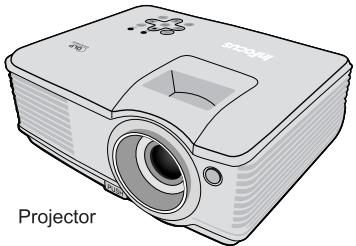
natural_image
Illustration of a projector with label 'Projector' (no other text or symbols)
The supplied accessories will be suitable for your region, and may differ from those illustrated.

Reference Guide CD

Quick Start Guide

Warranty Booklet

Safety Booklet

Registration Card
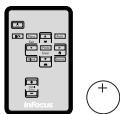
Remote Control & Battery
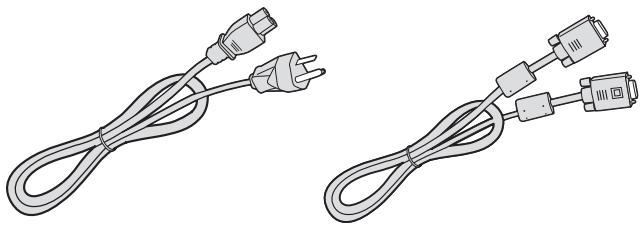
natural_image
Two line drawings of a power cord with two connectors (no text or symbols)
Power Cord
VGA Cable
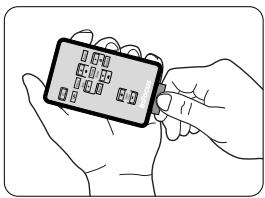
natural_image
Illustration of two hands holding a smartphone with a keypad (no text or symbols visible)

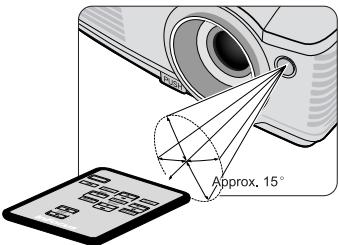
En Projector Packing List
Fr Détail du paquet du Projecteur
De Lieferumfang des Projektors
It Lista d'imballo proiettore
Es Lista del contenido del paquete del proyector
Pt Lista de conteúdos da embalagem do projector
NI Inhoud Projector verpakking
Ru Комплект поставки проектора
PI Zawartość opakowania projektora
Sv Packlista för projektor
Cs Seznam položek dodávaných k projektoru
Tr Projektör Ambalajı İçindekiler Listesi
Tc 投影機包裝內容
Sc 投影机包装清单
Ko 영사기 패키지 품목
Ja プロジェクタ同梱品
Th สิ่งที่ให้มาในกล่องบรรจุโปรเจคเตอร์
Ar قائمة محتويات عبوة جهاز إسقط
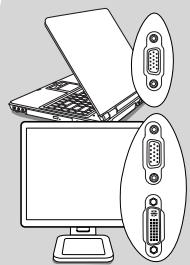
natural_image
Illustration of a computer monitor with an open folder and two labeled USB port connectors (no text or symbols present)
Monitor
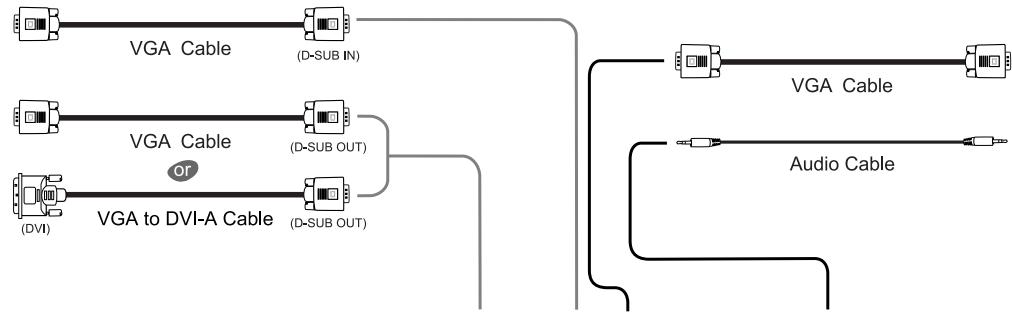
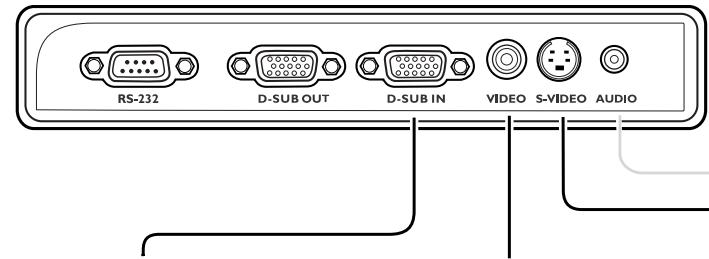
flowchart
graph TD
    A[" VGA Cable "] --> B[" (D-SUB IN) "]
    C[" VGA Cable (or)"] --> D[" (D-SUB OUT) "]
    E[" VGA to DVI-A Cable "] --> F[" (D-SUB OUT) "]
    G[" Audio Cable "] --> H[" (D-SUB OUT) "]
    I[" VGA Cable"] --> J[" (D-SUB OUT) "]
    K[" Audio Cable"] --> L[" (D-SUB OUT) "]
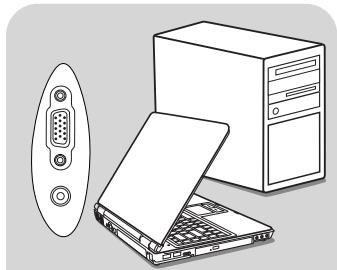
natural_image
Illustration of a desktop computer setup with a tower, keyboard, and an external monitor (no text or symbols)
PC/Notebook
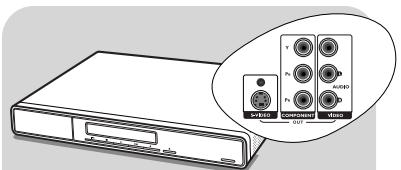
AV Equipment
* Component Video Source

Component Video Cable
* Composite Video Source

Video Cable
* S-Video Source

S-Video Cable

Audio Cable

Audio Cable

Audio Cable
En Connect Equipment
natural_image
Illustration of hands using a circular device to adjust a component, showing a curved arrow indicating rotation (no text or symbols present)
En Connect Power Cord & Power on
Fr Connexion du câble d'alimentation & Mise sous tension
De Anschließen des Netzkabels & Einschalten
It Collegare il cavo di alimentazione ed accendere
Es Conexión del cable de corriente y encendido
Pt Ligação do cabo de alimentação e activação
NI Aansluiting netsnoer en inschakelen
Ru Подсоединение кабеля питания и включение проектора
Pl Podłączanie przewodu zasilającego i włączanie zasilania
3
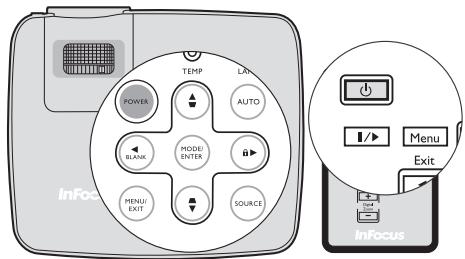
4
natural_image
Two black-and-white photos showing the same architectural model of the Americas and the Great Avaudre (no text or symbols visible)
natural_image
Two black-and-white photos of the Arc de Triomphe, showing front and side views with no visible text or symbols.
natural_image
Diagram of a grid-patterned object inside a rounded rectangle with bidirectional arrows indicating flow or movement (no text or symbols)
natural_image
Pure diagram of a rectangular object with grid pattern and bidirectional arrows, no text or symbols present
En Image Size and Clarity Adjustments
Fr Ajustements de la taille d'image et de clarté
De Einstellung von Bildgröße und Klarheit
It Regola dimensione immagine e limpidezza
Es Ajustes de claridad y tamaño de la imagen
Pt Ajustes do tamanho da imagem e claridade
NL Aanpassing van beeldformaat en duidelijkheid
Ru Регулировка размера и четкости изображения
PI Dostosowanie rozmiaru i czystości obrazu
Sv Justering av bildstorlek och skärpa
Cs Úpravy velikosti a čistoty obrazu
Tr Görüntü Boyutu ve Netlik Ayarları
natural_image
Exterior view of the Arc de Triomphe in Paris, featuring its iconic arch and decorative carvings (no visible text or symbols)
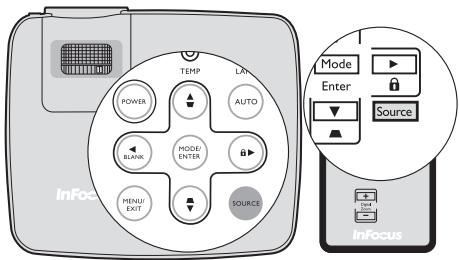
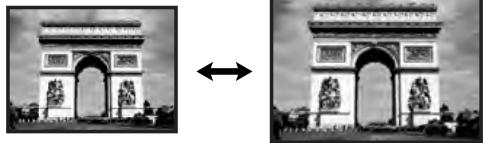
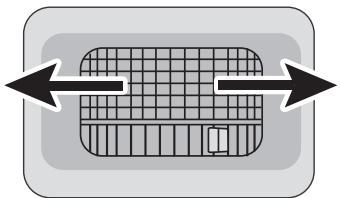
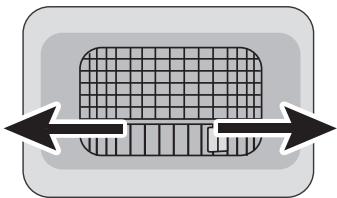
Press ▽/▲·

natural_image
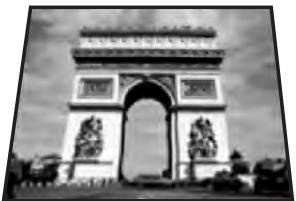
Exterior view of the Arc de Triomphe in Paris, featuring its iconic arch and decorative carvings (no signage or text visible)
Press △/▼.

natural_image
Exterior view of the Arc de Triomphe in Paris, featuring its iconic arch and decorative statues (no visible text or symbols)
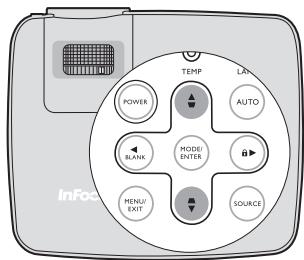
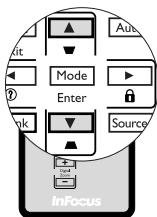
En Digital Keystone Correction
Fr Correction Numérique de Base
De Digitale Keystone-Korrektur
It Correzione digitale distorsione
Es Corrección trapezoidal digital
Pt Correcção da distorção digital
NI Digitale trapeziumfoutcorrectie
Ru Цифровая коррекция трапецеидальности
Pl Cyfrowa korekcja trapezowa
Sv Digital keystone-korrigering
Cs Digitální korekce lichoběžníkového zkreslení
Tr Dijital Çarpıklık Düzeltim
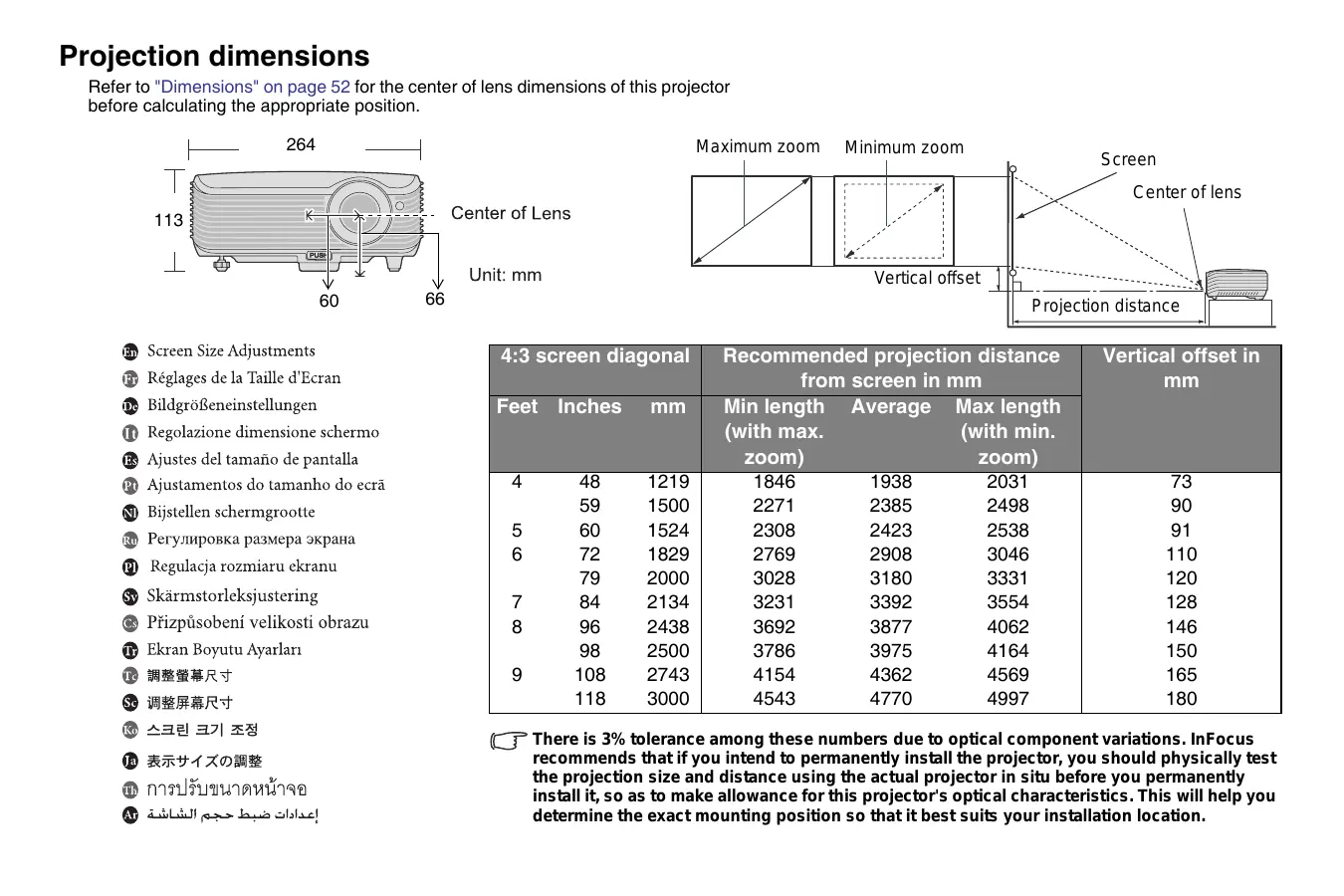
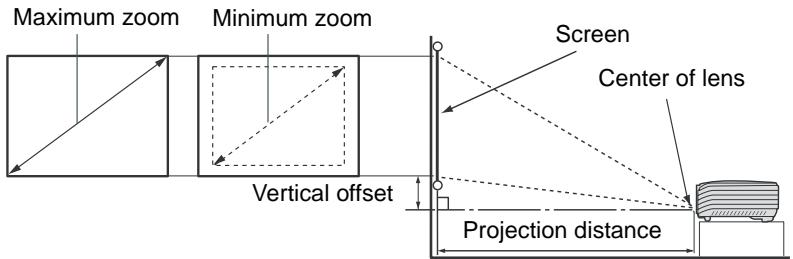
Projection dimensions
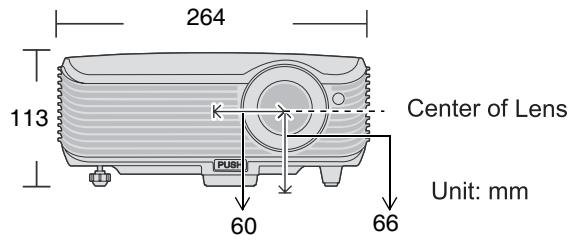
Refer to "Dimensions" on page 52 for the center of lens dimensions of this projector before calculating the appropriate position.
En Screen Size Adjustments
Fr Réglages de la Taille d'Ecran
De Bildgrößeneinstellungen
It Regolazione dimensione schermo
Es Ajustes del tamaño de pantalla
Pt Ajustamentos do tamanho do ecrã
Nl Bijstellen schermgrootte
Ru Регулировка размера экрана
Regulacja rozmiaru ekranu
Sv Skärmstorleksjustering
Cs Přizpůsobení velikosti obrazu
Tr Ekran Boyutu Ayarları
Tc 調整螢幕尺寸
Sc 调整屏幕尺寸
Ko 스크린 크기 조정
Ja 表示サイズの調整
Th การปรับขนาดหน้าจอ
Ar إعدادات ضبط حجم الشاشة
| 4:3 screen diagonal | Recommended projection distance from screen in mm | Vertical offset in mm |
| Feet | Inches | mm | Min length (with max. zoom) | Average | Max length (with min. zoom) |
| 4 | 48 | 1219 | 1846 | 1938 | 2031 | 73 |
| 59 | 1500 | 2271 | 2385 | 2498 | 90 |
| 5 | 60 | 1524 | 2308 | 2423 | 2538 | 91 |
| 6 | 72 | 1829 | 2769 | 2908 | 3046 | 110 |
| 79 | 2000 | 3028 | 3180 | 3331 | 120 |
| 7 | 84 | 2134 | 3231 | 3392 | 3554 | 128 |
| 8 | 96 | 2438 | 3692 | 3877 | 4062 | 146 |
| 98 | 2500 | 3786 | 3975 | 4164 | 150 |
| 9 | 108 | 2743 | 4154 | 4362 | 4569 | 165 |
| 118 | 3000 | 4543 | 4770 | 4997 | 180 |
There is 3% tolerance among these numbers due to optical component variations. InFocus recommends that if you intend to permanently install the projector, you should physically test the projection size and distance using the actual projector in situ before you permanently install it, so as to make allowance for this projector's optical characteristics. This will help you determine the exact mounting position so that it best suits your installation location.
Questions? Get help at: www.infocus.com/support
Hg - Lamp contains mercury. Manage in accordance with local disposal laws.
See www.lamprecycle.org
InFocus Corporation, 27500 SW Parkway Ave. Wilsonville, Oregon 97070-8238 USA
European Office: Louis Armstrongweg 110, 1311 RL Almere, The Netherlands
We declare under our sole responsibility that this projector conforms to the following directives and norms: EMC Directive 2004/108/EC,
EMC: EN 55022, EN 55024, EN 61000-3-2, EN 61000-3-3, Low Voltage Directive 73/23/EEC, Amended by 93/68/EEC, Safety: IEC 60950-1:1st
Edition
Trademarks
Apple, Macintosh, and PowerBook are trademarks or registered trademarks of Apple Computer, Inc. IBM is a trademark or registered trademark of International Business Machines, Inc. Microsoft, PowerPoint, and Windows are trademarks or registered trademarks of Microsoft Corporation. Adobe and Acrobat are trademarks or registered trademarks of Adobe Systems Incorporated. InFocus, In Focus, and INFOCUS (stylized), LP, LiteShow, ScreenPlay, LitePort, ASK and Proxima are either registered trademarks or trademarks of InFocus Corporation in the United States and other countries.
FCC Warning
Note: This equipment has been tested and found to comply with the limits for a Class B digital device, pursuant to part 15 of the FCC Rules. These limits are designed to provide reasonable protection against harmful interference in a residential installation. This equipment generates, uses and can radiate radio frequency energy and, if not installed and used in accordance with the instructions, may cause harmful interference to radio communications. However, there is no guarantee that interference will not occur in a particular installation. If this equipment does cause harmful interference to radio or television reception, which can be determined by turning the equipment off and on, the user is encouraged to try to correct the interference by one or more of the following measures:
--Reorient or relocate the receiving antenna.
--Increase the separation between the equipment and receiver.
--Connect the equipment into an outlet on a circuit different from that to which the receiver is connected.
--Consult the dealer or an experienced radio/TV technician for help.
Changes or modifications to this equipment that are not expressly approved by InFocus Corp. may void the user's authority to operate the equipment.
Canada
This Class B digital apparatus complies with Canadian ICES-003.
Please see product certification label for country approvals.
InFocus reserves the right to alter product offerings and specifications at any time without notice.
Customer Support Telephone
+1 (503) 685-8888
TOLL FREE: 800-799-9911
Mon-Fri, 7 am - 5 pm Pacific
techsupport@infocus.com
Europe, Middle East, Africa
Customer Support Telephone
+31 (0)36 539 2820
Mon-Fri, 08:30 - 18:00 CET
emea.support@infocus.com
Asia Pacific
Customer Support Telephone
Singapore: +65 63539449
China: 800.828.2268
Australia: 1300-725-295
Australia Direct Sales: 1800-885-841
Mon-Fri, 9 am - 5 pm SGT
asia-support@infocus.com
InFocus Corporation, 27500 SW Parkway Ave. Wilsonville, Oregon 97070-8238 USA
techsupport@infocus.com
Europe, Moyen-Orient, Afrique
asia-support@infocus.com
InFocus Corporation, 27500 SW Parkway Ave. Wilsonville, Oregon 97070-8238 USA
techsupport@infocus.com
Europa, Naher Osten, Afrika
asia-support@infocus.com
InFocus Corporation, 27500 SW Parkway Ave., Wilsonville, Oregon 97070-8238 U.S.A.
Ufficio europeo: Louis Armstrongweg 110, 1311 RL Almere, Paesi Bassi
techsupport@infocus.com
Europa, Medio Oriente e Africa
asia-support@infocus.com
de 7 a.m. a 5 p.m., PST
techsupport@infocus.com
asia-support@infocus.com
Acesse: www.infocus.com/support
InFocus Corporation, 27500 SW Parkway Ave. Wilsonville, Oregon 97070-8238 EUA
Escritório na Europa: Louis Armstrongweg 110, 1311 RL Almere, Holanda
techsupport@infocus.com
asia-support@infocus.com
techsupport@infocus.com
Europa, Midden-Oosten, Afrika
Telefoonnummer
asia-support@infocus.com
InFocus Corporation, 27500 SW Parkway Ave. Wilsonville, Oregon 97070-8238 USA (CWA)
techsupport@infocus.com
Европа, Африка, Ближний Восток
asia-support@infocus.com
InFocus Corporation, 27500 SW Parkway Ave. Wilsonville, Oregon 97070-8238 USA
techsupport@infocus.com
Europa, Mellanöstern, Afrika
asia-support@infocus.com
有问题吗?我们随时为您提供帮助!
InFocus Corporation, 2 7500 SW Parkway Ave. Wilsonville, Oregon 97070-8238 USA
欧洲办事处:Louis Armstrongweg 110,1311 RLAlmere, The Netherlands
techsupport@infocus.com
欧洲、中东和非洲
客户支持电话
+31 (0)36 539 2820
周一至周五,中部欧洲时间
asia-support@infocus.com
InFocus Corporation, 27500 SW Parkway Ave. Wilsonville, Oregon 97070-8238 USA
유럽 지사:Louis Armstrongweg 110,1311 RL Almere,The Netherlands
EN 55024,EN 61000-3-2,EN 61000-3-3,Low Voltage Directive 73/23/EEC 93/68/EEC,에서 수정,안전:IEC 60950-1:1st Edition
상표
techsupport@infocus.com
유럽, 중동, 아프리카
고객 지원 전화
+31 (0)36 539 2820
월-금,08:30-18:00 CET
emea.support@infocus.com
아시아 태평양
고객 지원 전화
싱가포르:+65 63539449
중국:800.828.2268
호주:1300-725-295
호주 다이렉트 세일즈:
1800-885-841
월-금,오전 9시-오후 5
asia-support@infocus.com
B급 기기(가정용 정보통신기기)
| Component Name /部件名称 | Lead (Pb) /铅 (Pb) | Mercury (Hg) /汞 (Hg) | Cadmium(Cd)/镉 (Cd) | Chromium VI Compounds(Cr VI)/六价铬 (Cr VI) | Polybrominated Biphenyls(PBB)/多溴联苯(PBB) | Polybrominated Diphenyl Ethers(PBDE)/多溴二苯醚(PBDE) |
| Case/Enclosure / 机壳 | O | O | O | O | O | O |
| Printed Circuit Assembly / 电子电路组件* | X | O | O | O | O | O |
| Chassis / 底座 | O | O | O | O | O | O |
| Engine / 引擎 | O | O | O | O | O | O |
| Hardware / 硬件 | O | O | O | O | O | O |
| Optics / 光学器件 | X | O | O | O | O | O |
| Lamp / 灯泡 | O | X | O | O | O | O |
| *: Printed Circuit Assembly includes all Printed Circuit Boards (PCBs) and their respective population of discrete components, ICs, and connectors.*: 电子电路组件包括所有包括所有印刷电路板(PCB)及其各自的离散组件、IC及连接器。○: Indicates the hazardous and toxic substance content of the part is lower than the threshold defined by the SJ/T11364-2006 standard.○: 表明该部件所含有害和有毒物质含量低于 SJ/T11364-2006 标准定义的阈值。×: Indicates the hazardous and toxic substance content of the part is over the threshold defined by the SJ/T11364-2006 standard. In all cases where an X is shown, InFocus uses an allowable exemption per EU RoHS.×: 表明该部件所含有害和有毒物质含量高于 SJ/T11364-2006 标准定义的阈值。对于所有显示为“X”的情况,InFocus 按照 EU RoHS 采用了容许的豁免指标。 |