
Robot Vacuum T12 - Robot vacuum Xiaomi - Free user manual and instructions
Find the device manual for free Robot Vacuum T12 Xiaomi in PDF.


Pick your language and provide your email: we'll send you a specifically translated version.
| Product Type | Robot vacuum cleaner |
| Brand | Xiaomi |
| Model | Robot Vacuum T12 |
| Category | Robot vacuum |
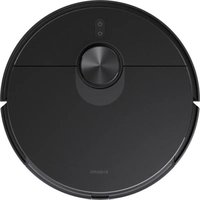
| Dimensions | 350 mm diameter x 95 mm height |
| Weight | 3.8 kg |
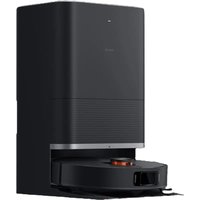
| Power Supply | 100-240 V, 50/60 Hz (charging dock) |
| Battery Capacity | 5200 mAh lithium-ion |
| Runtime | Up to 150 minutes (standard mode) |
| Charging Time | Approximately 6 hours |
| Suction Power | 3000 Pa |
| Dustbin Capacity | 600 ml |
| Navigation System | LDS laser navigation with SLAM algorithm |
| Sensors | Cliff, wall, anti-collision, and drop sensors |
| Connectivity | Wi-Fi IEEE 802.11 b/g/n (2.4 GHz) |
| App Control | Xiaomi Home / Mi Home app |
| Cleaning Modes | Auto, Spot, Edge, and Room modes |
| Mopping Function | Yes, with 500 ml electronic water tank |
| Filtration System | Washable HEPA filter |
| Spare Parts | Side brushes, main brush, mop cloth, filter, and dustbag |
Frequently Asked Questions - Robot Vacuum T12 Xiaomi
How do I connect the Robot Vacuum T12 to Wi-Fi?
Download the Xiaomi Home app, create an account, and follow the in-app instructions. Make sure the robot and phone are on the same 2.4 GHz network, then power on the robot and press the home button for 3 seconds until the indicator blinks.
Why is the robot not charging on the dock?
Check that the charging dock is connected to power and that the charging contacts on both the dock and robot are clean. Position the robot with the contacts aligned. If the issue persists, try resetting the robot by pressing the power button for 10 seconds.
How often should I clean the filter and brushes?
Clean the dustbin and filter after every 5-10 cleaning cycles, and replace the HEPA filter every 3-6 months depending on usage. Remove hair and debris from the main brush twice a week.
Can I schedule cleaning sessions with the app?
Yes, you can schedule cleaning times in the Xiaomi Home app. Go to the robot's settings, tap Schedule, and set the desired days and times for automatic cleaning.
Why does the robot stop mid-cleaning?
The robot may stop if its battery is low, it becomes trapped, or an obstacle is detected. Check for error notifications in the app, ensure the robot isn't stuck on cables or thresholds, and move any obstacles. If the battery is low, it will return to the dock automatically.
How do I reset the Robot Vacuum T12 to factory settings?
Turn off the robot and flip it over. Press and hold the power button and the home button simultaneously for 5 seconds until you hear a beep. This will restore factory settings and disconnect the Wi-Fi.
Does the mopping function require a special mop pad?
Yes, the robot uses a replaceable mop cloth attached to the water tank. Fill the tank with clean water (not soap), attach the cloth, and adjust the water level in the app if needed.
What safety features does the robot have?
The robot is equipped with cliff sensors to avoid stairs, anti-collision bumpers, and a drop sensor. It automatically returns to the dock when the battery is low and has a child lock option in the app.
Can I use the robot without Wi-Fi?
Yes, you can start or stop the robot using the physical buttons on the device. However, advanced features like scheduling, virtual boundaries, and map viewing require the app and a Wi-Fi connection.
Where can I download the owner's manual?
The manual is available for free on notice-facile.com. Go to the product page, choose your language, and click Download to get the PDF version.
User questions about Robot Vacuum T12 Xiaomi
0 question about this device. Answer the ones you know or ask your own.
Ask a new question about this device
No questions yet. Be the first to ask one.
Download the instructions for your Robot vacuum in PDF format for free! Find your manual Robot Vacuum T12 - Xiaomi and take your electronic device back in hand. On this page are published all the documents necessary for the use of your device. Robot Vacuum T12 by Xiaomi.
USER MANUAL Robot Vacuum T12 Xiaomi

Manual assistant
Powered by Anthropic
Waiting for your message
Product information
Brand : Xiaomi
Model : Robot Vacuum T12
Category : Robot vacuum