
Cinema SB270 - Soundbar JBL - Free user manual and instructions
Find the device manual for free Cinema SB270 JBL in PDF.


Pick your language and provide your email: we'll send you a specifically translated version.
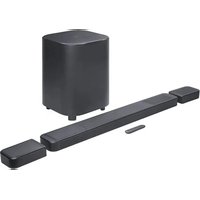
| Product type | Soundbar with wireless subwoofer |
| Brand | JBL |
| Model | Cinema SB270 |
| Total power output | 300 W RMS |
| Number of channels | 2.1 |
| Wireless subwoofer | Yes, 6.5" driver |
| Bluetooth version | 4.2 |
| HDMI ARC | Yes |
| Optical input | Yes |
| Auxiliary input | Yes |
| Wall mountable | Yes, with included bracket kit |
| Soundbar dimensions (W x H x D) | 40" x 2.3" x 3.5" (1015 x 58 x 70 mm) |
| Subwoofer dimensions (W x H x D) | 7.9" x 15.7" x 15.7" (200 x 400 x 400 mm) |
| Soundbar weight | 2.1 kg |
| Subwoofer weight | 5.4 kg |
| Power supply | 100-240V AC, 50/60Hz |
| Frequency response | 40 Hz - 20 kHz |
| Signal-to-noise ratio | >85 dB |
| Main functions | Bluetooth streaming, HDMI ARC, optical/aux inputs, wireless subwoofer, wall-mounting |
| Maintenance and cleaning | Use a soft dry cloth; avoid water and solvents |
| Safety | Do not expose to moisture; use supplied power adapter |
| Spare parts and reparability | Contact JBL support for replacement parts; professional repair advised |
| General information | Includes remote control, wall mounting kit, and quick start guide |
Frequently Asked Questions - Cinema SB270 JBL
How do I connect the soundbar to my TV?
You can connect via HDMI ARC, optical cable, or auxiliary input. Press the Source button on the remote or soundbar to select the corresponding input.
Can I stream music wirelessly from my smartphone?
Yes, the soundbar supports Bluetooth streaming. Pair your smartphone by enabling Bluetooth and selecting 'JBL Cinema SB270' in the device list.
How do I wall-mount the soundbar?
Use the included wall mounting brackets and template. Mark the drill holes, insert anchors, and secure the brackets with screws. Attach the soundbar securely.
How can I adjust the subwoofer volume?
Press the Subwoofer +/- buttons on the remote control to increase or decrease the bass level.
What is the maximum power output of the Cinema SB270?
The system delivers a total of 300 W RMS – 150 W for the soundbar and 150 W for the wireless subwoofer.
Does the soundbar support Dolby Digital?
Yes, it supports Dolby Digital decoding via the HDMI ARC or optical inputs, providing immersive surround sound.
How do I perform a factory reset?
With the soundbar on, press and hold the Volume Up and Volume Down buttons on the unit simultaneously for 5 seconds. The soundbar will reset to default settings.
What sound modes are available?
The remote includes Movie, Music, and News modes. Press the corresponding button to optimize audio for your content.
Can I connect a USB drive to play music?
No, the Cinema SB270 has no USB port. Use Bluetooth, HDMI ARC, optical, or auxiliary connections for audio playback.
How should I clean the soundbar?
Use a soft, dry cloth to wipe the external surfaces. Avoid using solvents, sprays, or water to prevent damage.
User questions about Cinema SB270 JBL
0 question about this device. Answer the ones you know or ask your own.
Ask a new question about this device
No questions yet. Be the first to ask one.
Download the instructions for your Soundbar in PDF format for free! Find your manual Cinema SB270 - JBL and take your electronic device back in hand. On this page are published all the documents necessary for the use of your device. Cinema SB270 by JBL.
USER MANUAL Cinema SB270 JBL


Manual assistant
Powered by Anthropic
Waiting for your message
Product information
Brand : JBL
Model : Cinema SB270
Category : Soundbar