Bar 1300XMK2 - Soundbar JBL - Free user manual and instructions
Find the device manual for free Bar 1300XMK2 JBL in PDF.


Pick your language and provide your email: we'll send you a specifically translated version.
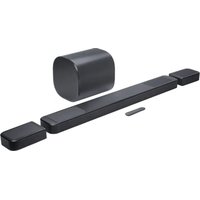
| Product Type | Soundbar with detachable wireless surround speakers |
| Model | Bar 1300XMK2 |
| Brand | JBL |
| Total Channels | 11.1.4 |
| Total Power Output | 1170W RMS |
| Dimensions (Main Soundbar) | 34.6 x 2.4 x 5.3 in (879 x 61 x 134 mm) |
| Weight (Main Soundbar) | 12.35 lb (5.6 kg) |
| Dimensions (Surround Speakers) | 7.1 x 6.0 x 5.9 in (180 x 152 x 149 mm) each |
| Weight (Surround Speakers) | 2.87 lb (1.3 kg) each |
| Wireless Subwoofer Dimensions | 15.0 x 7.5 x 7.5 in (381 x 191 x 191 mm) |
| Wireless Subwoofer Weight | 24.7 lb (11.2 kg) |
| Power Supply | AC 100-240V, 50/60Hz |
| Power Consumption (Max) | 500W |
| Standby Power | <0.5W |
| Audio Features | Dolby Atmos, DTS:X, MultiBeam, PureVoice, Smart Calibration |
| Connectivity | HDMI eARC (x1), HDMI In (x1), Optical, USB, Bluetooth 5.0, Wi-Fi |
| Video Support | 4K HDR10+, Dolby Vision passthrough |
| Wireless Surround Speakers | Detachable, battery-powered (rechargeable), up to 10 hours playback |
| Calibration | Automatic Smart Calibration with included microphone |
| Remote Control | Included (IR) |
| Cleaning and Maintenance | Wipe with a soft dry cloth; avoid liquids and abrasive cleaners |
| Safety Features | Overheating protection; automatic standby after 15 min inactivity |
| Spare Parts Availability | Remote control, power cable, HDMI cable, surround speaker batteries available from JBL support |
| Repairability Index | Not officially rated; modular design allows replacement of batteries and speakers |
Frequently Asked Questions - Bar 1300XMK2 JBL
How do I connect the JBL Bar 1300XMK2 to my TV?
Use the included HDMI cable to connect the soundbar's HDMI eARC port to your TV's HDMI eARC port. Alternatively, use optical cable. For Bluetooth, press the Bluetooth button on the remote and select the soundbar from your TV's Bluetooth menu.
Can I use the surround speakers as standalone Bluetooth speakers?
Yes, the detachable surround speakers can be used independently as portable Bluetooth speakers. Remove them from the soundbar, and they will automatically enter pairing mode.
How do I perform the Smart Calibration?
Place the calibration microphone at the listening position. Ensure it is connected to the soundbar's USB port. Then, go to Settings > Smart Calibration in the JBL One app or press the Calibration button on the remote. The system will emit test tones.
What is the best audio mode for movies?
For movies, we recommend the Dolby Atmos or DTS:X mode. You can also use the Movie preset. These modes provide immersive surround sound with clear dialogue.
How do I reset the soundbar to factory settings?
Press and hold the Source button on the main unit for about 10 seconds until the display shows 'RESET'. Release the button. The soundbar will restart and return to factory defaults.
Why is there no sound from the surround speakers?
First, ensure the surround speakers are powered on and paired. Check that the soundbar is not in Stereo mode. Go to Settings > Surround and select On. Also, verify the battery level on the surround speakers.
Can I control the soundbar with my TV remote?
Yes, if your TV supports HDMI-CEC and you connected via HDMI eARC. Enable HDMI Control on both devices. Then, the TV remote can control volume and power.
How do I update the firmware?
Connect the soundbar to the internet via Wi-Fi or Ethernet. Open the JBL One app. If an update is available, a prompt will appear. Follow the on-screen instructions to install the update.
What is the battery life of the surround speakers?
The surround speakers provide up to 10 hours of playback on a full charge. Charging time is approximately 3 hours. Use the USB-C cable included to charge them.
How do I clean the soundbar?
Unplug the soundbar. Use a soft, dry microfiber cloth to gently wipe the surface. Do not use any liquids or abrasive cleaners, as they may damage the finish or electronics.
User questions about Bar 1300XMK2 JBL
0 question about this device. Answer the ones you know or ask your own.
Ask a new question about this device
No questions yet. Be the first to ask one.
Download the instructions for your Soundbar in PDF format for free! Find your manual Bar 1300XMK2 - JBL and take your electronic device back in hand. On this page are published all the documents necessary for the use of your device. Bar 1300XMK2 by JBL.
USER MANUAL Bar 1300XMK2 JBL


Manual assistant
Powered by Anthropic
Waiting for your message
Product information
Brand : JBL
Model : Bar 1300XMK2
Category : Soundbar