
TUNER TNT S885 - DVB-T tuner EMTEC - Free user manual and instructions
Find the device manual for free TUNER TNT S885 EMTEC in PDF.



| Product Type | TNT Tuner / DVB-T Decoder |
| Brand | EMTEC |
| Model | TNT TUNER S885 |
| Dimensions (W x H x D) | 148 x 60 x 26 mm |
| Power Supply | AC/DC 12 V adapter |
| Connectivity | 20-pin SCART socket, RF input, IR socket |
| Video Standards | MPEG-2, DVB-T |
| Picture Formats | 4:3, 16:9 |
| Bandwidth | 6/7/8 MHz |
| Channel Search | Automatic, manual, by zone |
| Electronic Program Guide (EPG) | 7 days |
| Additional Functions | Teletext, subtitles, favorite channels, sorting, grouping, editing, parental lock |
| Audio | Stereo, mono, multi-language, surround adjustment and equalizer |
| Display | LCD with adjustable brightness |
| Active Antenna | Yes, can be enabled/disabled |
| Operating Temperature | -20 to 65 °C |
| Default Parental Lock Code | 8888 |
| Standby Mode | Yes, with automatic switch to VCR mode |
Frequently Asked Questions - TUNER TNT S885 EMTEC
User questions about TUNER TNT S885 EMTEC
0 question about this device. Answer the ones you know or ask your own.
Ask a new question about this device
Download the instructions for your DVB-T tuner in PDF format for free! Find your manual TUNER TNT S885 - EMTEC and take your electronic device back in hand. On this page are published all the documents necessary for the use of your device. TUNER TNT S885 by EMTEC.
USER MANUAL TUNER TNT S885 EMTEC
DVB- T Scart receiver
Scart DVB-T Receiver Unit 3
How to Connect with your TV and Antenna 3
Remote Controller Unit 3
2 Switching on 4
3 Operation 4
Changing Channels 4
Subtitle 4
Teletext 4
Volume Control 4
Audio Control 4
Soundtrack Language 5
Accessing the favorite channels 5
Displaying program information 5
Accessing the Electronic Program Guide (EPG) 5
Pausing the current picture 5
Switching between DTV AND VCR mode 5
Switching between TV and Radio mode 5
Channel List 5
4 System Setup 6
Digital TV 6
Channel Manager 7
Installation 7
Area Search 7
Manual Search 7
Auto Search 7
Configuration 7
OSD 7
TV 8
System Setup 8
Time 8
Wakeup Time 8
Parental Lock 9
Factory Default 9
Version 9
5 Specifications 9
6Trouble Shooting 10
1 General information
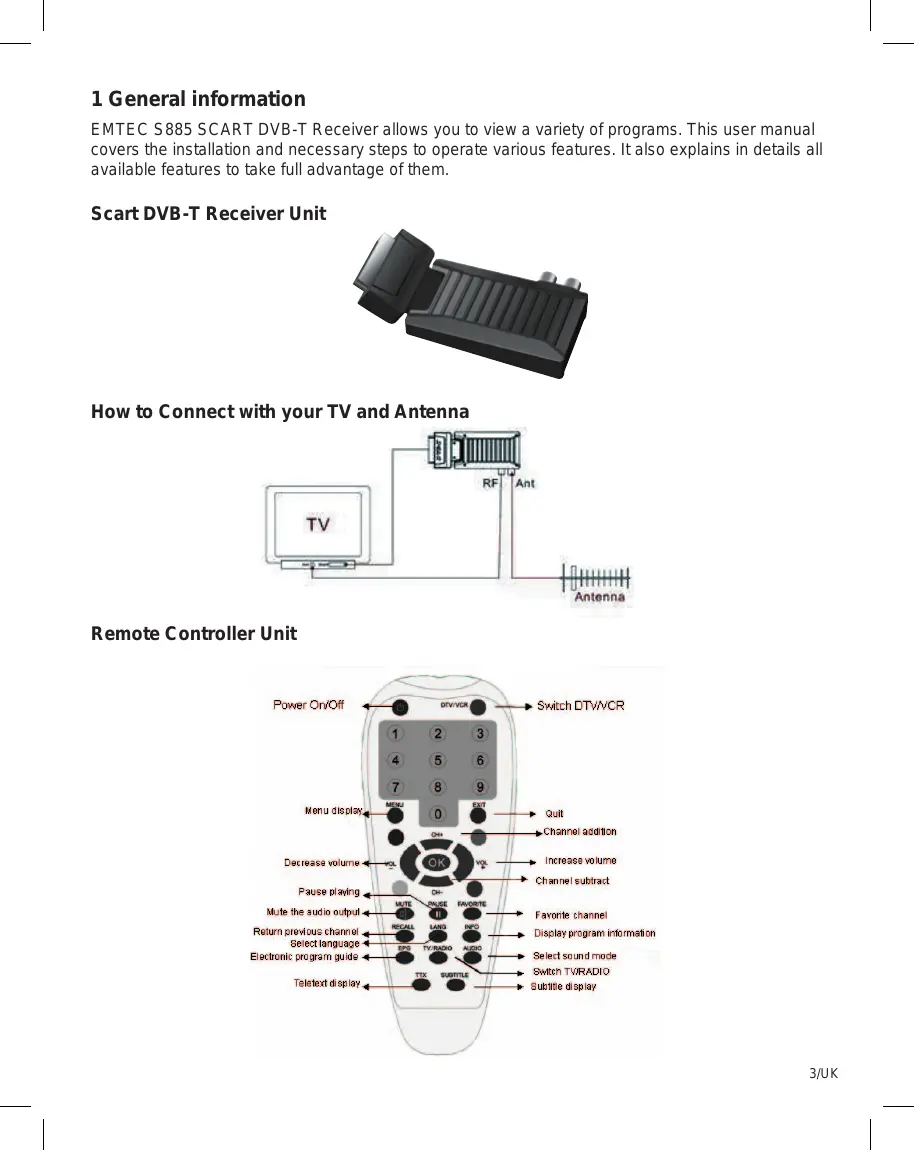
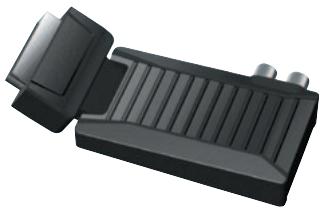
EMTEC S885 SCART DVB-T Receiver allows you to view a variety of programs. This user manual covers the installation and necessary steps to operate various features. It also explains in details all available features to take full advantage of them.
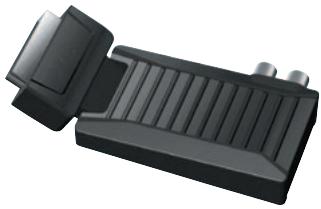
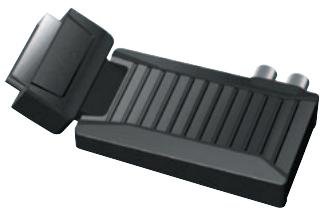
Scart DVB-T Receiver Unit
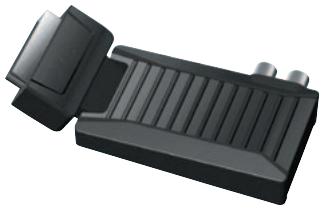
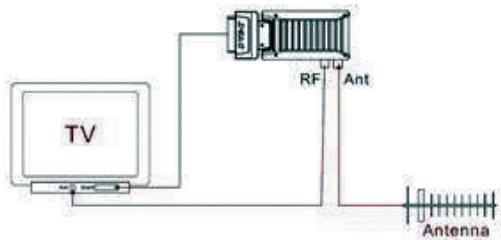
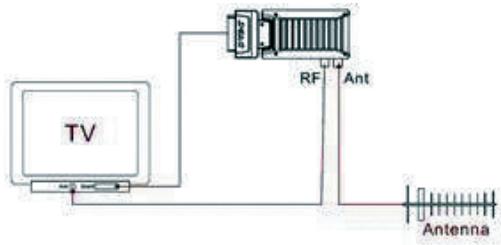
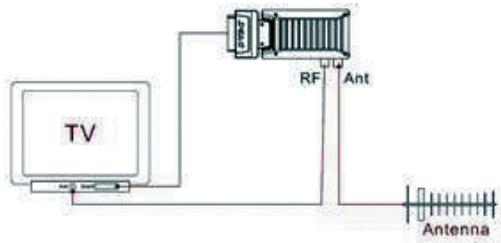
How to Connect with your TV and Antenna
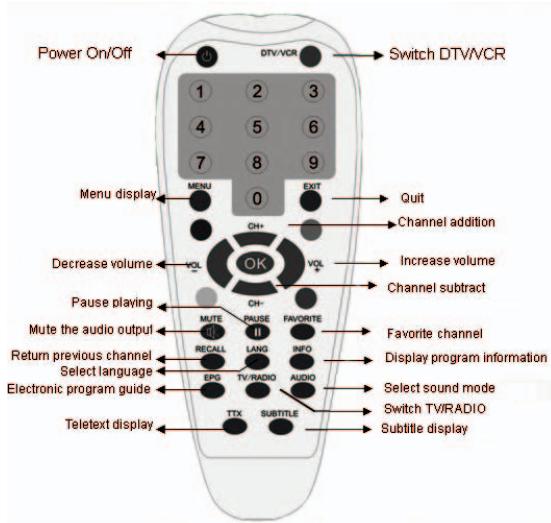
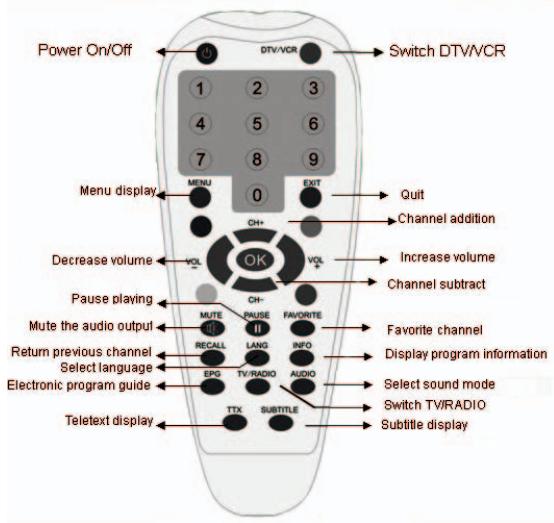
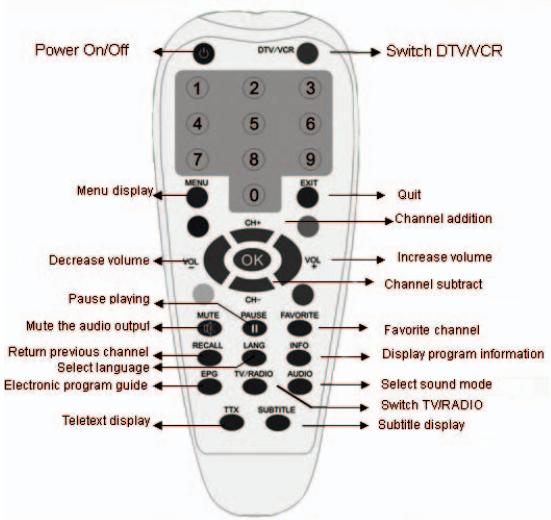
Remote Controller Unit
2 Switching on
Steps:
a) Turn on your TV set and select the SCART input.
b) Turn on the main power supply to the receiver and connect IR receiver to SCART receiver.
3 Operation
Changing Channels
There are four ways of channel selection - stepping through the channel list, selection by number, from the on-screen channel list, and using the electronic program guide (EPG)
Stepping through the channel list:
- To move through the channel list, press the CH+ or CH- key on the remote controller.
Selection by number:
- Enter the channel list number directly by remote controller to select desired channel.
- Auto scan will clean the channels that stored first.
- Manual scan don't clean the channels, but it will not add the repeated channels that have stored.
Selection by on-screen channels list:
- You can also select the required channel directly from on-screen channel list. This is displayed using the SCART receiver 's main menu. Please press "EXIT" to go out of channel list.
- Select Channel menu to go submenu, press UP/DOWN cursor button preview channels and press OK button to switch to the desired channel.
Selection by EPG:
You can also select the required channel directly from electronic program guide (EPG). Like the channel list, the EPG screen displays a list of the stored channels along with information on what programmes are being broadcast. Steps:
- Press the EPG button to enter the EPG menu.
- Press the UP/DOWN cursor button to highlight channel.
- Press OK cursor button to check program information within 30 minutes.
- Press Exit button to switch to the desired channel and preview channel.
Subtitle
- Press Subtitle button to switch subtitle On/Off.
Teletext
- Press TTX button to Open/Close teletext
Volume Control
The volume level of the SCART receiver can be altered with the LEFT/ RIGHT cursor button to remote controller.
NOTE :
The volume level selected will remain set, even when the receiver is turned off and on again, until it's altered. You can silence the sound from the receiver by pressing MUTE button on the remote controller.
Audio Control
You can press the LANG button to select different audio modes among STEREO, LEFT, and RIGHT MONO
Soundtrack Language
Some programs are broadcast in two or more language simultaneously. The soundtrack language can be selected or by pressing the LANG button on the remote controller.
Accessing the favorite channels
Steps:
- Press "Menu-Digital TV-Channel Manager-Channel Organizer"
- Press INFO button to get functions (Favorite/Skip/Lock/Del) according to different color (Red/Yellow/Blue/Green)
- Press EXIT button to exit from color information before "Favorite" channel
- Select the favorite channel, press Red key
- Press "OK-EXIT" and back to TV Program playing interface
- Press FAVORITE button on RC to get favorite channel list
Displaying program information
You can read the current program information by pressing "INFO" button on the remote controller. Press the button again to hide the program information table
Accessing the Electronic Program Guide (EPG)
- Press the EPG button to enter EPG menu.
- Press UP/DOWN cursor button to preview channel
- Press OK cursor button to check program information.
- Press OK button to switch to view guide.
Pausing the current picture
You can pause the current picture by pressing PAUSE button on the remote controller, press the key again to keep switching the program.
NOTE:
The broadcast between two pauses will be skipped
Switching between DTV AND VCR mode
You can switch between Digital TV mode and VCR mode by pressing DTV/VCR button on the remote controller.
NOTE:
When SCART receiver is in standby mode (turned off), DTV/VCR button will not activate. When the power is off, it will automatically change to VCR.
Switching between TV and Radio mode
You can switch between Digital TV mode and Radio mode by pressing "TV/RADIO button on the remote controller.
Channel List
Some channels broadcast material which you do not want younger members of the family to watch. Any channel can be locked so that it cannot be selected for viewing without entering PIN code.
Locking/Unlocking a channel:
Steps:
- Press "Menu-Digital TV-Channel Manager-Channel Organizer"
- Choose one channel you want to lock
- Press the blue button on RC, enter default password 8888
The channel is locked successfully
4 System Setup
Digital TV
There are some functions provided to users in the Digital TV system, Search TV, Program manager, System setting, Software update and Search software information etc. Press
Scart DVB-T Receiver
OSD (On-Screen Display)
Scart DVB-T Receiver
Ako prepjit' prijima's TV a anténou
Dial'kové ovladanie
2 Zapnutie
Postup :
a) Zapnite televízor a vyberte vstup SCART.
b) Zapojte prijimač SCART do siete; potom donž zapojte externý snímač pre dialkové ovládanie (IRPRIJIMAČ).
3 Ovladanie
Prepínanie kanálov
Scart DVB-T Receiver
Jak propojit prijimač s TV a anténou
Dálkové ovládání
2 Zapnutí
Postup :
- DVB- T Scart receiver
- General information
- Scart DVB-T Receiver Unit
- How to Connect with your TV and Antenna
- Remote Controller Unit
- Switching on
- Steps:
- Operation
- Changing Channels
- Subtitle
- Teletext
- Volume Control
- NOTE :
- Audio Control
- Soundtrack Language
- Accessing the favorite channels
- Displaying program information
- Accessing the Electronic Program Guide (EPG)
- Pausing the current picture
- NOTE:
- Switching between DTV AND VCR mode
- Switching between TV and Radio mode
- Channel List
- System Setup
- Digital TV
- Channel Manager
- Channel Organizer:
- Channel Sorting:
- Channel Grouping:
- Edit Channel:
- Delete All:
- Installation
- Area Search:
- Manual Search
- Auto Search
- Configuration
- OSD
- TV
- System Setup
- Time
- Wakeup Time
- Parental Lock
- Factory Default
- Version
- Specifications
- Trouble Shooting
- RÉCEPTEUR TNT PÉRITEL
- Manuel d'utilisation
- Table des Matieres
- Informations generales
- Comment raccorder chez TV et chez la montagne
- Télécommande
- Mise sous tension
- Étapes :
- Utilisation
- Changer les chaînes
- Scart DVB-T Receiver
- OSD (On-Screen Display)
- Ako prepjit' prijima's TV a anténou
- Dial'kové ovladanie
- Zapnutie
- Postup :
- Ovladanie
- Prepínanie kanálov
- Jak propojit prijimač s TV a anténou
- Dálkové ovládání
- Zapnutí
Brand : EMTEC
Model : TUNER TNT S885
Category : DVB-T tuner