
QUASAR WIRE - Binder FELLOWES - Free user manual and instructions
Find the device manual for free QUASAR WIRE FELLOWES in PDF.

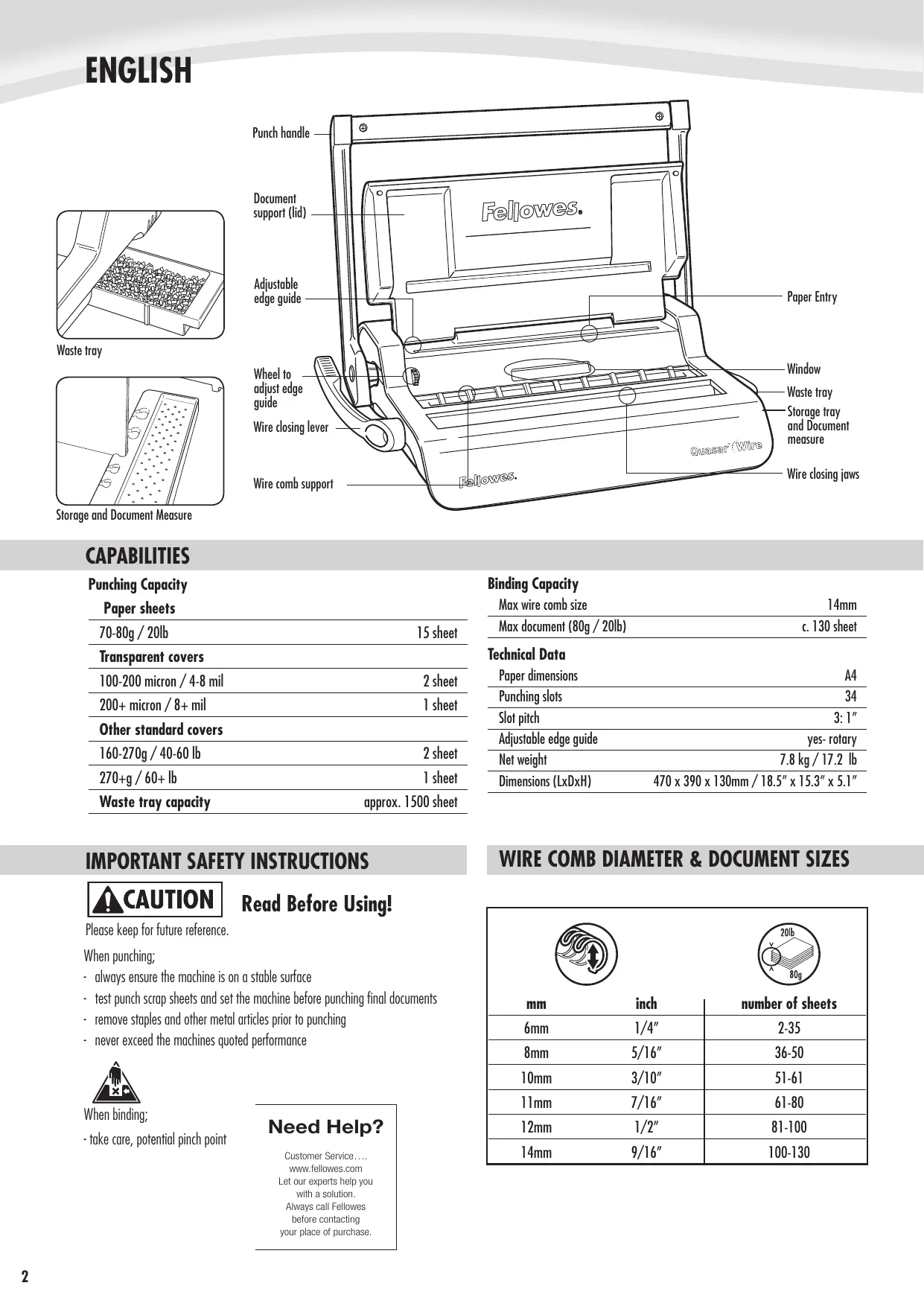

| Product Type | Wire Binding Machine |
| Brand | FELLOWES |
| Model | QUASAR WIRE |
| Sheets per cycle | 20 sheets (80 g/m²) |
| Compatible wire diameter | 6 to 32 mm |
| Max paper size | A4 (297 x 210 mm) |
| Dimensions (L x D x H) | 45 x 35 x 20 cm |
| Weight | 5.2 kg |
| Power supply | 220-240 V, 50 Hz |
| Power | 150 W |
| Binding type | Metallic wire binding |
| Main functions | Manual punching and binding |
| Waste bin capacity | 50 sheets |
| Margin adjustment | Yes, adjustable stop |
| Maintenance and cleaning | Clean with a dry cloth; do not use solvents |
| Safety | Automatic stop in case of jam; safety cover |
| Spare parts and repairability | Parts available from Fellowes after-sales service |
| Warranty | 2 years |
| Included accessories | Binding wire (sample), user manual |
Frequently Asked Questions - QUASAR WIRE FELLOWES
User questions about QUASAR WIRE FELLOWES
0 question about this device. Answer the ones you know or ask your own.
Ask a new question about this device
Download the instructions for your Binder in PDF format for free! Find your manual QUASAR WIRE - FELLOWES and take your electronic device back in hand. On this page are published all the documents necessary for the use of your device. QUASAR WIRE by FELLOWES.
USER MANUAL QUASAR WIRE FELLOWES
Business Wire Binder
Quasar™ Wire
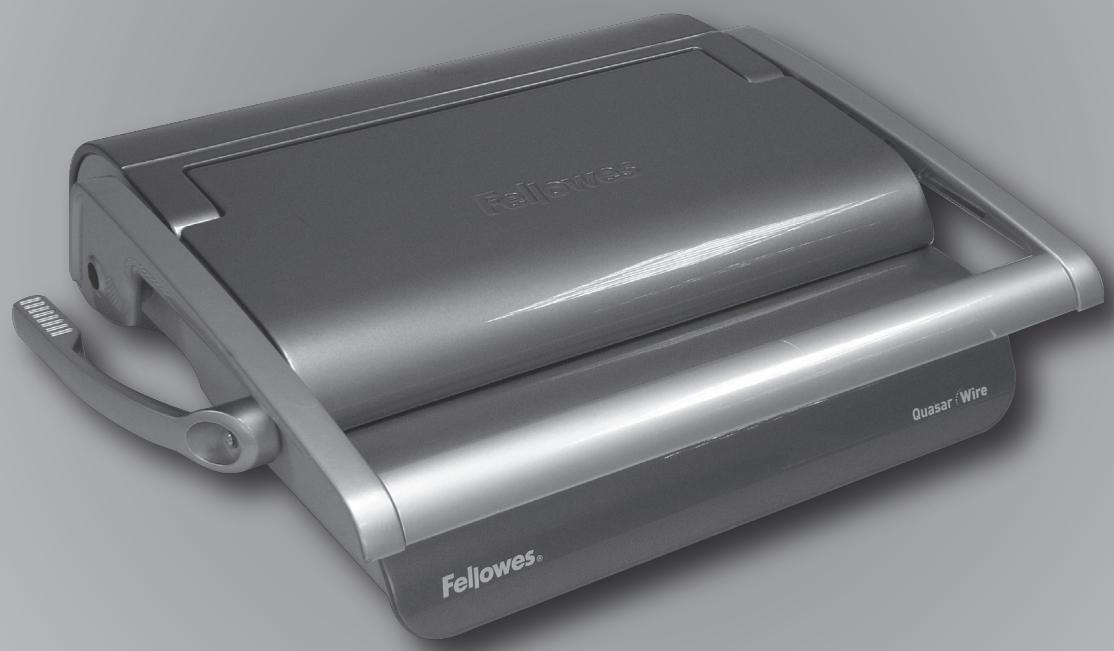
Please read these instructions before use.
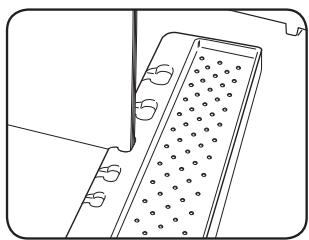
Storage and Document Measure
CAPABILITIES
Punching Capacity
Paper sheets
| 70-80g / 20lb | 15 sheet |
| Transparent covers | |
| 100-200 micron / 4-8 mil | 2 sheet |
| 200+ micron / 8+ mil | 1 sheet |
| Other standard covers | |
| 160-270g / 40-60 lb | 2 sheet |
| 270+g / 60+ lb | 1 sheet |
| Waste tray capacity | approx. 1500 sheet |
IMPORTANT SAFETY INSTRUCTIONS

CAUTION
Read Before Using!
Please keep for future reference.
When punching;
- always ensure the machine is on a stable surface
- test punch scrap sheets and set the machine before punching final documents
- remove staples and other metal articles prior to punching
- never exceed the machines quoted performance

When binding;
- take care, potential pinch point
Need Help?
Customer Service....
www.fellowes.com
Let our experts help you
with a solution.
Always call Fellowes
before contacting
your place of purchase.
Binding Capacity
| Max wire comb size | 14mm |
| Max document (80g / 20lb) | c. 130 sheet |
| Technical Data | |
| Paper dimensions | A4 |
| Punching slots | 34 |
| Slot pitch | 3: 1" |
| Adjustable edge guide | yes- rotary |
| Net weight | 7.8 kg / 17.2 lb |
| Dimensions (LxDxH) | 470 x 390 x 130mm / 18.5" x 15.3" x 5.1" |
WIRE COMB DIAMETER & DOCUMENT SIZES
| mm | inch | number of sheets |
| 6mm | 1/4" | 2-35 |
| 8mm | 5/16" | 36-50 |
| 10mm | 3/10" | 51-61 |
| 11mm | 7/16" | 61-80 |
| 12mm | 1/2" | 81-100 |
| 14mm | 9/16" | 100-130 |
SET UP
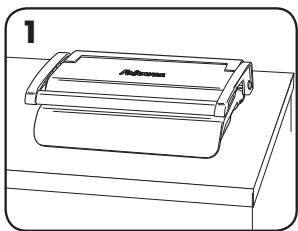
- Ensure the machine is on a stable surface.
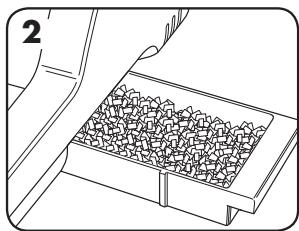
- Check waste tray is empty and correctly fitted.
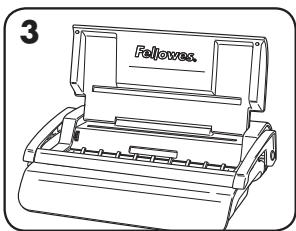
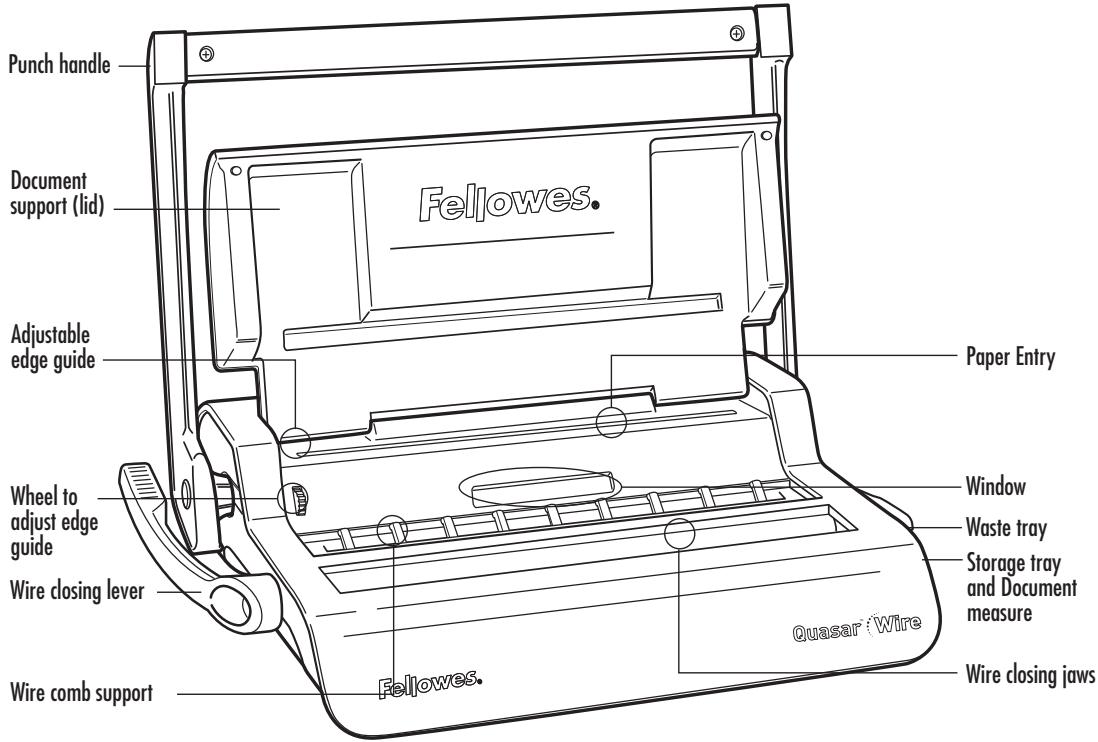
- Lift the lid. Ensure the wire closing lever is pushed backwards.
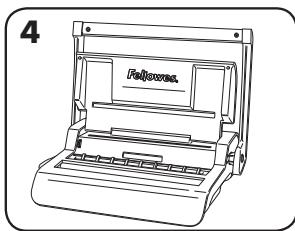
- Lift the punch handle to its upright position.
BEFORE YOU BIND
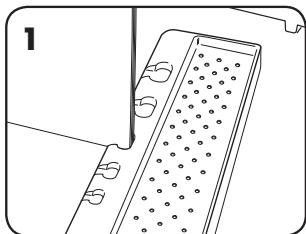
- Select the correct wire comb diameter using the comb storage tray.
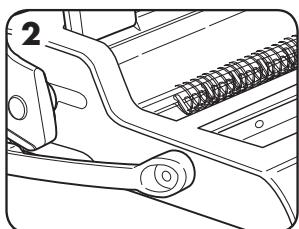
- Hang the selected wire comb onto wire comb support.
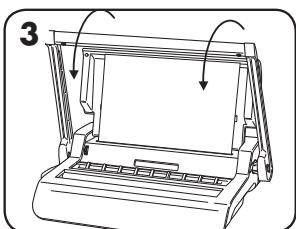
- Test punch scrap sheets to check edge guide setting.
STEPS TO BIND
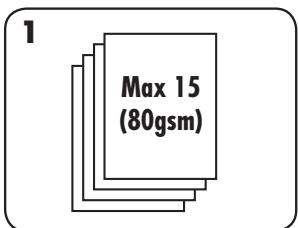
- Punch sheets in small batches that do not overload the machine or user.
- Starting with the rear cover. Load punched sheets directly onto the hanging open wire comb.
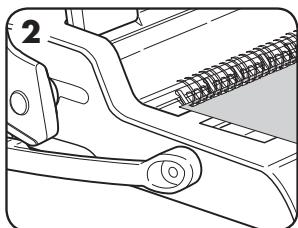
- Punch and hang the front cover. Punch and hang the remaining sheets.
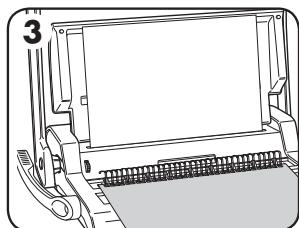
- Lift the wire comb upwards off the hooks. Carefully place into the open wire closing mechanism. Ensure the wire comb is open and touching the bottom of the mechanism.
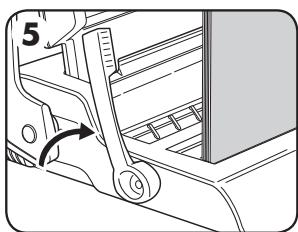
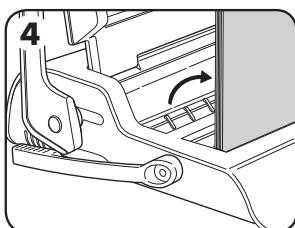
- Lift the wire closing lever forwards. The closing scale guide is on the moving jaw. Close the jaws until the wire gauge shows the size of wire being closed.
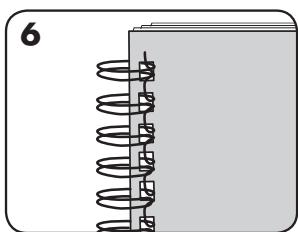
- Check the closed seam. If the seam is not closed correctly, the document can be placed into the jaws and closed again.
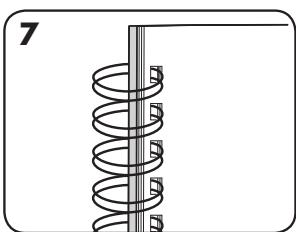
- To hide the seam, turn the rear cover backwards. The front cover is now visible. The seam is hidden inside the document.
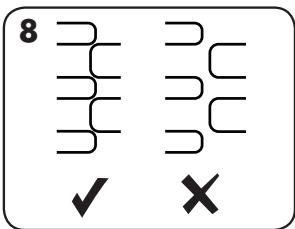
- Check wire seam closure is complete. Loose binding allows sheet loss. Good closure retains all sheets.
CORRECTING A BOUND DOCUMENT
Wire binding is a secure binding system. Additional sheets cannot be added unless the document is disassembled and then re-bound.
REMOVAL OF WASTE CLIPPINGS
The waste tray is located under the machine and is accessed from the right side. For best results empty the tray regularly.
STORAGE
Lower the punch handle to the horizontal position. Lower the lid.
TROUBLESHOOTING
| Problem | Cause | Solution |
| Punched holes are not central | Edge guide not set | Adjust edge guide until hole pattern is correct |
| Machine will not punch | Blockage | Check waste tray in empty. Check for blockage to paper entry |
| Punch holes are not parallel to edge | Debris is stuck below dies | Take stiff cardboard and slide into the paper entry. Move the cardboard sideways to release any stray clippings into the waste tray |
| Partial holes | Sheets not correctly aligned to punch pattern | Adjust edge guide and test punch scrap sheets until correct |
| Damaged hole edges | Possibly overloading the machine | Punch plastic covers with paper sheets. Reduce number of sheets being punched |
| Waste tray leaks | Waste tray is not correctly inserted or ‘burst feature’ has activated | Check waste tray is empty and ‘burst feature’ is closed |
| Sheets fall out of document | Wire comb is not closed enough | Check closure of wire comb. Place into closing mechanism and improve binding closure. |
WARRANTY
Fellowes warrants all parts of the binder to be free of defects in material and workmanship for 2 years from the date of purchase by the original consumer. If any part is found to be defective during warranty period, your sale and exclusive remedy will be repair or replacement, at Fellowes' option and expense, of the defective part. This warranty does not apply in cases of abuse, mishandling or unauthorised repair. Any implied warranty, including that of merchantability or fitness for particular purpose, is hereby limited in duration to the appropriate
warranty period set forth above. In no event shall Fellowes be liable for any consequential damages attributable to this product. This warranty gives you specific legal rights. You may have other legal rights that vary from this warranty. The duration, terms and conditions of this warranty are valid worldwide, except where different limitations, restrictions or conditions may be required by local law. For more details or to obtain services under this warranty, please contact Fellowes or your dealer.
Useful Phone Numbers
Help Line
| Australia | +1-800-33-11-77 |
| Canada | +1-800-665-4339 |
| Europe | 00-800-1810-1810 |
| Mexico | +1-800-234-1185 |
| United States | +1-800-955-0959 |
Fellowes
| Australia | +61-3-8336-9700 |
| Benelux | +31-(0)-76-523-2090 |
| Canada | +1-905-475-6320 |
| Deutschland | +49-(0)-5131-49770 |
| España | +34-91-748-05-01 |
| France | +33-(0)-1-30-06-86-80 |
| Italia | +39-071-730041 |
| Japan | +81-(0)-3-5496-2401 |
| Korea | +82-2-3462-2844 |
| Malaysia | +60-(0)-35122-1231 |
| Polska | +48-(0)-22-771-47-40 |
| Singapore | +65-6221-3811 |
| United Kingdom | +44-(0)-1302-836836 |
| United States | +1-630-893-1600 |


Brand : FELLOWES
Model : QUASAR WIRE
Category : Binder