
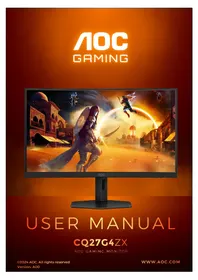
CQ27G4ZX - Monitor AOC - Free user manual and instructions
Find the device manual for free CQ27G4ZX AOC in PDF.


Pick your language and provide your email: we'll send you a specifically translated version.
| Product Type | Monitor |
| Brand | AOC |
| Model | CQ27G4ZX |
| Screen Size | 27 inches |
| Panel Type | VA (Vertical Alignment) |
| Curvature | 1500R |
| Resolution | 2560 x 1440 (QHD) |
| Refresh Rate | 240 Hz |
| Response Time | 1 ms MPRT |
| Brightness | 300 cd/m² (typical) |
| Contrast Ratio | 3000:1 (typical) |
| Viewing Angles | 178° horizontal / 178° vertical |
| Connectivity | 2x HDMI 2.0, 1x DisplayPort 1.4, 1x Audio Out |
| Power Consumption | 28 W (typical), standby < 0.5 W |
| Dimensions (with stand) | 613.2 mm x 538.8 mm x 236.7 mm |
| Weight (with stand) | 6.2 kg |
| Tilt Adjustment | -5° to +23° |
| Swivel Adjustment | Yes |
| Height Adjustment | 100 mm |
| VESA Mount | 100 x 100 mm |
| Adaptive Sync | Yes (G-Sync compatible and FreeSync) |
| Maintenance and Cleaning | Clean the screen with a soft, dry cloth. Do not use solvents or abrasive cleaners. |
| Security | Kensington Lock ready |
| Spare Parts and Repairability | Replacement stand, power supply, and other components available through authorized AOC service centers. |
Frequently Asked Questions - CQ27G4ZX AOC
How do I adjust the monitor height and tilt?
The monitor supports tilt adjustment from -5° to +23° and a 100 mm height adjustment range. To adjust, gently hold the top and bottom of the monitor and move it to the desired position.
How do I enable Adaptive Sync?
Connect the monitor via DisplayPort or HDMI. Press the OSD button to access the menu, go to 'Game Setting', and enable 'Adaptive Sync'. Make sure your graphics card supports Adaptive Sync technology (FreeSync or G-Sync).
Which cable should I use for 240 Hz refresh rate?
To achieve 240 Hz refresh rate, use the included DisplayPort 1.4 cable. HDMI 2.0 supports up to 144 Hz at QHD resolution.
How do I clean the screen safely?
Turn off the monitor and unplug it. Use a soft, dry microfiber cloth to gently wipe the screen. For stubborn smudges, slightly dampen the cloth with water (not dripping) and wipe again. Avoid using alcohol, solvents, or window cleaners.
What is the VESA mount size?
The monitor is compatible with 100 x 100 mm VESA mounts. Use screws appropriate for your mount arm or bracket, typically M4 x 10mm.
How do I set up the monitor stand?
Place the monitor screen face down on a soft, flat surface. Align the stand arm into the back of the monitor until it clicks into place. Then attach the base plate to the arm and tighten the screw.
Does this monitor support HDR?
Yes, the AOC CQ27G4ZX supports HDR10. Enable HDR in your operating system's display settings and in the monitor OSD under 'Color' > 'HDR Mode'.
How do I adjust OSD settings?
Use the joystick button located on the back of the monitor. Press it to open the OSD menu, navigate with the stick, and press to confirm. You can adjust brightness, contrast, gamma, game modes, and more.
Can I mount this monitor on a wall?
Yes, the monitor is VESA compatible (100 x 100 mm). Remove the stand, then attach a wall mount bracket using the VESA holes. Do not use screws longer than stem to avoid damaging the panel.
What is the warranty period?
AOC typically offers a 3-year warranty for monitors, including this model. Warranty terms may vary by region. Contact AOC support or check the manual for specific details.
User questions about CQ27G4ZX AOC
0 question about this device. Answer the ones you know or ask your own.
Ask a new question about this device
No questions yet. Be the first to ask one.
Download the instructions for your Monitor in PDF format for free! Find your manual CQ27G4ZX - AOC and take your electronic device back in hand. On this page are published all the documents necessary for the use of your device. CQ27G4ZX by AOC.
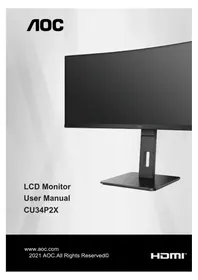
USER MANUAL CQ27G4ZX AOC
Manual assistant
Powered by Anthropic
Waiting for your message
Product information
Brand : AOC
Model : CQ27G4ZX
Category : Monitor