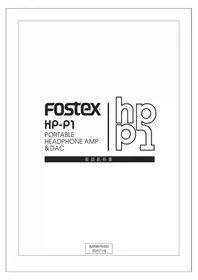
HP-P1 - Headphone amplifier FOSTEX - Free user manual and instructions
Find the device manual for free HP-P1 FOSTEX in PDF.


Pick your language and provide your email: we'll send you a specifically translated version.
| Product Type | Portable Headphone Amplifier |
| Brand | Fostex |
| Model | HP-P1 |
| Compatibility | Portable music players, smartphones, computers with 3.5mm output |
| Input Connector | 3.5mm stereo mini-jack |
| Output Connector | 3.5mm stereo mini-jack |
| Amplifier Technology | High-gain analog amplification for clear sound |
| Volume Control | Precision analog volume dial |
| Power Source | Built-in rechargeable lithium-ion battery |
| Battery Life | Approximately 8 hours of continuous playback |
| Charging Interface | Micro USB charging port |
| Dimensions | Approx. 65 x 105 x 16 mm |
| Weight | Approx. 180 grams |
| Chassis Material | Durable aluminum alloy |
| Status Indicator | LED for power and battery status |
| Main Functions | Amplifies low-level audio signals from portable sources |
| Maintenance | Wipe with a soft, dry cloth |
| Safety Precautions | Keep away from water and high temperatures |
| Spare Parts | Replacement battery and cables available |
| Repairability | Internal components accessible for repair |
Frequently Asked Questions - HP-P1 FOSTEX
What is the Fostex HP-P1?
The Fostex HP-P1 is a portable headphone amplifier designed to enhance the audio signal from portable devices such as MP3 players, smartphones, and laptops.
How do I connect the HP-P1 to my audio source?
Use a 3.5mm audio cable to connect the output of your music player to the input of the HP-P1. Then connect your headphones to the output jack.
How do I charge the HP-P1?
Connect the Micro USB cable to the charging port and plug the other end into a USB power adapter or computer. The LED indicates charging progress.
How long does the battery last on a full charge?
The built-in battery provides approximately 8 hours of continuous operation, depending on volume level and headphone impedance.
Can I use the HP-P1 with a smartphone?
Yes, as long as your smartphone has a 3.5mm headphone output. Connect it using a standard audio cable to amplify the sound.
How should I clean the HP-P1?
Use a soft, dry cloth to wipe the exterior. Avoid using liquids or harsh chemicals to prevent damage.
What should I do if my HP-P1 does not power on?
First, charge the device for at least 2 hours. If it still does not turn on, check the grounding or contact technical support.
Can I replace the battery on the HP-P1?
Yes, the battery is replaceable. It is recommended to have a qualified technician perform the replacement to avoid damage.
Does the HP-P1 work with high-impedance headphones?
Yes, the HP-P1 can drive high-impedance headphones with its high-gain amplification, providing sufficient volume and clarity.
What is included in the HP-P1 package?
The package includes the HP-P1 amplifier, a Micro USB charging cable, and a user manual.
User questions about HP-P1 FOSTEX
0 question about this device. Answer the ones you know or ask your own.
Ask a new question about this device
No questions yet. Be the first to ask one.
Download the instructions for your Headphone amplifier in PDF format for free! Find your manual HP-P1 - FOSTEX and take your electronic device back in hand. On this page are published all the documents necessary for the use of your device. HP-P1 by FOSTEX.
USER MANUAL HP-P1 FOSTEX

Manual assistant
Powered by Anthropic
Waiting for your message
Product information
Brand : FOSTEX
Model : HP-P1
Category : Headphone amplifier