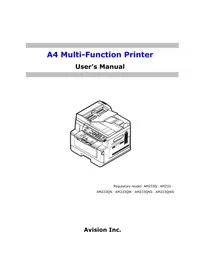
AM233QW - Printer AVISION - Free user manual and instructions
Find the device manual for free AM233QW AVISION in PDF.


Pick your language and provide your email: we'll send you a specifically translated version.
| Type of product | Multifunction monochrome laser printer |
| Brand | AVISION |
| Model | AM233QW |
| Connectivity | USB 2.0, Ethernet, Wi-Fi (optional) |
| Print speed | Up to 30 pages per minute |
| Print resolution | Up to 1200 x 1200 dpi |
| Paper tray capacity | 250 sheets standard, 50-sheet multipurpose tray |
| Duplex printing | Automatic |
| Scanner type | Flatbed with 50-sheet automatic document feeder |
| Copier functions | Yes with reduce and enlarge options |
| Fax functions | Yes with 33.6 kbps modem |
| Display | 4-line LCD control panel |
| Dimensions (W x D x H) | 420 x 390 x 320 mm |
| Weight | 11.2 kg |
| Power consumption | Active: 450 W, Standby: 5 W |
| Power supply | AC 220-240 V, 50/60 Hz |
| Duty cycle | Up to 20,000 pages per month |
| Warm-up time | Less than 15 seconds |
| First print time | Less than 8.5 seconds |
| Paper sizes | A4, A5, A6, B5, Letter, Legal, Executive |
| Media weight | 60-163 g/m² |
| Memory | 256 MB, expandable to 512 MB |
| Operating systems | Windows, macOS, Linux |
| Maintenance | Clean the print head and paper feed rollers regularly |
| Spare parts | Toner and drum unit are user-replaceable |
Frequently Asked Questions - AM233QW AVISION
How do I set up my AVISION AM233QW printer for the first time?
To set up, unpack the printer and remove all packaging materials. Connect the power cable, install the included toner and drum unit. Load paper into the tray, then install the driver from the CD or download from AVISION's website. Choose either USB or network connection during setup.
What types of paper can I use?
The printer supports A4, A5, A6, B5, Letter, Legal and envelopes. The recommended paper weight is 60-163 g/m². Always use paper that is dry and stored properly to avoid jams.
How do I print double-sided?
Select the duplex printing option in the printer driver. This printer has automatic duplex so it will flip the paper automatically. Make sure you choose the correct binding orientation in the print settings.
What should I do if a paper jam occurs?
Open the front cover, check the paper path and gently pull out any stuck paper. If necessary, remove the drum unit to access deeper jams. Then close the cover and press the resume button. Use the manual for precise steps.
How do I clean the printer?
Use a soft, lint-free cloth to clean the exterior and the scanner glass. For the paper feed rollers, gently rotate them with a cloth moistened with isopropyl alcohol to remove dust and paper debris.
How do I connect the printer to a Wi-Fi network?
On the printer's control panel, go to the network settings. Choose Wi-Fi and select the WPS option or enter your network name and password manually. Confirm the connection, then install the driver on your devices.
How often should I replace the toner or drum?
The toner cartridge lasts about 1,500 pages. When you see faded prints or a low toner warning, replace it with an AVISION original. The drum unit should be replaced after approximately 12,000 pages to maintain quality.
Why are my prints faded or uneven?
Check the toner level, and clean the print head using the built-in cleaning utility. Ensure the paper is not moist and the density setting is adjusted. Running a calibration from the printer settings can also help.
How do I replace the toner cartridge?
Open the front cover and pull out the drum unit. Remove the old toner cartridge and unpack the new one. Shake it gently from side to side to distribute the toner, then insert it into the drum unit until it clicks. Replace the assembly and close the cover.
Where can I download the full user manual for the AM233QW?
You can download the PDF user manual for free from the AVISION official website under the support section. It is also available on notice-facile.com by searching for AM233QW or AVISION AM233QW. The manual contains detailed instructions for setup, use and troubleshooting.
User questions about AM233QW AVISION
0 question about this device. Answer the ones you know or ask your own.
Ask a new question about this device
No questions yet. Be the first to ask one.
Download the instructions for your Printer in PDF format for free! Find your manual AM233QW - AVISION and take your electronic device back in hand. On this page are published all the documents necessary for the use of your device. AM233QW by AVISION.
USER MANUAL AM233QW AVISION

Manual assistant
Powered by Anthropic
Waiting for your message
Product information
Brand : AVISION
Model : AM233QW
Category : Printer