AD8150N - Scanner AVISION - Free user manual and instructions
Find the device manual for free AD8150N AVISION in PDF.


Pick your language and provide your email: we'll send you a specifically translated version.
| Product Type | Document Scanner |
| Brand | Avision |
| Model | AD8150N |
| Scanner Type | ADF (Automatic Document Feeder) |
| Document Feeding | Automatic duplex scanning |
| Optical Resolution | 600 dpi |
| Scan Speed | Up to 80 pages per minute (black & white, A4) |
| Connectivity | USB 2.0, Ethernet (network version) |
| Daily Duty Cycle | Up to 10,000 pages |
| Document Size | A4, A5, B5, Legal |
| Output Formats | PDF, TIFF, JPEG, searchable PDF |
| Dimensions (W x D x H) | Approx. 520 x 430 x 340 mm |
| Weight | Approx. 18 kg |
| Power Consumption | 48 W (operating), less than 5 W standby |
| Power Supply | AC 100-240V, 50/60 Hz |
| Main Functions | Scan to email, scan to folder, OCR |
| Maintenance | Clean ADF rollers and glass periodically |
| Safety Certifications | UL, cUL, FCC Class B |
| Spare Parts | ADF roller kit and separation pad available |
| Repairability | Modular design; consumables replaceable without tools |
| Software | Avision software suite, compatible with TWAIN drivers |
Frequently Asked Questions - AD8150N AVISION
How do I load documents into the Avision AD8150N scanner?
Lift the ADF cover, adjust the paper guides to the document width, and place the stack face down with the top edge first. Make sure the stack does not exceed the ADF capacity, then close the cover.
How should I clean the scanner to maintain optimal performance?
Regularly clean the ADF rollers, separation pad, and glass strip using a soft lint-free cloth slightly dampened with isopropyl alcohol. Let all parts dry completely before scanning.
Can the AD8150N be used on a network?
Yes, the model with the 'N' suffix supports Ethernet connectivity, allowing scanning to network folders, email, or FTP directly from the scanner without a dedicated PC.
What is the maximum scan speed of the AD8150N?
In duplex mode, the scanner can achieve up to 80 pages per minute (160 images per minute) at 200 dpi in black and white grayscale mode. Actual speed depends on resolution and document size.
How do I replace the ADF roller kit?
Open the ADF cover, release the roller lock, and pull out the worn roller assembly. Insert the new roller, secure it, and close the cover. No special tools are needed, and the process takes about 5 minutes.
What should I do if paper jams occur frequently?
First, check that the paper guides are correctly adjusted and the paper is not crumpled. Clean the rollers and separation pad. If jams persist, replace the consumables as they may be worn.
Which operating systems are compatible with the AD8150N?
The scanner supports Windows, macOS, and Linux via standard TWAIN and ISIS drivers. Avision provides drivers for common versions of these systems on their website.
How can I adjust the scan settings for better image quality?
Use the scanning software interface to set resolution (higher dpi), choose the appropriate color mode, enable automatic color detection, and adjust contrast and brightness for dark or faded documents.
Can I scan double-sided documents automatically?
Yes, the AD8150N has a duplex ADF. Select 'Duplex' mode in the scan settings to scan both sides of the page in one pass.
What types of documents can the scanner accept?
The scanner handles standard paper sizes from A5 to Legal, as well as long pages up to 3 meters when using the long document mode. It is suitable for mixed batches of receipts, letter-size paper, and even business cards with the optional carrier.
User questions about AD8150N AVISION
0 question about this device. Answer the ones you know or ask your own.
Ask a new question about this device
No questions yet. Be the first to ask one.
Download the instructions for your Scanner in PDF format for free! Find your manual AD8150N - AVISION and take your electronic device back in hand. On this page are published all the documents necessary for the use of your device. AD8150N by AVISION.
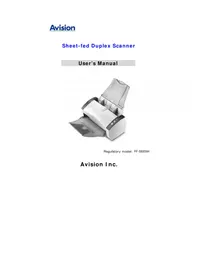
USER MANUAL AD8150N AVISION
Manual assistant
Powered by Anthropic
Waiting for your message
Product information
Brand : AVISION
Model : AD8150N
Category : Scanner