
WRT54G2 - Wireless Router LINKSYS - Free user manual and instructions
Find the device manual for free WRT54G2 LINKSYS in PDF.



| Product Type | Wireless Router |
| Brand | Linksys |
| Model | WRT54G2 |
| Wireless Standard | 802.11g |
| Maximum Wireless Data Rate | 54 Mbps |
| Number of LAN Ports | 4 Ethernet 10/100 ports |
| Number of WAN Ports | 1 Ethernet 10/100 port |
| Dimensions (L x W x H) | 170 x 130 x 35 mm |
| Weight | 250 g |
| Power Supply | AC adapter 12 V DC, 1 A |
| Power Consumption | ~5 W |
| Main Functions | Wireless router, firewall, DHCP server, NAT, parental control |
| Security | WEP, WPA, WPA2, MAC filtering, SPI firewall |
| Installation | EasyLink Advisor setup wizard via CD-ROM |
| Maintenance and Cleaning | Clean with a soft dry cloth. Do not use abrasive products. |
| Spare Parts and Repairability | Device not user-repairable. In case of failure, replace the device. |
| General Information | System requirements: computer with CD-ROM drive, web browser |
Frequently Asked Questions - WRT54G2 LINKSYS
User questions about WRT54G2 LINKSYS
0 question about this device. Answer the ones you know or ask your own.
Ask a new question about this device
Download the instructions for your Wireless Router in PDF format for free! Find your manual WRT54G2 - LINKSYS and take your electronic device back in hand. On this page are published all the documents necessary for the use of your device. WRT54G2 by LINKSYS.
USER MANUAL WRT54G2 LINKSYS
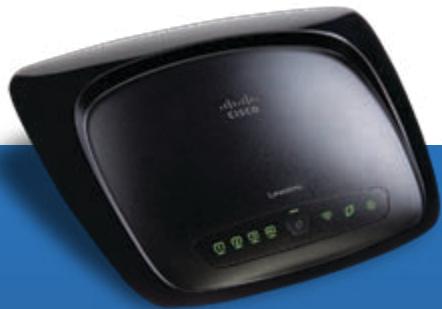
Wireless-G Broadband Router
Model: WRT54G2 (EU)
natural_image
Black wireless router device with control buttons and display screen (no visible text or symbols)Table of Contents
English 3
Installation....3
Deutsch....8
Installation 8
Español 13
Instalación ....13
Français....18
Installation....18
Italiano....23
Installazione....23
Nederlands....28
Installatie....28
Português....33
Instalação ....33
Online Resources
Website addresses in this document are listed without http:// in front of the address because most current web browsers do not require it. If you use an older web browser, you may have to add http:// in front of the web address.
| Resource | Website |
| Linksys Europe | www.linksys.eu |
| Linksys International | www.linksys.com/international |
| Linksys | www.linksys.com |
| Glossary | www.linksys.com/glossary |
| Network Security | www.linksys.com/security |
Copyright and Trademarks
Linksys is a registered trademark or trademark of Cisco Systems, Inc. and/or its affiliates in the U.S. and certain other countries. Copyright © 2008 Cisco Systems, Inc. All rights reserved. Other brands and product names are trademarks or registered trademarks of their respective holders.

English
Installation
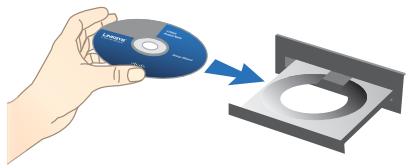
A. Insert the Setup CD-ROM into your CD-ROM drive.
natural_image
Hand holding a CD to transfer a circular component into a tray (no text or symbols visible)B. If asked, select your preferred language and click OK. To begin installation, click Start Setup.
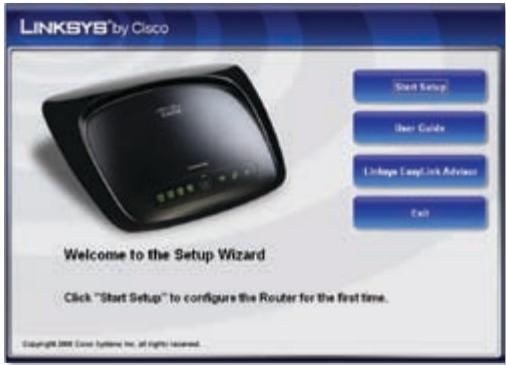
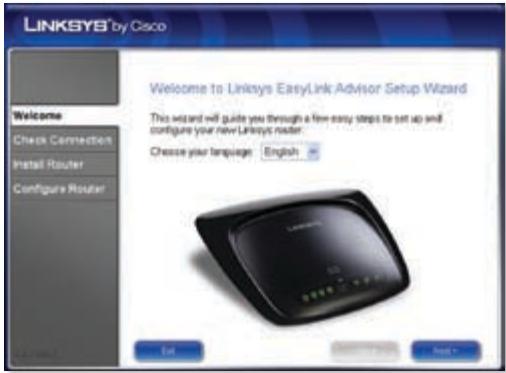
C. On the Welcome screen, click Next.
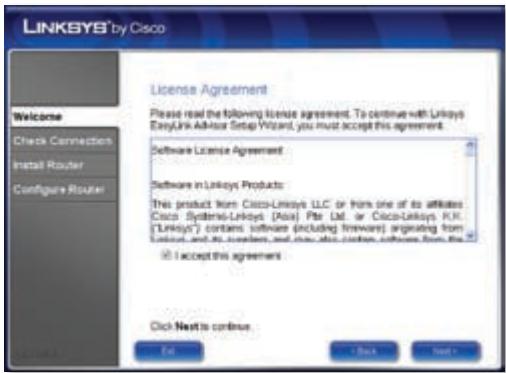
D. Select I accept this agreement. Click Next.
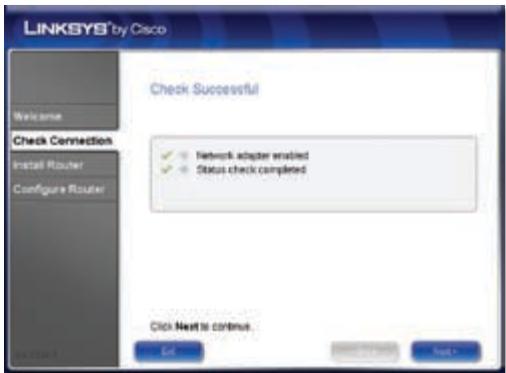
E. The Setup Wizard checks your connection. Click Next.
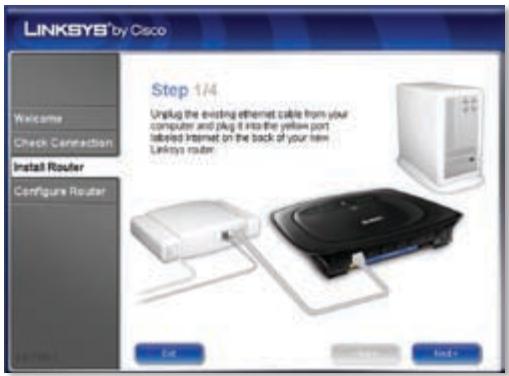
F. The Setup Wizard displays a series of screens that walk you through the Router's physical installation. Follow the instructions in these screens.
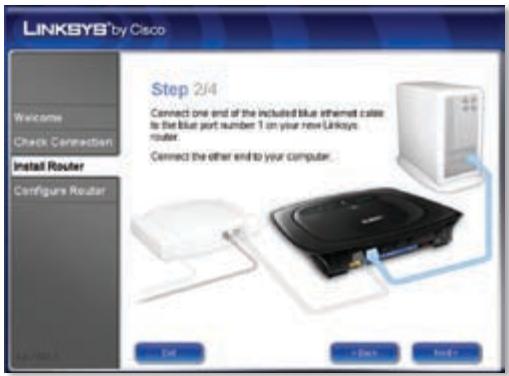
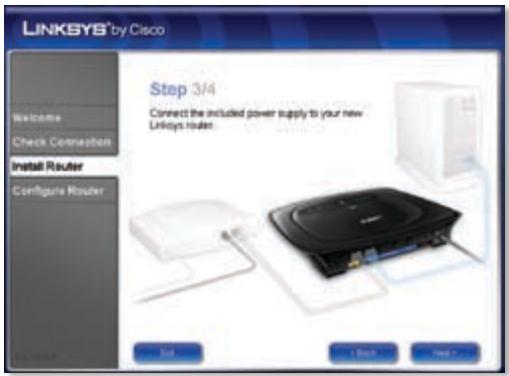
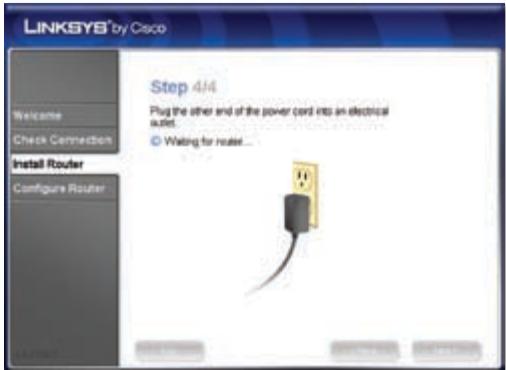
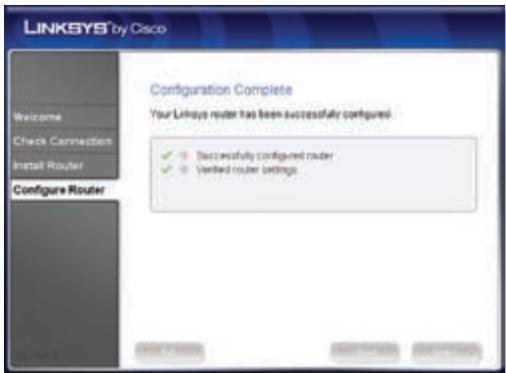
G. Wait until the Setup Wizard configures the Router. When the Configuration Complete screen appears, click Next.
H. Follow the instructions in the remaining screens until you see the Network Configured screen. Click on Learn about connecting other computers to this network to view sharing options, or click Next to close the Setup Wizard.
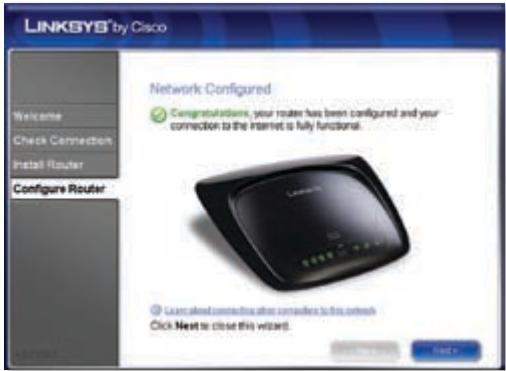
Congratulations! Setup is complete.

NOTE: For more advanced settings and security options, refer to the User Guide on the CD-ROM.

Deutsch
Installation
natural_image
Hand holding a CD to transfer a circular component into a tray (no text or symbols visible)natural_image
Hand holding a CD to transfer a circular component into a tray (no text or symbols visible)natural_image
Hand holding a CD to transfer a circular component into a tray (no text or symbols visible)natural_image
Hand holding a CD to transfer a circular component into a tray (no text or symbols visible)natural_image
Hand holding a CD to transfer a circular component into a tray (no text or symbols visible)natural_image
Hand holding a CD to transfer a circular component into a tray (no text or symbols visible)NOTE: For some countries, support may be available only in English.
8040710NC-JL
- Wireless-G Broadband Router
- Table of Contents
- English 3
- Deutsch....8
- Español 13
- Français....18
- Italiano....23
- Nederlands....28
- Português....33
- Online Resources
- Copyright and Trademarks
- English
- Installation
- Select I accept this agreement. Click Next.
- The Setup Wizard checks your connection. Click Next.
- Deutsch
Brand : LINKSYS
Model : WRT54G2
Category : Wireless Router