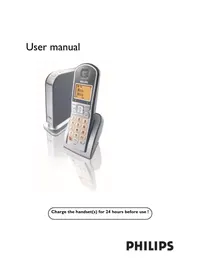
VOIP3212G - Telephone PHILIPS - Free user manual and instructions
Find the device manual for free VOIP3212G PHILIPS in PDF.


Pick your language and provide your email: we'll send you a specifically translated version.
| Brand | Philips |
| Model | VOIP3212G |
| Product Type | VoIP Telephone |
| Communication Networks | VoIP (SIP) and traditional PSTN |
| Display | Backlit LCD display |
| Keypad | Alphanumeric keypad with dedicated function keys |
| Handset | Corded handset with standard connector |
| Speakerphone | Hands-free speakerphone |
| Call Features | Caller ID, call waiting, call transfer, mute, redial |
| Phonebook | Store up to 100 contacts (estimated) |
| Connectivity | Ethernet (RJ-45) and telephone line (RJ-11) |
| Headset Jack | 3.5mm headset connection |
| Power Supply | AC adapter (100-240V, 9V DC output) |
| Power Consumption | 2.5W typical |
| Dimensions (W x H x D) | 200 x 190 x 70 mm |
| Weight | 650 g |
| Configuration | Web-based setup interface |
| Mounting | Desktop and wall-mountable |
| Maintenance | Clean with dry soft cloth; do not use liquids or aerosols |
| Safety | Use only the approved power adapter; keep device away from moisture |
| Spare Parts & Repairability | No user-serviceable internal parts; contact qualified service for repairs |
| Package Contents | Telephone base, handset, handset cord, Ethernet cable, power adapter, user manual |
| Manual | User manual available in English (50 pages PDF) |
Frequently Asked Questions - VOIP3212G PHILIPS
How do I set up the Philips VOIP3212G telephone?
Connect the Ethernet cable to your router and the LAN port on the phone. Plug the power adapter into an electrical outlet and connect it to the phone. The device will boot and display a ready screen. Configure your VoIP account via the phone's menu or web interface.
Does the Philips VOIP3212G require a computer to work?
No, the phone works as a standalone device. It needs an internet connection through a router or modem, but it does not require a PC to make or receive calls. A computer is only needed for advanced configuration via the web interface.
How can I make a phone call with this phone?
Lift the handset or press the speakerphone button, then dial the number using the keypad. Press the call or send key to initiate the call. For VoIP calls, ensure your service account is correctly configured.
Can I connect a headset to the VOIP3212G?
Yes, the phone has a 3.5mm headset jack on the base. Connect a compatible headset, and you can use it for hands-free conversations. You may need to adjust headset settings in the phone menu.
Is the handset cord replaceable?
The handset cord is a standard RJ-9 coiled cord and can be easily replaced. You can order a replacement from Philips or any electronics retailer. Simply unplug the old cord and insert the new one.
Does the VOIP3212G support Skype or other VoIP services?
The phone is designed to work with standard SIP-based VoIP services and may also support specific providers like Skype depending on the firmware version. Check the manual or manufacturer's website for compatibility details.
How do I improve call quality on this VoIP phone?
For optimal call quality, use a wired Ethernet connection instead of Wi-Fi. Ensure your internet bandwidth is sufficient (at least 100 kbps per call). Adjust the network settings in the phone's menu, such as using a quality of service (QoS) if your router supports it.
How should I clean and maintain the telephone?
Use a soft dry cloth to wipe the exterior. Do not use water or cleaning solutions, as they can damage the electronics. Keep the phone away from dust and direct sunlight. Periodically check cables and connections for wear.
Can I mount the phone on a wall?
Yes, the VOIP3212G is wall-mountable. There are slots on the base for mounting screws. Ensure the phone is securely attached and that all cables are routed safely to avoid damage.
Where can I find spare parts or get the phone repaired?
For spare parts or repairs, contact Philips customer support or an authorized service center. Replacement handset cords and power adapters are commonly available online. Do not attempt to open the device yourself, as it may void the warranty.
User questions about VOIP3212G PHILIPS
0 question about this device. Answer the ones you know or ask your own.
Ask a new question about this device
No questions yet. Be the first to ask one.
Download the instructions for your Telephone in PDF format for free! Find your manual VOIP3212G - PHILIPS and take your electronic device back in hand. On this page are published all the documents necessary for the use of your device. VOIP3212G by PHILIPS.
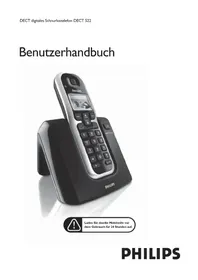
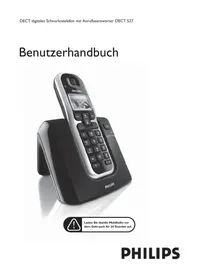
USER MANUAL VOIP3212G PHILIPS
Manual assistant
Powered by Anthropic
Waiting for your message
Product information
Brand : PHILIPS
Model : VOIP3212G
Category : Telephone