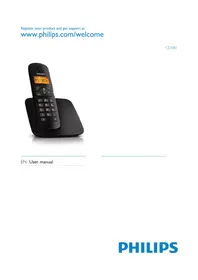
CD1802 - Telephone PHILIPS - Free user manual and instructions
Find the device manual for free CD1802 PHILIPS in PDF.


Pick your language and provide your email: we'll send you a specifically translated version.
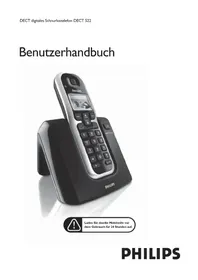
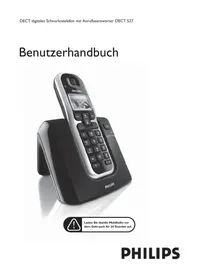
| Type of product | Cordless telephone (DECT) |
| Brand | Philips |
| Model | CD1802 |
| Handset dimensions (W x H x D) | Approx. 45 x 160 x 25 mm |
| Base dimensions (W x H x D) | Approx. 80 x 40 x 100 mm |
| Handset weight | Approx. 110 g |
| Base weight | Approx. 90 g |
| Power supply base | 230 V AC / 50 Hz via AC adapter (6 V, 600 mA) |
| Handset battery | 2 x AAA NiMH rechargeable batteries (550 mAh) |
| Talk time | Up to 10 hours |
| Standby time | Up to 120 hours |
| Range | Up to 50 m indoors, 300 m outdoors |
| Display | 1.5-inch backlit alphanumeric display |
| Phonebook memory | 50 contact entries |
| Caller ID | Yes, with call history (up to 20 numbers) |
| Key features | Mute, redial, intercom, base paging, volume control |
| Maintenance | Clean with a soft dry cloth; avoid moisture and solvents |
| Safety information | Use only supplied adapter; keep batteries away from children; do not use near water |
| General information | Cordfree DECT technology for clear sound and low interference |
Frequently Asked Questions - CD1802 PHILIPS
How do I install the battery in the handset?
Open the battery compartment cover on the back of the handset, insert the two AAA NiMH rechargeable batteries with correct polarity (+/-), then close the cover. Place the handset on the base to start charging.
How long does the battery take to fully charge?
The first charge may take about 12 hours. Subsequent full charges take approximately 6 hours. For optimal battery life, keep the handset on the base when not in use.
Can I replace the batteries with regular AAA alkaline batteries?
No, only use rechargeable NiMH AAA batteries (550 mAh). Regular alkaline batteries are not suitable and may damage the phone.
How do I set the date and time?
Press the menu key, navigate to 'Clock' or 'Time', then choose 'Set time' and 'Set date'. Enter the current time and date using the keypad, then press OK to confirm.
Why is there no dial tone when I press the handset?
Check that the handset is properly registered to the base and is within range. Ensure the base is connected to the telephone line and power supply. Try pressing the line key to pick up a line. If the problem persists, reset the handset by removing and reinserting the batteries.
How do I use the intercom function?
With one handset, press the intercom key (usually the 'INT' or 'I' button). If you have multiple handsets, select the handset you wish to call from the list. The other handset rings; press the green key to answer the intercom call.
How can I adjust the ringer volume?
During an incoming call, use the volume up/down keys to adjust the ringer volume. Alternatively, go to the menu, select 'Sound' or 'Tones', then 'Volume' to choose a level from 1 to 5 or silent.
What should I do if my phone does not ring?
Check that the ringer volume is not set to silent. Ensure the handset is within range and registered to the base. Also check that the base is connected to the telephone line correctly. Test with another phone to verify the line is active.
How do I clean the telephone?
Unplug the base from the power supply. Clean the handset and base using a soft, slightly damp cloth. Do not use cleaning sprays, solvents, or abrasive materials. Never immerse in water.
How can I extend the range of my cordless phone?
Place the base as high and centrally as possible, away from large metal objects or thick walls. Avoid interference from Wi-Fi routers or microwaves. The typical indoor range is 50 meters and up to 300 meters outdoors.
User questions about CD1802 PHILIPS
0 question about this device. Answer the ones you know or ask your own.
Ask a new question about this device
No questions yet. Be the first to ask one.
Download the instructions for your Telephone in PDF format for free! Find your manual CD1802 - PHILIPS and take your electronic device back in hand. On this page are published all the documents necessary for the use of your device. CD1802 by PHILIPS.
USER MANUAL CD1802 PHILIPS
Manual assistant
Powered by Anthropic
Waiting for your message
Product information
Brand : PHILIPS
Model : CD1802
Category : Telephone