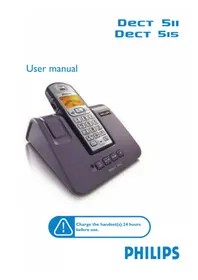
DECT5153S - Telephone PHILIPS - Free user manual and instructions
Find the device manual for free DECT5153S PHILIPS in PDF.


Pick your language and provide your email: we'll send you a specifically translated version.
| Product Type | DECT Cordless Telephone |
| Brand | Philips |
| Model | DECT5153S |
| Frequency Band | DECT 1.88 - 1.90 GHz |
| Range Indoor | Up to 50 meters |
| Range Outdoor | Up to 300 meters |
| Display | LCD with backlight |
| Phonebook Capacity | Up to 50 contacts |
| Speakerphone | Yes, handset speakerphone |
| Caller ID | Supports CLIP (Calling Line Identification Presentation) |
| Call Management | Redial, mute, hold, intercom |
| Ringtones | Multiple polyphonic tones |
| Power Adapter | AC 230V, 50Hz to DC 7.5V |
| Battery Type | Rechargeable NiMH AAA 2.4V |
| Talk Time | Up to 10 hours |
| Standby Time | Up to 100 hours |
| Charging Time | Approximately 4 hours |
| Handset Weight | Approximately 110 g |
| Base Dimensions | 100 x 80 x 60 mm (approx.) |
| Operating Temperature | 5°C to 45°C |
| Cleaning Instructions | Wipe with a soft, dry cloth; avoid solvents |
| Repair and Spare Parts | Refer to qualified service center |
Frequently Asked Questions - DECT5153S PHILIPS
How do I register a new handset to the Philips DECT5153S base station?
Place the handset on the base for charging, then press and hold the registration key on the base for a few seconds. On the handset, go to Menu > Registration and enter the base PIN code (default 0000). See the manual for exact sequence.
How do I set the date and time on the device?
Press Menu, select Date & Time, use the numeric keypad to enter the current date and time, then press Save. The phone will display the set information in standby mode.
What type of battery is used in the DECT5153S handset?
The handset uses a rechargeable NiMH battery with a voltage of 2.4V and a typical capacity of 400mAh. Always replace with an identical type to avoid damage.
Why is there no dial tone on my cordless phone?
Check that the base unit is connected to the telephone line and power supply. Make sure the handset is registered to the base and within range. If the problem persists, reset the base by unplugging it for 10 seconds.
How can I increase the ringer volume?
Press the volume up button on the handset during an incoming call, or go to Menu > Ringtones > Volume. You can adjust the ringtone and volume levels separately.
Can I use a headset with the Philips DECT5153S?
Yes, the handset features a 2.5mm headset jack, which allows you to connect an optional corded headset for hands-free conversations.
How do I perform a factory reset?
Press Menu, then select Reset or Default Settings. You may need to enter the system PIN (default 0000). Confirm to restore all settings to their original values.
What is the maximum operational range of this DECT phone?
Indoors, the range is typically up to 50 meters; outdoors, it can reach up to 300 meters in open areas. The actual range depends on building materials and interference.
How should I clean the telephone?
Disconnect the power and unplug the phone before cleaning. Use a soft lint-free cloth slightly dampened with water or a mild cleaner. Do not use abrasive products or solvents.
Where can I find replacement parts or accessories?
Contact Philips consumer care or an authorized service center. You can also find replacement batteries, chargers and headsets at specialized retailers or online.
User questions about DECT5153S PHILIPS
0 question about this device. Answer the ones you know or ask your own.
Ask a new question about this device
No questions yet. Be the first to ask one.
Download the instructions for your Telephone in PDF format for free! Find your manual DECT5153S - PHILIPS and take your electronic device back in hand. On this page are published all the documents necessary for the use of your device. DECT5153S by PHILIPS.
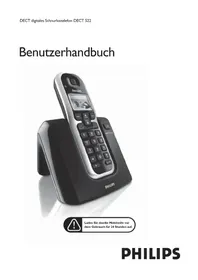
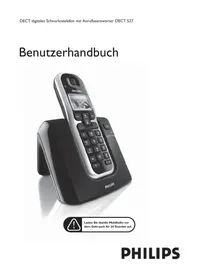
USER MANUAL DECT5153S PHILIPS
Manual assistant
Powered by Anthropic
Waiting for your message
Product information
Brand : PHILIPS
Model : DECT5153S
Category : Telephone