
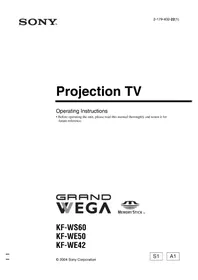
KF-WE42A1 - Projector SONY - Free user manual and instructions
Find the device manual for free KF-WE42A1 SONY in PDF.


Pick your language and provide your email: we'll send you a specifically translated version.
| Product Type | Video projector (rear projection television) |
| Brand | Sony |
| Model | KF-WE42A1 |
| Display Technology | LCD (Liquid Crystal Display) |
| Native Resolution | 1280 x 720 pixels (HD Ready) |
| Screen Size | 42 inches (106.7 cm) diagonal |
| Aspect Ratio | 16:9 widescreen |
| Brightness | 600 ANSI lumens |
| Contrast Ratio | 1000:1 |
| Projection Lamp | UHP lamp, 120 W |
| Lamp Life | Up to 6000 hours (eco mode) |
| Video Inputs | Composite, S-Video, Component (Y/Pb/Pr), RF |
| Audio Output | Built-in stereo speakers, 10 W x 2 |
| Power Supply | AC 120 V / 220-240 V, 50/60 Hz |
| Power Consumption | 220 W (standby: 1 W) |
| Dimensions (W x H x D) | 1006 x 743 x 467 mm (with stand) |
| Weight | 42 kg (with stand) |
| Remote Control | Included (RM-W0001) |
| Additional Features | Picture-in-Picture, Noise Reduction, Virtual Surround Sound |
| Cleaning | Wipe the lens and cabinet with a soft, dry cloth |
| Safety | Keep away from heat sources; ensure proper ventilation |
| Spare Parts & Repairability | Lamp unit and fans replaceable; qualified service for internal components |
Frequently Asked Questions - KF-WE42A1 SONY
How do I replace the lamp in the Sony KF-WE42A1?
Turn off the projector and unplug it. Wait for the lamp to cool completely. Remove the lamp cover on the rear or side, unscrew the old lamp, and install the new one.Always use genuine Sony replacement lamps for safe operation.
Can I clean the projection lens with household glass cleaner?
No, household cleaners may damage the coated lens. Use a soft, dry microfiber cloth to gently wipe the lens. For stubborn dust, use a lens brush or compressed air.
The projector will not turn on. What should I check?
First, ensure the power cord is firmly plugged into an outlet. Check if the power indicator lights up. If the lamp indicator flashes, the lamp may be faulty or the cover may not be secured. Wait for the projector to cool down before retrying.
Is the KF-WE42A1 suitable for use as a home theater front projector?
The KF-WE42A1 is a rear projection television with a fixed 42-inch screen. It can serve as a home theater display, but it is not a front projector for large wall projections.
How do I connect a DVD player to the KF-WE42A1?
Use the Component (Y/Pb/Pr) inputs for the best picture quality, or the Composite (yellow) and S-Video inputs for standard definition. Connect the audio cables to the corresponding L/R inputs.
What is the recommended viewing distance for a 42-inch screen?
For a 42-inch 16:9 display, a viewing distance of 1.6 to 2.5 meters (5 to 8 feet) provides a comfortable and immersive experience.
Does the KF-WE42A1 have a built-in TV tuner?
Yes, this model includes a built-in analog TV tuner, allowing you to connect an antenna or cable directly to the RF input.
Why is the image blurry or out of focus?
Check if the projector is on a flat, stable surface. Use the focus ring on the lens to adjust sharpness. Also, ensure the lens is clean and free of dust or smudges.
Can I mount this projector on the ceiling?
The KF-WE42A1 is a large, heavy rear projection unit (42 kg) and is not designed for ceiling mounting. It should be placed on a sturdy TV stand or cabinet.
Where can I download the user manual for the Sony KF-WE42A1?
You can download the 96-page PDF manual from notice-facile.com by selecting your language and providing your email, or directly via the 'Download' button on the manual page.
User questions about KF-WE42A1 SONY
0 question about this device. Answer the ones you know or ask your own.
Ask a new question about this device
No questions yet. Be the first to ask one.
Download the instructions for your Projector in PDF format for free! Find your manual KF-WE42A1 - SONY and take your electronic device back in hand. On this page are published all the documents necessary for the use of your device. KF-WE42A1 by SONY.
USER MANUAL KF-WE42A1 SONY


Manual assistant
Powered by Anthropic
Waiting for your message
Product information
Brand : SONY
Model : KF-WE42A1
Category : Projector