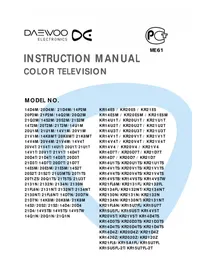
KR14D4TS - Television DAEWOO - Free user manual and instructions
Find the device manual for free KR14D4TS DAEWOO in PDF.


Pick your language and provide your email: we'll send you a specifically translated version.
| Product Type | CRT Television |
| Brand | Daewoo |
| Model Number | KR14D4TS |
| Screen Size | 14 inches (36 cm) |
| Display Type | Cathode Ray Tube (CRT) |
| Video System | PAL/SECAM |
| Audio System | Mono, 1 x 5W speaker |
| Tuner | Analog VHF/UHF |
| Inputs | SCART, RCA (AV) composite |
| Outputs | Headphone jack |
| Remote Control | Yes, included |
| Power Supply | AC 220-240V, 50Hz |
| Power Consumption | 60W typical |
| Dimensions (W x H x D) | 380 x 360 x 400 mm |
| Weight | 8 kg |
| Additional Features | Sleep timer, auto channel search |
| Cleaning | Wipe with a soft, dry cloth |
| Safety | Do not expose to rain or moisture |
| Repairability | Designed for serviceability; spare parts available |
| Included Accessories | Power cord, remote control, user manual |
Frequently Asked Questions - KR14D4TS DAEWOO
How do I connect my DVD player to this TV?
Use a SCART cable or an RCA composite cable to connect the DVD player to the AV input on the TV. Select the corresponding input source using the AV/TV button on the remote control.
Why is the picture black and white?
This usually indicates a signal format mismatch. Ensure the video source is set to PAL or SECAM compatible with your region, and verify that the cable connections are correct and secure.
How do I run an automatic channel search?
Press the MENU button on the remote control, navigate to Setup or Tuning, then select Auto Search. The TV will scan and store available channels automatically.
What should I do if the TV does not power on?
First, check that the power cord is plugged into a working outlet. Make sure the power switch on the TV is on. If it still doesn't boot, try a different outlet or contact customer support.
Is this TV compatible with a digital set-top box?
Yes, because it has AV input and a SCART connector, you can connect a digital set-top box using a SCART-to-HDMI converter if the box only outputs HDMI. However, the TV will display at 480i resolution.
How do I clean the screen safely?
Turn off the TV and wait for the screen to cool. Use a soft, dry microfiber cloth to gently wipe the screen. Do not use solvents or abrasive cleaners, as they can damage the CRT surface.
Does the TV come with a warranty?
Most Daewoo TVs include a manufacturer's warranty for 1 year from the purchase date. Please refer to the warranty card that came with your product for specific terms.
Can I use headphones with this TV?
Yes, the TV has a headphone jack on the front or side panel. Plug in your headphones and the internal speakers will be muted automatically for private listening.
What is the optimal viewing distance?
For a 14-inch CRT TV, the ideal viewing distance is about 1.5 to 2 meters. This ensures a comfortable angle and reduces eye strain.
Where can I find the user manual in other languages?
You can download the manual in PDF format from the official Daewoo website or use the translation service on notice-facile.com. Select your language from the dropdown menu and provide your email to receive a translated copy.
User questions about KR14D4TS DAEWOO
0 question about this device. Answer the ones you know or ask your own.
Ask a new question about this device
No questions yet. Be the first to ask one.
Download the instructions for your Television in PDF format for free! Find your manual KR14D4TS - DAEWOO and take your electronic device back in hand. On this page are published all the documents necessary for the use of your device. KR14D4TS by DAEWOO.
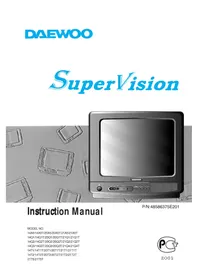
USER MANUAL KR14D4TS DAEWOO
Manual assistant
Powered by Anthropic
Waiting for your message
Product information
Brand : DAEWOO
Model : KR14D4TS
Category : Television