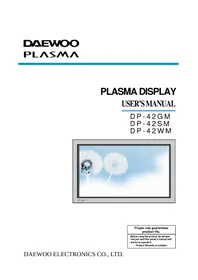
DP-42GM - Television DAEWOO - Free user manual and instructions
Find the device manual for free DP-42GM DAEWOO in PDF.


Pick your language and provide your email: we'll send you a specifically translated version.
| Product Type | Television |
| Brand | Daewoo |
| Model | DP-42GM |
| Screen Size | 42 inches (106.7 cm) |
| Display Technology | Plasma |
| Resolution | 1024 x 768 pixels |
| Aspect Ratio | 16:9 |
| Power Supply | AC 100-240V, 50/60Hz |
| Power Consumption (Operating) | 250W |
| Power Consumption (Standby) | < 1W |
| Dimensions (With Stand) | 1020 x 680 x 100 mm |
| Dimensions (Without Stand) | 1020 x 630 x 90 mm |
| Weight (With Stand) | 25 kg |
| Weight (Without Stand) | 22 kg |
| Video Inputs | HDMI, Component, Composite, VGA |
| Audio Output | 2 x 10W |
| Remote Control | Included |
| Teletext Function | Yes |
| OSD Languages | Multiple (English, French, German, etc.) |
| Cleaning Instructions | Use a soft, dry cloth; avoid harsh chemicals |
| Safety Warning | Do not remove the back cover; high voltage inside |
| Spare Parts | Remote control, cables, and brackets available |
Frequently Asked Questions - DP-42GM DAEWOO
How do I connect my cable box to the Daewoo DP-42GM TV?
Use the HDMI or component inputs on the back of the TV. Plug the cable box's output to the matching input, then select the correct input via the Source button on the remote.
What is the best way to clean the TV screen?
Turn off the TV and unplug it. Use a soft, dry microfiber cloth to gently wipe the screen. Never spray liquid directly on the screen. Use a damp cloth if needed, then dry immediately.
Why is there no picture but sound is working?
This may be a input signal problem. Check that the correct source is selected. Also, verify the video cable connections. Try a different input or reset the TV to default settings.
How do I reset the TV to factory settings?
Go to the Menu, navigate to Setup, and select Reset. Confirm your choice. This will restore all settings to default and erase any channel presets.
Can I wall-mount the Daewoo DP-42GM?
Yes, the TV is VESA-compatible. Use a VESA 400x400 mm wall mount bracket, following the instructions provided. Ensure the wall can support the TV's weight (25 kg).
How do I tune in digital channels?
The DP-42GM supports analog (PAL/SECAM) signals. For digital channels, you may need a digital set-top box connected via HDMI. Use the TV's Auto-tune function in the menu for analog channels.
What should I do if the remote control stops working?
First, check the batteries and replace them if empty. Ensure there is no obstruction between the remote and the IR sensor on the TV. If the problem persists, the remote may need to be replaced; a spare can be ordered.
How do I set the sleep timer?
Press the Sleep button on the remote repeatedly to cycle through timer options (e.g., 30, 60, 90, 120 minutes). Select the desired time or set to off.
Is the TV energy efficient?
The power consumption is rated at 250W during operation and less than 1W in standby. To save energy, turn off the TV completely when not in use.
Where can I find spare parts for this TV?
Spare parts such as the remote control and cables can be purchased from authorized Daewoo dealers or online marketplaces. Always use genuine parts to ensure compatibility and safety.
User questions about DP-42GM DAEWOO
0 question about this device. Answer the ones you know or ask your own.
Ask a new question about this device
No questions yet. Be the first to ask one.
Download the instructions for your Television in PDF format for free! Find your manual DP-42GM - DAEWOO and take your electronic device back in hand. On this page are published all the documents necessary for the use of your device. DP-42GM by DAEWOO.
USER MANUAL DP-42GM DAEWOO
Manual assistant
Powered by Anthropic
Waiting for your message
Product information
Brand : DAEWOO
Model : DP-42GM
Category : Television