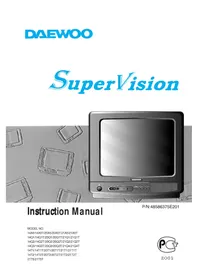
20Q2T - Television DAEWOO - Free user manual and instructions
Find the device manual for free 20Q2T DAEWOO in PDF.


Pick your language and provide your email: we'll send you a specifically translated version.
| Product Type | LED Television |
| Brand | Daewoo |
| Model | 20Q2T |
| Screen Size | 20 inches (diagonal) |
| Resolution | 1366 x 768 (HD Ready) |
| Dimensions (Without Stand) | 45.2 x 27.1 x 4.3 cm |
| Dimensions (With Stand) | 45.2 x 29.8 x 15.4 cm |
| Weight | 2.5 kg |
| Power Consumption (Typical) | 20W |
| Standby Consumption | Less than 0.5W |
| Connectivity | HDMI, USB, VGA, AV input, Headphone jack |
| Tuner | DVB-T2/C digital tuner |
| Audio Output | 2 x 2W speakers |
| Main Functions | Auto channel search, sleep timer, mute, picture settings, parental lock |
| Cleaning Instructions | Wipe with a soft dry cloth, avoid liquids and abrasive cleaners |
| Ventilation | Keep at least 10 cm clearance on all sides |
| Safety Certification | CE marked |
| Spare Parts Availability | Available via authorized Daewoo service centers |
| Repairability | Repairs should be carried out by qualified technicians |
| General Information | Includes user manual in PDF, free download |
Frequently Asked Questions - 20Q2T DAEWOO
How can I connect my DVD player or game console to the Daewoo 20Q2T?
You can connect via HDMI for high-definition video and audio, or use the AV input (RCA) for older devices. Select the corresponding source using the 'Input' or 'Source' button on the remote control.
What is the VESA mount pattern for wall mounting this TV?
The Daewoo 20Q2T supports a VESA 75x75 mm pattern. Use M4 screws with maximum length 10 mm. Ensure that the wall mount is strong enough to support the TV's 2.5 kg weight.
How should I clean the TV screen?
Use a soft dry microfiber cloth to wipe the screen gently. If necessary, lightly moisten the cloth with water only. Never spray liquid directly on the screen. Do not use alcohol, ammonia, or abrasive cleaners as they may damage the surface.
What should I do if the TV has no sound?
First, check that the mute function is not active and volume is set above 0. Verify that external speakers are properly connected to the headphone jack. Try switching to the correct input source using the 'Source' button. If using HDMI, make sure the connected device is outputting audio.
How do I reset the TV to factory settings?
Press Menu on the remote control and navigate to Settings > System or General. Select Factory Reset and enter the PIN code (default is 0000 if a PIN has been defined). Confirm your choice to restore all settings to their defaults and erase all channels.
Can I use this TV as a computer monitor?
Yes, connect your PC to the TV using either an HDMI or VGA cable. In the picture settings, choose a 'Standard' mode and disable noise reduction options to have a clearer image for reading text or working.
What is the power consumption and does it have an energy saving mode?
The typical power consumption is approximately 20W in operation. The TV has an Energy Saving setting available in the menu, which reduces backlight brightness to lower power use. In standby mode it consumes less than 0.5W.
How do I update the firmware on the 20Q2T?
This model does not support manual firmware updates via USB or network. Improvements, if any, are implemented at the factory. If you encounter software problems, try a factory reset or contact Daewoo support for advice.
How do I set up parental control on this television?
Open Menu and go to Channel Settings or Parental Lock. Enter the four-digit PIN (default is 0000). From there, you can restrict specific channels or set age-rated programme restrictions for content protection.
Where can I find the user manual for the Daewoo 20Q2T?
You can download the official user manual in PDF format for free from notice-facile.com. Simply click on the Download button on this page, or use the AI question service to search for specific sections.
User questions about 20Q2T DAEWOO
0 question about this device. Answer the ones you know or ask your own.
Ask a new question about this device
No questions yet. Be the first to ask one.
Download the instructions for your Television in PDF format for free! Find your manual 20Q2T - DAEWOO and take your electronic device back in hand. On this page are published all the documents necessary for the use of your device. 20Q2T by DAEWOO.
USER MANUAL 20Q2T DAEWOO
Manual assistant
Powered by Anthropic
Waiting for your message
Product information
Brand : DAEWOO
Model : 20Q2T
Category : Television