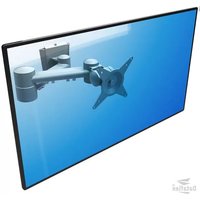
ViewMate Style 032 - Flat Screen Mount Dataflex - Free user manual and instructions
Find the device manual for free ViewMate Style 032 Dataflex in PDF.


Pick your language and provide your email: we'll send you a specifically translated version.
| Type of product | Flat Screen Mount |
| Brand | Dataflex |
| Model | ViewMate Style 032 |
| Mounting type | Clamp / Grommet |
| VESA compatibility | 75x75 mm and 100x100 mm |
| Maximum load capacity | 8 kg (17.6 lbs) |
| Tilt range | -5° to +15° |
| Swivel range | 180° |
| Rotation | 360° |
| Recommended screen size | 17 to 27 inches |
| Material | Aluminum alloy |
| Cable management | Yes, integrated |
| Arm reach | 250 mm |
| Mounting plate size | 100x100 mm |
| Net weight | 2.5 kg |
| Color | Black / Silver |
| Surface finish | Powder-coated |
| Cleaning and maintenance | Wipe with a soft dry cloth; avoid harsh chemicals. |
| Safety | Always secure the mount to a sturdy surface; tighten all screws firmly. |
| Spare parts and repairability | Standard VESA screws; spare parts available from Dataflex. |
Frequently Asked Questions - ViewMate Style 032 Dataflex
How do I install the Dataflex ViewMate Style 032 flat screen mount?
To install the mount, attach the VESA plate to the back of your monitor using the provided screws, then secure the assembly onto the desk clamp or wall bracket. Ensure the clamp is tightened against a sturdy desk edge for a stable fit.
What VESA patterns are supported by this mount?
The Dataflex ViewMate Style 032 supports both 75x75 mm and 100x100 mm VESA mounting patterns, making it compatible with most flat screens from 17 to 27 inches in size.
What is the maximum weight capacity?
The maximum load capacity is 8 kilograms (about 17.6 pounds). Do not exceed this limit to avoid damaging the mount or the monitor.
Can I adjust the tilt and swivel?
Yes, the mount offers a tilt range of -5° to +15° and a swivel of 180°, allowing you to adjust the viewing angle for optimal comfort and reduced glare.
Is there a cable management system?
Yes, the mount features integrated cable management channels that keep your cables organized and out of sight, contributing to a clean and tidy workspace.
How do I clean the mount?
To clean the mount, simply wipe it with a soft dry cloth. Avoid using abrasive cleaners, alcohol, or harsh solvents, as they may damage the powder-coated finish.
Can I mount this on any desk?
The mount comes with a clamp that fits desks with a thickness between 10 mm and 60 mm. For thicker or thinner surfaces, consider using a grommet mount or consult the manual.
Are spare parts available for this mount?
Yes, standard spare parts such as screws and brackets are available. You can contact Dataflex customer service for replacement parts, and most components are repairable.
Will the Dataflex ViewMate Style 032 fit my monitor?
To fit, your monitor must have a VESA mount pattern of 75x75 or 100x100 mm and weigh less than 8 kg. Additionally, the screen size should be between 17 and 27 inches for optimal balance and ergonomics.
How do I make sure the mount is securely attached?
After installation, double-check that all bolts and clamps are properly tightened. Periodically inspect the mount for any loose parts, and always ensure it is attached to a stable surface before placing the monitor.
User questions about ViewMate Style 032 Dataflex
0 question about this device. Answer the ones you know or ask your own.
Ask a new question about this device
No questions yet. Be the first to ask one.
Download the instructions for your Flat Screen Mount in PDF format for free! Find your manual ViewMate Style 032 - Dataflex and take your electronic device back in hand. On this page are published all the documents necessary for the use of your device. ViewMate Style 032 by Dataflex.
USER MANUAL ViewMate Style 032 Dataflex

Manual assistant
Powered by Anthropic
Waiting for your message
Product information
Brand : Dataflex
Model : ViewMate Style 032
Category : Flat Screen Mount