Dataflex

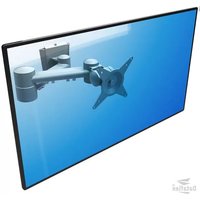
ViewMate-i Platform Small - Flat Screen Mount Dataflex - Free user manual and instructions

Find the device manual for free ViewMate-i Platform Small Dataflex in PDF.

📄 1 pages English EN Download 💬 AI Question 10 questions ⚙️ Specs
Notice Dataflex ViewMate-i Platform Small - page 1
Pick your language and provide your email: we'll send you a specifically translated version.
Product Type Flat Screen Mount
Brand Dataflex
Model ViewMate-i Platform Small
Color Black / Silver
Recommended Screen Size 10" - 24"
Maximum Weight Capacity 5 kg (11 lbs)
VESA Compatibility 75x75 mm and 100x100 mm
Tilt Range -15° to +15°
Swivel Range 180°
Rotation 360°
Height Adjustment Manual via gas spring or friction mechanism
Mounting Type C-clamp or desk grommet (grommet kit optional)
Material Steel and aluminum alloy
Cable Management Integrated cable routing channels
Installation Easy DIY with included mounting hardware
Power No power required (manual adjustment)
Maintenance Wipe with a soft, dry cloth
Safety Use all mounting screws; check torque specifications
Spare Parts Available from Dataflex customer service
Warranty 5-year warranty

Frequently Asked Questions - ViewMate-i Platform Small Dataflex

What is the maximum screen size for the Dataflex ViewMate-i Platform Small?
The ViewMate-i Platform Small is designed for small flat screens up to 24 inches or a weight of 5 kg. Always check the VESA pattern and weight before mounting.
Does this mount support VESA 75x75 and 100x100?
Yes, it includes compatible brackets for both 75x75 mm and 100x100 mm VESA patterns. Some screens may require an adapter (not included).
Can the ViewMate-i Platform Small tilt and swivel?
Yes, it offers -15° to +15° tilt and 180° swivel to adjust the viewing angle. It also rotates 360° for portrait or landscape orientation.
How do I install this mount on a desk?
The mount can be attached using a C-clamp or a grommet base (sold separately). Follow the included manual: tighten the clamp securely and make sure the desk surface is flat and stable.
Can I hide the cables with this mount?
Yes, the arm and platform feature integrated cable channels to route monitor cables neatly along the bracket.
What tools do I need for installation?
You typically need a Phillips screwdriver and an Allen key (provided). For concrete walls, a drill may be required; however, desk mount installation is tool-friendly.
How do I clean and maintain the mount?
Wipe it regularly with a soft, dry cloth. Avoid abrasive agents, solvents, or water that could damage the coating or moving parts.
What safety precautions should I take?
Always fasten the monitor to the VESA plate with all four screws and tighten them to the recommended torque. Make sure the desk surface can bear the load. Periodically check for loose screws and correct any slack.
Is the mount repairable and are spare parts available?
Yes, Dataflex offers spare parts such as VESA plates, gas springs, and clamps. Contact Dataflex customer service with your model number for replacement parts and repair services.
What warranty comes with this product?
Dataflex provides a 5-year warranty against manufacturing defects. Registration on the official website may extend coverage.

User questions about ViewMate-i Platform Small Dataflex

0 question about this device. Answer the ones you know or ask your own.

Ask a new question about this device

The email remains private: it is only used to notify you if someone responds to your question.

No questions yet. Be the first to ask one.

Download the instructions for your Flat Screen Mount in PDF format for free! Find your manual ViewMate-i Platform Small - Dataflex and take your electronic device back in hand. On this page are published all the documents necessary for the use of your device. ViewMate-i Platform Small by Dataflex.

USER MANUAL ViewMate-i Platform Small Dataflex
Manual assistant
Powered by Anthropic
Waiting for your message
Product information

Brand : Dataflex

Model : ViewMate-i Platform Small

Category : Flat Screen Mount