AT-PROHD1616M-SR - HDMI switch Atlona - Free user manual and instructions
Find the device manual for free AT-PROHD1616M-SR Atlona in PDF.


Pick your language and provide your email: we'll send you a specifically translated version.
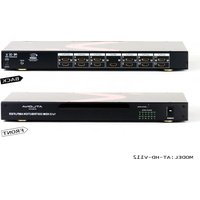
| Product Type | HDMI Matrix Switcher |
| Brand | Atlona |
| Model | AT-PROHD1616M-SR |
| Number of Inputs | 16 x HDMI |
| Number of Outputs | 16 x HDMI |
| Maximum Resolution | 4K UHD @ 60 Hz (4:4:4, 8-bit) |
| HDCP Support | HDCP 2.2 |
| Video Formats | Supports VGA to WUXGA and up to 4K UHD |
| Audio Support | Embedded LPCM, Dolby Digital, DTS |
| Control Methods | Front panel buttons, IR, RS-232, IP (Telnet/HTTP) |
| EDID Management | Per-output EDID learning and storage |
| Rack Mountable | Yes, included rack ears (1U) |
| Power Supply | 100-240 V AC, 50/60 Hz |
| Power Consumption | Approximately 60 W |
| Dimensions (WxDxH) | 17.3 x 7.5 x 1.75 in (440 x 190 x 44 mm) |
| Weight | 8.8 lbs (4.0 kg) |
| Operating Temperature | 0 °C to 40 °C (32 °F to 104 °F) |
| Safety Compliance | CE, FCC, RoHS |
| Cleaning and Care | Wipe with a soft, dry cloth; do not use liquids or sprays |
| Spare Parts | Contact Atlona Support for replacement adapters and accessories |
| Repairability | No user-serviceable parts inside; refer service to qualified personnel |
| Warranty | 3-year limited warranty (varies by region) |
| Included Accessories | Power cord, IR remote, rack ears, rubber feet, quick start guide |
Frequently Asked Questions - AT-PROHD1616M-SR Atlona
What is the maximum supported video resolution?
The AT-PROHD1616M-SR supports resolutions up to 4K UHD @ 60 Hz with 4:4:4 chroma subsampling and 8-bit color depth, ensuring high-quality video for professional applications.
How can I control the matrix switcher?
You can control the switcher using the front panel buttons, an IR remote, RS-232 commands, or via IP control using Telnet or HTTP. The device also offers a built-in web GUI for easy configuration.
Does the switcher support HDCP 2.2?
Yes, the AT-PROHD1616M-SR is fully compliant with HDCP 2.2, allowing you to route protected 4K content from sources such as Ultra HD Blu-ray players and streaming devices.
Can I route audio separately from video?
The switcher supports embedded audio within HDMI signals and does not provide de-embedded or separate audio outputs. Audio follows the corresponding video input.
How do I update the firmware?
Firmware updates are performed via the IP connection using the web GUI or via the serial port using Atlona's download tool. Visit the Atlona support website to download the latest firmware version.
What is EDID management and why is it important?
EDID (Extended Display Identification Data) tells the source what resolutions and formats are supported by the display. This model features per-output EDID learning, allowing you to store and assign EDID to avoid signal loss and improve compatibility.
Can I use the switcher with HDBaseT extenders?
Yes, as long as the HDBaseT extender supports standard HDMI over Cat5e/6 cable, you can connect it to the HDMI outputs. The matrix does not provide HDBaseT outputs directly, so external converters are needed.
How do I reset the device to factory defaults?
You can reset the matrix to factory defaults by powering it off, pressing and holding the front panel MENU button, then powering it on. Release the button when the power LED blinks. Alternatively, use the web GUI or RS-232 command.
What should I do if there is no video on an output?
First, check the source and display connections. Ensure the EDID is correctly set for that output. Try another input or output to isolate the issue. If the problem persists, perform a factory reset or contact Atlona support.
Is the device rack-mountable?
Yes, the AT-PROHD1616M-SR is 1U rack-mountable and includes rack ears, allowing it to be installed in standard 19-inch equipment racks.
User questions about AT-PROHD1616M-SR Atlona
0 question about this device. Answer the ones you know or ask your own.
Ask a new question about this device
No questions yet. Be the first to ask one.
Download the instructions for your HDMI switch in PDF format for free! Find your manual AT-PROHD1616M-SR - Atlona and take your electronic device back in hand. On this page are published all the documents necessary for the use of your device. AT-PROHD1616M-SR by Atlona.
USER MANUAL AT-PROHD1616M-SR Atlona




Manual assistant
Powered by Anthropic
Waiting for your message
Product information
Brand : Atlona
Model : AT-PROHD1616M-SR
Category : HDMI switch