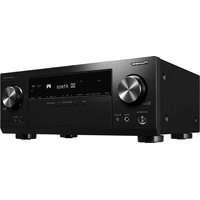
VSX-535 - Receiver KLIPSCH - Free user manual and instructions
Find the device manual for free VSX-535 KLIPSCH in PDF.


Pick your language and provide your email: we'll send you a specifically translated version.
| Type of product | AV Receiver |
| Brand | Klipsch |
| Model | VSX-535 |
| Number of channels | 5.1 |
| Amplifier output | 80 W per channel (8 ohms, 20 Hz-20 kHz, 0.09% THD) |
| HDMI inputs | 4 |
| HDMI output | 1 |
| Video support | 4K Ultra HD passthrough |
| Audio return channel | Yes (ARC) |
| Bluetooth | Yes |
| FM tuner | Yes |
| AM tuner | Yes |
| Surround formats | Dolby TrueHD, DTS-HD Master Audio |
| Dimensions (W x H x D) | 43.3 x 14.7 x 32.3 cm |
| Weight | 8.0 kg |
| Power supply | AC 120-240 V, 50/60 Hz |
| Power consumption | 420 W (standby: 0.5 W) |
| Frequency response | 5 Hz - 100 kHz |
| Signal-to-noise ratio | 100 dB |
| Speaker impedance | 6-16 ohms |
| Remote control | Included |
| Maintenance instructions | Wipe with dry cloth, avoid abrasive cleaners |
| Safety instructions | Ensure proper ventilation, do not expose to moisture |
| Spare parts availability | Authorized service centers, original parts |
| Repairability | Modular design, professional repair recommended |
Frequently Asked Questions - VSX-535 KLIPSCH
What is the power output of the VSX-535 receiver?
The VSX-535 delivers 80 watts per channel (8 ohms, 20 Hz-20 kHz, 0.09% THD), providing ample power for a typical home theater setup.
Does the Klipsch VSX-535 support 4K video?
Yes, it supports 4K Ultra HD passthrough and is compatible with HDCP 2.2, allowing you to connect 4K sources and output to a 4K TV without losing picture quality.
Can I connect my smartphone via Bluetooth?
Absolutely. The receiver has built-in Bluetooth, enabling wireless streaming of music directly from your smartphone, tablet, or computer.
How do I connect speakers to the VSX-535?
Connect your speakers to the color-coded binding posts on the rear panel, matching the positive (+) and negative (-) terminals. Ensure the impedance is within the 6-16 ohm range.
How do I reset the receiver to factory settings?
To reset, turn off the receiver, then press and hold the Power button along with the Band button on the front panel until you see the reset prompt. Release both buttons to complete the reset.
Is the receiver compatible with Dolby Atmos?
No, the VSX-535 supports Dolby TrueHD and DTS-HD Master Audio, but not object-based formats like Dolby Atmos or DTS:X.
How can I update the firmware?
Firmware updates are done via the USB port on the front panel. Download the latest firmware from the official support website, unzip it to a USB drive, and follow the update procedure in the manual.
How should I clean the receiver?
Use a soft dry cloth to wipe the exterior. Avoid using any chemical solvents or abrasive cleaners, as they can damage the finish.
What safety precautions should I take?
Place the receiver in a well-ventilated area with at least 20 cm of clearance around it. Do not block the ventilation slots, and keep it away from direct sunlight, moisture, and heat sources.
Where can I find spare parts?
Spare parts are available through authorized Klipsch service centers. For any repairs beyond basic maintenance, it is recommended to contact a professional technician.
User questions about VSX-535 KLIPSCH
0 question about this device. Answer the ones you know or ask your own.
Ask a new question about this device
No questions yet. Be the first to ask one.
Download the instructions for your Receiver in PDF format for free! Find your manual VSX-535 - KLIPSCH and take your electronic device back in hand. On this page are published all the documents necessary for the use of your device. VSX-535 by KLIPSCH.
USER MANUAL VSX-535 KLIPSCH

Manual assistant
Powered by Anthropic
Waiting for your message
Product information
Brand : KLIPSCH
Model : VSX-535
Category : Receiver