VSX-LX305 - Receiver KLIPSCH - Free user manual and instructions
Find the device manual for free VSX-LX305 KLIPSCH in PDF.


Pick your language and provide your email: we'll send you a specifically translated version.
| Product Type | AV Receiver |
| Brand | Klipsch |
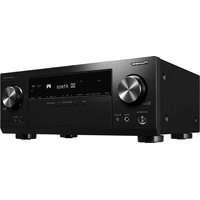
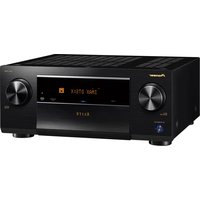
| Model | VSX-LX305 |
| Channels | 9.2 channels |
| Power Output | 120 W per channel (8 ohms, 20 Hz - 20 kHz, 0.08% THD) |
| Audio Decoding | Dolby Atmos, DTS:X, Dolby TrueHD, DTS-HD Master Audio |
| Video Features | HDMI 2.1 with 8K/60 and 4K/120 pass-through, HDR10+, Dolby Vision |
| HDMI Connectivity | 7 inputs / 3 outputs (including eARC) |
| Wireless Connectivity | Bluetooth 5.0, Wi-Fi 5 (802.11ac), AirPlay 2 |
| Voice Assistants | Works with Google Assistant and Amazon Alexa |
| Radio Tuner | AM/FM with RDS |
| Dimensions (W x H x D) | 435 x 173 x 370 mm (17.1 x 6.8 x 14.6 inches) |
| Weight | 13.2 kg (29.1 lbs) |
| Power Consumption | 700 W (operating), 0.15 W (standby) |
| Power Supply | AC 120 - 240 V, 50/60 Hz |
| Calibration | Built-in MCACC auto-room calibration with microphone |
| Cleaning Instructions | Wipe with a dry, soft cloth; avoid liquids or aerosols |
| Safety Precautions | Keep ventilated, avoid moisture, do not stack objects |
| Repairability | Modular design supported by authorized Klipsch service centers |
Frequently Asked Questions - VSX-LX305 KLIPSCH
How do I connect the receiver to my TV using HDMI ARC?
Use an HDMI cable from the receiver's HDMI OUT (eARC) port to your TV's ARC/eARC HDMI port. Then set your TV's audio output to HDMI ARC in the TV settings to enjoy sound from the receiver.
How do I calibrate the speakers?
Place the supplied microphone at your listening position, connect it to the receiver, and run the MCACC calibration from the setup menu. The receiver will measure distances, levels, and crossover settings for optimal sound.
Can I stream music from my smartphone via Bluetooth?
Yes, the receiver supports Bluetooth streaming. Press the BLUETOOTH button on the remote, pair your smartphone, and play audio wirelessly.
How do I update the firmware?
Connect the receiver to your network via Wi-Fi or Ethernet. Go to the Setup menu > Network > Firmware Update and follow the on-screen instructions. Ensure your internet connection is stable during the update.
How do I reset the receiver to factory settings?
With the receiver on, press and hold the MAIN ZONE button on the front panel, then press the STANDBY/ON button. The display will show INITIALIZED, and the settings will be reset. Always back up your settings if needed.
What is the standby power consumption?
The standby power consumption is very low, rated at 0.15 W. This ensures energy efficiency while keeping the receiver ready for network and device controls.
How should I clean the receiver?
Unplug the receiver first. Use a soft, dry cloth to gently wipe the exterior. Do not use water or cleaning chemicals, as they can damage the finish or internal components.
How many speakers can I connect?
The receiver supports up to 9 channels and 2 subwoofers for a 9.2-channel setup. You can connect front, center, surround, surround back, and height speakers as needed.
Does the VSX-LX305 support Dolby Atmos?
Yes, it includes Dolby Atmos decoding and supports height channel configurations for immersive overhead sound. You can use Dolby Atmos Height Virtualizer as well for setups without physical height speakers.
What is the warranty period?
Klipsch provides a standard 2-year warranty on the VSX-LX305 receiver, covering parts and labor for defects in materials and workmanship. Register your product for possible extended coverage.
User questions about VSX-LX305 KLIPSCH
0 question about this device. Answer the ones you know or ask your own.
Ask a new question about this device
No questions yet. Be the first to ask one.
Download the instructions for your Receiver in PDF format for free! Find your manual VSX-LX305 - KLIPSCH and take your electronic device back in hand. On this page are published all the documents necessary for the use of your device. VSX-LX305 by KLIPSCH.
USER MANUAL VSX-LX305 KLIPSCH

Manual assistant
Powered by Anthropic
Waiting for your message
Product information
Brand : KLIPSCH
Model : VSX-LX305
Category : Receiver