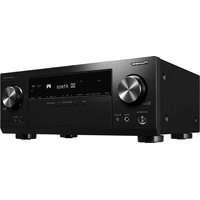
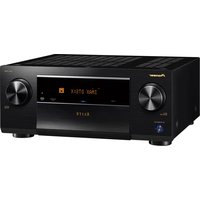
TX-NR7100 - Receiver KLIPSCH - Free user manual and instructions
Find the device manual for free TX-NR7100 KLIPSCH in PDF.


Pick your language and provide your email: we'll send you a specifically translated version.
| Product Type | AV Receiver |
| Brand | Klipsch |
| Model | TX-NR7100 |
| Dimensions (W x H x D) | 435 x 174 x 380 mm |
| Weight | 12.5 kg |
| Power Supply | AC 120V, 60Hz |
| Power Consumption | 600 W |
| Standby Power Consumption | 0.1 W |
| Output Power | 100 W per channel (8 ohms, 20Hz-20kHz, 2ch driven) |
| Total Harmonic Distortion | 0.08% |
| Frequency Response | 10 Hz - 100 kHz |
| Signal-to-Noise Ratio | 106 dB |
| HDMI Inputs | 7 (6 rear, 1 front) |
| HDMI Outputs | 2 (Main, Sub) |
| Audio Formats | Dolby Atmos, DTS:X, Auro-3D |
| Video Formats | 4K/60Hz, HDR10, Dolby Vision |
| Network | Wi-Fi, Bluetooth, Ethernet |
| Streaming Services | Spotify, Tidal, Deezer |
| Multi-room | Zone 2, Zone 3 |
| Speaker Impedance | 4-16 ohms |
| Remote Control | Included |
| Front Panel Inputs | USB, HDMI, Headphone |
| Finish | Black |
Frequently Asked Questions - TX-NR7100 KLIPSCH
How do I set up the Klipsch TX-NR7100 for the first time?
Connect speakers, HDMI sources, and power. Use the on-screen setup assistant to configure speaker layout, network, and audio settings. Run the AccuEQ room calibration for optimal sound.
What should I do if there is no sound from the receiver?
Check speaker connections, ensure the correct input is selected, and verify that the receiver is not muted. Also check the speaker impedance setting and try a factory reset if needed.
How can I connect my TV to the receiver?
Use an HDMI cable from the TV's HDMI ARC/eARC port to the receiver's HDMI output (labeled ARC). Enable HDMI ARC in the TV settings and set the receiver to the TV input.
Does the receiver support Dolby Atmos?
Yes, the TX-NR7100 supports Dolby Atmos, DTS:X, and Auro-3D for immersive audio. Use height or upward-firing speakers for full effect.
How do I update the firmware?
Connect to the internet via Ethernet or Wi-Fi. Go to Setup > Firmware Update and select 'Update via Network'. Follow prompts. Do not power off during update.
Can I control the receiver with a mobile app?
Yes, download the Klipsch Control app (or Onkyo Controller app, depending on region) from your app store. Connect to the same network as the receiver.
What is the maximum power output per channel?
The receiver delivers 100 watts per channel (8 ohms, 20Hz-20kHz, 0.08% THD, 2 channels driven). For all channels driven, total power may vary.
How do I reset the receiver to factory defaults?
While the unit is on, press and hold the 'CBL/SAT' button and then press the 'ON' button. The display will show 'Clear' confirming reset. Alternatively, use the setup menu: Setup > Hardware > Factory Reset.
What should I do if the receiver overheats?
Ensure ventilation slots are not blocked. Keep at least 20 cm above and behind. Reduce volume or number of speakers driven. If persistent, check fans or contact support.
How can I clean the receiver?
Unplug the unit. Use a soft, dry cloth for the exterior. Do not use liquid or aerosol cleaners. For vents, use a vacuum with a brush attachment on low suction.
User questions about TX-NR7100 KLIPSCH
0 question about this device. Answer the ones you know or ask your own.
Ask a new question about this device
No questions yet. Be the first to ask one.
Download the instructions for your Receiver in PDF format for free! Find your manual TX-NR7100 - KLIPSCH and take your electronic device back in hand. On this page are published all the documents necessary for the use of your device. TX-NR7100 by KLIPSCH.
USER MANUAL TX-NR7100 KLIPSCH


Manual assistant
Powered by Anthropic
Waiting for your message
Product information
Brand : KLIPSCH
Model : TX-NR7100
Category : Receiver