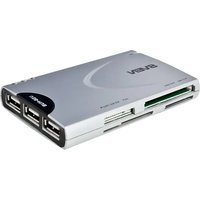
AC-115 - Memory card reader Sven - Free user manual and instructions
Find the device manual for free AC-115 Sven in PDF.


Pick your language and provide your email: we'll send you a specifically translated version.
| Product type | Memory card reader |
| Brand | Sven |
| Model | AC-115 |
| Supported memory cards | SD, SDHC, MMC, MS, MS Duo |
| Interface | USB 2.0 Hi-Speed |
| Data transfer rate | Up to 480 Mbps |
| Power supply | USB bus-powered (5V DC) |
| Operating system compatibility | Windows XP/Vista/7/8/10, Mac OS X or later |
| LED indicator | Yes, for power/activity |
| Hot-swap support | Yes |
| Plug and play | Yes, no driver required on most systems |
| Dimensions | 72 x 28 x 12 mm |
| Weight | Approximately 25 g |
| Enclosure material | Plastic |
| Maintenance | Clean with a soft, dry cloth; avoid moisture |
| Safety precautions | Do not expose to liquids or extreme temperatures |
| Spare parts and repairability | No user-serviceable parts; contact authorized service center |
| Country of origin | China |
| Warranty | Manufacturer warranty (check original packaging) |
Frequently Asked Questions - AC-115 Sven
Which memory card types are compatible with the Sven AC-115?
The Sven AC-115 supports SD, SDHC, MMC, Memory Stick and Memory Stick Duo cards. It is not compatible with SDXC or CompactFlash cards.
Does the Sven AC-115 require a driver installation?
No, the card reader is plug-and-play and operates with the USB Mass Storage driver included in most operating systems. For Windows XP, you may need to update the system to the latest Service Pack.
Can I use the AC-115 with a USB 3.0 port?
Yes, the card reader is backward compatible and will work when connected to a USB 3.0 port, but the transfer speed will remain limited to USB 2.0 speeds (up to 480 Mbps).
Why is my computer not recognizing the AC-115?
First, try a different USB port and check if the LED indicator lights up. If not, the device may be faulty. On software side, ensure the operating system has the USB Mass Storage driver. Unplug and reconnect the device.
How do I safely remove the card reader from my computer?
Use the 'Safely Remove Hardware' icon in the system tray to eject the device before unplugging. This prevents data corruption and damage to the memory card.
Does the AC-115 support SDXC memory cards?
No, the Sven AC-115 is designed for SD and SDHC cards only. SDXC cards use a different file system and are not recognized by this model.
What is the maximum storage capacity I can use?
The maximum supported capacity for SDHC cards is 32 GB. For SD, it supports cards up to 4 GB, and for MMC up to 4 GB as well.
How should I clean the card reader?
Turn off and unplug the device. Use a soft, dry cloth to wipe the exterior and the card slots. Avoid using liquids or abrasive cleaners. Do not insert metal objects into the slots.
Can I connect the card reader to a mobile phone via OTG?
This depends on the phone's support for USB Mass Storage and the availability of an OTG adapter. The AC-115 is a standard USB device, so it may work if the phone supplies sufficient power and implements the necessary drivers.
Is the Sven AC-115 repairable if it breaks?
The device contains no user-serviceable parts. If it malfunctions, contact the Sven authorized service center for inspection. Do not attempt to open the casing, as it voids the warranty.
User questions about AC-115 Sven
0 question about this device. Answer the ones you know or ask your own.
Ask a new question about this device
No questions yet. Be the first to ask one.
Download the instructions for your Memory card reader in PDF format for free! Find your manual AC-115 - Sven and take your electronic device back in hand. On this page are published all the documents necessary for the use of your device. AC-115 by Sven.
USER MANUAL AC-115 Sven

Manual assistant
Powered by Anthropic
Waiting for your message
Product information
Brand : Sven
Model : AC-115
Category : Memory card reader