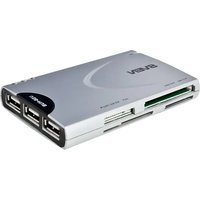
AC-111 - Memory card reader Sven - Free user manual and instructions
Find the device manual for free AC-111 Sven in PDF.


Pick your language and provide your email: we'll send you a specifically translated version.
| Type of product | Memory card reader |
| Brand | Sven |
| Model | AC-111 |
| Connectivity | USB 2.0 |
| Supported memory cards | SD, SDHC, SDXC, Micro SD, MMC, MS, MS Pro |
| Data transfer rate | Up to 480 Mbps |
| Plug and play | Yes (no driver required for most operating systems) |
| Power supply | USB powered (5V) |
| Material | ABS plastic |
| Dimensions (L x W x H) | 80 x 40 x 15 mm |
| Weight | 30 g |
| LED indicator | Yes, power and activity |
| Compatible operating systems | Windows XP/Vista/7/8/10, Mac OS X, Linux |
| Number of slots | 2 (SD and Micro SD) |
| Operating temperature | -20°C to 50°C |
| Storage environment | Dry and ventilated place |
| Maintenance | Clean with a dry cloth; avoid liquids |
| Safety | Do not bend or drop; keep away from water |
| Spare parts and repairability | No user-serviceable parts; contact authorized service if malfunction |
| Package contents | Card reader, user manual, warranty card |
Frequently Asked Questions - AC-111 Sven
How to connect the AC-111 to my computer?
Plug the USB connector into a free USB port. The device will be recognized automatically. If not, check device manager for drivers.
Why is my memory card not being detected?
Ensure the card is inserted correctly into the slot. Verify that the card is compatible with the reader (SD, SDHC, SDXC, Micro SD, etc.). Try reformatting the card on your device.
Can I use this card reader with my smartphone or tablet?
It depends on your device supporting USB On-The-Go. If your smartphone has OTG capability, you can connect the reader via an OTG adapter.
What is the maximum memory card capacity supported?
The reader supports SD cards up to 2TB in capacity, as long as the card uses FAT32 or exFAT file system. However, older cards may have different limits.
Is the AC-111 plug-and-play?
Yes, it is plug-and-play on Windows, Mac, and Linux. No additional software is required for normal use.
How do I access files from the memory card after connecting?
After connection, open your File Explorer (Windows) or Finder (Mac) and look for a new removable drive corresponding to the card.
Does the card reader support all types of SD cards?
It supports SD, SDHC, SDXC and Micro SD cards. It does not support CF or other formats unless specified.
Can I use multiple cards at the same time?
No, the reader has multiple slots, but only one card can be accessed at a time. Insert only the card you want to read.
How to safely remove the card reader to avoid data loss?
Use the Safely Remove Hardware feature in your operating system before unplugging. This ensures all data is written completely.
What should I do if the LED indicator does not light up?
First, check the USB connection and try a different port. Ensure the card is properly inserted. If it still fails, the reader may be defective and require service.
User questions about AC-111 Sven
0 question about this device. Answer the ones you know or ask your own.
Ask a new question about this device
No questions yet. Be the first to ask one.
Download the instructions for your Memory card reader in PDF format for free! Find your manual AC-111 - Sven and take your electronic device back in hand. On this page are published all the documents necessary for the use of your device. AC-111 by Sven.
USER MANUAL AC-111 Sven

Manual assistant
Powered by Anthropic
Waiting for your message
Product information
Brand : Sven
Model : AC-111
Category : Memory card reader