Halo Flex Duo - Tripod On Air - Free user manual and instructions
Find the device manual for free Halo Flex Duo On Air in PDF.


Pick your language and provide your email: we'll send you a specifically translated version.
| Product Type | Flexible Tripod |
| Brand | On Air |
| Model | Halo Flex Duo |
| Category | Tripod |
| Material | Aluminum alloy and high-grade ABS plastic |
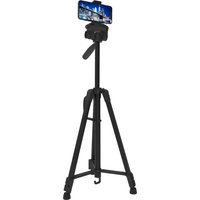
| Maximum Height | 150 cm (59 in) |
| Minimum Height | 20 cm (7.9 in) |
| Folded Length | 30 cm (11.8 in) |
| Weight | 0.8 kg (1.76 lb) |
| Load Capacity | 3 kg (6.6 lb) |
| Mounting Screw | 1/4" standard thread |
| Head Type | 3-way fluid head with pan and tilt |
| Quick Release Plate | Included with 1/4" screw |
| Smartphone Adapter | Adjustable width, fits smartphones up to 3.5" wide |
| Bluetooth Remote | Wireless shutter control, range up to 10 m |
| Power Source | 2 x AAA batteries for Bluetooth remote |
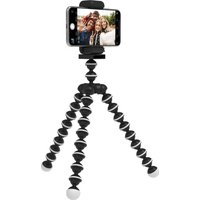
| Leg Flexibility | 360° rotatable legs, wrap around objects |
| Additional Mode | Doubles as a handheld selfie stick |
| Maintenance | Clean with soft dry cloth; avoid moisture |
| Safety Features | Non-slip rubber feet and secure locking knobs |
| Spare Parts Availability | Replacement parts available via customer support |
Frequently Asked Questions - Halo Flex Duo On Air
How to connect the Bluetooth remote?
Turn on the remote by pressing the shutter button once. Then go to your device's Bluetooth settings, search for On Air Halo Flex Duo, and pair. The remote is now ready to use.
Can I use this tripod with a DSLR camera?
Yes, the tripod supports cameras and devices up to 3 kg (6.6 lb) with a 1/4-inch mounting screw. However, flexible legs are best suited for lightweight setups.
How to fold the flexible legs for transport?
Bend all three legs together to align them parallel, then fold the head down. The compact design reduces the length to 30 cm for easy portability.
Does the tripod come with a smartphone adapter?
Absolutely. The package includes an adjustable smartphone adapter that accommodates devices up to 3.5 inches wide, and it attaches via the quick-release plate.
How to clean the tripod?
Use a soft, dry cloth to wipe down the legs and head. Avoid using harsh chemicals or submerging the tripod in water to protect the flexible joints.
Can I use the tripod on uneven surfaces?
Yes, the 360° flexible legs can be individually adjusted to grip trees, fences, or rocks, making it perfect for outdoor photography on uneven terrain.
What is the maximum load capacity?
The tripod can safely hold up to 3 kg (6.6 lb), suitable for smartphones, action cameras, and lightweight mirrorless or DSLR camera setups.
How to replace the batteries in the remote?
Slide open the battery compartment on the remote. Insert 2 x AAA batteries with the correct polarity, then close the compartment securely.
Is the tripod suitable for vlogging?
Definitely. The Halo Flex Duo can convert into a handheld selfie stick, and the included Bluetooth remote lets you capture stable, hands-free shots while vlogging.
How to adjust the tilt head?
Loosen the tension knob on the head, position the camera to your desired angle, and tighten the knob firmly. The fluid head provides smooth pan and tilt movements.
User questions about Halo Flex Duo On Air
0 question about this device. Answer the ones you know or ask your own.
Ask a new question about this device
No questions yet. Be the first to ask one.
Download the instructions for your Tripod in PDF format for free! Find your manual Halo Flex Duo - On Air and take your electronic device back in hand. On this page are published all the documents necessary for the use of your device. Halo Flex Duo by On Air.
USER MANUAL Halo Flex Duo On Air
Manual assistant
Powered by Anthropic
Waiting for your message
Product information
Brand : On Air
Model : Halo Flex Duo
Category : Tripod