Halo Glow - Tripod On Air - Free user manual and instructions
Find the device manual for free Halo Glow On Air in PDF.


Pick your language and provide your email: we'll send you a specifically translated version.
| Product Type | Tripod for cameras and lighting equipment |
| Brand | On Air |
| Model | Halo Glow |
| Material | Aluminium alloy with ABS plastic components |
| Maximum Height | 152 cm (60 inches) |
| Minimum Height | 38 cm (15 inches) |
| Folded Length | 48 cm (19 inches) |
| Weight | 1.3 kg (2.9 lbs) |
| Maximum Load Capacity | 3.5 kg (7.7 lbs) |
| Leg Sections | 4 sections with flip locks |
| Center Column | Sliding column with adjustable tension |
| Head Type | Ball head with quick release plate |
| Mounting Thread | 1/4 inch standard camera screw |
| Feet | Rubber pads with retractable metal spikes |
| Auxiliary Features | Bubble level, hook for weight bag, padded carry bag included |
| Power Source | Manual operation, no power required |
| Maintenance | Clean with dry cloth, lubricate moving parts with silicone grease |
| Safety | Always tighten leg locks before mounting; do not exceed weight capacity |
| Spare Parts & Repairability | Leg locks, feet, and quick release plate replaceable; commonly available |
| Warranty | Standard manufacturer warranty against manufacturing defects |
| Package Contents | Tripod, ball head, smart phone holder, carry bag, user manual |
Frequently Asked Questions - Halo Glow On Air
How do I set up the On Air Halo Glow tripod for the first time?
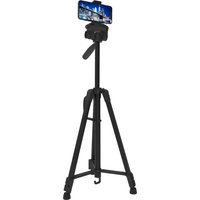
Spread the legs evenly by pulling them apart until the flip locks click into place. Then extend each leg section to your desired height and lock the flip locks securely. Finally, attach your camera or smartphone to the quick release plate.
What is the maximum height and load capacity of the Halo Glow tripod?
The tripod extends up to 152 cm (60 inches) without raising the center column, and can safely support up to 3.5 kg (7.7 lbs) of equipment. Always keep the load below this limit to ensure stability.
How do I use the quick release plate?
Screw the plate into the bottom of your camera or device, then slide it into the groove on the ball head until it clicks. To release, pull the spring-loaded lever outward. This allows fast mounting and dismounting.
Can the tripod be used for smartphone photography?
Yes, the package includes an adjustable smartphone holder with a standard 1/4 inch thread. Attach the holder to the quick release plate, then clamp your phone securely in place.
How do I adjust the center column for extra height?
Loosen the center column lock by turning the knob counter-clockwise, raise the column to the desired height, then firmly tighten the knob clockwise. Make sure the tripod legs are fully spread for stability.
How do I switch from rubber feet to metal spikes?
The rubber feet can be unscrewed to expose the metal spikes beneath. Turn the rubber foot counter-clockwise to remove it, and reverse to install. Use spikes on soft ground for better grip.
How should I maintain and clean the tripod?
Wipe all surfaces with a dry microfiber cloth after use. For stubborn dirt, dampen the cloth slightly and dry immediately. Apply a small amount of silicone grease to the leg locks and center column mechanism periodically to keep them smooth.
Is the tripod stable on uneven surfaces?
Yes, each leg can be adjusted to a different length to level the tripod. Use the bubble level on the center column to ensure a perfect horizontal base, and adjust leg angles accordingly.
What should I do if a leg lock becomes loose?
Tighten the hex screw inside the flip lock with a suitable screwdriver. If the lock is damaged, it can be replaced with a spare part. Consult the user manual for part numbers and disassembly instructions.
Does the tripod come with a carry bag?
Yes, a padded carry bag is included for safe transportation. Fold the tripod completely, retract the center column, and store it in the bag with the included accessories.
User questions about Halo Glow On Air
0 question about this device. Answer the ones you know or ask your own.
Ask a new question about this device
No questions yet. Be the first to ask one.
Download the instructions for your Tripod in PDF format for free! Find your manual Halo Glow - On Air and take your electronic device back in hand. On this page are published all the documents necessary for the use of your device. Halo Glow by On Air.
USER MANUAL Halo Glow On Air
Manual assistant
Powered by Anthropic
Waiting for your message
Product information
Brand : On Air
Model : Halo Glow
Category : Tripod