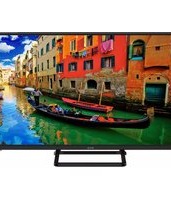
40 F01T2S2 - Television ECG - Free user manual and instructions
Find the device manual for free 40 F01T2S2 ECG in PDF.


Pick your language and provide your email: we'll send you a specifically translated version.
| Product Type | Television (LED) |
| Brand | ECG |
| Model | 40 F01T2S2 |
| Screen Size | 40 inches |
| Display Resolution | Full HD (1920 x 1080 pixels) |
| Display Type | Direct-lit LED |
| Aspect Ratio | 16:9 |
| Refresh Rate | 60 Hz |
| Tuner | DVB-T2 / DVB-T / DVB-C / DVB-S2 |
| HDMI Ports | 3 (HDMI 1.4) |
| USB Ports | 2 (USB 2.0) |
| Other Connections | VGA, composite AV, headphone output, antenna input |
| Audio Output Power | 2 x 8 W |
| Power Consumption | 65 W (typical) |
| Standby Consumption | 0.4 W |
| Energy Efficiency Class | A+ |
| Dimensions (with stand) | 922 x 578 x 210 mm |
| Dimensions (without stand) | 922 x 532 x 84 mm |
| Weight (with stand) | 6.4 kg |
| Weight (without stand) | 5.9 kg |
| VESA Wall Mount | 200 x 200 mm |
| Safety Features | Short-circuit and over-voltage protection |
| Repair & Spare Parts | Service support through authorised ECG centres; common spare parts (remote, stand, power board) available |
| Cleaning & Maintenance | Wipe with a soft dry cloth; avoid liquids and solvents |
Frequently Asked Questions - 40 F01T2S2 ECG
How do I connect an external soundbar to my ECG 40 F01T2S2?
Use an HDMI cable on the HDMI ARC port if your soundbar supports ARC, or connect via the headphone/audio output. Make sure both devices are plugged in and select the correct sound output in the TV menu.
How can I mount the TV on the wall?
Please use the VESA 200 x 200 bracket. Remove the plastic caps on the back, align the bracket with the screw holes, and fix with the appropriate screws (not supplied). Always leave a 10 cm gap around the set for ventilation.
What should I do if the remote control is unresponsive?
First insert fresh AA batteries with correct polarity. Make sure there is no obstruction between the remote and the front IR receiver. If the problem persists, perform a power reset by unplugging the TV for two minutes and plugging it back on.
How do I perform a factory reset?
Open the Settings menu, navigate to System, select Factory Reset, and confirm with the remote. The TV will erase all channels and customised settings and restart in setup mode.
How do I scan for digital channels?
Press the Menu button, go to Channel/Tuner, select Auto Scan/Channel Search. Choose either Antenna (DVB-T2) or Cable (DVB-C) depending on your signal, then start the scan. Once finished, channels are automatically sorted.
Can I play media files from a USB drive?
Yes, insert a USB drive (FAT32 or NTFS) into one of the USB ports. Press the Source button and select USB. The TV accepts common formats such as MP4, AVI, MKV, JPEG and MP3, depending on codec.
Why is there no sound or picture when I turn on the TV?
Check that the power cable is connected correctly and the power outlet works. Press the An/Off button on the TV or remote. If the red LED is on, press Source and ensure you choose the correct input. Try a power reset if needed.
What are the best picture settings for the ECG 40 F01T2S2?
Set Picture Mode to Standard or Cinema. For images, choose 16:9 aspect ratio. Reduce Backlight to around 60% and Sharpness to 20 in bright rooms. Use Dynamic only for daylight viewing.
How should I clean the LED screen safely?
Turn off the TV and wait for it to cool. Dust with a soft, lint-free microfibre cloth. For stains, slightly dampen the cloth with pure water (no soap) and wipe gently. Never spray liquid directly onto the screen and avoid abrasive products.
Does the TV support software updates and how do I get them?
Yes, updates are delivered via the USB port if available from the ECG support website. Download the update file, copy the update.bin to a FAT32 USB stick, plug it in and select Software Update in the Support menu. Do not disconnect the TV during the process.
User questions about 40 F01T2S2 ECG
0 question about this device. Answer the ones you know or ask your own.
Ask a new question about this device
No questions yet. Be the first to ask one.
Download the instructions for your Television in PDF format for free! Find your manual 40 F01T2S2 - ECG and take your electronic device back in hand. On this page are published all the documents necessary for the use of your device. 40 F01T2S2 by ECG.
USER MANUAL 40 F01T2S2 ECG


Manual assistant
Powered by Anthropic
Waiting for your message
Product information
Brand : ECG
Model : 40 F01T2S2
Category : Television