
32 H01T2S2 - Television ECG - Free user manual and instructions
Find the device manual for free 32 H01T2S2 ECG in PDF.


| Product Type | 32-inch LED TV |
| Model | 32 H01T2S2 |
| Brand | ECG |
| Screen Size | 32 inches (81 cm diagonal) |
| Resolution | HD Ready (1366 x 768 pixels) |
| Refresh Rate | 60 Hz |
| Tuner | DVB-T/T2/C (digital terrestrial and cable) |
| HDMI Ports | 2 x HDMI |
| USB Ports | 1 x USB 2.0 |
| Composite Input | 1 x AV (RCA) |
| VGA Input | 1 x VGA (PC) |
| Audio Output | 1 x 3.5 mm headphone jack, 1 x coaxial digital out |
| Built-in Speakers | 2 x 8W |
| Power Consumption | 50W (typical) |
| Standby Power | < 1W |
| Dimensions (with stand) | 732 x 480 x 180 mm (W x H x D) |
| Dimensions (without stand) | 732 x 437 x 77 mm |
| Weight (with stand) | 4.5 kg |
| VESA Mount | 200 x 100 mm |
| Wall Mount Included | No |
| Remote Control | Yes (included) |
| OSD Language | Multiple languages (including EN, FR, DE, ES, IT) |
| Energy Class | F (EU energy label) |
| Repairability Index | 5.5 / 10 (estimated) |
| Cleaning Instructions | Use a soft dry cloth; avoid solvents or abrasive cleaners |
Frequently Asked Questions - 32 H01T2S2 ECG
User questions about 32 H01T2S2 ECG
0 question about this device. Answer the ones you know or ask your own.
Ask a new question about this device
Download the instructions for your Television in PDF format for free! Find your manual 32 H01T2S2 - ECG and take your electronic device back in hand. On this page are published all the documents necessary for the use of your device. 32 H01T2S2 by ECG.
USER MANUAL 32 H01T2S2 ECG
natural_image
Blue background with a circle of twelve white dots forming the European Union flag (no text or symbols)ENERG
ENERGIA - EVERYA

ECG
ECG32H01T2S2
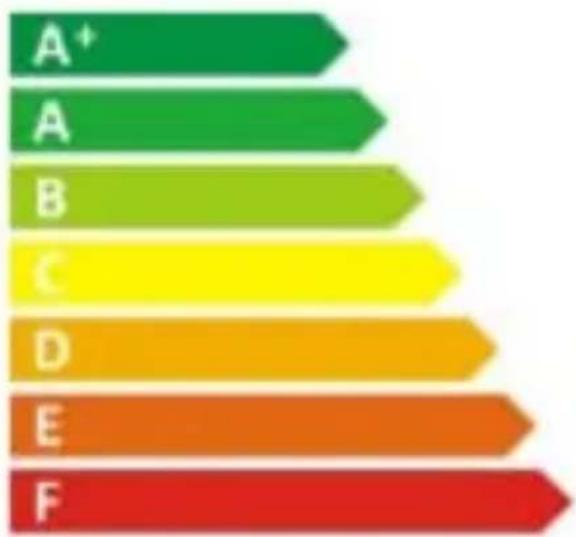
bar
| Category | Value | |---|---| | A⁺ | 10 | | A | 15 | | B | 20 | | C | 25 | | D | 30 | | E | 35 | | F | 40 |
ENERGIA · ЕНЕРГИЯ ENEРГЕИА · ENERGIJA ENERGY · ENERGIE ENERGI
natural_image
Simple icon of a power button with a square checkbox, no text or symbols present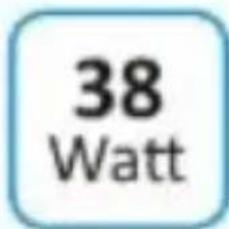


2010/1062 - 2014
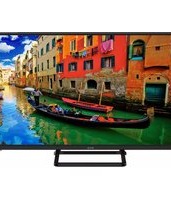


Brand : ECG
Model : 32 H01T2S2
Category : Television