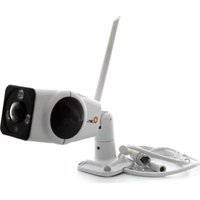
QCBA1701 - Security Camera Qian - Free user manual and instructions
Find the device manual for free QCBA1701 Qian in PDF.


Pick your language and provide your email: we'll send you a specifically translated version.
| Type of product | Security Camera |
| Brand | Qian |
| Model | QCBA1701 |
| Connectivity | Wi-Fi (802.11 b/g/n) and Ethernet |
| Resolution | 1080p Full HD (1920x1080) |
| Field of view | 110° wide angle |
| Night vision | Infrared LEDs up to 10 m |
| Motion detection | Passive infrared sensor with app alerts |
| Audio | Two-way audio with built-in microphone and speaker |
| Storage | MicroSD card up to 128 GB and cloud storage |
| Power supply | DC 5V/1A AC adapter |
| Dimensions | 60 × 60 × 110 mm |
| Weight | 250 g |
| Operating temperature | -10°C to 45°C |
| Weather resistance | Indoor use only |
| Mounting type | Tabletop or wall-mountable bracket |
| App compatibility | iOS and Android |
| Security | WPA2 encryption and firmware updates |
| Care and cleaning | Wipe exterior with a soft dry cloth |
| Repairability | Internal components not user-replaceable; contact professional technician |
Frequently Asked Questions - QCBA1701 Qian
How do I set up the Qian QCBA1701 camera?
Connect the camera to power, download the official app, and follow the in-app instructions to connect to your Wi-Fi network.
Can I reset the camera to factory settings?
Insert a pin into the reset hole for 5 seconds. The camera will reboot and restore default settings. You will need to reconfigure it.
Does the camera support night vision?
Yes, it has infrared LEDs that automatically activate in low light, providing visibility up to 10 meters.
Can I talk through the camera?
Yes, the built-in microphone and speaker enable two-way audio for communication via the mobile app.
How does motion detection work?
The camera uses a passive infrared sensor to detect heat changes and sends push notifications to your smartphone.
What is the maximum supported microSD capacity?
The camera accepts microSD cards up to 128 GB for local recording.
Is the camera protected from hacking?
It supports WPA2 encryption and regular firmware updates to enhance security.
Can I mount the camera on a wall?
Yes, the included bracket allows for wall mounting or tabletop placement.
How should I clean the camera?
Turn off the device and wipe the exterior with a soft, dry cloth. Avoid abrasive cleaners or liquids.
What should I do if the camera is not responding?
Perform a factory reset, ensure it is powered correctly, and check your Wi-Fi connection. If the issue persists, contact support.
User questions about QCBA1701 Qian
0 question about this device. Answer the ones you know or ask your own.
Ask a new question about this device
No questions yet. Be the first to ask one.
Download the instructions for your Security Camera in PDF format for free! Find your manual QCBA1701 - Qian and take your electronic device back in hand. On this page are published all the documents necessary for the use of your device. QCBA1701 by Qian.
USER MANUAL QCBA1701 Qian

Manual assistant
Powered by Anthropic
Waiting for your message
Product information
Brand : Qian
Model : QCBA1701
Category : Security Camera