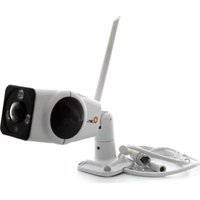
QCDA1701 - Security Camera Qian - Free user manual and instructions
Find the device manual for free QCDA1701 Qian in PDF.


Pick your language and provide your email: we'll send you a specifically translated version.
| Brand | Qian |
| Model | QCDA1701 |
| Product type | Security camera |
| Video resolution | 1080p Full HD (1920 x 1080) |
| Field of view | 90° wide-angle |
| Night vision | Infrared LEDs with up to 33 ft (10 m) range |
| Connectivity | Wi-Fi 802.11 b/g/n (2.4 GHz) |
| Power supply | DC 5V/1A via included USB cable |
| Power consumption | 2.5 W (typical) |
| Dimensions | Approximately 3.9 x 2.4 x 2.4 in (10 x 6 x 6 cm) |
| Weight | 6.3 oz (180 g) |
| Storage | MicroSD card slot (up to 128 GB, not included) and cloud storage support |
| Motion detection | Yes, with push notifications |
| Audio | Two-way audio with built-in microphone and speaker |
| Outdoor rating | Not designed for direct outdoor exposure; use under a covered area |
| Mounting method | Tabletop or wall mount with included bracket |
| Operating temperature | 14°F to 122°F (-10°C to 50°C) |
| Compatibility | Works with iOS and Android devices via the Qian Security App |
| Maintenance | Wipe the lens with a soft, dry cloth. Ensure the vents are free of dust. |
| Safety | This product complies with FCC/CE regulations. Do not disassemble. |
| Spare parts | Contact support for replacement brackets or charging cables. |
Frequently Asked Questions - QCDA1701 Qian
How do I reset the Qian QCDA1701 to factory defaults?
To reset, press and hold the reset button on the bottom of the camera for about 10 seconds until the LED indicator flashes red. The camera will reboot and all settings will be restored to factory defaults.
Can this security camera be used outdoors?
The QCDA1701 is designed for indoor use. It is not weatherproof, so if you place it outdoors, make sure it is under a covered area like an eave. Avoid direct rain and sun exposure.
How do I connect the camera to Wi-Fi?
Download the Qian Security App on your smartphone. Power on the camera, then use the app to scan the QR code on the camera. Follow the in-app instructions to enter your Wi-Fi network and password. Ensure the camera is within 32 feet (10 m) of the router.
What is the night vision range?
The camera uses IR LEDs for night vision with a maximum range of 33 feet (10 meters) in complete darkness. The image will be black and white, and the camera automatically switches to night mode.
Does the camera support two-way audio?
Yes, the QCDA1701 has a built-in microphone and speaker, allowing you to talk and listen in real time through the app. Use this feature to communicate with family or deter intruders.
How much storage is available for recordings?
The camera supports a microSD card of up to 128 GB (not included). Recordings are saved locally by default. For extra security, you can subscribe to cloud storage through the app.
Can I view the camera remotely when I'm away?
Yes, as long as the camera is connected to the internet, you can access live video from anywhere using your smartphone or tablet through the Qian Security App. Ensure your router is online.
What should I do if the camera goes offline?
First, check the power supply and that the LED is on. Then open the app and confirm your Wi-Fi connection. If the camera still fails, reboot it by unplugging for 10 seconds. If problems persist, perform a factory reset as described above.
How do I update the camera's firmware?
The Qian Security App will automatically notify you of available firmware updates. To update, go to Device Settings in the app, select 'Firmware Update', and ensure the camera has a stable connection. Do not unplug during the update.
Is the camera compatible with Amazon Alexa or Google Assistant?
The QCDA1701 is not certified for Alexa or Google Assistant. It works exclusively with the official Qian Security App for setup and control.
User questions about QCDA1701 Qian
0 question about this device. Answer the ones you know or ask your own.
Ask a new question about this device
No questions yet. Be the first to ask one.
Download the instructions for your Security Camera in PDF format for free! Find your manual QCDA1701 - Qian and take your electronic device back in hand. On this page are published all the documents necessary for the use of your device. QCDA1701 by Qian.
USER MANUAL QCDA1701 Qian


Manual assistant
Powered by Anthropic
Waiting for your message
Product information
Brand : Qian
Model : QCDA1701
Category : Security Camera