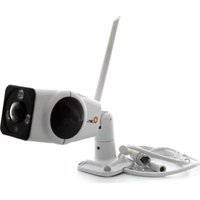
QC3601701 - Security Camera Qian - Free user manual and instructions
Find the device manual for free QC3601701 Qian in PDF.


Pick your language and provide your email: we'll send you a specifically translated version.
| Product Type | Indoor Security Camera |
| Brand | Qian |
| Model | QC3601701 |
| Video Resolution | 1080p Full HD |
| Lens | 360° pan and 90° tilt motorized head |
| Connectivity | Wi-Fi 2.4 GHz IEEE 802.11b/g/n |
| Night Vision | Infrared LEDs up to 10 m |
| Motion Detection | Yes, with real-time smartphone alerts |
| Audio | Two-way audio with microphone and speaker |
| Storage | MicroSD up to 128 GB and optional cloud storage |
| Power Supply | DC 5V/2A power adapter |
| Dimensions | 10.5 × 7.5 × 7.5 cm (camera body) |
| Weight | 220 g |
| Mounting | Ceiling or wall mount included |
| Weather Resistance | Indoor only (IP20) |
| Mobile App | Compatible with iOS and Android |
| Operating Temperature | -10°C to 50°C |
| Certifications | CE, FCC |
| Maintenance | Keep lens clean with a dry microfiber cloth |
| Safety | Overcharge and overcurrent protection |
| Parts and Repairability | User-replaceable base and lens cover |
Frequently Asked Questions - QC3601701 Qian
How do I connect the QC3601701 to my Wi-Fi network?
Download the Qian Home app, create an account, power on the camera, and press the reset button until the LED blinks rapidly. In the app, select the 2.4 GHz Wi-Fi network, enter the password, and scan the QR code displayed on the phone.
How do I reset the camera to factory settings?
Locate the reset button on the bottom of the camera. Press and hold it for about 10 seconds until the LED turns solid red. The camera will reboot and all settings will be restored to factory defaults.
Can this camera be used outdoors?
No, the QC3601701 is designed for indoor use only. It has an IP20 rating, meaning it is not protected against water or dust ingress. Install it under a roof or inside rooms to avoid moisture damage.
What type of memory card is supported?
The camera supports MicroSD cards up to 128 GB. For reliable continuous recording, we recommend a Class 10 or UHS-I card.
Does the camera support two-way audio?
Yes, the built-in microphone and speaker enable two-way audio, allowing you to listen and talk to visitors or family members through the app.
Why is the motion detection not working at night?
Ensure night vision is enabled in the app and the IR LEDs are not blocked. Also check the motion sensitivity settings and clean the lens if it is dirty.
How can I view the camera remotely?
Open the Qian Home app, log in to your account, and tap on the device to watch live or recorded footage from anywhere with internet access.
Is a cloud subscription required for recording?
No, cloud storage is optional and requires a paid subscription. You can use a MicroSD card for free local storage and playback.
Can I rotate the camera to cover different angles?
Yes, the camera has a motorized 360° pan and 90° tilt head, which you can control wirelessly via the app to view the entire room.
How do I update the camera firmware?
Go to Device Settings in the app, select Firmware Update, and check for the latest version. Keep the camera plugged in during the update to avoid interruptions.
User questions about QC3601701 Qian
0 question about this device. Answer the ones you know or ask your own.
Ask a new question about this device
No questions yet. Be the first to ask one.
Download the instructions for your Security Camera in PDF format for free! Find your manual QC3601701 - Qian and take your electronic device back in hand. On this page are published all the documents necessary for the use of your device. QC3601701 by Qian.
USER MANUAL QC3601701 Qian


Manual assistant
Powered by Anthropic
Waiting for your message
Product information
Brand : Qian
Model : QC3601701
Category : Security Camera