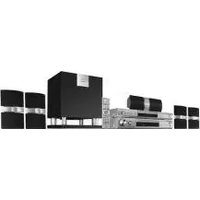
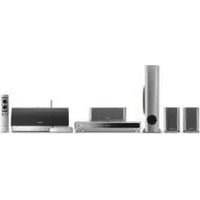
HTP-2600 - Home Theater PIONEER - Free user manual and instructions
Find the device manual for free HTP-2600 PIONEER in PDF.


Pick your language and provide your email: we'll send you a specifically translated version.
| Type of Product | Home Theater System |
| Brand | Pioneer |
| Model | HTP-2600 |
| Number of Channels | 5.1 |
| Power Output | 100 Watts per channel |
| Supported Audio Formats | Dolby Digital, DTS, PCM |
| Connectivity Options | HDMI, Optical, Coaxial, Analog RCA |
| Tuner | AM/FM Radio tuner with presets |
| Dimensions (W x H x D) | 430 x 150 x 320 mm |
| Weight | 8 kg |
| Power Consumption | 200 Watts (max) |
| Standby Power | Less than 0.5 Watt |
| Remote Control Operation | Full-function remote control included |
| Audio Enhancement Features | Digital sound field processing |
| Speaker Configuration | Supports 5.1 channel speaker setup |
| Cleaning and Maintenance | Wipe with a soft, dry cloth; avoid solvents |
| Safety Precautions | Keep away from moisture and heat sources |
| Spare Parts and Repairability | Spare parts available through Pioneer authorized service centers |
| User Manual Availability | Free PDF download from notice-facile.com |
| General Information | Designed for immersive home cinema experience |
Frequently Asked Questions - HTP-2600 PIONEER
How do I connect the Pioneer HTP-2600 to my TV?
Use an HDMI cable to connect the HDMI OUT port on the home theater system to any HDMI IN port on your TV. Alternatively, you can use an optical cable for digital audio. Make sure the TV is set to the correct input source.
What should I do if there is no sound coming from the speakers?
First verify that the system is not muted and the volume is turned up. Check the speaker connections to ensure the wires are securely attached to both the speaker and the receiver. Also confirm the correct audio input source is selected. If using HDMI, ensure the TV is set to output audio through the receiver.
Can I reset the HTP-2600 to factory settings?
Yes, press and hold the Power button on the front panel for 5 seconds until the display shows 'INITIALIZE'. Release the button and the system will restart with default settings. This does not affect your connected devices.
How do I pair a Bluetooth device with the HTP-2600?
If your model supports Bluetooth, press the Bluetooth button on the remote control. Then on your smartphone or tablet, enable Bluetooth and search for 'Pioneer HTP-2600'. Select it and enter PIN 0000 if prompted. Once paired, audio will stream wirelessly.
What is the best way to clean the home theater receiver?
Unplug the unit. Use a soft, dry cloth to wipe the exterior. Do not use water, chemical cleaners, or aerosols. For the speaker grilles, a soft brush can gently remove dust. Avoid touching the internal components.
Can I use the HTP-2600 to play music from a USB drive?
Connect the USB drive to the USB port on the front panel. Use the remote to select the USB input. The system will play compatible audio files such as MP3, WAV, and FLAC. Use the arrow buttons to navigate folders and tracks.
How do I set up the speaker system in a 5.1 configuration?
Place the front left and right speakers at ear level, the center speaker above or below the TV, and the surround speakers slightly behind the listening area. The subwoofer can be placed anywhere for optimal bass response. Connect each speaker to its corresponding color-coded terminal on the receiver.
Does the HTP-2600 support 4K video passthrough?
The HTP-2600 is designed for standard and high-definition video up to 1080p. For 4K content, check your manual for HDCP 2.2 compliance. If not supported, connect source devices directly to your TV and use the receiver for audio only.
What should I do if the remote control is not working?
Check the batteries in the remote and replace them if necessary. Ensure there are no obstacles between the remote and the receiver. Point the remote directly at the front panel IR sensor. If the issue persists, try resetting the system by unplugging it for 10 seconds.
How can I program the FM/AM radio stations?
Press the Tuner button to select FM or AM. Tune to the desired station manually. Then press the 'Memory' button on the remote. Use the presets numbers to store the station. Press 'Memory' again to save. Repeat for other stations.
User questions about HTP-2600 PIONEER
0 question about this device. Answer the ones you know or ask your own.
Ask a new question about this device
No questions yet. Be the first to ask one.
Download the instructions for your Home Theater in PDF format for free! Find your manual HTP-2600 - PIONEER and take your electronic device back in hand. On this page are published all the documents necessary for the use of your device. HTP-2600 by PIONEER.
USER MANUAL HTP-2600 PIONEER

Manual assistant
Powered by Anthropic
Waiting for your message
Product information
Brand : PIONEER
Model : HTP-2600
Category : Home Theater